Everyone talks about creative review software as a way to get feedback faster. That’s the surface-level pitch. And it’s not wrong. Faster feedback loops are good. Of course, they are.
But that’s like saying a hammer is good because it hits nails. It misses the point of why you’re swinging the hammer in the first place.
The real value of creative review software isn’t just speed. It's about clarity, accountability, and ultimately, profitability. It's about turning chaotic feedback into a structured, auditable process that actually moves the needle.
1. Beyond 'Faster Feedback': The Hidden Cost of Vague Reviews
You’ve seen it. The client email with a single line: “Make it pop.” Or the Slack message: “Looks good, but something’s off.” This isn’t feedback; it’s noise.
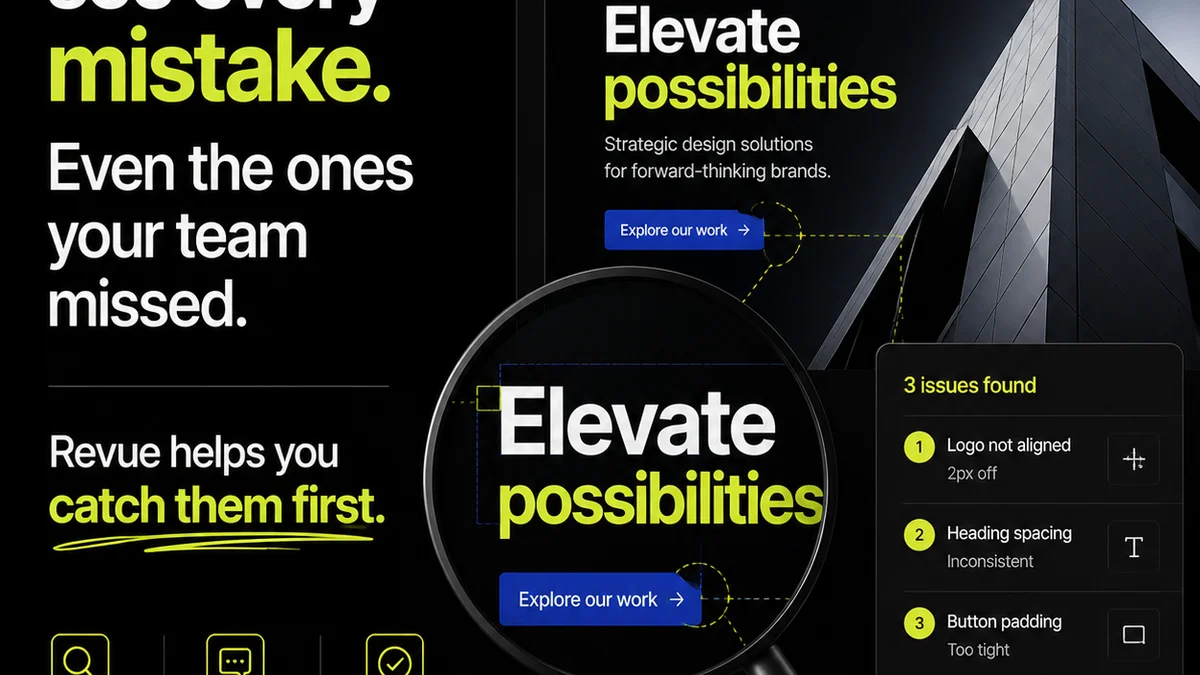
Creative review software should eliminate this. It forces specificity. By providing a visual context for every comment, it anchors feedback to a particular element, at a particular time.
The Problem with Email Chains
- Endless scrolling to find the latest version.
- Comments buried in attachments or scattered across multiple emails.
- No clear audit trail of who said what, and when.
- Difficulty distinguishing between final approval and casual suggestions.
This ambiguity costs time. It costs revisions. It costs money. And it erodes client trust when you have to go back and ask, “Wait, what did you *mean* by ‘pop’?”
2. Accountability: Who Owns the Decision?
Creative review tools bring a level of accountability that email simply can’t match. When feedback is logged against a specific version, with a specific user attached, there’s a record.
This isn’t about finger-pointing. It’s about clarity and ownership.
Key Accountability Features
- Version Control: Every iteration is tracked. No more “which version is this?” debates.
- User-Specific Comments: Feedback is tied to an individual, not a generic alias.
- Approval Statuses: Clear markers for “Approved,” “Revisions Required,” “Needs Review.”
- Audit Trails: A complete history of feedback and approvals.
This structure protects both the agency and the client. For agencies, it means you’re not chasing ghosts or redoing work based on unclear or conflicting direction. For clients, it means their decisions are formally captured, reducing misunderstandings later.
3. Efficiency Gains: More Than Just Time Saved
The most obvious efficiency gain is reduced revision cycles. But that’s just the tip of the iceberg.
Consider the time saved by your creative team. No more hunting for the latest file. No more deciphering vague comments. They can focus on creative execution, not administrative overhead.
Beyond Revision Cycles
- Streamlined Handoffs: Clear feedback and approvals make it easier to move projects to the next stage.
- Reduced Internal Back-and-Forth: The platform becomes the single source of truth.
- Faster Onboarding for New Team Members: Project history is easily accessible.
- Better Resource Allocation: Predictable timelines mean you can schedule resources more effectively.
This isn't just about being busy; it's about being effective. It frees up your most valuable creative talent to do what they do best.
4. Reducing Scope Creep
Scope creep is the silent killer of agency profitability. It’s often fueled by unclear initial briefs and poorly managed feedback.
Creative review software acts as a crucial guardrail.
How It Helps
- Clear Deliverables: The approved scope is inherently documented through the review process.
- Formal Sign-offs: Each approval stage confirms the work is on track with agreed-upon objectives.
- Visualizing Scope: When a client asks for something outside the original scope, it’s immediately apparent against the documented feedback and approvals.
This visibility allows for proactive conversations about additional scope, rather than reactive arguments after the fact.
5. Where Revue Fits In
Revue is built for the realities of creative workflows. It’s not just another annotation tool; it’s a central hub for managing client feedback and approvals.
Think of it as the control tower for your creative output.
Revue’s Core Strengths
- Centralized Feedback: All client comments and stakeholder input live in one place, tied directly to the creative asset. No more fishing through emails or Slack.
- Revision & Approval Visibility: Track the status of every review cycle. See who has commented, who has approved, and what revisions are outstanding. This clarity prevents bottlenecks and ensures accountability.
- Quality Assurance: Use Revue to conduct internal checks before client delivery. Ensure all feedback has been addressed and the final output meets your agency’s standards.
- Streamlined Communication: Reduce the need for endless clarification calls. Specific, contextual comments mean less back-and-forth.
By bringing structure to the often-messy feedback process, Revue helps agencies deliver better work, faster, and more profitably.
6. Choosing the Right Tool: Beyond the Feature List
Don't get seduced by a long list of features. Most creative review software offers similar core functionalities: annotation, versioning, commenting.
The real differentiator is how well the tool integrates into *your* workflow and how effectively it drives the outcomes you need.
Ask These Questions:
- Does it simplify communication or add another layer of complexity?
- Is it intuitive for both internal teams and external clients?
- Does it provide clear audit trails for approvals and feedback?
- Can it handle the types of assets you work with most often (video, web, static images)?
- Does it offer integrations with other tools you rely on?
The best software is the one that disappears into your workflow, making things smoother without demanding constant attention.
Final Thought
Creative review software is more than a digital whiteboard. It's a strategic asset that underpins project efficiency, client satisfaction, and agency profitability. Are you using yours to its full potential, or just ticking a box?
Frequently asked questions
What is the primary benefit of creative review software?
While faster feedback is a benefit, the primary advantage is the clarity, accountability, and structured audit trail it provides for feedback and approvals, which directly impacts project efficiency and profitability.
How does creative review software help prevent scope creep?
By providing a clear, documented record of all feedback and approvals against specific project versions, creative review software makes deviations from the original scope immediately visible, enabling proactive conversations about additional work.
Is creative review software only for large agencies?
No, creative review software is beneficial for agencies of all sizes. It brings much-needed structure to feedback and approval processes, which can be particularly impactful for smaller teams looking to maximize efficiency and client satisfaction.
What should I look for when comparing creative review software?
Focus on how well the software integrates into your existing workflow, its ease of use for both internal teams and clients, the clarity of its audit trails, and its ability to handle your primary asset types, rather than just a long list of features.