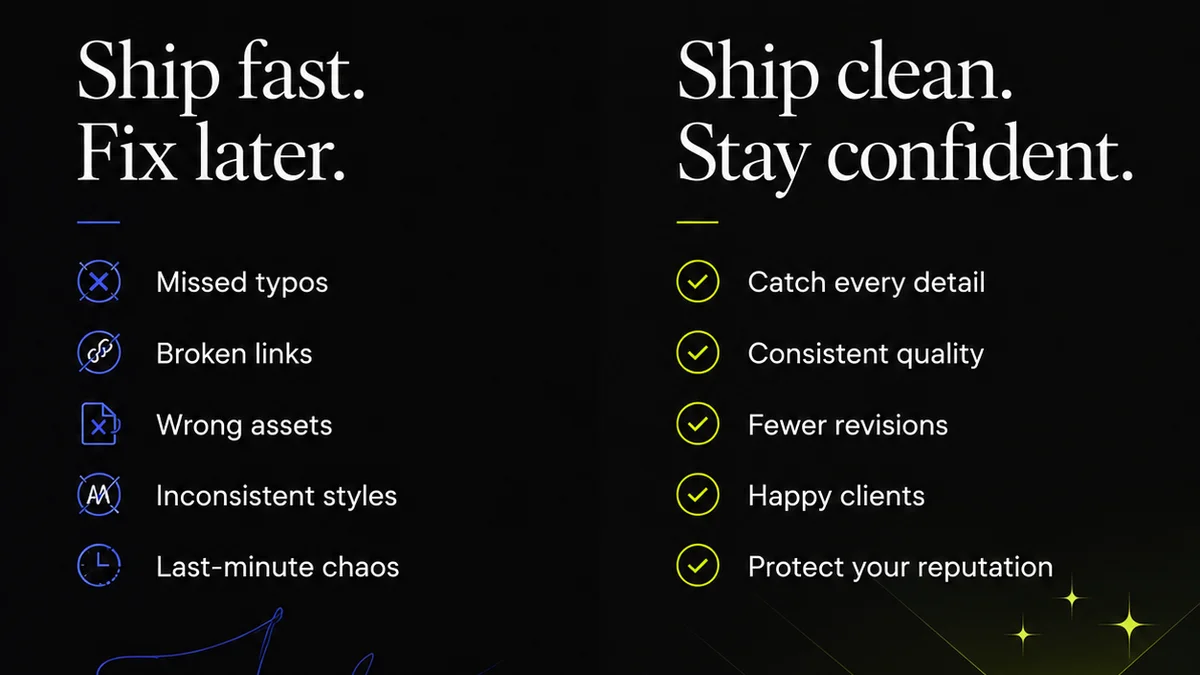
Everyone wants the best creative workflow software. They scour review sites, watch endless demo videos, and chase the latest feature-packed platform. They believe the right tool will magically fix their chaotic projects, streamline client feedback, and eliminate costly revisions. None of that is wrong. But it’s incomplete.
The hard truth? Your workflow problems aren't usually caused by a lack of features. They're caused by a lack of clarity, communication, and control. The best creative workflow software is the one that addresses these core issues, not just the ones that look good on paper.
1. The Illusion of the Silver Bullet Tool
The market is flooded with tools promising to revolutionize your creative process. Project management platforms, proofing software, asset management systems, communication hubs – they all claim to be the missing piece.
But here’s the reality: a tool is only as good as the process it supports. If your feedback process is a tangled mess of email threads and Slack messages, dumping it all into a new platform won't make it clean. It just makes the mess digital.
Common Workflow Breakdowns
- Endless revision cycles based on unclear feedback.
- Missed deadlines due to poor task management.
- Lost assets and version control nightmares.
- Client frustration from a disjointed review process.
- Team burnout from constant context switching.
These aren't software problems. They're process problems.
2. Defining Your Actual Workflow Needs
Before you even look at software, you need to understand your current workflow. Map it out. Where are the bottlenecks? Where does communication break down? Where are the points of friction for your team and your clients?
Most agencies think they know their workflow. They don't. They know *parts* of it. They know the client-facing bits, or the internal task management bits. They rarely map the entire journey from brief to final delivery, including all the handoffs and feedback loops.
Key Areas to Analyze
- Briefing and Kick-off: How are projects initiated? Is information captured clearly and comprehensively?
- Creative Development: Where are assets stored? How is work-in-progress shared internally?
- Client Feedback and Revisions: How is feedback gathered? How are revisions tracked and assigned? This is usually the biggest pain point.
- Approvals: How are final sign-offs managed? Is there a clear audit trail?
- Delivery and Archiving: How are final assets handed over? Where are they stored for future reference?
Answering these questions honestly will highlight what you *really* need software to do.
3. Essential Features vs. Nice-to-Haves
Once you know your needs, you can start evaluating software. Don't get dazzled by flashy dashboards or hundreds of integrations you'll never use. Focus on the core functionalities that solve your identified problems.
Must-Have Features for Creative Workflows
- Centralized Feedback: A single source of truth for all client comments, ideally linked directly to the creative asset. No more hunting through emails.
- Version Control: Clear tracking of revisions, showing what changed, when, and by whom.
- Approval Workflows: Formalized sign-off processes that create an auditable trail.
- Task Management: Clear assignment of tasks, deadlines, and progress tracking.
- Asset Management: A organized way to store, find, and share creative files.
Features like advanced reporting, team chat, or AI-powered suggestions are often secondary. They can be nice, but they won't fix a fundamentally broken feedback loop.
4. Evaluating the Landscape: Types of Creative Workflow Software
The
Frequently asked questions
What is the most important aspect of creative workflow software?
The most crucial aspect is its ability to centralize communication and feedback, providing a single source of truth for all project-related discussions and decisions. This prevents information silos and ensures everyone is working from the same set of instructions.
How can workflow software improve client communication?
Effective workflow software streamlines the feedback and approval process. Clients can provide consolidated, contextual feedback directly on the work, and teams can manage revisions efficiently, leading to clearer communication and fewer misunderstandings.
Is it better to use a single integrated tool or multiple specialized tools for creative workflows?
This depends on your agency's size and complexity. For many, a single integrated platform that handles core functions like project management, feedback, and approvals offers better efficiency and reduces the complexity of managing multiple subscriptions and integrations. However, highly specialized agencies might benefit from best-of-breed tools if they integrate well.
How do I choose the right creative workflow software for my agency?
Start by mapping your current workflow and identifying key pain points. Then, list the essential features that address those specific problems. Evaluate software based on how well it solves your unique challenges, not just its feature list or popularity. Consider ease of use for both your team and clients.