Everyone talks about CRMs for sales. They’re essential for tracking leads, managing pipelines, and closing deals. For creative agencies and in-house teams, the assumption is often that a general-purpose CRM is the best CRM for designers, or at least a good starting point. None of that is wrong. But it’s incomplete.
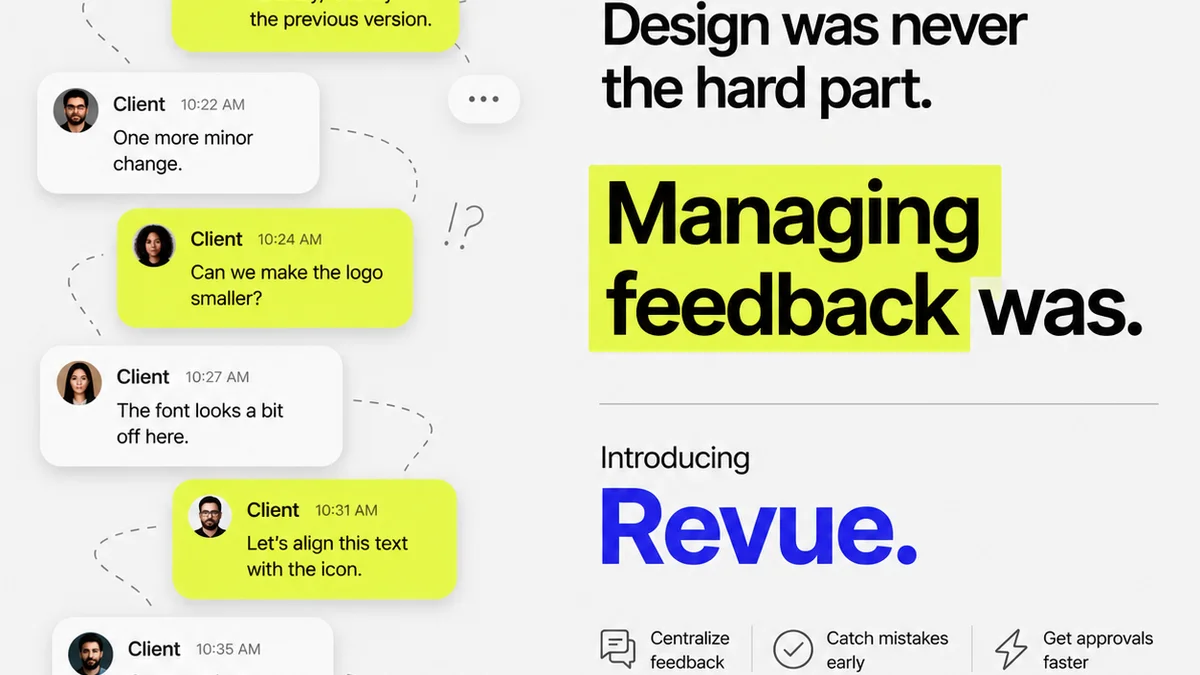
The hard truth? Most CRMs are built for selling widgets, not managing creative work. They focus on transactional relationships, not the iterative, subjective, and often messy process of client feedback and design approvals.
1. The Real Bottleneck: Client Collaboration, Not Lead Gen
Your agency’s growth isn’t stalled by a lack of leads. It’s stalled by inefficient client collaboration. Think about it.
Where does the real friction happen?
- Endless email chains with feedback buried deep.
- Clients approving mockups via text message.
- Difficulty tracking revision history and client comments.
- Misunderstandings about scope creep because feedback wasn't captured clearly.
- The pain of chasing down final sign-offs.
These aren't sales problems. These are creative production problems. A CRM that only tracks who called whom last week misses the mark entirely.
Sales vs. Creative Pipelines
A sales pipeline visualizes discrete stages: Prospecting, Qualification, Proposal, Negotiation, Closed Won/Lost. It’s linear, logical, and focused on conversion.
A creative project pipeline is different. It’s iterative. It involves feedback loops, multiple rounds of revisions, and subjective client input. It requires a tool built for that specific workflow.
2. Why Generic CRMs Fail Creative Teams
You’ve probably tried a general CRM. Maybe HubSpot, Salesforce, or Zoho. They’re powerful. They’re feature-rich. But they often feel like using a bulldozer to plant a flower.
The problems:
- Overly complex: Too many features you don't need, cluttering the interface.
- Not visual: They lack the visual context essential for design feedback.
- Email-centric: They assume communication happens through email, which is precisely the problem you're trying to solve.
- Poor revision tracking: Difficult to see what changed between versions or link feedback to specific assets.
- Lack of integration: They don't talk to your design tools or proofing platforms naturally.
You end up spending more time wrestling with the CRM than actually managing your creative projects. It becomes another tool to manage, not a solution.
The Illusion of 'All-in-One'
The promise of an 'all-in-one' CRM is appealing. But when 'all' includes every sales tactic imaginable, it dilutes the focus on what creative teams actually need: seamless project execution and client approval.
3. What Designers Actually Need in a Workflow Tool
Forget lead scoring and automated sales follow-ups for a moment. What does a designer or an account manager *really* need to make their day smoother?
Centralized Feedback: One place to get all client comments, whether from the client, stakeholders, or internal reviews. No more hunting through emails, Slack messages, or random documents.
Visual Context: The ability to see feedback directly on the design asset. Annotations, comments, and markups tied to specific pixels or elements. This is non-negotiable for design.
Revision Tracking: A clear, chronological history of all versions, feedback, and approvals. Knowing exactly what changed and why is critical.
Streamlined Approvals: A simple, unambiguous way for clients to give final sign-off. Eliminating guesswork and informal approvals is key.
Project Visibility: For both the team and the client, seeing the status of creative assets and upcoming deadlines.
Integration: Connecting with the tools you already use, like Figma, Adobe Creative Cloud, or project management software.
The 'CRM' Misnomer
The term
Frequently asked questions
What makes a CRM good for designers?
A CRM good for designers prioritizes visual feedback, version control, and streamlined client approvals directly on creative assets, rather than focusing solely on sales metrics. It should integrate with design tools and centralize communication related to specific projects.
Can I use a general CRM like HubSpot for design projects?
You can, but general CRMs often lack the visual context and specific features needed for design workflows. They can become cumbersome, requiring significant customization and failing to address core issues like tracking design revisions or annotating mockups effectively.
How does client feedback management differ from sales CRM?
Sales CRM focuses on tracking potential customers through a linear sales process. Client feedback management for designers involves iterative communication, visual annotations, version tracking, and formal approvals on creative deliverables, which are often secondary or absent in sales CRMs.
What are the key benefits of a specialized workflow tool for design teams?
Specialized tools offer centralized feedback, visual annotation, clear revision history, simplified approval processes, and better project visibility. This reduces miscommunication, speeds up turnaround times, and improves client satisfaction by making the creative process more transparent and efficient.