You’ve probably heard that a CRM is essential for agencies. That it helps you manage leads, track sales, and keep clients happy. None of that is wrong. But it’s incomplete.
For creative agencies, a CRM isn't just a sales tool. It's a workflow engine that can prevent chaos and boost profitability. The real truth? The best CRM for designers isn't just about customer relationships; it's about managing the creative *process*.
1. The Myth of the All-in-One Creative Hub
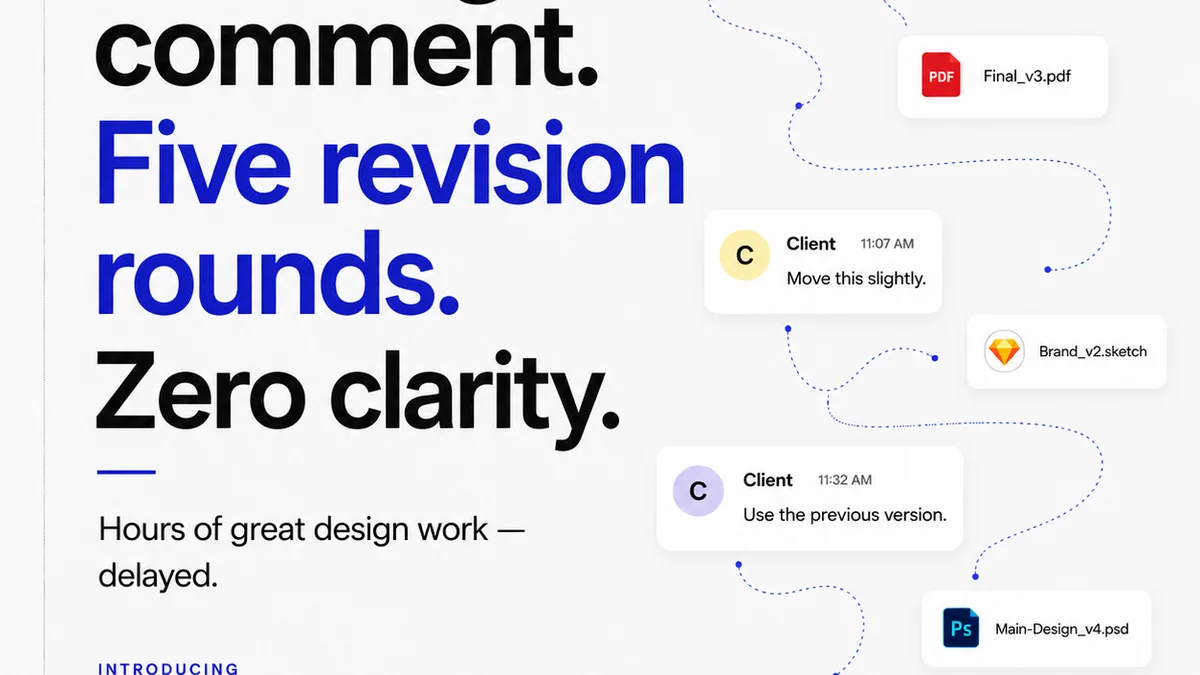
Many designers assume their design tools (Figma, Adobe Creative Cloud, etc.) should be the center of their universe. They think client communication can happen anywhere – email, Slack, even text messages. This is a fast track to missed feedback, endless revisions, and scope creep.
The assumption: My design software is my CRM.
The hard truth: Your design tools are for *making*. A CRM is for *managing* the entire project lifecycle, from initial brief to final sign-off and beyond.
Why This Matters for Designers
- Fragmented communication leads to lost details.
- Version control becomes a nightmare.
- Billing based on hours logged becomes impossible to track accurately.
- Client expectations go unmet because you’re guessing what they need.
It’s not about abandoning your creative tools. It’s about connecting them to a system that handles the business side of creativity.
2. Beyond Leads: Managing the Creative Project Lifecycle
A traditional CRM focuses on the sales funnel: lead > prospect > customer. For a design agency, the lifecycle is far more complex. It involves:
- Initial brief and discovery
- Concept development and mood boards
- Design iterations and feedback rounds
- Client approvals and sign-offs
- Asset delivery and archiving
- Ongoing client management and retargeting
A CRM built for designers needs to accommodate these stages. It needs to integrate with your creative workflow, not just sit alongside it.
Key Features to Look For
- Project Management Integration: Can it link directly to project timelines, tasks, and deliverables?
- Centralized Feedback Hub: Does it allow clients to comment directly on design mockups or prototypes? (Think usability principles – make it easy for them.)
- Version Control Visibility: Can you easily track revisions and see which version is current?
- Approval Workflows: Can clients formally approve designs within the system?
- Time Tracking & Billing Integration: Does it connect client work to billable hours or project budgets?
- Client Portal: A secure space for clients to view progress, provide feedback, and access final assets.
If your current CRM can’t handle these nuances, it’s failing your creative business.
3. The Cost of Not Having the Right CRM
You might think, “I’m a small agency, I can manage this with spreadsheets and email.” That’s a common sentiment, but it’s a costly one.
The hidden costs of a poor or non-existent CRM:
- Wasted Hours: Searching for lost files, chasing down feedback, manually compiling reports.
- Scope Creep: Uncontrolled revisions eat into your profit margins.
- Client Dissatisfaction: Slow response times and unclear processes damage relationships.
- Missed Opportunities: Inability to track past clients for new business.
- Burnout: The constant administrative overhead drains creative energy.
This isn’t about fancy software. It’s about operational efficiency and protecting your bottom line.
4. Evaluating CRM Options for Creative Agencies
When looking for a CRM, filter out the noise. Many CRMs are built for sales teams, not creative production. Here’s how to evaluate:
Start with Your Workflow
Map out your current client and project process. Where are the bottlenecks? What information gets lost?
Prioritize Integration
Does it play well with your existing tools? Look for integrations with:
- Design software (e.g., Adobe Creative Cloud, Figma)
- Project management tools (e.g., Asana, Trello, or built-in)
- Communication platforms (e.g., Slack)
- Accounting software (e.g., QuickBooks, Xero)
Consider Client Experience
How easy is it for clients to use? A confusing client interface defeats the purpose.
Look for Visual Tools
Can clients visually mark up designs? Can you present work in a clear, visual way?
Scalability
Will it grow with your agency? Can it handle more projects, clients, and team members?
Where Revue Fits In
You might be thinking, “This sounds like a lot. How does this connect to feedback management?”
This is where tools like Revue become critical. While a CRM manages the client relationship and the overall project business, a dedicated feedback and approval platform handles the messy middle: the creative review process itself.
Revue centralizes client feedback on creative assets. Instead of sifting through emails or Slack threads, all comments are attached directly to the specific version of the design. This visibility is crucial.
- Streamlined Revisions: Comments are contextual and actionable.
- Clear Approval Trails: Know exactly when and by whom a design was approved.
- Quality Control: Ensure all feedback is addressed before final delivery.
Integrating a tool like Revue with your CRM creates a powerful system. Your CRM keeps the business side on track, and Revue keeps the creative feedback loop tight and efficient. It’s about having the right tool for each stage of the job.
5. The Future: Proactive Creative Management
The best CRMs for designers don't just react; they help you be proactive.
Imagine a system that:
- Automatically flags projects nearing their deadline.
- Alerts you to potential scope creep based on revision history.
- Provides insights into which clients are most profitable and why.
- Reminds you to follow up with past clients for new work.
This level of insight transforms your agency from a reactive service provider into a strategic partner.
Final Thought
Is your current CRM a genuine asset, or just another piece of software you have to manage? For creative agencies, the distinction is critical. The best CRM isn't just about managing clients; it's about managing the creative journey itself, ensuring profitability, and fostering better client relationships through clarity and efficiency.
Frequently asked questions
What is a CRM and why do designers need one?
A CRM (Customer Relationship Management) system helps manage interactions with current and potential clients. For designers and creative agencies, it's crucial for tracking leads, managing projects, streamlining feedback, and improving client communication beyond just sales.
How is a CRM for designers different from a standard CRM?
A CRM for designers needs to integrate with the creative workflow. This means features like visual feedback tools, version control visibility, approval tracking, and project management capabilities are more important than in a sales-focused CRM.
Can a CRM help with client feedback and revisions?
Yes, many modern CRMs or integrated platforms allow for direct commenting on design assets, tracking revision history, and formal approval processes, centralizing feedback that would otherwise be scattered across emails and messages.
What are the key features to look for in a CRM for a creative agency?
Key features include project management integration, centralized feedback tools, version control, clear approval workflows, time tracking, billing integration, and a client portal. Integration with design and communication tools is also vital.
How does Revue complement a CRM for designers?
Revue specializes in the creative feedback and approval process, centralizing comments on visual assets. It complements a CRM by ensuring the specific review stage is highly efficient and transparent, while the CRM manages the broader client relationship and business aspects.