You've heard it before: a CRM is essential for sales. It tracks leads, manages pipelines, and helps close deals. For creative agencies and in-house teams, this might sound like overkill. You might think the best CRM for designers is just a glorified contact list or a project management tool in disguise.
None of that is wrong. But it’s incomplete.
The truth is, the most effective CRM for designers doesn’t just manage clients; it manages the *creative process*. It’s the central nervous system for client collaboration, revision cycles, and the often-messy flow of feedback that defines agency life. It’s about operational clarity, not just client acquisition.
1. Beyond Contacts: Managing the Creative Relationship
Most CRMs are built for transactional sales. They focus on the journey from prospect to paying customer. For a creative business, the client relationship is rarely that linear. It’s iterative. It’s about building trust through consistent, high-quality delivery, project after project.
A CRM tailored for creative work needs to reflect this. It’s not just about storing email addresses; it’s about understanding the history of a client’s projects, their specific preferences, their brand guidelines, and the nuances of their feedback style. This contextual data is gold.
The Hidden Value of Client Context
Think about it. When a new project kicks off, what’s the first thing you do? You gather information. You recall past conversations. You look at previous assets. A good CRM automates and centralizes this recall.
- Who is the main point of contact, and who are the stakeholders?
- What are their brand guidelines?
- What projects have we done for them before?
- What was the feedback like on those projects?
- What file formats do they prefer?
- What are their typical revision turnaround times?
Without this, every new project starts with a knowledge gap. You’re essentially reinventing the wheel, asking the same clarifying questions and digging through old email threads. This is inefficient and frankly, unprofessional.
2. Streamlining Feedback: The Creative Director's Bottleneck
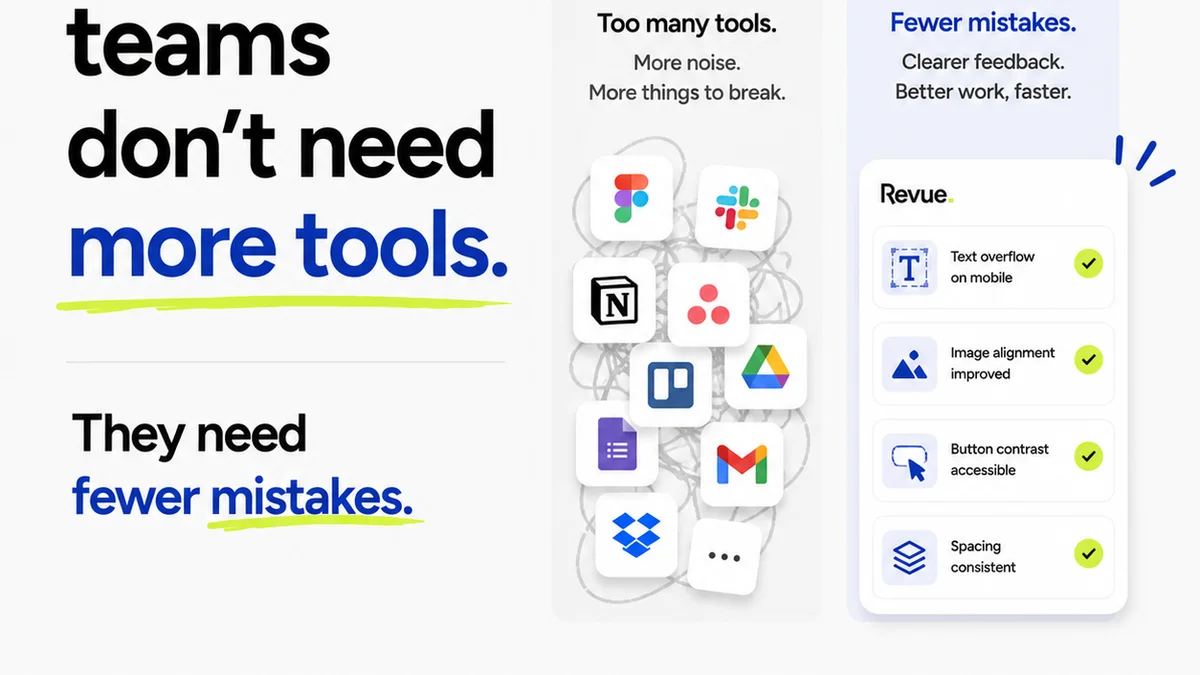
Client feedback is the lifeblood of creative work. It’s also a notorious bottleneck. Emails get lost. Comments are made on screenshots sent via Slack. Stakeholders miss crucial conversations. The result? Endless revision cycles, scope creep, and frustrated teams.
The best CRM for designers provides a structured way to capture, organize, and act on this feedback. It moves beyond a chaotic inbox to a centralized hub where all project communication and approvals live.
From Ambiguity to Actionable Insights
Imagine a client provides feedback. Instead of a vague email saying, "I don't like the blue," you have a specific annotation on the design itself, perhaps even with a timestamp and the name of the person who provided it. This clarity is game-changing.
- Centralized feedback within the context of the design.
- Clear audit trail of all comments and revisions.
- Easy identification of who provided what feedback and when.
- Ability to mark feedback as reviewed or addressed.
- Direct link to specific design elements.
This structured approach drastically reduces misunderstandings and speeds up the approval process. It allows your team to focus on creative execution, not on deciphering cryptic client notes.
3. Managing Revisions and Approvals: Visibility is Key
The revision and approval process is where many creative projects go off the rails. Without a clear system, it's easy for requests to pile up, for versions to get mixed, and for deadlines to slip. This impacts not just project timelines but also profitability.
A robust CRM, when integrated with your workflow, offers unparalleled visibility into the status of approvals and the history of revisions. It’s not just about tracking tasks; it’s about managing the flow of creative assets through critical gatekeeping stages.
The Cost of Unseen Revisions
When you can’t easily see who needs to approve what, or what the latest version is, you’re operating blind. This leads to:
- Delayed client sign-offs.
- Accidental work on outdated versions.
- Scope creep disguised as
Frequently asked questions
What makes a CRM suitable for creative agencies?
A CRM suitable for creative agencies goes beyond contact management. It needs to centralize client communication, manage project feedback, track revision cycles, and provide visibility into approval status, all within the context of creative work.
Can a standard CRM be used for design projects?
A standard CRM can be adapted, but it often lacks the specialized features needed for creative workflows, such as visual annotation of feedback, version control for design assets, and integrated approval tracking. You'll likely need to supplement it heavily.
How does a CRM help manage client feedback?
It centralizes all feedback in one place, often linked directly to design assets. This prevents lost emails, clarifies ambiguous comments, provides an audit trail, and ensures all stakeholders see the same feedback, streamlining revisions.
What are the benefits of using a CRM for design revisions?
It provides a clear history of all revisions, shows who approved what and when, and helps identify the latest approved version. This visibility reduces errors, prevents scope creep, and speeds up the overall project timeline.