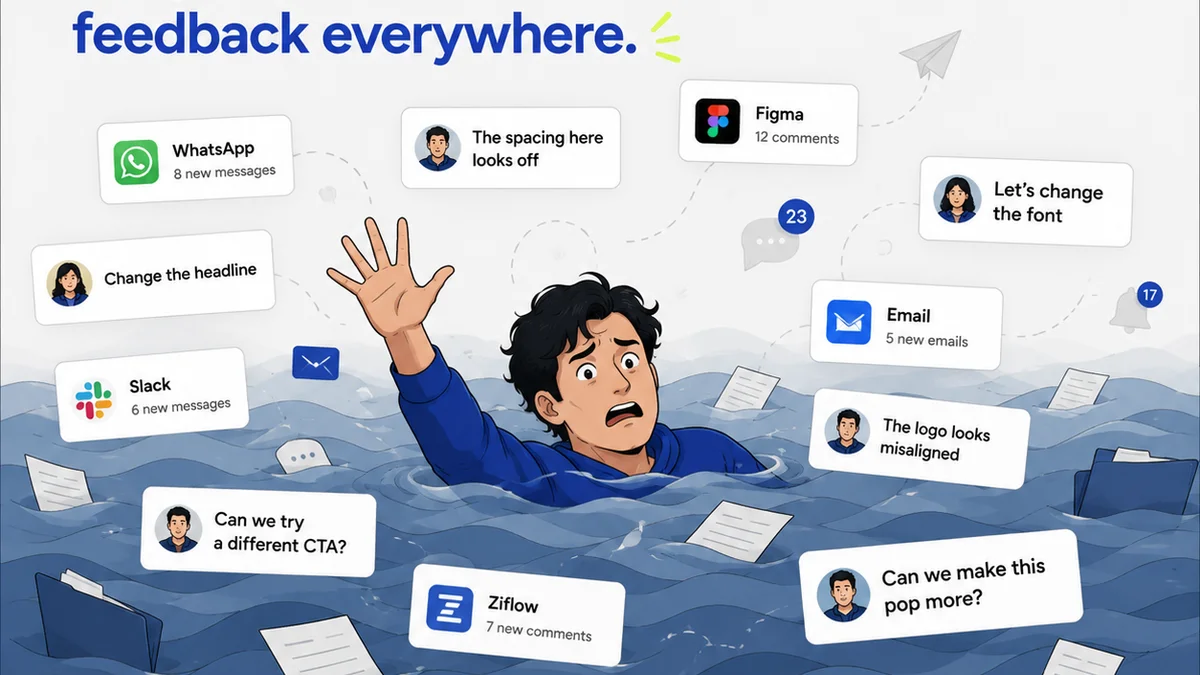
Everyone agrees that client approvals are the lifeblood of any agency or creative team. Without them, nothing ships. And everyone agrees that they can be a slog.
It’s easy to blame the client. Vague feedback, endless revisions, scope creep – the usual suspects.
None of that is wrong. But it’s incomplete.
The hard truth? The bottleneck isn't *just* the client. It's often your own internal process for capturing, communicating, and actioning that feedback.
If you're still relying on email chains, Slack messages, or even spreadsheets to collect client comments, you're fighting an uphill battle. You’re forcing clients to hunt for the right version, to remember what they said last week, and to translate their thoughts into actionable tasks. It’s a recipe for misinterpretation and delay.
The real game-changer isn't about managing clients better. It’s about leveraging the right technology to make feedback crystal clear and actionable. Specifically, design annotation tools.
1. The Feedback Black Hole: Where Comments Go to Die
Think about the last time a client sent feedback via email. What did that look like?
- A single, massive reply with bullet points that referenced specific images but without direct links?
- A series of follow-up emails clarifying the first email?
- A Slack message with a screenshot attached, but no context about which version it was?
- A verbal call where notes were scribbled down, then typed up, then emailed back for confirmation?
Each of these methods is prone to error. It’s like trying to assemble IKEA furniture with instructions written in a foreign language and missing half the parts.
The Cost of Ambiguity
When feedback is ambiguous, it leads to:
- Wasted Revisions: Designers make changes based on a guess, only to have the client say, “No, that’s not what I meant.”
- Extended Timelines: Back-and-forth clarification eats up valuable hours, pushing deadlines further out.
- Frustrated Teams: Creative teams feel like they’re walking on eggshells, constantly second-guessing client intent.
- Damaged Client Relationships: Repeated misunderstandings erode trust and make the client feel unheard.
This isn't just inconvenient. It’s expensive. Every hour spent deciphering feedback is an hour not spent on actual creative work or client strategy.
2. Annotation: Bringing Precision to Feedback
Design annotation tools change this dynamic entirely. They allow clients (and internal stakeholders) to provide feedback directly on the creative asset itself.
Imagine a client hovering over a specific button on a website mockup and typing, “Change color to brand blue here.” Or pointing to a paragraph of text and writing, “Shorten this by 20%.”
Key Features of Effective Annotation Tools
- Direct Markup: The ability to click or draw directly on the image, video, or PDF.
- Contextual Comments: Feedback is tied to a specific element, removing guesswork.
- Version Control Integration: Comments are linked to a particular version of the design, so you always know what’s being discussed.
- Status Tracking: Mark comments as addressed, resolved, or needing further discussion.
- Centralized Hub: All feedback lives in one place, accessible to the entire team and client.
This isn't about making clients do more work. It's about making their input more effective and efficient for everyone involved.
The Visual Advantage
Humans are visual creatures. We process visual information far more quickly than text. Annotation leverages this.
Instead of wading through paragraphs of text trying to picture what the client means, you see exactly what they’re referring to. A red circle around a logo, an arrow pointing to a specific font choice, a strikethrough on unwanted copy.
It’s like having a live annotation session without needing to schedule another meeting.
3. Streamlining the Revision Workflow
The impact of precise, contextual feedback on your revision process is profound. It transforms a messy, reactive cycle into a structured, proactive one.
From Chaos to Clarity
Consider the difference:
- Traditional Method: Client emails feedback -> Designer interprets -> Designer revises -> Designer sends new version -> Repeat.
- Annotation Method: Client annotates directly on design -> Designer sees exact feedback -> Designer revises specific element -> Designer updates version -> Client reviews specific changes.
This structured approach leads to:
- Faster Turnarounds: Less time spent clarifying means quicker revisions.
- Reduced Errors: Direct feedback minimizes misinterpretation and costly mistakes.
- Clear Audit Trail: Every comment and revision is logged, providing a transparent history of the project’s evolution.
- Empowered Designers: Designers know exactly what needs to be done, reducing frustration and boosting productivity.
It’s not just about speed; it’s about accuracy and efficiency. You’re cutting out the middleman of interpretation.
Managing Multiple Stakeholders
Agencies often deal with multiple client stakeholders, each with their own opinions. Annotation tools can manage this complexity.
- Assign feedback to specific team members.
- Allow clients to see what other stakeholders have commented on (if desired).
- Filter feedback by user or status.
This prevents the dreaded scenario where one stakeholder approves something that another later rejects, because the feedback was never consolidated or clearly communicated.
4. Beyond Visuals: Annotating Videos and Documents
The power of annotation isn't limited to static images or mockups. It extends to other critical project assets.
Video Feedback Made Simple
Video projects are notoriously difficult to get feedback on. Timestamps are essential, but they still require clients to describe issues in text.
Annotation tools that support video allow clients to:
- Click on a specific frame and leave a comment.
- Draw on the video frame to highlight an area.
- Provide time-coded feedback that’s automatically logged.
This is a massive improvement over emails saying, “Around the 1:35 mark, the text is a bit blurry.” With annotation, it’s “Blurry text here at 01:35.”
Document Review with Precision
Even text-heavy documents, like proposals, reports, or website copy, benefit immensely.
Instead of copy-pasting text into an email, clients can:
- Highlight specific sentences or paragraphs.
- Suggest direct edits using track changes-like functionality.
- Add comments alongside specific text blocks.
This ensures that every word, every sentence, is reviewed with the same level of clarity and context as a visual design element.
Where Revue Fits In
While annotation tools excel at capturing precise feedback, managing that feedback effectively throughout the entire project lifecycle is crucial. This is where a platform like Revue becomes indispensable.
Revue acts as the central nervous system for your creative workflow, connecting the dots between client feedback, internal tasks, and final approvals.
- Centralized Feedback Hub: Import feedback from various sources, including annotated assets, to create a single source of truth.
- Revision and Approval Tracking: Clearly see which versions of assets have been reviewed, commented on, and approved. No more digging through email threads to confirm sign-off.
- Task Management: Convert client feedback (whether annotated or otherwise) into actionable tasks for your design and development teams. Assign deadlines and track progress.
- Quality Assurance: Use the centralized record of feedback and approvals to ensure that all client requests have been met before final delivery, preventing costly post-launch issues.
Revue doesn't replace the need for precise annotation tools, but it ensures that the clarity gained from annotation isn't lost in the shuffle of project management. It bridges the gap between granular feedback and overall project delivery, keeping everyone aligned and accountable.
Final Thought
Are you still treating client feedback as a passive hurdle to overcome, or are you actively building systems to make it a dynamic, collaborative part of your creative process?
The tools you use for feedback capture and communication aren't just administrative overhead. They are fundamental drivers of speed, accuracy, and client satisfaction.
If your approval process feels like a bottleneck, the answer might be simpler than you think. It’s time to look beyond the blame game and invest in the technology that brings clarity to chaos.
Frequently asked questions
What is a design annotation tool?
A design annotation tool allows users to add comments, markups, and feedback directly onto digital assets like images, mockups, videos, or documents. This provides precise, contextual feedback tied to specific elements, unlike general emails or messages.
How do annotation tools speed up client approvals?
They speed up approvals by eliminating ambiguity. Clients can pinpoint exactly what they want changed, reducing the need for back-and-forth clarification emails or calls. This leads to faster revisions and quicker sign-offs.
Are annotation tools only for visual designs?
No. While excellent for images and mockups, many annotation tools also support feedback on videos (using timestamps and frame-specific comments) and documents (through highlighting and direct text edits), making them versatile for various creative assets.
What's the difference between annotation and general feedback?
General feedback might be a broad email or Slack message, often lacking specific context. Annotation involves placing comments directly on the asset, providing a clear visual reference for the feedback, ensuring everyone understands exactly what needs attention.
How can agencies manage feedback from multiple annotation tools?
Agencies can use a central project management platform like Revue to consolidate feedback from various sources, including different annotation tools. This creates a single source of truth, tracks revisions, and manages the overall approval workflow efficiently.