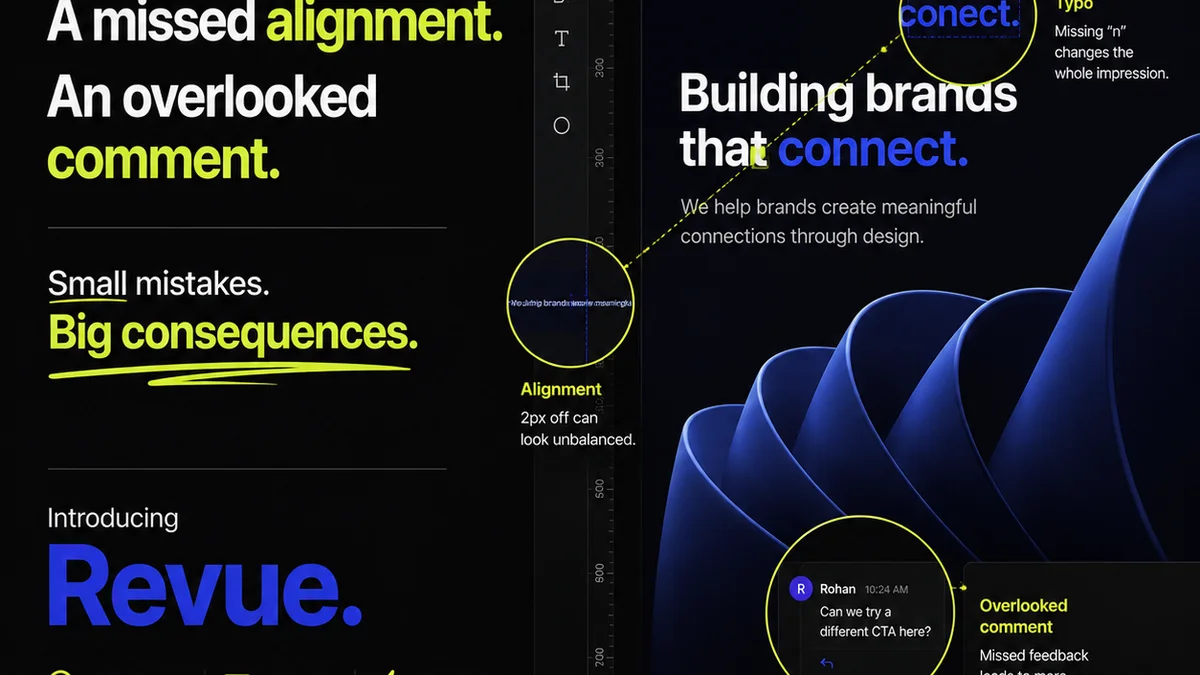
Design handoff. It’s the moment the pixels are declared “final,” and the baton is passed to developers. Many see it as a simple checklist: export assets, share a link, done.
None of that is wrong. But it’s incomplete.
The hard truth? A sloppy handoff isn’t just inconvenient. It’s a direct cause of bugs, delays, scope creep, and strained client relationships. It’s where brilliant design ideas go to die in development hell.
Getting design handoff right isn’t about mastering a new tool. It’s about understanding the entire lifecycle of a project and ensuring clarity at every single step. It’s about building a bridge, not just a handover point.
1. The Assumption: Handoff Starts When Design is “Done”
This is the most common trap. Design is finalized, stakeholders sign off, and then, as an almost separate task, we prepare for development.
This thinking creates a disconnect. Design isn’t an island. It’s part of a continuous flow.
The Deeper Truth: Handoff is an Ongoing Process
Effective handoff begins the moment a project starts. It’s woven into the discovery, wireframing, and prototyping phases.
Think about it:
- Early Communication: Developers should be looped in from the start. They can flag technical constraints or suggest more efficient solutions long before a pixel is placed.
- Living Style Guides: A robust style guide isn’t just for brand consistency; it’s a developer’s best friend. It clarifies typography, color palettes, spacing, and component behavior.
- Interactive Prototypes: Prototypes aren't just for client demos. They demonstrate intended interactions and animations that static mockups can’t capture.
- Component-Based Design: Designing with reusable components from the outset makes handoff exponentially smoother. Developers can map design components directly to their code components.
When handoff is integrated from the beginning, the final “handoff” becomes less of a dramatic event and more of a natural transition.
2. The Assumption: Developers Just Need the Assets
Sure, designers need to export every button, icon, and image. But that’s just the raw material.
Developers need context. They need to understand the why behind the what.
The Deeper Truth: Developers Need Clarity on Intent and Behavior
What looks obvious to a designer might be ambiguous to a developer. Handoff must provide:
- Interaction Details: How does a dropdown behave? What happens when a user clicks this button? Are there hover states? Loading indicators? Error messages?
- States and Variations: Show different states for forms (empty, filled, error, disabled), buttons (default, hover, pressed, disabled), and content (loading, empty, with data).
- Responsiveness: How should the design adapt across different screen sizes? Provide breakpoints and demonstrate how elements reflow or resize.
- Accessibility Considerations: Specify focus states, color contrast ratios, and ARIA label requirements. This isn't optional; it's critical.
- Performance Notes: Are there specific image optimization requirements or lazy loading needs?
Static screens are rarely enough. You need to communicate the intended user experience in motion and in context.
3. The Assumption: A Design System Solves Everything
A well-documented design system is a superpower. It standardizes UI elements, ensures brand consistency, and speeds up design and development.
But a design system is only as good as its implementation and adoption.
The Deeper Truth: Systems Require Rigorous Documentation and Governance
A design system isn’t a magic wand. It’s a framework that needs continuous care.
- Clear Documentation: Every component needs clear usage guidelines, code snippets, and examples of correct and incorrect application.
- Version Control: How are updates managed? What’s the process for introducing new components or deprecating old ones?
- Accessibility Baked In: Ensure components meet accessibility standards by default. Don't make it an add-on.
- Consistent Naming Conventions: Use clear, predictable names for layers, components, and styles. This reduces ambiguity.
- Developer Buy-In: The system must be practical and easy for developers to use. Involve them in its creation and maintenance.
Without proper governance and ongoing refinement, even the best design system can become outdated, inconsistent, and ultimately, a hindrance.
4. The Assumption: Handoff is Just About Exporting Files
This is the classic “throw it over the wall” mentality. Designers export their work, and developers are expected to figure it out.
This leads to endless clarification loops and costly rework.
The Deeper Truth: Handoff is About Collaboration and Shared Understanding
The goal isn’t just to hand off files; it’s to ensure the final product matches the intended vision and functions flawlessly.
- Shared Tools: Use platforms that allow both designers and developers to access the same source of truth. This reduces versioning issues.
- Regular Check-ins: Schedule brief, frequent syncs between design and development. Address questions as they arise, not days later.
- Developer Walkthroughs: Have designers walk developers through the designs, explaining the rationale and key interactions.
- Feedback Loops: Encourage developers to provide feedback on the designs and the handoff process itself.
- Proactive Problem Solving: Identify potential issues early – ambiguous states, complex interactions, performance bottlenecks – and collaborate on solutions.
Treat developers as partners in the creative process, not just implementers.
Where Revue Fits In
Managing the complexities of design feedback, revisions, and approvals can feel like juggling chainsaws. This is where a centralized platform becomes invaluable.
Revue isn’t just about collecting comments. It’s about providing a single source of truth for creative assets and feedback throughout the entire project lifecycle.
- Centralized Feedback: All client and stakeholder feedback lives in one place, linked directly to the specific design version. No more hunting through emails or Slack messages.
- Revision Visibility: Track every iteration. See what changed, why it changed, and who approved it. This clarity is crucial for handoff, ensuring developers are working with the latest, approved version.
- Streamlined Approvals: Formalize the sign-off process. Get clear, documented approvals before moving to development, reducing the risk of building the wrong thing.
- Quality Assurance: Use the platform to run through final QA checks, comparing the developed build against the approved designs, ensuring pixel-perfection and adherence to specifications.
By centralizing these critical steps, Revue helps eliminate the ambiguity and miscommunication that often plague design handoffs, ensuring a smoother transition from design to development.
Final Thought
Design handoff is often seen as the final step in the design process. But in reality, it’s the first step in the development process.
Are you treating it with the strategic importance it deserves?
Frequently asked questions
What is the most critical element of a successful design handoff?
Clarity and shared understanding. It’s not just about delivering files, but ensuring developers understand the intended behavior, states, and interactions of the design.
When should the design handoff process begin?
Ideally, it begins at the start of the project. Involving developers early helps identify constraints and build shared context, making the final handoff a natural transition rather than a sudden event.
How can a design system improve the handoff process?
A well-documented and governed design system provides developers with reusable components, clear guidelines, and consistent patterns, significantly reducing ambiguity and speeding up implementation.
What are the biggest mistakes agencies make in design handoff?
Treating it as an afterthought, providing incomplete specifications (e.g., only static screens), poor communication with the development team, and not having a clear approval process before handoff.
How does a tool like Revue help with design handoff?
Revue centralizes feedback, tracks revisions, and streamlines approvals, creating a clear, documented history of the design’s evolution. This ensures developers work with the final, approved version and reduces miscommunication.