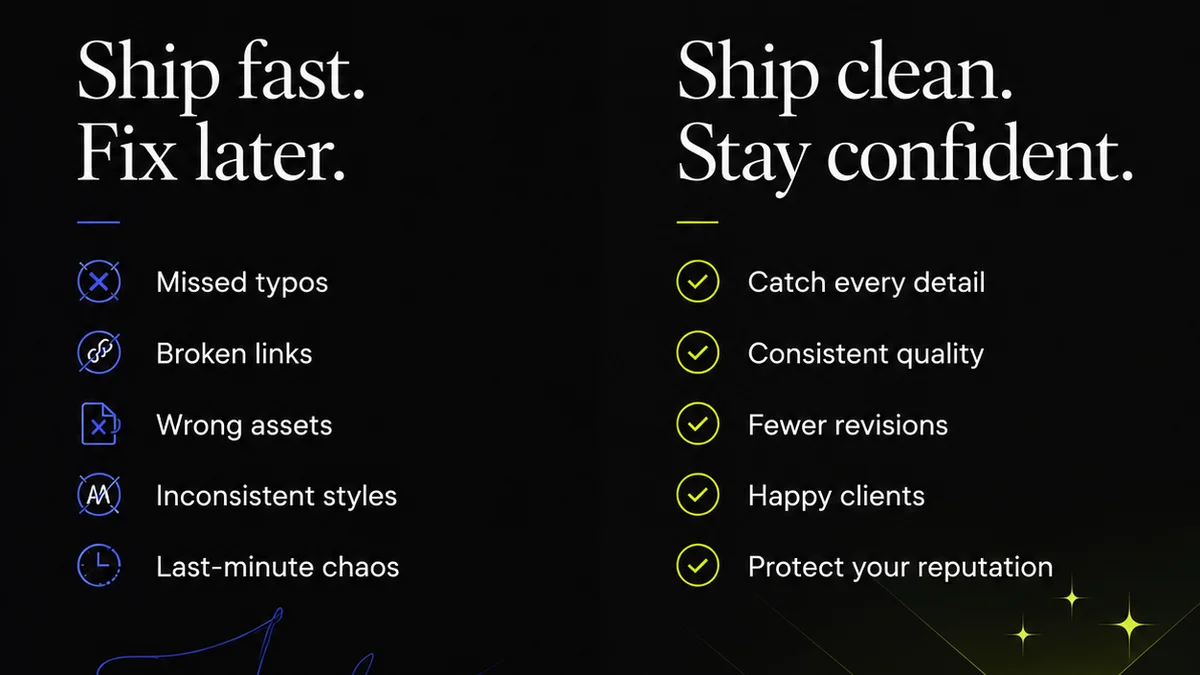
Everyone wants more design productivity. The assumption is simple: better tools equal better output. Buy the latest software, subscribe to the newest platform, and suddenly, you’ll be churning out brilliant work at lightning speed. None of that is wrong. But it’s incomplete.
The hard truth? Your tools are only as good as the workflow you build around them. A fancy new app won't fix a broken process. In fact, it can make things worse.
1. The Illusion of the 'Perfect' Tool
The market is flooded with tools promising to revolutionize your creative process. Project management software, communication platforms, asset libraries, AI-powered design assistants – the list grows daily. It’s easy to get caught in the hype cycle, constantly evaluating and switching tools in search of that elusive silver bullet.
This constant search is a productivity killer in itself. Every new tool requires onboarding, learning curves, and integration headaches. It pulls focus from the actual design work.
The Real Cost of Tool Chasing
- Time spent researching and comparing software.
- Onboarding time for new tools.
- Integration issues between disparate systems.
- Distraction from core creative tasks.
- Potential for data silos and lost information.
Your team’s energy is finite. Burning it on tool acquisition means less energy for actual creative problem-solving.
2. Workflow First, Tools Second
Before you even look at a new piece of software, map your existing workflow. Where are the bottlenecks? What tasks are repetitive? Where does feedback get lost? Understanding your process is the bedrock of choosing the right tools.
Think of it like building a house. You wouldn’t buy a hammer before you have a blueprint. The blueprint (your workflow) dictates the tools you need.
Mapping Your Design Process
Break down your entire design project lifecycle:
- Briefing & Discovery: How do you receive and clarify client briefs?
- Concepting & Ideation: Where do initial ideas form? How is inspiration shared?
- Design & Production: What software is used for creation? How are files managed?
- Feedback & Revision: How is client and stakeholder feedback gathered and actioned?
- Approval & Delivery: What’s the sign-off process? How are final assets handed over?
- Quality Assurance: How do you ensure consistency and adherence to specs?
Once you have this map, you can identify specific pain points. For example, if feedback rounds are chaotic and time-consuming, you know you need a tool that excels at centralized communication and annotation.
3. Integrate, Don't Isolate
The most productive setups aren't about having the most tools, but the fewest tools that work seamlessly together. Integration is key. If your design software doesn't talk to your project management system, or if your asset library isn't linked to your final delivery platform, you're creating manual workarounds.
Look for tools that offer robust APIs or native integrations. This reduces context switching and ensures data flows smoothly across your operations.
Key Integration Points
- Design Software <-> Project Management: Linking tasks to design files, tracking progress.
- Communication <-> Project Management: Associating client conversations with specific projects.
- Asset Management <-> Design Software: Easy access to brand assets, logos, and templates.
- Feedback Tools <-> Revision Tracking: Clear audit trails of comments and changes.
This interconnectedness is where true productivity gains are unlocked. It’s about creating a digital ecosystem, not a collection of isolated islands.
4. Prioritize Clarity Over Complexity
Fancy features are tempting. But if they add complexity without significant benefit, they’re a net negative. A tool that’s difficult to use, hard to understand, or requires extensive training will ultimately slow your team down.
Focus on tools that offer:
- Intuitive user interfaces.
- Clear pathways for common tasks.
- Accessible documentation and support.
- A shallow learning curve for essential functions.
Simplicity often wins. Can the tool do the job effectively without overwhelming your users? That's the question to ask.
5. Scalability and Future-Proofing
Your agency or team will grow and evolve. The tools you choose today should be able to adapt. Consider:
- Scalability: Can the tool handle more users, projects, and data as you grow?
- Flexibility: Can it accommodate changes in your workflow or project types?
- Updates & Support: Is the software actively maintained with regular updates and reliable support?
- Vendor Stability: Is the company behind the tool likely to be around in the long term?
Investing in tools that can scale with you avoids the costly and disruptive process of migrating systems later.
Where Revue Fits In
Many creative teams struggle with the feedback and revision stages. It’s a common bottleneck, leading to miscommunication, endless email chains, and significant delays. This is precisely where a centralized feedback and approval platform like Revue can make a substantial difference.
Revue streamlines the entire review cycle. Instead of scattered comments across emails, Slack messages, or random documents, all feedback lives in one place, directly on the creative asset. This means:
- Centralized Feedback: All comments, annotations, and discussions are consolidated, providing a single source of truth.
- Clear Revision Tracking: Understand exactly what changes were requested, by whom, and when. See the history of revisions at a glance.
- Streamlined Approvals: Formal sign-offs become clear and auditable, reducing ambiguity and speeding up project closure.
- Quality Assurance Support: Ensure all feedback has been addressed and approved before final delivery, minimizing errors.
By integrating Revue into your workflow, you’re not just adding another tool; you’re addressing a critical process point with a solution designed for clarity and efficiency. It helps ensure your chosen design tools are used effectively, as the output can move smoothly towards client sign-off.
6. The Human Element: Training and Adoption
Even the best tools fail if your team doesn't use them effectively. Proper training and ongoing support are crucial for successful tool adoption. This isn't just about showing people where the buttons are; it's about integrating the tool into their daily habits and demonstrating its value.
Consider:
- Dedicated training sessions.
- Creating internal champions for each tool.
- Establishing best practices and guidelines.
- Regular check-ins to address issues and gather feedback.
A tool that isn't adopted is just shelfware. Focus on making the transition as smooth as possible for your team.
Final Thought
The pursuit of design productivity often leads us to chase the shiniest new object. But the real gains come from a deep understanding of your team's workflow and a strategic selection of tools that support, rather than complicate, that process. Are your tools serving your workflow, or is your workflow bending to accommodate your tools?
Frequently asked questions
What is the most important factor in choosing design tools?
The most important factor is how well the tools integrate into and support your existing workflow. A tool's effectiveness is determined by its ability to solve specific process bottlenecks, not just by its features.
How can I identify bottlenecks in my design workflow?
Map out your entire design project lifecycle from brief to delivery. Identify stages where tasks are repetitive, feedback gets lost, communication breaks down, or approvals are delayed. These are your bottlenecks.
Should I always choose the most feature-rich software?
Not necessarily. Prioritize clarity and usability over complexity. A tool that is intuitive and easy for your team to adopt will often be more productive than one packed with features that go unused or create confusion.
How does feedback management impact design productivity?
Inefficient feedback management is a major productivity drain. Scattered comments, unclear revisions, and delayed approvals lead to rework and missed deadlines. Centralized feedback tools streamline this process significantly.
What role does integration play in tool selection?
Integration is crucial for efficiency. Tools that communicate with each other reduce manual data entry, minimize context switching, and ensure a smoother flow of information across your projects, preventing silos and errors.