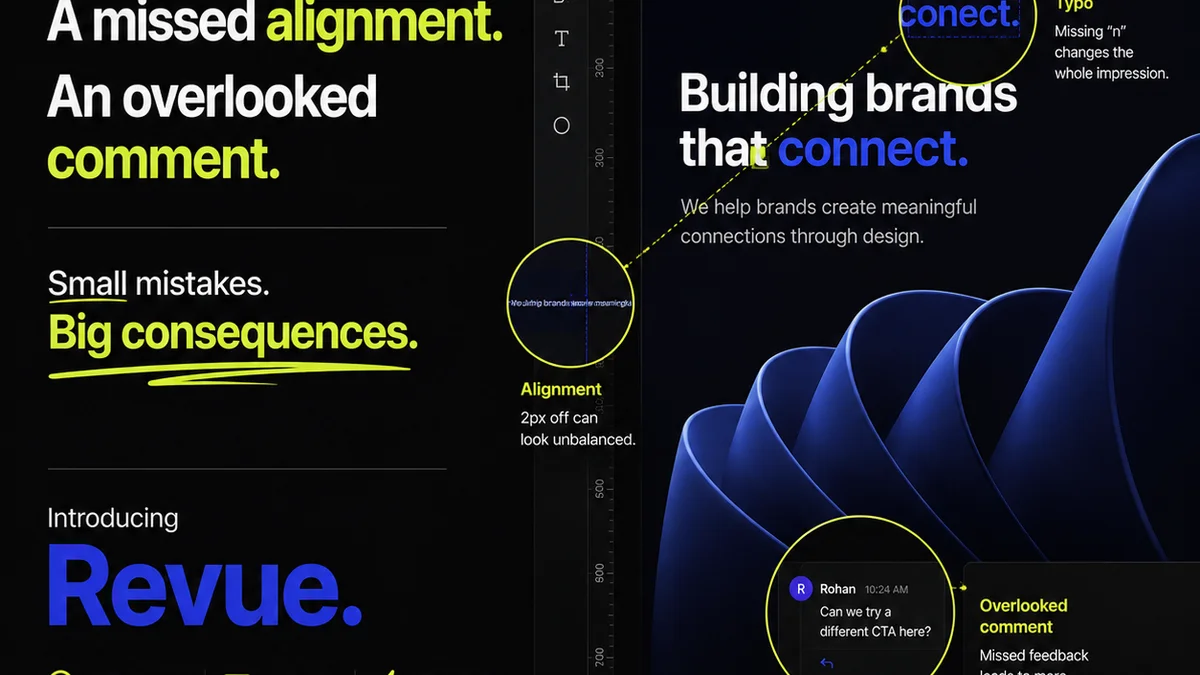
Everyone knows design QA is important. It’s the gatekeeper, the final check before launch. A crucial step to catch errors and ensure quality.
None of that is wrong. But it’s incomplete.
The hard truth? Relying on a design QA checklist as a last-minute scramble is a recipe for disaster. It’s not a filter; it’s a symptom of poor process. By 2026, this approach is not just outdated—it’s actively damaging your agency’s reputation and bottom line.
1. The Illusion of the Final Check
Most teams treat QA as a distinct phase, happening *after* design is supposedly 'done'. This creates a bottleneck. It’s where projects go to die, or at least, to get severely delayed. This linear thinking doesn't match the reality of fast-paced creative work.
The real goal of quality assurance isn't to find problems at the end. It's to prevent them from happening in the first place.
Think about it:
- Client feedback buried in email chains?
- Internal reviews rushed and superficial?
- Designers working in silos, unaware of technical constraints?
- Assets handed off without a clear understanding of requirements?
These aren't QA problems; they are workflow problems. A checklist can't fix a broken process. It can only highlight the cracks.
2. Building a Proactive Design QA Framework
A truly effective design QA process isn't a single checklist. It’s a series of checkpoints and integrated checks woven throughout the entire project lifecycle. It starts from the brief and continues through to post-launch.
2.1. The Brief: Foundation of Quality
Quality starts with clarity. If the brief is vague, the design will be flawed. QA begins here.
- Are objectives clearly defined?
- Are target audiences specified?
- Are technical requirements and constraints documented?
- Are brand guidelines comprehensive and accessible?
- Are success metrics established?
A weak brief guarantees a weak outcome. Your QA checklist should include an initial review of the brief itself.
2.2. Concept & Wireframing: Early Validation
Catching issues at the wireframing stage saves immense time and resources. This is where core functionality and user flows are established.
- Do wireframes address the brief’s objectives?
- Is the user flow logical and intuitive?
- Are key interactions clearly defined?
- Are there any obvious accessibility barriers in the structure?
- Do wireframes align with any known technical limitations?
This isn't about pixel-perfect design; it's about structural integrity and strategic alignment.
2.3. Design System & Component Consistency
For any project beyond a simple landing page, a design system or style guide is essential. QA here ensures brand consistency and efficient development.
- Are all UI elements (buttons, forms, typography) adhering to the established design system?
- Is color contrast sufficient for accessibility? (See WCAG 2.1 guidelines.)
- Are typography scales applied correctly and legibly across all states?
- Are interactive states (hover, focus, active) clearly defined and consistent?
- Is responsive behavior accounted for across key breakpoints?
Consistency breeds familiarity and trust. Inconsistency breeds confusion and errors.
2.4. Content Accuracy & Tone
Designers aren't copywriters, but they are custodians of the final presentation. Content errors reflect poorly on the entire project.
- Is all placeholder text (Lorem Ipsum) removed?
- Is the actual copy free of typos and grammatical errors?
- Does the tone of the copy align with the brand voice?
- Are calls to action clear and compelling?
- Are legal disclaimers or required text present and accurate?
This requires collaboration. Copywriters need to be involved early and often.
2.5. Accessibility Audits: Non-Negotiable
Accessibility is no longer an optional add-on. It’s a fundamental requirement for inclusive design and legal compliance.
- Are all images and non-text content provided with descriptive alt text?
- Is keyboard navigation logical and fully functional?
- Are focus indicators clear and visible for interactive elements?
- Is color contrast meeting WCAG AA standards (at minimum)?
- Are form fields clearly labeled and associated with their inputs?
Tools like Accessibility Insights can help automate parts of this, but human review is vital.
2.6. Technical & Functional QA
This is where design meets development. QA must bridge this gap.
- Do interactive elements function as designed?
- Are all links pointing to the correct destinations?
- Are form submissions working correctly?
- Are there any broken images or missing assets?
- Does the design render correctly across target browsers and devices? (See MDN Web Docs for browser compatibility.)
- Are assets optimized for web performance?
This requires close collaboration with developers. They should be part of the QA process, not just recipients of the final files.
2.7. Cross-Browser & Cross-Device Testing
The 'it works on my machine' excuse is a relic of the past. Your QA checklist must account for the fragmented digital landscape.
- Test on the latest versions of Chrome, Firefox, Safari, and Edge.
- Test on key mobile devices (iOS and Android).
- Test on common tablet viewports.
- Check for rendering differences, especially with complex layouts or animations.
Automated testing tools can assist, but manual checks on real devices are indispensable.
3. The Human Element: Beyond the Checklist
No checklist can replace critical thinking. The best QA involves experienced eyes looking for the unexpected.
- Does the final design *feel* right?
- Does it align with the original strategic goals?
- Are there any edge cases or user scenarios that weren't considered?
- Is the overall user experience polished and professional?
This requires empowered reviewers who understand the project's context and goals.
Where Revue Fits In
Managing a comprehensive, multi-stage design QA process can feel overwhelming. This is where a centralized platform like Revue becomes indispensable.
Instead of feedback scattered across emails, Slack messages, and random documents, Revue provides a single source of truth for all client and internal comments. This means:
- Centralized Feedback: All stakeholders comment directly on the design, keeping feedback contextual and organized. No more hunting for that one crucial email.
- Revision Visibility: Track every iteration and change. See exactly what was updated, by whom, and when. This clarity is vital for QA.
- Structured Approvals: Formalize the sign-off process. Ensure all necessary checks are completed before a design moves forward.
- Integrated Quality Checks: Build your QA process directly into the workflow. Use custom checklists and project stages to ensure no step is missed, from initial brief review to final asset delivery.
Revue transforms QA from a reactive, end-of-project chore into a proactive, integrated part of your agency’s workflow. It ensures everyone is on the same page, reducing errors and speeding up delivery.
4. The Future of Design QA
By 2026, design QA will be even more integrated with AI-powered tools. Expect automated checks for code quality, accessibility, and even basic design consistency.
However, the core principles remain unchanged:
- Clarity from the brief.
- Proactive checks throughout the process.
- Collaboration between design, development, and clients.
- Human oversight for strategic and experiential quality.
The checklist is just a tool. The real quality comes from the process and the people executing it.
Final Thought
Are you using your design QA checklist to catch mistakes, or is it a signal that your entire workflow needs an upgrade? The difference determines whether you’re just doing QA, or truly building quality into every step.
Frequently asked questions
What is the most critical part of a design QA process?
The most critical part is integrating quality checks proactively throughout the entire project lifecycle, starting from the initial brief, rather than treating QA as a single, final step.
How can I ensure consistency in my design QA?
Use a structured framework with defined checkpoints for different project phases. Leverage design systems and style guides, and ensure clear documentation for all decisions. Centralized platforms like Revue help maintain this structure.
Is accessibility testing part of design QA?
Absolutely. Accessibility is a fundamental aspect of quality. A robust design QA process must include checks for WCAG compliance, keyboard navigation, color contrast, and alt text.
How does technology like AI impact design QA?
AI can automate repetitive checks for code quality, accessibility, and basic design consistency. However, human oversight remains crucial for strategic alignment, user experience, and catching nuanced issues.