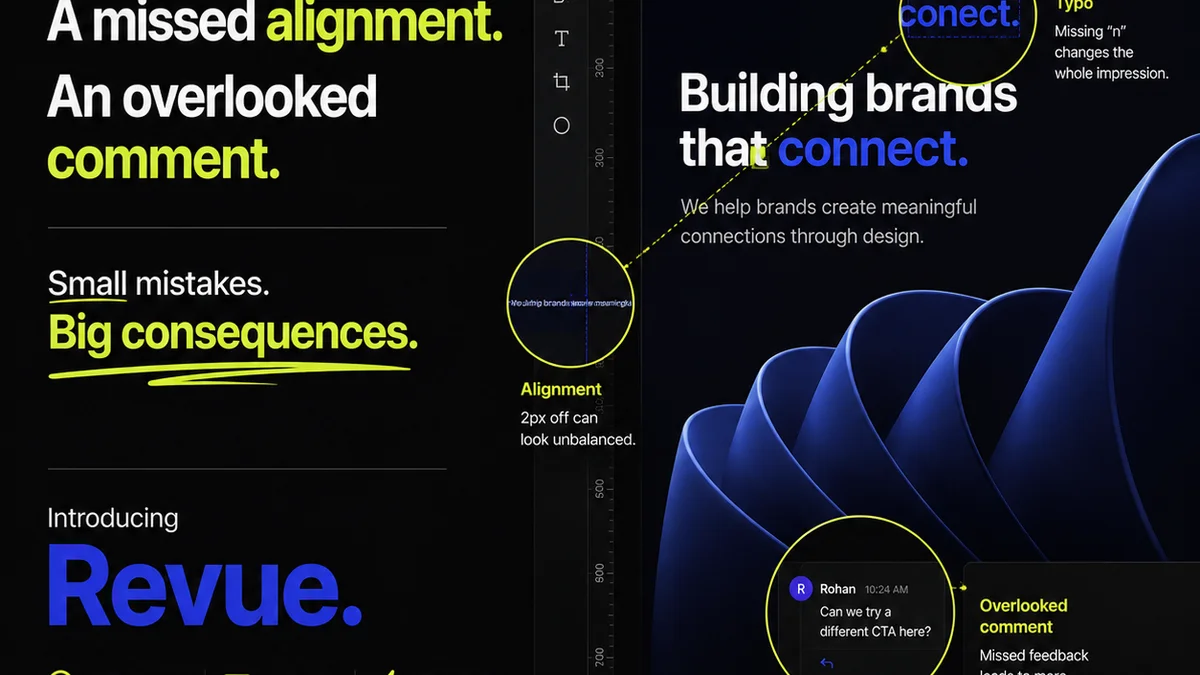
Everyone agrees design quality matters. Clients expect polished, error-free work. Agencies and in-house teams strive for it. But the way most teams *do* design QA is broken.
The common assumption? Design QA is just a final once-over. A quick check for typos, broken links, or misaligned elements before launch. None of that is wrong. But it’s incomplete.
The hard truth is that effective design Quality Assurance isn't a late-stage gate. It's a continuous, integrated process woven into the fabric of your creative workflow. It’s about preventing issues, not just catching them.
1. Beyond the Surface: What Design QA Really Means
Too often, design QA is synonymous with proofreading. It’s about finding the obvious stuff.
But true design QA goes much deeper. It’s about ensuring the final output:
- Meets strategic objectives.
- Alignes with brand guidelines.
- Is technically sound and functional.
- Provides an excellent user experience.
- Is delivered on time and on budget.
This requires a systematic approach, not a hurried glance.
2. The Cost of Poor QA: More Than Just Redos
Skipping or rushing design QA isn't saving you time. It's costing you money and reputation.
Think about the ripple effects:
Client Dissatisfaction: Small errors erode trust. Repeated mistakes lead to clients questioning your competence.
Wasted Resources: Rework costs time and money. Developers might have to scrap code. Marketers might have to re-plan campaigns.
Damaged Brand Perception: Sloppy work reflects poorly on your agency or your internal brand. It suggests a lack of care.
Missed Opportunities: A poorly executed design can fail to convert, engage, or achieve its intended business goal.
Legal and Compliance Issues: In some cases, design flaws can lead to accessibility violations or other legal problems.
This isn't just about aesthetics. It’s about the entire business outcome.
3. Building a Robust Design QA Process
A strong QA process starts with clarity and collaboration.
3.1. Define Clear Standards and Guidelines
Before any design work begins, establish clear expectations. This means:
- Brand Guidelines: Ensure everyone understands and has access to the latest brand assets, color palettes, typography, and tone of voice.
- Accessibility Standards: For web and digital products, adherence to standards like WCAG is non-negotiable.
- Technical Specifications: Define requirements for file formats, resolutions, responsiveness, and performance.
- Project Briefs: Every project needs a clear brief outlining goals, target audience, and key messages.
These aren't optional extras. They are the foundation.
3.2. Integrate QA Throughout the Workflow
QA shouldn't be a single event at the end. It needs to be continuous.
Concepting Phase: Does the initial concept align with the brief and brand? Is it strategically sound?
Design Development: Mid-point checks on key screens or elements. Are we on track? Are there any emerging issues?
Pre-Production Review: A more thorough review of completed assets before handoff.
Post-Launch Monitoring: Checking the live product for any unexpected issues.
This iterative approach catches problems early when they are cheapest and easiest to fix.
3.3. The Role of the Design QA Checklist
A checklist is a tool, not a replacement for critical thinking. It ensures consistency and thoroughness.
Your checklist should be tailored to your specific projects, but here are common categories:
- Content Accuracy: Spelling, grammar, punctuation, factual correctness, placeholder text removed.
- Brand Consistency: Logo usage, color palette, typography, imagery style, tone of voice.
- Visual Design: Layout, alignment, spacing, hierarchy, consistency across screens/pages, image quality, adherence to design mockups.
- Functionality (Digital): Links working, interactive elements functioning, forms submitting, responsiveness across devices and browsers, load times.
- Accessibility: Color contrast, keyboard navigation, alt text for images, semantic HTML structure (for web).
- Technical Requirements: Correct file formats, resolutions, naming conventions, adherence to technical specs.
- Legal & Compliance: Necessary disclaimers, copyright notices, adherence to privacy policies.
A good checklist prompts specific questions, rather than just stating generic items.
3.4. Who Owns Design QA?
This is where many teams falter. Assigning ownership is critical.
It’s rarely just the designer. It’s a shared responsibility:
- Designers: Self-QA their work before submitting.
- Project Managers: Oversee the process, ensure checklists are used, and manage client feedback.
- QA Specialists (if applicable): Dedicated testers focusing on technical and functional aspects.
- Developers: QA their implementation of the design.
- Client Stakeholders: Provide feedback on strategic and functional alignment.
Clear roles prevent things from falling through the cracks.
4. Where Revue Fits In
Managing feedback, revisions, and approvals can be a chaotic process. This chaos is a breeding ground for QA errors.
Revue is built to bring order to that chaos.
By centralizing all client feedback and design versions in one place, you gain unparalleled visibility.
When feedback is scattered across emails, Slack threads, and random documents, it's easy to miss crucial details or misinterpret instructions. This leads to incorrect revisions and oversight.
Revue ensures that every comment, every change, and every approval is logged and traceable. This context is invaluable for QA.
You can easily compare versions, see exactly what was requested and approved, and ensure that the final output accurately reflects the agreed-upon scope. This makes the design QA process more efficient and less prone to human error.
It helps ensure that the *right* thing is being built, not just *something*.
5. Common Pitfalls to Avoid
Even with a checklist, teams stumble.
- Treating QA as a Punishment: If QA feels like a chore or a blame game, people will cut corners. Foster a culture of quality.
- Over-reliance on Automation: Automated checks are great for code, but they can’t judge brand fit or strategic alignment. Human oversight is essential.
- Vague Feedback: If feedback isn't clear and actionable, QA becomes guesswork. Standardize how feedback is given.
- Ignoring Accessibility: This isn't just a technical checkbox; it's a fundamental aspect of good design and user experience.
- Lack of Documentation: Without a clear record of what was reviewed and approved, disputes can arise.
These aren't minor issues. They represent fundamental misunderstandings of what quality means.
6. The Design QA Checklist: A Practical Template
Here’s a starting point. Customize this for your agency or team.
6.1. General Project Information
- Project Name:
- Version:
- Date Reviewed:
- Reviewed By:
6.2. Content & Copy
- All text proofread for spelling and grammar errors?
- Factual information accurate and verified?
- Brand voice and tone consistent?
- No placeholder text (Lorem Ipsum) remaining?
- Legal disclaimers, copyright notices present and correct?
6.3. Brand Identity
- Logo used correctly (size, placement, clear space)?
- Brand colors applied accurately (hex codes, CMYK, RGB)?
- Typography correct (fonts, weights, sizes, line-height)?
- Imagery consistent with brand style?
6.4. Visual Design & Layout
- Alignment and spacing consistent with design mockups?
- Visual hierarchy clear and effective?
- Layouts responsive across specified breakpoints?
- Image resolution and quality appropriate?
- Consistency across all screens/pages?
- No visual artifacts or glitches?
6.5. Functionality (Digital Products)
- All interactive elements working as expected?
- Links (internal and external) directing correctly?
- Forms submitting and validating properly?
- User flows logical and intuitive?
- Performance acceptable (page load times)?
- Cross-browser and cross-device compatibility verified?
6.6. Accessibility (WCAG AA Standard Example)
- Sufficient color contrast between text and background?
- All interactive elements keyboard-navigable?
- Meaningful alt text provided for all informative images?
- Form fields clearly labeled?
- Semantic HTML structure used correctly?
- Focus indicators visible for keyboard navigation?
6.7. Technical & Handoff
- Files delivered in correct formats and naming conventions?
- Assets optimized for web/print?
- Style guides or design tokens updated?
- All necessary assets included?
This checklist is a guide. Use it to prompt detailed checks, not as a substitute for them.
Final Thought
Design QA isn't just about error reduction. It's a strategic imperative. It’s about building confidence with your clients and delivering work that truly performs.
Are you treating design quality as a critical part of your operational strategy, or just a final polish?
Frequently asked questions
What is the difference between design QA and proofreading?
Proofreading typically focuses on text-based errors like spelling and grammar. Design QA is a broader process that includes proofreading but also checks for visual consistency, brand adherence, functional accuracy, accessibility, and alignment with strategic project goals.
How often should design QA be performed?
Design QA should not be a one-time event at the end. It should be integrated throughout the entire design and development process, with checks happening at key milestones—from concept review to pre-production and post-launch monitoring.
Who is responsible for design QA?
Design QA is a shared responsibility. Designers should self-QA their work, project managers oversee the process, developers QA their implementation, and dedicated QA specialists (if available) focus on technical and functional testing. Client stakeholders also play a role in providing essential feedback.
Can automated tools handle design QA?
Automated tools are excellent for checking code, link functionality, and some technical specifications. However, they cannot assess subjective elements like brand alignment, strategic effectiveness, user experience nuances, or overall creative quality. Human oversight remains critical.