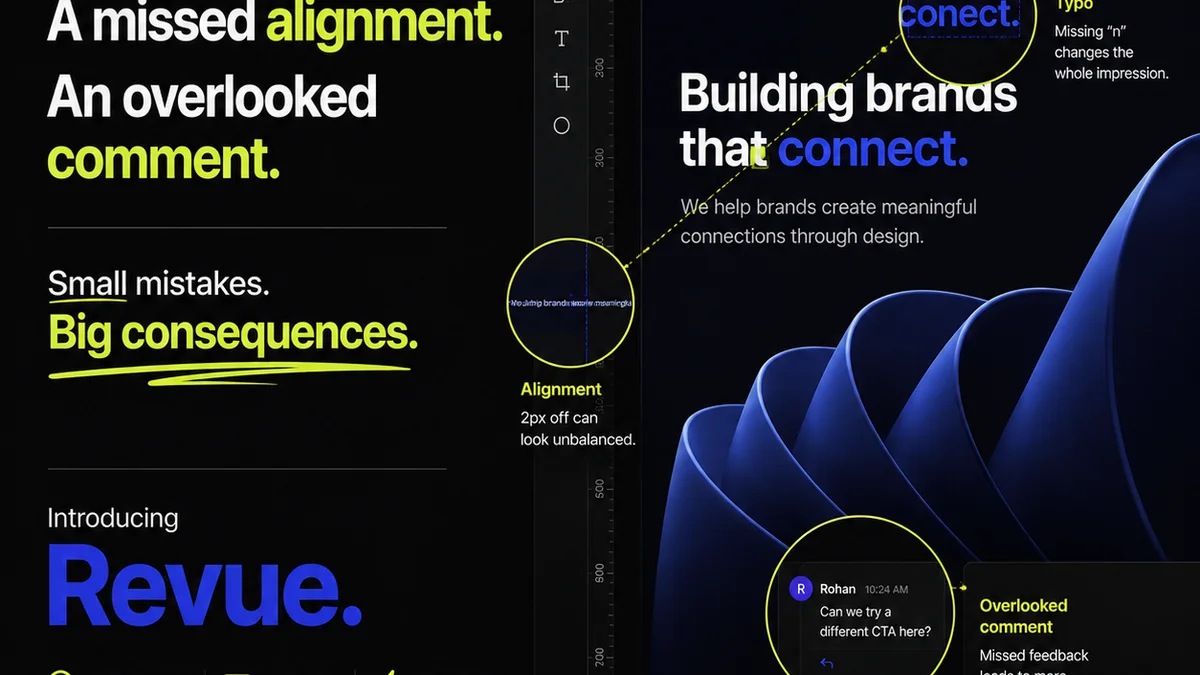
Creative Directors often think of Design QA as a final, nitpicky check. A last-minute hunt for misplaced pixels or typos.
None of that is wrong. But it’s incomplete.
The hard truth? Design QA is far more than a bug hunt. It’s a strategic process that underpins brand consistency, client trust, and ultimately, your agency’s reputation.
1. Beyond the Pixel: What Design QA Really Is
Design Quality Assurance, or Design QA, is the systematic process of evaluating creative work against a set of predefined standards and objectives. It’s not just about catching errors; it’s about ensuring the final output aligns with the project brief, brand guidelines, and user experience goals.
Think of it as the quality control step for creative output, analogous to how software development has its own rigorous QA processes. Without it, you’re shipping work that might look good but fails on a deeper level.
The Core Pillars of Design QA
- Brand Consistency: Does it look and feel like *this* brand?
- Usability & Accessibility: Is it easy for the target audience to use? Does it meet accessibility standards?
- Technical Accuracy: Are all specs met? Are assets correctly formatted?
- Strategic Alignment: Does it solve the problem outlined in the brief?
- Client Requirements: Does it satisfy all agreed-upon client deliverables?
This is where the real value lies. It’s about de-risking the project for both your agency and your client.
2. Why Creative Directors Can’t Afford to Ignore Design QA
Many CD’s delegate QA to junior designers or assume their designers self-police. This is a mistake. It’s like a chef never tasting the food before it goes out to the customer.
Your role as a CD is to be the ultimate guardian of the creative vision and its flawless execution. Design QA is a critical part of that guardianship.
Common Misconceptions vs. Reality
- Misconception: QA is just about finding visual bugs.
- Reality: QA verifies strategic, functional, and brand alignment.
- Misconception: It slows down the project.
- Reality: It prevents costly rework and client dissatisfaction down the line.
- Misconception: My designers are good enough; they won’t make mistakes.
- Reality: Even the best make errors under pressure. A systematic check is essential.
Ignoring Design QA is a direct path to scope creep, client complaints, and damaged relationships. It’s a failure of process, not necessarily talent.
3. The Design QA Checklist: Essential Checks
A robust Design QA process relies on clear checklists tailored to the project type. While specifics vary, certain checks are universal.
Brand Integrity Checks
- Logo Usage: Correct placement, clear space, color variations.
- Color Palette: Adherence to brand guidelines, accessibility contrast ratios.
- Typography: Correct fonts, weights, sizes, line spacing, hierarchy.
- Imagery Style: Consistent tone, quality, and subject matter.
- Voice & Tone: Copywriting aligns with brand personality.
This ensures the creative output is a true representation of the client’s brand, not just a pretty picture.
Functional & Usability Checks
- Navigation: Is it intuitive? Are all links working?
- Forms: Fields are labeled correctly, error states are clear, submission works.
- Interactive Elements: Hover states, click-throughs, animations behave as expected.
- Responsiveness: Layout adapts correctly across defined breakpoints (desktop, tablet, mobile).
- Performance: Page load times are acceptable, especially for web projects.
A beautiful design that’s hard to use is a failed design.
Technical & Delivery Checks
- File Naming Conventions: Are assets named logically and consistently?
- Resolution & Format: Are images, videos, and other assets in the correct specs?
- Color Modes: CMYK for print, RGB for digital.
- Bleed & Trim: Correct for print production.
- Accessibility Standards: Does it meet WCAG guidelines for contrast, focus states, keyboard navigation, etc.? Check out the WCAG guidelines for detailed requirements.
These technical details are often overlooked but are crucial for smooth production and a flawless final product.
4. Implementing a Design QA Process That Works
A formal Design QA process isn't a luxury; it's a necessity for any agency serious about quality. It needs structure, clear ownership, and the right tools.
Key Components of an Effective Process
- Define Standards Early: Establish brand guidelines, style guides, and project-specific requirements upfront.
- Create Checklists: Develop detailed checklists for different project phases and types.
- Assign Ownership: Designate specific individuals or roles responsible for QA. This might be a dedicated QA specialist, a senior designer, or even the CD for critical reviews.
- Integrate into Workflow: Build QA steps into your project management system, not as an afterthought.
- Document Findings: Use a system to track identified issues, their severity, and their resolution status.
- Retrospectives: After major projects, review the QA process. What worked? What didn’t? How can it be improved?
This isn't about adding bureaucracy. It's about building efficiency and predictability into your creative output.
Who Owns Design QA?
While a dedicated QA team is ideal for larger agencies, in many creative shops, the responsibility is shared.
- Designers: Self-review before handing off.
- Art Directors/Senior Designers: First-line review for consistency and adherence to brief.
- Creative Directors: Final strategic and brand-level sign-off.
- Project Managers: Ensure QA steps are followed and documented.
The key is clarity on who is responsible for what check at each stage.
5. Where Revue Fits In
Managing feedback, revisions, and approvals can quickly become chaotic, especially when multiple stakeholders are involved. This is precisely where a tool like Revue becomes invaluable for Design QA.
Revue provides a centralized platform to manage client feedback. Instead of scattered emails and Slack messages, all comments are logged against the specific version of the creative asset. This creates a clear audit trail.
When it comes to revisions, Revue ensures transparency. You can see exactly what feedback led to which changes, making it easier to track progress and ensure nothing falls through the cracks. This visibility is crucial for verifying that all required adjustments have been made correctly.
Ultimately, Revue helps streamline the quality check process. By having all project communication and version history in one place, you can conduct more thorough and efficient Design QA, ensuring that the final output meets all specified criteria before client approval.
6. The Human Element: Beyond the Checklist
Checklists are vital, but they aren't foolproof. Human judgment is still the most critical component of Design QA.
A good QA process encourages critical thinking, not blind adherence. It’s about asking
Frequently asked questions
What is the primary goal of Design QA?
The primary goal of Design QA is to ensure that creative work meets predefined standards for brand consistency, usability, technical accuracy, and strategic alignment, ultimately safeguarding brand integrity and client satisfaction.
Who is typically responsible for Design QA in an agency?
Responsibility for Design QA is often shared. Designers perform self-reviews, Art Directors or Senior Designers conduct initial reviews, Creative Directors provide final sign-off, and Project Managers ensure the process is followed and documented.
How does Design QA prevent costly rework?
By systematically identifying and rectifying errors, inconsistencies, or misalignments early in the process, Design QA prevents these issues from being discovered late in development or after delivery, which would necessitate expensive and time-consuming rework.
Can Design QA be automated?
While certain aspects of Design QA, like accessibility checks or broken link detection, can be automated with tools, the critical evaluation of brand voice, strategic alignment, and overall user experience still requires human judgment and oversight.