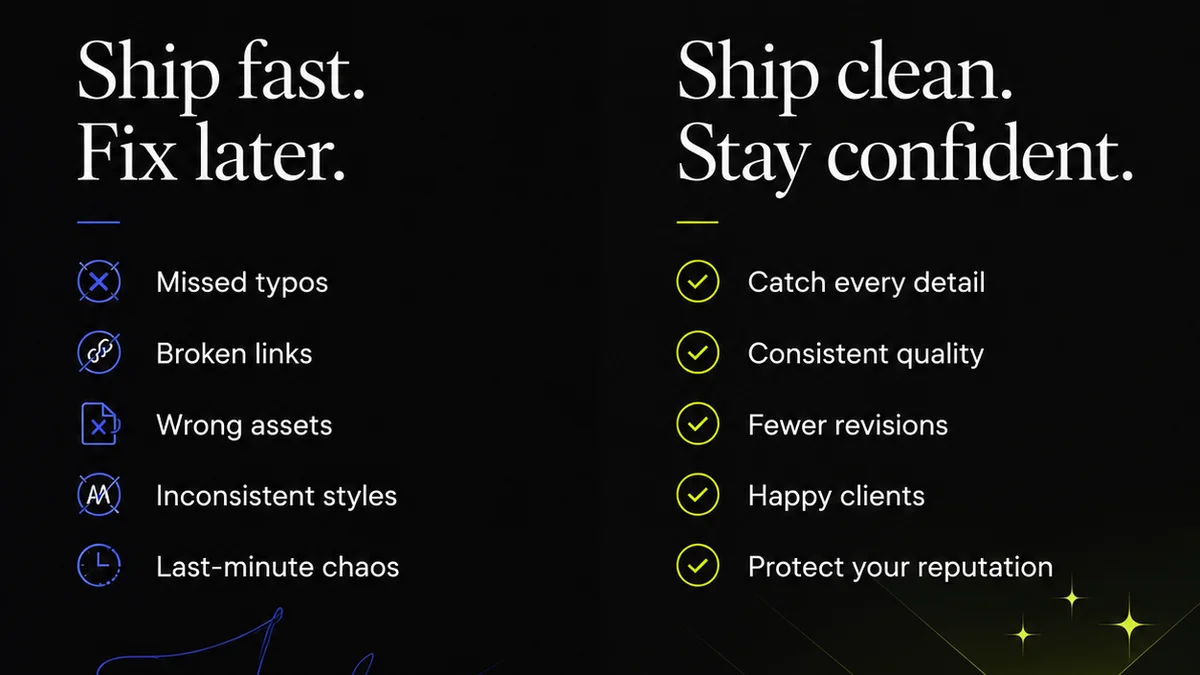
Most agencies think design Quality Assurance is about catching typos and broken links. That’s the bare minimum. It’s the stuff anyone with eyes can spot.
But true design QA is about something much deeper: maintaining the integrity of the creative vision and protecting your agency’s bottom line.
It’s the difference between a client who loves the work and a client who nitpicks every pixel because the foundation is shaky.
Here’s the hard truth: Your current QA process is likely costing you time, money, and client trust. It’s not a separate step; it’s woven into every stage of the creative process.
1. The Myth of 'Done'
What does 'done' actually mean in a creative agency? Most teams define 'done' as 'the client said okay.' That’s a dangerous assumption.
The client's 'okay' often comes with unspoken expectations. They're not just approving a final visual; they're approving a solution to their problem. If the solution isn't robust, 'done' quickly becomes 'needs more work.'
The Real Definition of Done
Done means:
- The design meets all stated objectives.
- The design adheres to brand guidelines.
- The design is technically sound and implementable.
- The design is free from errors that undermine its effectiveness or credibility.
- The design is ready to deliver maximum impact for the client.
Anything less isn't truly done. It's just paused.
2. Beyond the Checklist: Building a QA Mindset
A checklist is useful. But a mindset is essential. You need to embed QA thinking from the briefing stage, not just before delivery.
This isn't just about what the designer does. It's about what the account manager, the strategist, the developer, and the client liaison *also* do.
Key Pillars of a QA Mindset
- Objective Alignment: Does every design decision directly support the project goals? This needs checking at every milestone.
- Brand Consistency: Is the brand voice, tone, and visual identity applied uniformly? This isn't just for the final pass.
- Technical Feasibility: Can this actually be built or implemented as designed? Early checks prevent late-stage rework.
- User Experience (UX): Does the design serve the end-user effectively? Is it intuitive? Accessible?
- Stakeholder Alignment: Are all internal and external stakeholders on the same page about what success looks like?
This isn't about adding more steps. It's about making sure each step serves a purpose and is validated against these pillars.
3. The Stages of Design QA
QA isn't a single event. It's a continuous process. Think of it as quality gates, not a final inspection.
Stage 1: Briefing & Strategy QA
This is where the real work begins. If the brief is flawed, the design will be too.
- Assumptions: Were all assumptions challenged and validated?
- Objectives: Are the KPIs clear, measurable, and achievable?
- Target Audience: Is there a deep understanding of who we're designing for?
- Scope: Is the project scope clearly defined and agreed upon?
This stage requires input from strategy, account management, and often the client themselves. It’s the foundation.
Stage 2: Concept & Draft QA
Before diving deep into polished visuals, ensure the core concepts are sound.
- Concept Viability: Does the initial concept address the brief?
- Strategic Fit: Does it align with the brand and audience?
- Technical Constraints: Are there any red flags regarding implementation?
This is a good point for internal creative reviews. Get multiple eyes on it early.
Stage 3: Mid-Process QA
As the design takes shape, regular check-ins are crucial.
- Iterative Feedback: Are we incorporating feedback effectively and without scope creep?
- Consistency Checks: Are we maintaining brand standards and visual hierarchy?
- Usability Testing (if applicable): Are early prototypes functioning as expected?
This is where collaboration between design and development can be gold.
Stage 4: Pre-Final QA
This is the traditional 'QA' phase, but it should be a formality, not a discovery mission.
- Proofreading: All text, including calls-to-action and metadata.
- Link Testing: All interactive elements function correctly.
- Cross-Browser/Device Testing: Ensure responsiveness and rendering across platforms.
- Asset Verification: Correct file formats, resolutions, and naming conventions.
- Final Objective Check: Does the final output directly meet the original brief's objectives?
If you’ve done the prior stages right, this phase is quick and painless.
Stage 5: Post-Launch QA
The job isn't over when it goes live.
- Live Verification: Check the implemented design in its actual environment.
- Performance Monitoring: Track key metrics against initial objectives.
- Bug Squashing: Address any issues that arise post-launch promptly.
This closes the loop and provides data for future projects.
4. Tools and Techniques for Effective QA
Technology can help, but it won't replace critical thinking. Use tools to augment your process, not dictate it.
Common Tools & Their Role
- Project Management Software: For tracking tasks, deadlines, and feedback loops.
- Design Collaboration Tools (e.g., Figma, Sketch Cloud): For version control and annotating designs.
- Dedicated QA Platforms (e.g., BugHerd, Usersnap): For visual bug reporting directly on live sites.
- Browser Testing Tools (e.g., BrowserStack): To check rendering across multiple environments.
- Accessibility Checkers: To ensure designs meet WCAG standards.
Remember, these are enablers. The strategy and the mindset are paramount.
Techniques That Work
- Peer Reviews: Designers reviewing each other's work before client presentation.
- Cross-Disciplinary Reviews: A developer reviewing a design for technical feasibility, or a copywriter checking tone.
- Client Walkthroughs: Not just sending a file, but guiding the client through the work, explaining decisions.
- Structured Feedback Sessions: Establishing clear protocols for how and when feedback is given and received.
The goal is to catch issues early, collaboratively, and efficiently.
5. Where Revue Fits In
Managing feedback, revisions, and approvals across multiple stakeholders and projects can quickly become chaotic. This chaos is the enemy of good QA.
Revue provides a centralized hub for all creative assets and client communications. This means:
- Centralized Feedback: All client comments are in one place, linked directly to the specific design version. No more hunting through emails or Slack messages.
- Version Control Visibility: Easily track revisions and see the evolution of a design. Understand *why* changes were made.
- Clear Approval Workflows: Define and track who needs to approve what, and when. Eliminate ambiguity around sign-offs.
- Quality Check Integration: You can build your QA checklist directly into the review process, ensuring critical points are addressed before final approval.
By streamlining these core aspects of the creative workflow, Revue helps ensure that what gets approved is what was intended, and that the final output is of the highest quality. It moves QA from a reactive chore to a proactive, integrated part of the process.
6. The Cost of Poor QA
You might think skipping thorough QA saves time. It doesn't. It just defers the cost, often with interest.
Poor QA leads to:
- Rework: Clients spotting errors after approval means more time spent fixing, not creating.
- Scope Creep: Small
Frequently asked questions
What is the difference between QA and proofreading?
Proofreading is a specific type of QA focused solely on text errors like typos and grammatical mistakes. Design QA is much broader, encompassing visual consistency, brand alignment, technical feasibility, user experience, and objective fulfillment.
When should QA start in a design project?
QA should start at the very beginning, during the briefing and strategy phase. Ensuring the brief is solid and objectives are clear is the first step in preventing design issues down the line. It continues through every stage of the project.
How can a small agency afford robust QA?
Focus on building a QA mindset and integrating checks into existing workflows rather than adding expensive tools. Prioritize peer reviews, cross-disciplinary checks, and clear communication protocols. Use free or low-cost tools for specific tasks like accessibility checks.
What are the biggest mistakes agencies make with QA?
Treating QA as a final step only, relying solely on client feedback for quality checks, not aligning designs with original objectives, and failing to consider technical feasibility early on are common and costly mistakes.