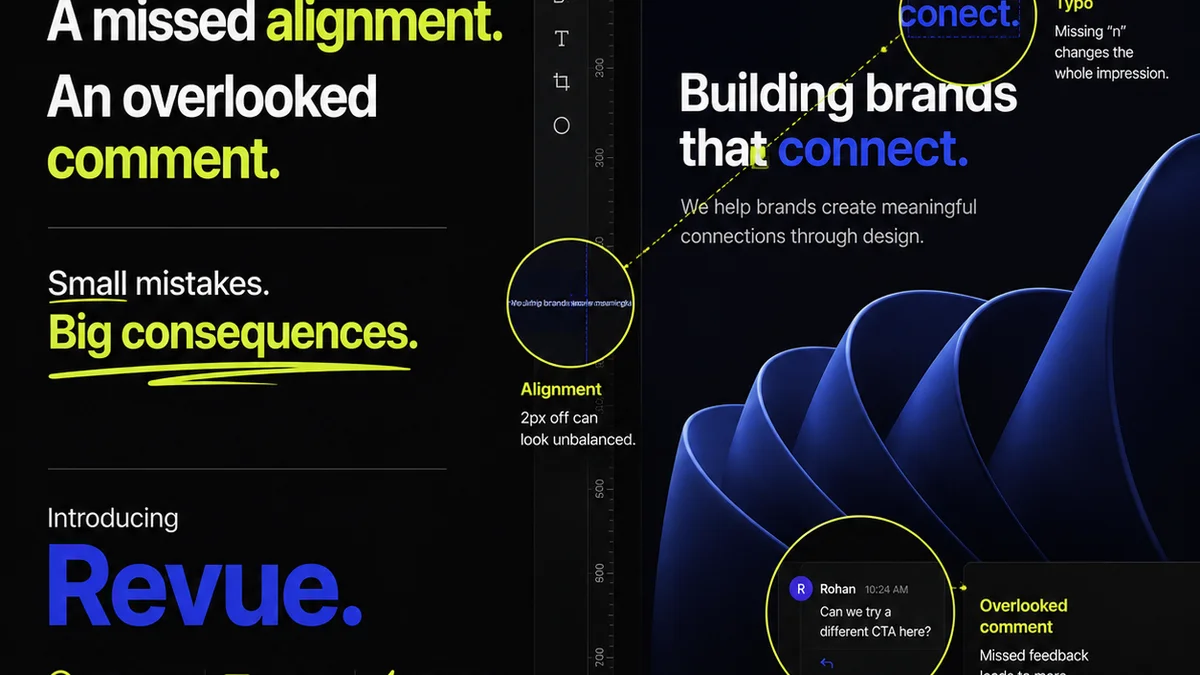
Everyone knows design QA is important. You spot typos, alignment issues, and missing assets before they go live. It’s the final gatekeeper.
None of that is wrong. But it’s incomplete.
The hard truth is that treating design QA as a simple checklist at the end of the line is a recipe for disaster. It becomes a bottleneck, a source of friction, and a hidden cost that eats into your margins and damages client relationships.
A robust, scalable design QA process isn't just about catching errors. It's about embedding quality into every stage of your workflow. It’s about preventing errors before they even happen.
Let’s break down how to build a QA process that doesn’t just work, but scales with your agency.
1. Shift QA Left: Integrate Quality from the Start
The biggest mistake agencies make is treating QA as a separate, final step. This approach guarantees delays and makes problems harder to fix.
Quality assurance should be baked into the entire design lifecycle, not tacked on at the end.
Designers Own Their Quality
Empower your designers to be the first line of defense. This means establishing clear internal standards and providing them with the tools and knowledge to self-check their work rigorously.
What does this look like in practice?
- Style Guide Adherence: Ensure brand guidelines, typography, color palettes, and spacing rules are documented and easily accessible. Designers should be trained to follow them religiously.
- Component Libraries: For digital projects, use and maintain robust component libraries. This ensures consistency and reduces repetitive errors.
- Pre-flight Checks: For print or complex digital assets, build checklists for designers to run through before handing off. This could include checking bleed, resolution, font embedding, or interactive states.
This isn’t about micromanaging. It’s about setting clear expectations and providing the framework for designers to deliver high-quality work from the outset.
Briefing is Quality Control
The project brief is the foundation of good design. A poorly defined brief is a direct invitation to QA headaches down the line.
Your client onboarding and briefing process is your first major QA checkpoint.
- Clear Objectives: Does the brief clearly state what success looks like?
- Defined Scope: Are deliverables, timelines, and client responsibilities unambiguous?
- Asset Requirements: Are all necessary assets, brand guidelines, and technical specifications provided upfront?
If the brief is fuzzy, push back. Clarify everything before the first pixel is designed. This saves immense time and prevents scope creep disguised as design exploration.
2. Standardize Your Review and Feedback Loops
Ad-hoc feedback is the enemy of scalable QA. When feedback comes from everywhere, at all times, in all formats, it’s chaos.
You need a structured, centralized system for reviews and approvals.
Centralize Feedback
Scattered feedback across email threads, Slack messages, and random documents is a recipe for missed revisions and misunderstandings. This is where creative project management tools shine.
Designate a single source of truth for all client feedback and internal reviews.
- On-Canvas Annotations: Tools that allow clients and internal teams to click directly on the design and leave comments are invaluable.
- Version Control: Keep a clear history of revisions. Clients should see what changed and why.
- Approval Workflows: Formalize the approval process. Who needs to sign off? What are the criteria for approval?
This structured approach ensures that no feedback gets lost and that everyone is working from the latest version.
Define Internal Review Stages
Don't wait for the client to find the mistakes. Implement structured internal review stages before any client-facing deliverable.
Consider:
- Peer Review: Another designer reviews the work for technical accuracy and adherence to brief.
- Creative Director Review: A senior team member checks for strategic alignment, brand consistency, and overall quality.
- Project Manager Review: A PM confirms that the deliverable meets the scope, requirements, and technical specifications.
Each stage should have clear criteria and a defined outcome: Approved, Revisions Needed, or Rejected. This layered approach catches issues early, when they are cheapest and easiest to fix.
3. Build Your Design QA Checklist (and Evolve It)
A checklist is more than just a list of things to tick off. It’s a codified set of quality standards for your agency.
But a static checklist quickly becomes obsolete.
Start with the Basics
Your initial QA checklist should cover fundamental elements. Tailor these to your specific services (web design, print, branding, video, etc.).
For web design, this might include:
- Visual Consistency: Typography, color, spacing, iconography, imagery.
- Responsiveness: Does it look good and function correctly on all target devices and screen sizes?
- Usability: Are interactive elements clear? Is navigation intuitive? Are CTAs prominent?
- Content Accuracy: Proofread all copy. Check for broken links. Verify placeholder text is replaced.
- Performance: Image optimization, load times.
- Accessibility: Color contrast, keyboard navigation, ARIA labels.
Make it Dynamic
Your QA process should be a living document. Learn from every project.
- Post-Mortem Analysis: After each project (or significant phase), review the QA findings. What errors were caught late? What types of errors keep recurring?
- Update Checklists: Add new checks based on common mistakes or new technologies. Remove redundant checks.
- Automate Where Possible: Use linting tools for code, automated accessibility checkers, or spell-checkers. Integrate these into your workflow.
A constantly refined checklist ensures your QA process stays relevant and effective.
4. Define Roles and Responsibilities Clearly
When everyone is responsible, no one is responsible. Ambiguity around QA roles leads to dropped balls.
Clearly define who owns what part of the QA process.
The Designer’s Role
Self-QA, adherence to brand guidelines and component libraries, pre-handoff checks.
The Project Manager’s Role
Ensuring the brief is clear, facilitating internal reviews, managing client feedback, tracking approvals, final spec verification.
The Creative Director’s Role
Strategic quality assessment, brand consistency enforcement, final creative sign-off.
The Dedicated QA Specialist (If Applicable)
For larger agencies or complex projects, a dedicated QA role can be invaluable. This person acts as the final gatekeeper, systematically running through comprehensive checklists and testing scenarios.
Even without a dedicated role, ensure clear ownership for each QA touchpoint.
5. Leverage Technology for Efficiency
Manual QA is time-consuming and prone to human error. Technology can automate, streamline, and centralize your efforts.
This is not about replacing human judgment, but augmenting it.
Centralized Feedback Platforms
Tools like Revue are designed to consolidate client feedback, manage revisions, and provide clear approval trails. This eliminates the need to hunt through emails or Slack for comments.
Imagine:
- Clients comment directly on designs, with clear version history.
- Internal teams can review and annotate alongside clients.
- All feedback is logged, tracked, and auditable.
This level of organization is crucial for scaling.
Automated Testing Tools
For digital projects, leverage tools that automate repetitive checks:
- Linters (e.g., ESLint, Stylelint): Enforce coding standards and catch syntax errors.
- Automated Accessibility Checkers (e.g., Axe): Identify common accessibility issues.
- Cross-Browser Testing Tools (e.g., BrowserStack): Ensure consistency across different browsers and devices.
Integrate these into your development and design pipelines.
Project Management Software
A good PM tool keeps the entire project on track, including QA milestones. Track tasks, deadlines, and approvals within a single system.
Where Revue Fits In
Building a scalable design QA process requires structure, clarity, and the right tools. Manual processes break down quickly under pressure.
Revue is built to address these exact challenges.
It acts as your central hub for client feedback, ensuring that every comment is captured, organized, and actionable. No more hunting through scattered communication channels.
Our platform provides clear visibility into revision history and approval status, streamlining the entire review cycle. This transparency is key to efficient collaboration and faster sign-offs.
By centralizing feedback and managing revisions within a single, controlled environment, Revue helps you implement a more rigorous, consistent, and ultimately scalable quality assurance process.
Final Thought
Is your current design QA process a source of stress or a driver of quality and efficiency? If it’s the former, it’s time for a fundamental shift. Treat QA not as a final hurdle, but as an integrated part of your creative delivery system. What’s one small change you can make today to embed quality earlier in your workflow?
Frequently asked questions
What is the biggest mistake agencies make with design QA?
The biggest mistake is treating design QA as a final, separate step. This makes it a bottleneck, increases costs, and leads to missed errors. A scalable QA process integrates quality checks throughout the entire workflow, from briefing to final delivery.
How can designers improve their self-QA?
Designers can improve self-QA by rigorously adhering to style guides and component libraries, utilizing pre-flight checklists before handing off work, and understanding the specific quality criteria for each project type. Peer reviews are also a valuable part of this process.
Why is centralizing feedback crucial for QA?
Centralizing feedback in one platform (like Revue) prevents comments from getting lost in email chains or chat messages. It ensures everyone works from the latest version, reduces misunderstandings, and provides a clear audit trail for revisions and approvals, which is essential for scalable QA.
Can technology truly help with design QA?
Yes, technology can significantly enhance design QA. Automated tools can handle repetitive checks for code, accessibility, and cross-browser compatibility. Centralized feedback platforms streamline communication and tracking, while project management software ensures QA milestones are met.