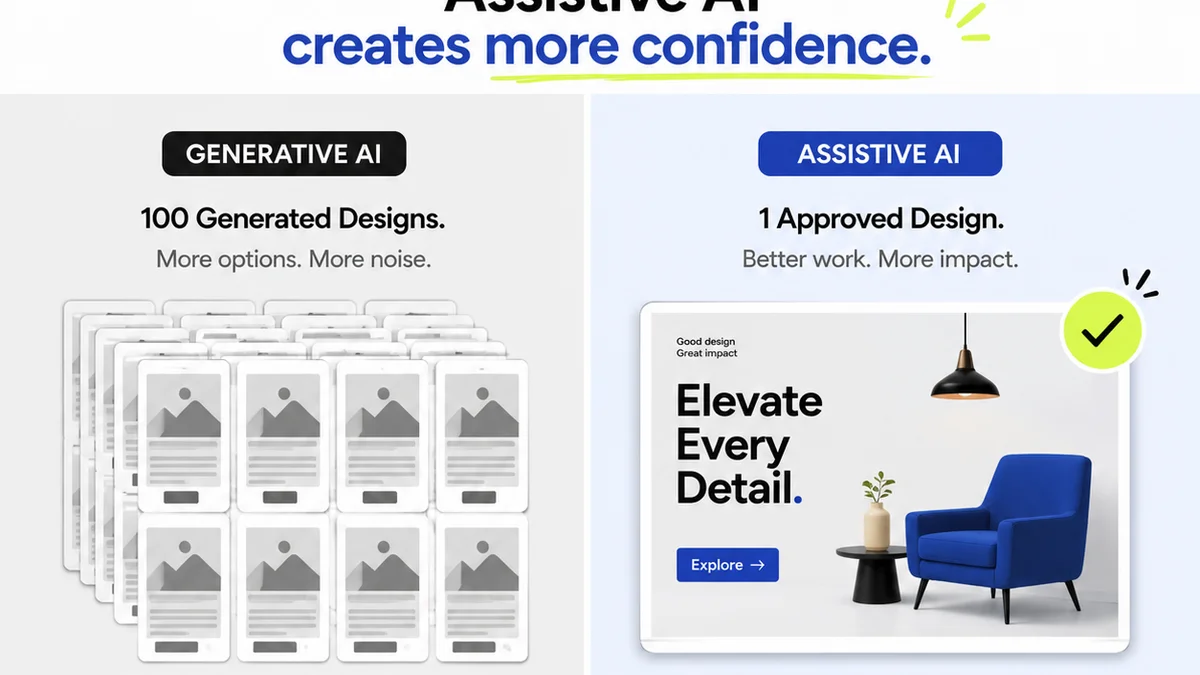
Everyone agrees that design Quality Assurance (QA) is crucial. It’s the final gate before launch, the last chance to catch embarrassing typos or broken links. It’s about protecting brand reputation and client trust.
None of that is wrong. But it’s incomplete.
The deeper truth? Design QA isn’t just about catching errors. It’s about building a more efficient, predictable, and profitable creative process. It’s about turning a potential bottleneck into a well-oiled machine.
1. The Myth of the "Good Enough" Review
Many teams operate under the assumption that a quick look-over by the project manager or a senior designer is sufficient. They believe that if it *looks* okay, it *is* okay.
This approach often leads to:
- Missed critical errors that only surface post-launch.
- Inconsistent feedback loops, creating confusion.
- Wasted time on rework due to subjective opinions disguised as quality checks.
- A general lack of accountability for final output quality.
This is where the search for better design QA software begins. But the tool itself isn't the magic bullet.
2. Beyond Screenshots: What True Design QA Entails
Effective design QA goes far beyond a simple visual scan. It’s a systematic process that validates the creative work against defined requirements and standards.
This includes:
a. Functional Testing
Does the design work as intended? Are all interactive elements functioning correctly? Are links pointing to the right places? This is especially critical for web and app design.
b. Usability Testing
Can the intended audience easily navigate and understand the design? While often a separate discipline, basic usability checks are part of QA. Is the user flow intuitive? Are calls to action clear?
c. Accessibility Compliance
Does the design meet accessibility standards? This ensures your work is usable by people with disabilities, a legal requirement in many regions and a mark of inclusive design. Think color contrast, keyboard navigation, and semantic HTML structure (if applicable).
d. Brand Consistency
Does the design adhere to brand guidelines? Are logos, colors, typography, and tone of voice used consistently across all elements?
e. Technical Specifications
Does the design meet the technical requirements of the platform? This can include file sizes, image resolutions, code standards, and responsiveness across different devices.
f. Content Accuracy
Is all text, imagery, and data accurate and error-free? This means proofreading, verifying data, and ensuring all assets are correctly implemented.
3. The Right Tools for the Job: Design QA Software Categories
The market offers a variety of tools, each addressing different facets of the QA process. Understanding these categories helps you choose what’s best for your team.
a. Visual Review & Annotation Tools
These platforms allow designers and reviewers to comment directly on mockups, prototypes, or live websites. They streamline the feedback process by pinpointing specific areas for revision.
- Pros: Excellent for visual feedback, easy to use, great for clarifying specific UI elements.
- Cons: Can be less effective for functional or technical QA.
- Examples: Many project management tools have annotation features, dedicated tools like વપરાશકર્તા offer advanced visual annotation.
b. Bug Tracking & Project Management Software
While not exclusively for design QA, these tools are essential for managing identified issues, assigning tasks, and tracking progress. They provide a central repository for all project-related tasks, including bug fixes.
- Pros: Robust workflow management, clear task assignment, historical tracking of issues.
- Cons: Can be overly complex for simple visual feedback; may require integration with other tools.
- Examples: Jira, Asana, Trello.
c. Dedicated Design QA Platforms
These are specialized tools built specifically for the creative review and QA process. They often combine visual annotation with version control, approval workflows, and sometimes even basic functional checks.
- Pros: Tailored features for creative workflows, comprehensive review capabilities, clear approval tracking.
- Cons: Can be an additional cost; might require training.
- Examples: This is where platforms like Revue offer unique value by integrating feedback, revisions, and approvals into a single, manageable stream.
d. Automated Testing Tools
For web development and app design, automated tools can check for broken links, performance issues, and adherence to coding standards. These are less about subjective design and more about objective functionality.
- Pros: Speed, consistency, ability to catch technical glitches quickly.
- Cons: Cannot evaluate subjective design quality, usability, or brand fit.
- Examples: BrowserStack, Lighthouse (part of Chrome DevTools).
4. Building Your Design QA Checklist
Regardless of the software you use, a standardized checklist is your best friend. It ensures consistency and prevents subjective
Frequently asked questions
What is the primary goal of design QA software?
The primary goal of design QA software is to systematically review creative work for errors, inconsistencies, and adherence to requirements before delivery, ensuring quality and client satisfaction.
How can design QA software improve client feedback?
Design QA software centralizes feedback, allows for precise annotations, tracks revisions, and clarifies approval status, reducing miscommunication and speeding up the feedback loop.
Is design QA only for digital products?
No, design QA principles apply to all forms of design, including print, branding, and physical products. However, digital design QA software is particularly advanced due to the interactive nature of the medium.
What's the difference between design QA and usability testing?
Design QA focuses on catching errors and ensuring adherence to specifications (functional, brand, technical). Usability testing specifically evaluates how easy and intuitive a design is for end-users to interact with.