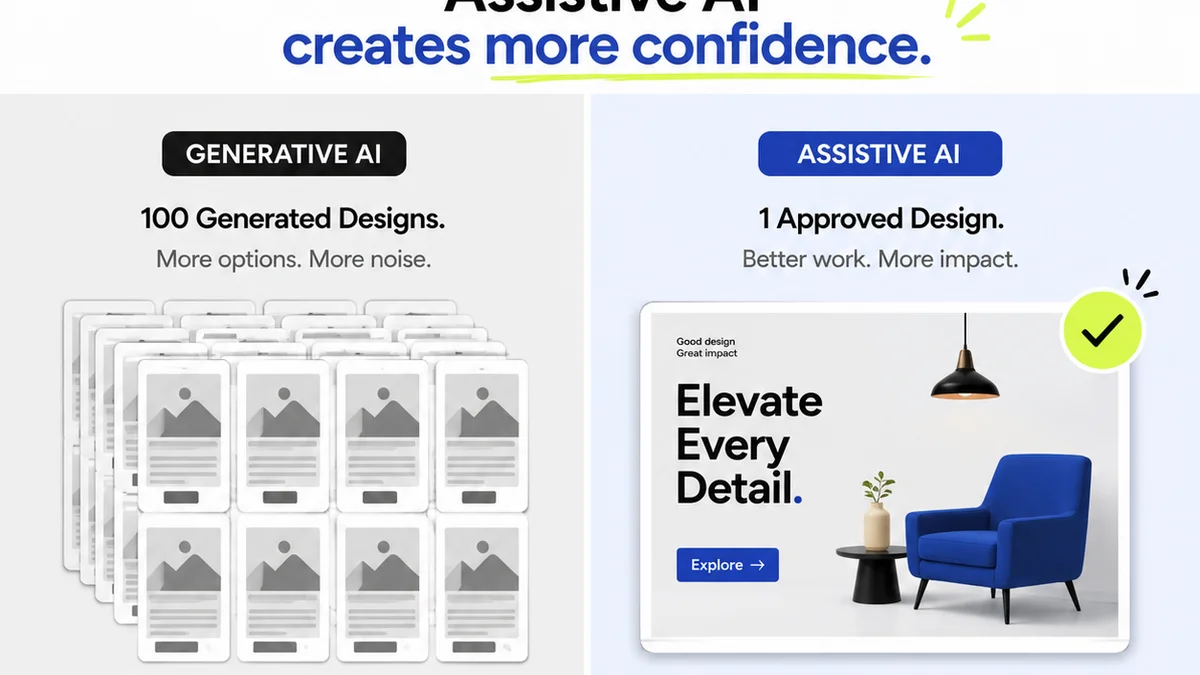
Everyone agrees that design Quality Assurance (QA) is critical. It’s the final gate before a project ships, the last line of defense against embarrassing errors. Many assume that the best design QA software is simply about finding bugs faster. None of that is wrong. But it’s incomplete.
The hard truth is that effective design QA isn't just about spotting pixel-perfect issues. It’s about ensuring the *entire creative vision* lands as intended, across all touchpoints, and that the process itself fuels future success.
1. The Illusion of 'Bug-Free'
The primary goal of design QA software is often framed as hunting down and squashing bugs. Think misaligned elements, incorrect copy, broken links, or accessibility failures. These are table stakes.
But the real value lies in understanding *why* these bugs happen and preventing them upstream. The best tools don't just report issues; they provide context that helps teams learn and improve.
Why 'Bug Hunting' Isn't Enough
- Focusing solely on the end result ignores process inefficiencies.
- It can create a blame culture rather than a collaborative problem-solving environment.
- It doesn't address the nuances of user experience or brand consistency beyond the visual.
True design QA is about more than just a checklist. It’s about the integrity of the user experience.
2. Context is King: Beyond the Screenshot
A static screenshot or a bug report with a cryptic description is a dead end. The best design QA software provides rich context around each issue.
This means understanding the user flow, the intended functionality, the specific device or browser, and even the client's original brief.
What Contextual Data Matters?
- User Journeys: Where did the issue occur in the user's path?
- Environmental Specifics: Browser version, operating system, device type, screen resolution.
- Build/Version Information: Which iteration of the design is this?
- Related Assets: Links to source files, style guides, or previous feedback.
- Client Requirements: A direct link back to the originating brief or stakeholder request.
Without this, QA becomes a tedious game of telephone, with developers guessing what designers meant and clients questioning what was actually delivered.
3. Collaboration Over Confrontation
Design QA often gets siloed. Designers might file bug reports, developers fix them, and then designers re-test. This creates friction and delays.
The most effective design QA software fosters a shared understanding and direct collaboration between all stakeholders – designers, developers, project managers, and clients.
Features That Enable Collaboration
- In-context commenting: Users can leave feedback directly on the visual element.
- Real-time annotations: Multiple users can mark up designs simultaneously.
- Clear assignment and status tracking: Everyone knows who is responsible for what and where it stands.
- Version comparison: Easily see what changed between revisions.
This shared visibility reduces misunderstandings and speeds up the resolution process significantly.
4. Accessibility and Performance: Non-Negotiables
In 2026, design QA must include robust checks for accessibility and performance. These aren't afterthoughts; they are foundational to good design.
Tools that integrate accessibility scanning (like WCAG compliance checks) and performance metrics directly into the QA workflow are invaluable.
Key Checks to Automate
- Color Contrast Ratios: Ensuring text is readable.
- Keyboard Navigation: Can users navigate with a keyboard alone?
- Screen Reader Compatibility: Are elements properly labeled for assistive technologies?
- Image Alt Text: Providing descriptions for visually impaired users.
- Page Load Speed: Optimizing for fast delivery across devices.
Neglecting these aspects alienates users and can lead to legal repercussions. Proactive QA catches these issues early.
5. The Feedback Loop: Learning from QA
The QA process generates a wealth of data. Are certain types of errors recurring? Are specific projects or team members prone to particular issues? The best design QA software helps analyze this data.
This isn't about finger-pointing. It’s about identifying systemic problems and refining processes to prevent future mistakes.
Leveraging QA Data for Improvement
- Track common bug categories.
- Monitor resolution times by issue type and team.
- Identify training needs for designers or developers.
- Refine project kickoff requirements based on past challenges.
QA should be a continuous improvement engine, not just a final hurdle.
Where Revue Fits In
While dedicated design QA tools excel at the granular inspection of visual elements, managing the *entire feedback and approval lifecycle* requires a more centralized approach. This is where Revue shines.
Revue acts as the single source of truth for client feedback and project approvals. Instead of scattered emails, endless Slack threads, or disconnected documents, all communication and decision-making happen in one place.
- Centralized Feedback: Gather all client comments, stakeholder input, and internal reviews in one organized stream, linked directly to project assets.
- Revision Visibility: Track every iteration, understand the context of changes, and ensure all feedback has been addressed before final approval.
- Streamlined Approvals: Get clear sign-offs from clients and stakeholders, reducing ambiguity and preventing scope creep.
- Quality Checks Integrated: While Revue isn't a pixel-pushing tool, it ensures that the *requirements* for quality (accessibility, brand guidelines, functional specs) are clearly communicated, tracked, and approved as part of the workflow.
By integrating Revue into your workflow, you add a layer of accountability and clarity to the entire creative process, making the final QA stage smoother and more effective.
Final Thought
Is your design QA process a bottleneck, or is it a catalyst for better creative work? The tools you choose and the way you implement them dictate the answer. Don't just find bugs; build better processes.
Frequently asked questions
What is the primary difference between traditional bug tracking and design QA software?
Traditional bug tracking often focuses on functional defects in software. Design QA software, on the other hand, specifically addresses visual, usability, and brand consistency issues within creative assets, often providing richer contextual information relevant to designers and clients.
How can design QA software improve collaboration between designers and developers?
Effective design QA software allows for in-context commenting, annotation, and clear status tracking directly on design assets. This reduces misinterpretations, speeds up the feedback loop, and ensures everyone is working from the same understanding.
Why are accessibility and performance checks crucial in modern design QA?
Accessibility ensures your designs are usable by everyone, including people with disabilities, preventing exclusion and potential legal issues. Performance optimization ensures fast loading times, crucial for user retention and SEO. Both are fundamental aspects of high-quality user experience in 2026.
Can design QA software help prevent future errors?
Yes, by analyzing the types of issues found, their frequency, and resolution times, design QA software can reveal systemic problems in the creative process. This data allows teams to refine workflows, provide targeted training, and implement preventative measures.