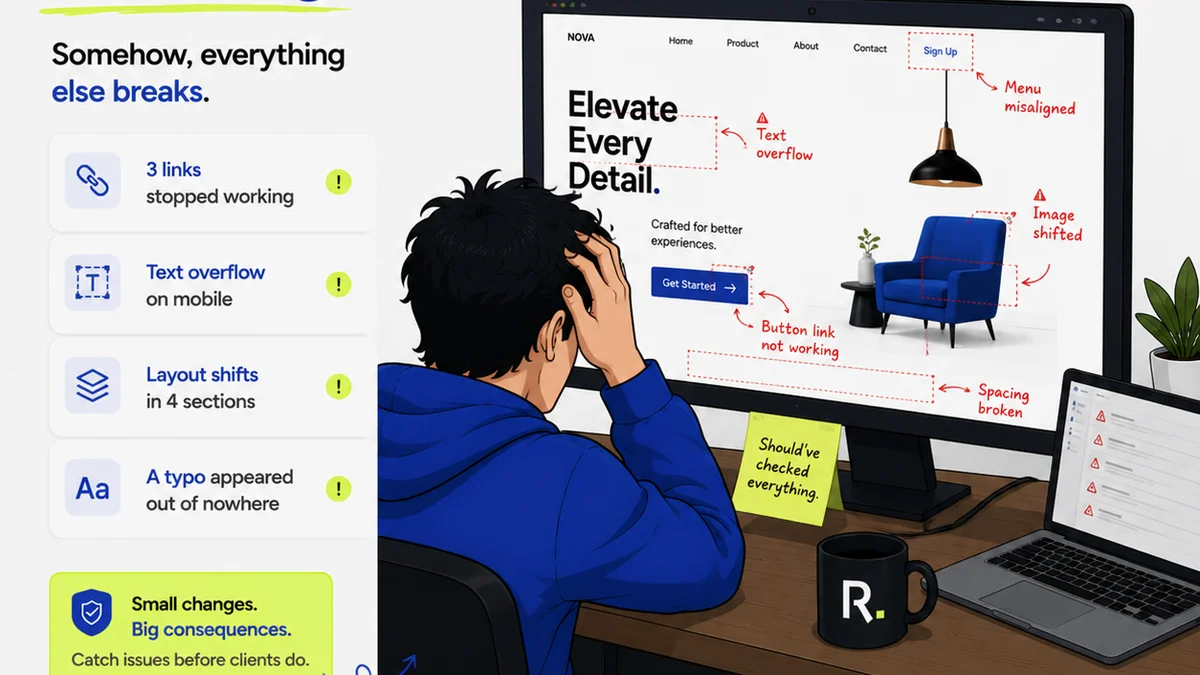
Everyone assumes design QA software is just about catching typos and misaligned logos. A quick check before launch, a final sign-off. None of that is wrong. But it’s incomplete.
The hard truth is that for US creative and marketing teams, effective design QA is far more than a final pass. It’s about managing the entire lifecycle of client feedback, ensuring clarity, and preventing costly rework. It’s about operational efficiency disguised as quality control.
1. The Lie of the "Final" Proof
You’ve seen it. The email chain that goes three levels deep, with feedback buried in replies. The client who insists on a “quick look” that turns into a major revision request. The designer who missed a subtle but critical instruction buried in a comment from three weeks ago.
This isn’t a failure of the designer or the client. It’s a failure of the system. Relying on static proofs or endless email threads for design quality assurance is a recipe for confusion and conflict.
The real problem isn’t the proof itself, but the context and history surrounding it. Without a centralized hub, crucial details get lost. This leads to:
- Missed feedback points
- Conflicting instructions
- Unnecessary revisions
- Strained client relationships
- Delayed project timelines
This is where the search for design QA software alternatives begins.
2. Beyond Basic Proofing: What Teams Actually Need
Many tools offer basic proofing. You upload a file, add comments, and get a link. This is a start, but it’s not a solution for complex creative workflows. US teams are looking for more robust capabilities to manage the entire feedback loop.
Centralized Feedback Hubs
Imagine a single source of truth for all client comments, stakeholder approvals, and internal reviews. No more hunting through emails or Slack messages. Every piece of feedback, from the initial wireframe to the final render, lives in one place.
Version Control and Revision Tracking
Knowing which version of a design is current is paramount. Good QA software provides clear version history, showing exactly what changed, who requested it, and when it was approved. This transparency is non-negotiable for accountability.
Streamlined Approval Workflows
Formal sign-offs are critical. Teams need a way to manage these approvals, ensuring all necessary parties have reviewed and agreed. This moves beyond a simple “okay” to a documented, auditable process.
Integration with Existing Tools
Creative teams don’t work in a vacuum. Software that integrates with design tools (like Adobe Creative Suite or Figma) and project management platforms (like Asana or Jira) reduces friction and keeps everyone in sync.
Automated Quality Checks
While human review is essential, some aspects of QA can be automated. Think accessibility checks (WCAG compliance), file format validation, or even basic design system adherence. This frees up human reviewers for more nuanced tasks.
3. Evaluating Design QA Software Alternatives
When looking beyond the obvious proofing tools, consider these factors. This isn't about finding the cheapest option; it’s about finding the most effective for your specific workflow.
Scalability
Can the software handle a growing number of projects, users, and clients? A tool that works for a small team might buckle under the pressure of a larger agency.
User Experience (Client & Team)
If clients find the tool confusing, they won’t use it effectively. Similarly, your internal team needs an intuitive interface to maximize adoption and efficiency. Simplicity is key, even for powerful software.
Reporting and Analytics
Understanding project bottlenecks, common feedback themes, and approval times can provide valuable insights. Good software offers reports that highlight these areas, allowing for process improvement.
Security and Compliance
For many US creative and marketing teams, data security and client confidentiality are paramount. Ensure the software meets industry standards for data protection.
Cost vs. Value
Don't just look at the price tag. Consider the return on investment. How much time will it save? How many costly errors will it prevent? The true cost is often measured in saved hours and avoided mistakes.
4. Common Pitfalls to Avoid
Simply adopting new software won’t magically fix your QA process. Many teams fall into predictable traps:
- Assuming adoption is automatic: Training and clear communication are vital.
- Over-complicating workflows: Start simple and build complexity as needed.
- Ignoring client needs: Ensure the tool is user-friendly for external stakeholders.
- Treating it as a 'set it and forget it' solution: Regularly review and refine your QA process.
- Focusing only on visual bugs: Remember functional and accessibility QA.
These issues often stem from a misunderstanding of what true design QA entails.
5. Where Revue Fits In
Revue isn’t just another proofing tool. It’s designed to address the operational challenges that plague creative teams. It acts as the central nervous system for your client feedback and approval process.
With Revue, you can:
- Centralize all client feedback: Comments, revisions, and approvals live in one organized space, eliminating confusion.
- Manage revisions and approvals with clarity: Track every iteration, see who approved what, and when. This provides an auditable trail and prevents scope creep.
- Run quality checks efficiently: Ensure all stakeholders have seen and signed off on the final work, reducing last-minute surprises.
Revue streamlines these critical steps, allowing your team to focus on creative execution rather than administrative overhead. It’s about bringing order to the chaos of client collaboration.
Final Thought
The pursuit of better design QA software is really a quest for better operational control. It’s about moving beyond the reactive and embracing a proactive approach to quality and client satisfaction. Are you managing feedback, or is feedback managing you?
Frequently asked questions
What is design QA software?
Design QA software helps creative teams manage the quality assurance process for design projects. This typically includes features for collecting client feedback, tracking revisions, managing approvals, and ensuring the final output meets quality standards.
What are the limitations of basic proofing tools?
Basic proofing tools often lack robust features for version control, centralized feedback history, and streamlined approval workflows. They can lead to scattered communication and missed feedback, especially on complex projects.
How can software improve design quality assurance?
Software can improve design QA by centralizing all feedback and communication, providing clear version history, automating parts of the review process (like accessibility checks), and creating an auditable trail for approvals. This reduces errors and saves time.
Is design QA software only for large agencies?
No, design QA software can benefit creative teams of all sizes. Smaller teams can use it to establish better processes early on, while larger agencies rely on it for scalability and managing complex projects with multiple stakeholders.