Everyone agrees that design Quality Assurance (QA) is critical. You hear it all the time: 'Catch bugs early,' 'Ensure pixel perfection,' 'Deliver flawless designs.' None of that is wrong. But it’s incomplete.
For enterprise teams, design QA software is about far more than just finding visual defects. It’s about operational efficiency, clear communication, and maintaining brand consistency across massive projects and large teams. The real challenge isn't spotting a stray pixel; it's managing the entire feedback and approval lifecycle at scale.
1. Centralized Feedback is Non-Negotiable
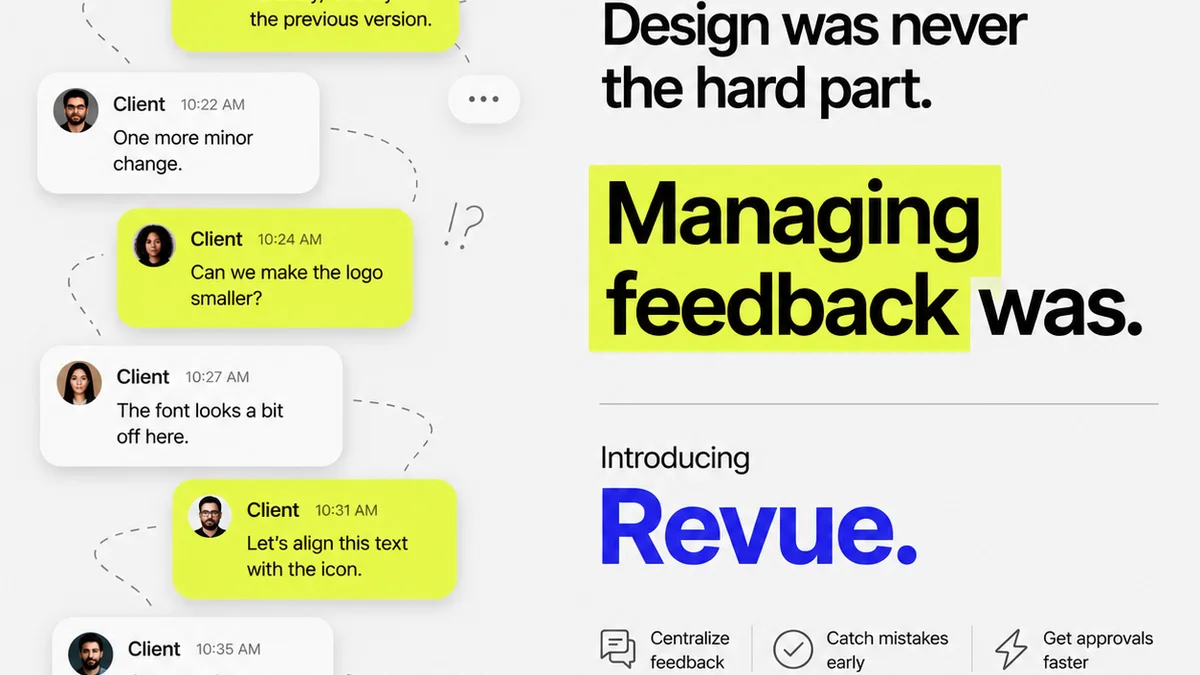
Ask any creative director at a large agency or enterprise. What’s the biggest bottleneck in the design process? It’s rarely the creative talent. It’s the endless, fragmented communication.
Feedback arrives via email, Slack messages, informal chats, shared documents, and sometimes, carrier pigeon. Each channel is a potential black hole for critical notes, a breeding ground for misinterpretations, and a drain on valuable time spent hunting for the latest revision.
This chaos is amplified in enterprise settings where:
- Multiple stakeholders are involved, often with conflicting priorities.
- Projects are complex, involving numerous assets and multiple teams.
- Global operations mean time zone differences exacerbate communication delays.
- Brand guidelines are extensive and must be adhered to meticulously across all outputs.
Effective design QA software must serve as the single source of truth for all feedback. This means:
Clear Annotation Tools
The ability to pin comments directly onto the design asset is table stakes. But enterprise tools need more robust annotation capabilities.
- Drawing tools for marking up specific areas.
- Ability to add screenshots or screen recordings to illustrate complex issues.
- Version control for feedback, showing what was addressed and what remains.
Status Tracking for Feedback Items
Not all feedback is created equal. Some comments are critical bugs, others are stylistic suggestions. The software should allow for easy categorization and status updates (e.g., Open, In Progress, Resolved, Won't Fix).
Integration with Existing Workflows
Enterprise teams don't operate in a vacuum. Design QA software needs to play nicely with project management tools like Jira or Asana, and design tools like Figma or Adobe Creative Cloud. This prevents duplicate data entry and ensures a seamless flow of information.
2. Revision and Approval Management at Scale
Finding issues is one thing. Managing the process of fixing them and getting formal approval is another beast entirely, especially for enterprise clients with stringent protocols.
Think about a global product launch. Hundreds of marketing assets need approval, each requiring sign-off from legal, marketing, brand, and regional leads. Without a structured system, this becomes an administrative nightmare.
Automated Approval Workflows
The best design QA software allows you to set up custom approval chains. Define who needs to review and approve what, in what order. This eliminates the manual chasing of signatures and ensures compliance.
For example, a new website banner might require approval from the Brand Manager first, then the Head of Marketing, before going to Legal. The system can automatically route the asset and notify the next approver when the previous stage is complete.
Version Control and Audit Trails
Enterprise projects demand meticulous record-keeping. You need to know exactly which version of an asset was approved, by whom, and when. This is crucial for compliance, dispute resolution, and post-launch analysis.
Good software provides clear version history, showing all iterations and approvals. This prevents confusion and ensures that everyone is working from the most up-to-date, approved files.
Clear Decision Making
When feedback is consolidated and approvals are managed through a defined workflow, decision-making becomes transparent. Stakeholders can see the context of feedback, the proposed solutions, and the final decisions made.
This reduces back-and-forth and the dreaded
Frequently asked questions
What is the primary difference between design QA software and general bug tracking software?
While both aim to identify and resolve issues, design QA software is specifically tailored for visual assets and creative workflows. It focuses on features like visual annotation, version control for creative files, and managing design-specific feedback and approval cycles, which are often less sophisticated or absent in general bug trackers.
How can design QA software improve collaboration for remote enterprise teams?
By providing a centralized platform for all feedback, revisions, and approvals, design QA software ensures that remote team members and stakeholders have access to the latest information. Features like real-time commenting, version history, and automated workflows reduce miscommunication and keep everyone aligned, regardless of location.
Is design QA software only for finding visual bugs?
No, effective design QA software for enterprise teams goes beyond bug tracking. It encompasses managing the entire feedback loop, streamlining revision processes, ensuring brand consistency, and facilitating clear, auditable approval workflows, which are crucial for large-scale projects and compliance.
What integrations are important for enterprise design QA tools?
Key integrations for enterprise teams include design tools (Figma, Adobe Creative Cloud), project management platforms (Jira, Asana, Trello), and communication tools (Slack, Microsoft Teams). These integrations prevent data silos and ensure a seamless flow of information across the entire creative production process.