Everyone agrees that quality matters. Creative directors harp on it. Clients expect it. And frankly, so do we. Good design is the bedrock of good business.
But here’s the assumption we often make: that “quality” is something you just *feel*. That a seasoned designer or a sharp-eyed CD can spot every flaw. Or that a final review before launch is enough to catch everything.
None of that is wrong. But it’s incomplete.
The hard truth? Relying on subjective judgment and a single final check is a recipe for inconsistency, missed details, and costly rework. True design quality control isn't an afterthought; it's a built-in process.
1. The Myth of the Intuitive QC
We’ve all seen it. The designer who just *gets it*. The CD whose eye for detail is legendary. They’re invaluable, no doubt. But what happens when they’re swamped? Or when they’re on vacation? Or when a new junior designer joins the team?
Your agency’s quality can’t hinge on a single person’s intuition or availability. That’s not a process; it’s a dependency.
A formal quality control workflow codifies what good looks like. It provides a framework that anyone can follow, ensuring a baseline level of excellence regardless of who’s doing the checking.
Why Intuition Fails Us
- Subjectivity: What one person considers a minor flaw, another might see as a deal-breaker.
- Inconsistency: Moods, deadlines, and fatigue all impact subjective judgment.
- Scalability Issues: As your team grows, relying on a few key people becomes a bottleneck.
- Knowledge Silos: Best practices aren’t shared; they’re held by individuals.
A structured QC process transforms quality from a subjective aspiration into an objective, repeatable outcome.
2. Defining Your Quality Standards
Before you can check for quality, you need to know what “quality” means for *your* work. This isn’t about generic design principles; it’s about your agency’s specific standards and client needs.
Think about the outputs you produce. Websites? Apps? Brand identities? Social campaigns? Each has unique quality dimensions.
Brand Guidelines Adherence
This is non-negotiable for most clients. Are logos used correctly? Are colors within the specified palette? Is typography applied according to the style guide?
A checklist here is essential. Does the design:
- Use the correct logo variations?
- Stay within the approved color HEX/RGB codes?
- Apply fonts as specified (weight, size, leading)?
- Maintain correct spacing and padding?
- Follow iconography rules?
Technical Specifications
For digital work, technical quality is paramount. This means:
- Responsiveness: Does the design adapt gracefully across different screen sizes (desktop, tablet, mobile)?
- Performance: Are images optimized? Is the code clean and efficient? (While Revue doesn’t directly check code, the output of your design process should consider this).
- Accessibility (A11y): Does the design meet contrast ratio requirements? Are interactive elements clearly identifiable? Is navigation logical for screen readers?
- Cross-Browser/Device Compatibility: Does the design render consistently across major browsers and devices?
User Experience (UX) Principles
Even a visually stunning design can fail if it’s not usable. Your QC should look for:
- Clarity: Is the purpose of each element immediately obvious?
- Consistency: Are similar elements treated similarly throughout the interface?
- Feedback: Does the interface provide clear feedback for user actions (e.g., button states, loading indicators)?
- Efficiency: Can users accomplish their goals with minimal effort?
- Error Prevention/Handling: Are potential errors anticipated and prevented? When errors do occur, are they explained clearly?
Client-Specific Requirements
Every client is different. Some have rigorous brand guidelines. Others have specific technical requirements or preferred platforms. Your QC process must incorporate these unique demands.
Document these clearly. A simple shared document or a dedicated section in your project brief can suffice.
3. Establishing Your QC Touchpoints
Quality control shouldn’t be a single event at the end of the project. It needs to be integrated throughout the design process.
Think of it like an assembly line, not a final inspection station.
Internal Checkpoints
These happen *before* client-facing deliverables.
- Designer Self-Review: The designer checks their own work against the brief and initial standards.
- Peer Review: Another designer or team member reviews the work. This catches things the original designer might have missed.
- Creative Lead Review: A more strategic and detailed review, focusing on brand alignment, concept, and execution.
Each of these should have a clear purpose and a defined checklist.
Client Review Stages
These are the formal points where you present work to the client.
- Concept Presentation: Reviewing initial directions and core ideas.
- Mid-Fidelity/Wireframe Review: Checking layout, user flow, and information architecture.
- High-Fidelity/Mockup Review: Presenting the detailed visual design.
- Final Review: The last look before development or deployment.
Crucially, what does “review” mean at each stage? Is it for broad strategic feedback, or detailed pixel-pushing? Defining this manages expectations.
Pre-Launch/Pre-Deployment Checks
This is the final gate. It’s not about changing the design fundamentally but catching any last-minute errors introduced during implementation.
- Functional Testing: Ensuring all interactive elements work as intended.
- Content Verification: Proofreading all final copy, checking image placement.
- Technical Validation: Cross-browser testing, performance checks, accessibility audits.
This stage requires a different mindset – less creative iteration, more rigorous verification.
4. Building Your QC Checklist
A checklist is the backbone of any effective QC process. It ensures consistency and thoroughness.
Your checklists should be:
- Specific: Vague items like “check design” are useless. “Verify logo placement according to Brand Guide Section 3.1” is actionable.
- Actionable: Each item should prompt a clear yes/no or a specific verification step.
- Contextual: Different types of projects need different checklists. A website UI checklist will differ from a social media ad checklist.
- Accessible: Easily available to everyone who needs them.
Example Checklist Snippets
For a Website Mockup Review:
- Are all interactive states (hover, active, disabled) defined for key elements?
- Is the hierarchy of information clear on mobile, tablet, and desktop views?
- Does the design adhere to the approved accessibility contrast ratios?
- Are all image assets optimized for web use (file size, format)?
- Is the client’s brand voice reflected in the microcopy?
For a Final Pre-Launch Check:
- All links are functional and point to the correct destinations.
- All form submissions are working correctly.
- Content is free of typos and grammatical errors.
- Responsive behavior is validated on target devices/screen sizes.
- No console errors in browser developer tools.
Keep these checklists dynamic. Review and update them based on lessons learned from past projects.
5. Where Revue Fits In
Managing feedback, revisions, and approvals across multiple projects and clients can quickly become chaotic. This is where a centralized platform like Revue becomes critical for maintaining quality.
Revue provides a single source of truth for creative assets and feedback:
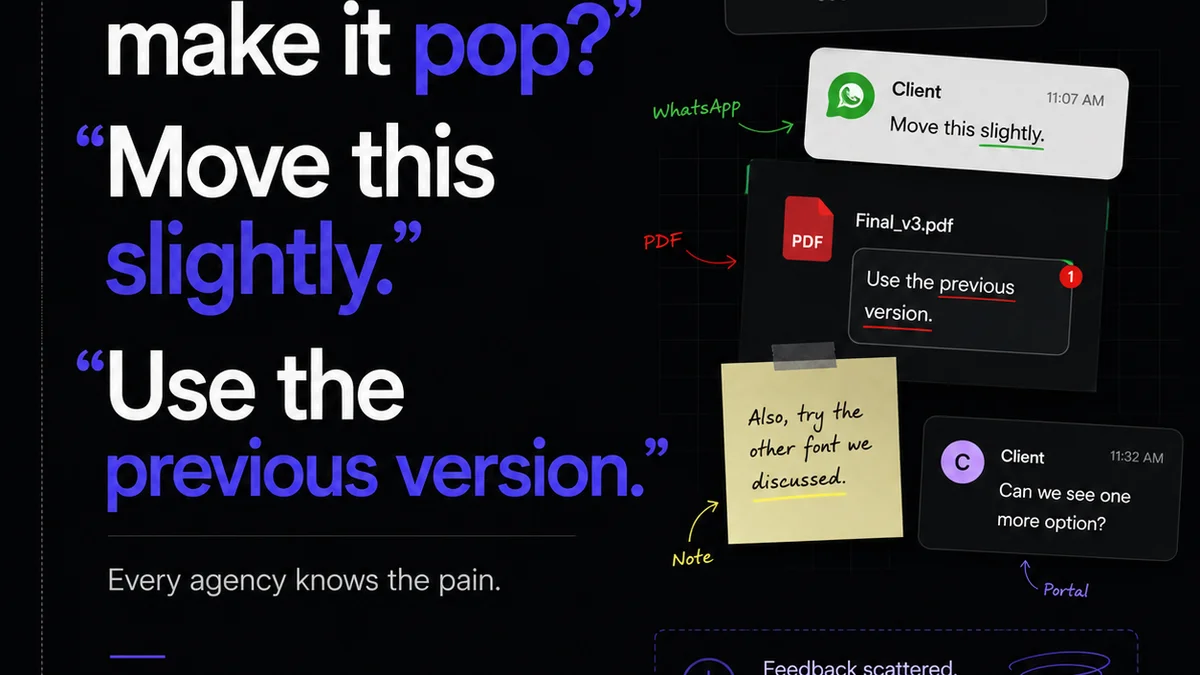
- Centralized Feedback: All client comments, annotations, and discussions live directly on the asset. No more hunting through emails or Slack messages to find out what changed. This ensures reviewers are commenting on the latest version and that feedback is contextual.
- Version Control & Revision Tracking: Easily track every iteration of a design. See exactly what changed from one version to the next. This clarity is essential for both internal QC and client communication, preventing
Frequently asked questions
What is a design quality control workflow?
A design quality control workflow is a systematic process integrated into the creative production cycle to ensure that all design outputs meet predefined standards of excellence, consistency, and client requirements before final delivery.
Why is a formal QC process better than relying on intuition?
Intuition is subjective and unreliable, especially under pressure or with team changes. A formal process codifies standards, ensures consistency across all team members and projects, is scalable, and prevents knowledge silos.
How often should quality checks occur?
Quality checks should occur at multiple touchpoints throughout the design process, not just at the end. This includes self-reviews, peer reviews, creative lead reviews, client review stages, and final pre-launch checks.
What are the key components of a design QC checklist?
A good checklist is specific, actionable, and contextual. It should cover adherence to brand guidelines, technical specifications (responsiveness, accessibility), UX principles, and any client-specific requirements. Examples include checking logo usage, color palettes, font application, and interactive states.
How can a platform like Revue help with design QC?
Revue centralizes feedback and approvals, provides clear version control, and streamlines the review process. This context and clarity reduce errors, ensure everyone works from the latest version, and make it easier to track revisions and maintain quality standards.