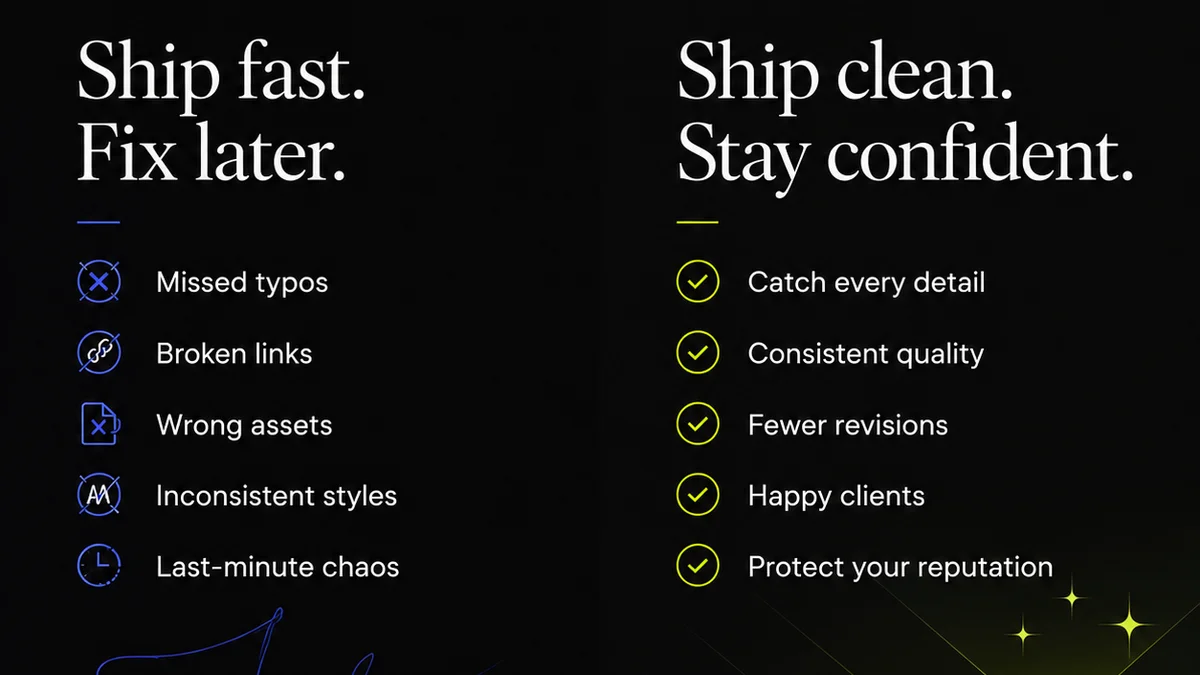
Everyone thinks the biggest design review mistakes are obvious: unclear feedback, missed deadlines, or clients who can’t make up their minds. That’s all true. But it’s not the whole story.
The real, costly mistakes happen much earlier. They’re baked into your process, or lack thereof. They’re about what you *don’t* see, or what you *don’t* do, until it’s too late.
1. Treating Feedback as a Monolith
You get a batch of comments. You think, “Okay, time to make these changes.” Wrong.
Feedback isn’t one thing. It’s a jumble of opinions, assumptions, and actual actionable critiques. Treating it all the same is a recipe for wasted effort. You’ll chase down subjective preferences while ignoring critical usability issues.
The Problem: Unpacking the Noise
When feedback comes in a single block, it’s hard to:
- Distinguish between a genuine problem and a minor tweak.
- Identify conflicting advice from different stakeholders.
- Prioritize what truly impacts the project goals.
- Understand the *why* behind a comment.
This leads to endless cycles of revisions, where you fix one thing only to break another, or satisfy one person while alienating another.
The Fix: Segment and Prioritize
Before you even look at the design, categorize the feedback. Ask yourself:
- Is this a functional requirement or a stylistic preference?
- Is this from the primary decision-maker or a stakeholder with an opinion?
- Does this align with the project brief and objectives?
- Is this a bug, a usability issue, or a subjective aesthetic choice?
Use tools that allow for tagged or categorized comments. This simple step turns a chaotic inbox into a clear roadmap.
2. Lack of a Clear Review Process
Many teams operate on an ad-hoc basis. Feedback arrives, work is done, feedback arrives again. Repeat until done or until everyone is exhausted.
This isn’t a process; it’s chaos disguised as flexibility. Without defined stages and clear responsibilities, you invite scope creep and endless subjective debates.
The Problem: Ambiguity Kills Speed
A missing process means:
- Everyone feels empowered to comment at any time.
- There’s no clear point for approval or sign-off.
- The scope of revisions can expand indefinitely.
- Mistakes compound because there’s no quality gate.
This is how projects balloon in time and cost, with teams feeling perpetually behind.
The Fix: Define Stages and Roles
Establish clear phases for review:
- Internal Review: Your team checks for quality, consistency, and adherence to the brief.
- Stakeholder Review: Key decision-makers provide consolidated, prioritized feedback.
- Client Approval: Final sign-off on the completed work.
Define who provides feedback at each stage and what their authority is. Make it clear when a review cycle is complete and what constitutes final approval.
3. Vague and Actionable Feedback
“Make it pop more.” “I don’t like the colors.” “This feels off.”
This is the most common complaint, and for good reason. It’s the direct cause of frustrating back-and-forth.
Vague feedback isn’t helpful; it’s a burden. It forces the creative team to guess, leading to more revisions and diminishing trust.
The Problem: The Guessing Game
When feedback lacks specifics:
- Creatives waste hours trying to interpret subjective terms.
- Revisions often miss the mark entirely.
- Resentment builds between clients and creative teams.
- The original project goals get lost in translation.
This is a direct path to project delays and unhappy clients.
The Fix: The SMART Feedback Framework
Good feedback should be:
- Specific: What exactly needs to change? (e.g., “Increase the font size of the headline by 2px.”)
- Measurable: How will we know it’s done correctly? (e.g., “Ensure the button contrast ratio meets WCAG AA standards.”)
- Actionable: Is it something that can actually be implemented? (e.g., “Change the blue to a darker shade” is actionable; “Make it more modern” is not.)
- Relevant: Does it tie back to the project goals and brief? (e.g., “This change improves clarity for the target audience.”)
- Time-bound (optional but helpful): When does this need to be addressed? (e.g., “Address this in the next revision cycle.”)
Train your clients and stakeholders on providing this kind of feedback. It’s a game-changer.
4. Inconsistent Use of Tools
Email chains, Slack messages, sticky notes, verbal instructions, random documents. This is how many teams operate.
Fragmented communication is a death knell for efficient design reviews. Information gets lost, context disappears, and tracking progress becomes a nightmare.
The Problem: Information Silos
When feedback is scattered:
- It’s impossible to get a single source of truth.
- Finding past comments or decisions is a scavenger hunt.
- There’s no clear audit trail for accountability.
- Misunderstandings are inevitable.
This leads to duplicated effort and critical details being overlooked.
The Fix: Centralize Everything
Adopt a single platform for all design feedback, revisions, and approvals. This ensures:
- All comments are in one place, linked to the specific design element.
- Stakeholders can see the history of feedback and changes.
- There’s a clear record of who said what and when.
- Version control is managed effectively.
This dramatically reduces miscommunication and speeds up the entire review process.
5. Ignoring the
Frequently asked questions
What are the most common design review mistakes?
The most common design review mistakes involve treating all feedback the same, lacking a clear process, giving vague comments, using inconsistent tools, and failing to track revisions. These issues lead to wasted time, scope creep, and client dissatisfaction.
How can I make feedback more actionable?
To make feedback actionable, use the SMART framework: ensure comments are Specific, Measurable, Actionable, Relevant, and Time-bound. This clarifies what needs to be done and why, reducing guesswork for the creative team.
Why is a centralized tool important for design reviews?
A centralized tool is crucial because it provides a single source of truth for all feedback and revisions. This eliminates information silos, improves communication, creates an audit trail, and ensures everyone is working from the same version, significantly speeding up the review process.
How do I prevent scope creep during design reviews?
Prevent scope creep by establishing clear review stages, defining roles and responsibilities, and ensuring all feedback aligns with the original project brief and objectives. Use a centralized system to track changes and approvals, making it evident when the scope has been exceeded.