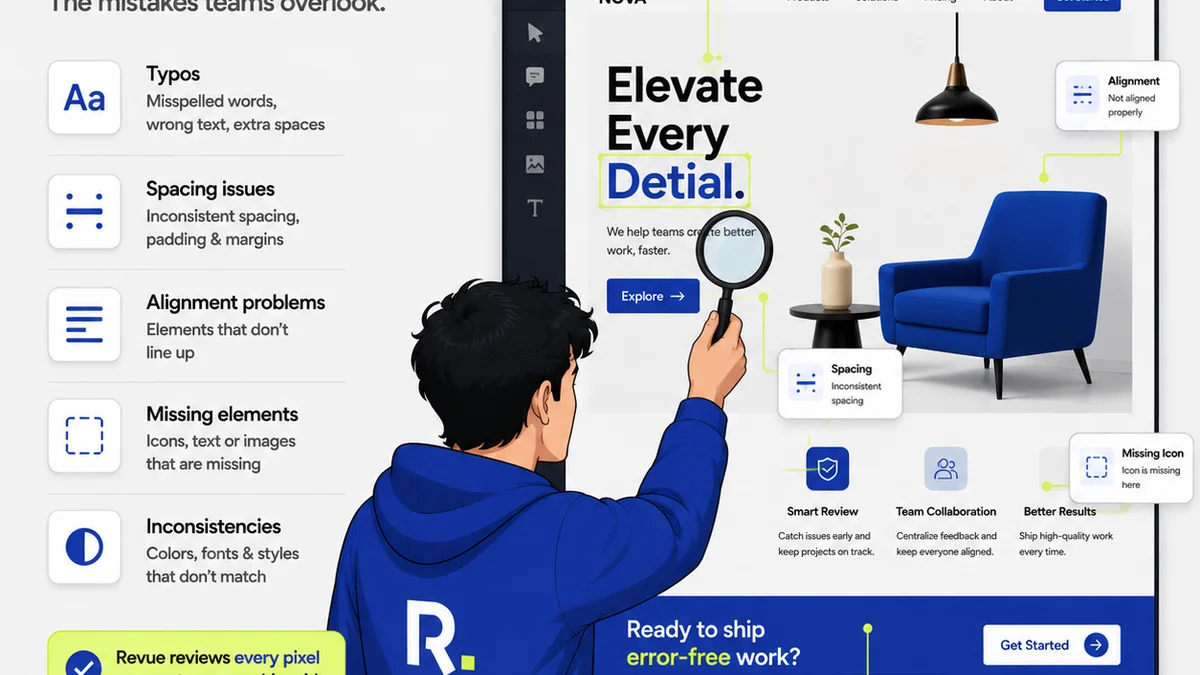
Everyone talks about design reviews. They’re essential, right? You gather feedback, make changes, and ship it. Sounds simple.
None of that is wrong. But it’s incomplete.
The hard truth is that a chaotic, undocumented design review process is a silent killer of agency profitability and client relationships. It’s not just about making the design *better*. It’s about making the *process* efficient, transparent, and repeatable.
Building a robust design review process isn't rocket science. It's about discipline. It's about clear communication. It's about setting expectations and sticking to them.
1. The Assumption: Reviews Are Just About Feedback
This is where most agencies trip up. They think the review meeting is the *entire* process. A bunch of stakeholders stare at a screen, throw out comments, and hope for the best.
This is a recipe for disaster.
The Deeper Truth: Reviews Are About Alignment and Decision-Making
A successful design review isn't just about collecting opinions. It's about achieving alignment across stakeholders, making clear decisions, and documenting them so everyone knows what happens next.
Think of it this way:
- Feedback is data. It’s raw input.
- Review is analysis. It’s processing that data.
- Decision is action. It’s deciding what to do with the data.
- Documentation is proof. It’s recording the decision.
Without this structured approach, you get endless revision cycles, scope creep, and frustrated teams.
2. Defining Roles and Responsibilities
Who owns the design? Who gives feedback? Who makes the final call? If you don't know, you have a problem.
The Key Players
Every design review process needs clarity on who does what. Typically, you’ll have:
- The Presenter: Usually the designer or project manager, responsible for showcasing the work and guiding the review.
- The Reviewers: Stakeholders who provide feedback. This can include clients, internal stakeholders, and subject matter experts.
- The Decision-Maker: The person with the authority to approve the design or resolve conflicting feedback. This is often the client lead or a senior manager.
- The Implementer: The person (or team) responsible for making the agreed-upon changes.
The Feedback Filter
Not all feedback is created equal. You need a system to filter it.
- Objective vs. Subjective: Is the feedback based on usability, accessibility, or brand guidelines (objective)? Or is it purely personal preference (subjective)?
- Strategic vs. Tactical: Does the feedback align with the project’s goals, or is it a minor tweak that doesn't move the needle?
- Conflicting Feedback: How do you handle it when two key stakeholders want opposite things? This is where the Decision-Maker steps in.
Without these defined roles, feedback gets muddled, and decisions become impossible.
3. Establishing the Review Cadence and Format
How often do you review? What format do you use? These aren't trivial questions.
Frequency Matters
Too frequent, and you’re nickel-and-diming the creative. Too infrequent, and you risk major rework after investing too much time.
- Milestone Reviews: At key project stages (e.g., wireframes, mockups, final assets).
- Iterative Reviews: Smaller, more frequent check-ins during a specific phase.
The ideal cadence depends on project complexity and client engagement.
Format for Success
The medium matters. A quick Slack message is different from a formal presentation.
- Live Presentations: Good for initial walkthroughs, allowing for immediate Q&A.
- Asynchronous Reviews: Using tools for commenting directly on the design. This often leads to more considered feedback.
- Written Summaries: Essential for documenting decisions and action items.
A hybrid approach often works best. Start with a presentation, then allow for asynchronous feedback, followed by a summary.
4. The Art of Constructive Feedback
Giving and receiving feedback is a skill. Agencies that master it see better outcomes.
For the Reviewer: Be Specific and Actionable
Vague feedback is useless. “I don’t like it” doesn’t help anyone.
- Instead of: “This looks bad.”
- Try: “The contrast ratio on this button doesn't meet WCAG AA standards, making it hard to read for visually impaired users.”
- Instead of: “Make it pop more.”
- Try: “Consider increasing the size of the primary call-to-action button by 10% and using the brand's secondary accent color to draw more attention to it.”
Focus on the 'what' and the 'why', not just the 'I feel'.
For the Receiver: Listen, Clarify, and Prioritize
Don't get defensive. Your job is to understand the feedback.
- Ask clarifying questions: “When you say it needs to be more engaging, what specific element are you referring to?”
- Identify the core issue: What problem is the feedback trying to solve?
- Assess against goals: Does this feedback help achieve the project objectives?
- Categorize feedback: Is it a bug, a usability issue, a scope change, or a subjective preference?
This structured approach prevents emotional responses and keeps the focus on project success.
5. Documentation and Approval Workflow
If it's not documented, it didn't happen. Or worse, it happened differently for everyone.
The Centralized Record
Every decision, every change request, every approval needs to be logged.
- Meeting Minutes: Key decisions and action items from live reviews.
- Comment Threads: Specific feedback tied to design elements.
- Approval Sign-offs: Clear confirmation from the decision-maker.
This creates an audit trail. It protects your agency from “he said, she said” disputes and clarifies scope.
The Approval Gate
Define what constitutes an official approval. Is it an email? A signed document? A click in a tool?
- Formal Sign-off: Required for major milestones.
- Iterative Approvals: May be less formal but still recorded.
Without a clear approval gate, projects can linger in a perpetual state of “almost done.”
Where Revue Fits In
Managing this entire process manually – via endless email chains, scattered spreadsheets, and confusing meeting notes – is a drain on resources. It’s inefficient and prone to errors.
Revue is built to solve exactly this. It centralizes client feedback, making it easy to capture comments directly on designs. Revision and approval workflows become transparent. You can track the status of every asset, every feedback round, and every sign-off, all in one place.
This means less time spent chasing down information and more time focused on creating great work. It streamlines the entire design review cycle, from initial concept to final delivery.
6. Handling Scope Creep and Revisions
This is the bane of every agency. Uncontrolled revisions eat profit and kill morale.
The
Frequently asked questions
What are the key benefits of a structured design review process?
A structured process leads to clearer communication, reduced scope creep, faster approvals, fewer revisions, improved client satisfaction, and more predictable project profitability.
How do I handle conflicting feedback from different stakeholders?
Establish a clear decision-maker who has the final say. Prioritize feedback based on project goals, strategic objectives, and objective criteria (like usability or brand guidelines) over subjective preferences.
What's the difference between feedback and approval?
Feedback is input and suggestions for improvement. Approval is the formal sign-off from the authorized stakeholder that the work meets the project requirements and is ready to move forward or be delivered.
How can I make asynchronous design reviews more effective?
Provide clear instructions on what kind of feedback is needed. Use annotation tools to link comments directly to specific design elements. Set clear deadlines for feedback submission and ensure all reviewers have access to the latest version.