Everyone’s talking about designer productivity in 2026. New AI tools, faster hardware, better project management software. It’s easy to assume that simply adopting the latest tech will automatically make your team more efficient.
None of that is wrong. But it’s incomplete.
The real driver of designer productivity isn't the tools themselves. It’s the underlying operational discipline and the clarity of the feedback loop.
The Hard Truth: Workflow Trumps Tech
Most agencies and creative teams are drowning in inefficient processes, not a lack of technology. We’re quick to blame the software when a project slips or costs spiral, but the root cause is often a broken workflow.
Think about it.
What’s the biggest time sink for a designer? Is it rendering speed? Or is it endless rounds of unclear feedback, constant context switching, and the tedious back-and-forth that stalls progress?
It’s almost always the latter.
In 2026, the focus must shift from acquiring new tools to optimizing the existing ones and the human processes that surround them. This means tackling the messy middle of creative production: communication, revision, and approval.
1. Taming the Feedback Monster
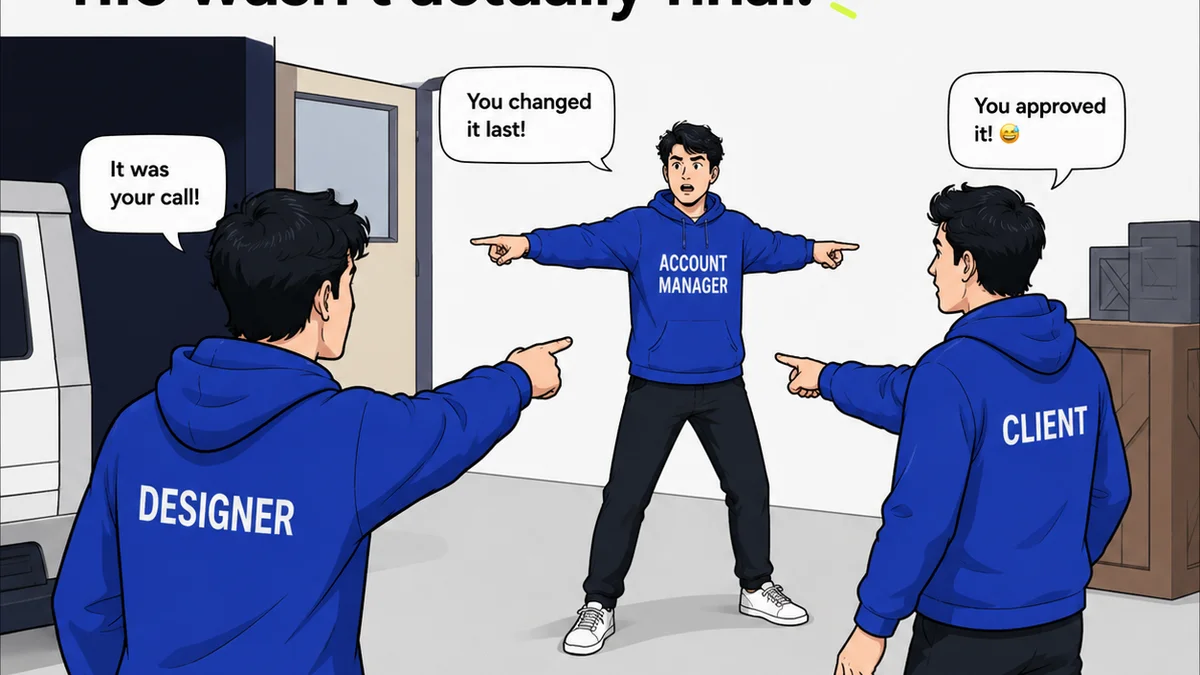
Unstructured, unclear, or delayed feedback is the silent killer of designer productivity. It’s the Bermuda Triangle where good intentions go to die, and projects get lost.
The Symptoms of Feedback Chaos
- Designers spending hours interpreting vague comments like “make it pop” or “I don’t like it.”
- Multiple stakeholders providing conflicting feedback without a clear hierarchy.
- Feedback arriving days or weeks late, making revisions feel like starting over.
- Designers chasing down individual comments via email, Slack, or impromptu meetings.
- No clear record of decisions, leading to disputes or forgotten instructions.
This isn't just frustrating; it's a massive drain on billable hours and creative energy. Designers become more like administrative assistants than creative problem-solvers.
Establishing a Clear Feedback Protocol
This is where operational discipline pays dividends. It’s not about *what* tool you use, but *how* you use it.
Centralize Communication: All project-related feedback should live in one place. This could be a dedicated platform, a project management tool with robust commenting, or even a structured document. The key is a single source of truth.
Define Feedback Roles: Who is authorized to give feedback? Who has final approval? Clearly delineate these roles to avoid conflicting directives.
Set Feedback Deadlines: Just as you have deadlines for deliverables, set deadlines for feedback. This forces stakeholders to prioritize and prevents projects from languishing.
Standardize Commenting: Encourage specific, actionable feedback. Provide templates or guidelines for stakeholders. For example, instead of “needs more contrast,” try “increase the contrast between the headline and the background by 15%.”
Visual Annotation: Tools that allow direct annotation on designs are invaluable. This removes ambiguity about what element is being discussed. Think pinpointing a specific button or a particular line of text.
The ROI of Clarity
When feedback is clear, centralized, and timely, designers can:
- Work more efficiently, with fewer interruptions.
- Focus on creative problem-solving rather than interpretation.
- Reduce revision cycles dramatically.
- Deliver projects faster and with higher quality.
This operational shift is fundamental to boosting designer productivity in 2026.
2. Streamlining Revisions and Approvals
Even with clear feedback, the revision and approval process can become a bottleneck. This is often due to manual tracking, lack of visibility, and inefficient handoffs.
The Pitfalls of Manual Processes
- Lost design files or versions.
- Difficulty tracking the status of a revision request.
- Designers not knowing if a revision has been approved or is still pending review.
- Stakeholders approving work without realizing it’s a draft, or vice-versa.
- No audit trail for who approved what and when.
These inefficiencies lead to duplicated work, missed deadlines, and client dissatisfaction. The cost isn't just in wasted time, but in potential damage to client relationships.
Implementing a Visible Workflow
Visibility is key. Everyone involved needs to understand the status of a design at any given moment.
Version Control: Implement a clear system for versioning designs. Whether it’s automated in your design software or managed through a platform, ensure there’s a clear hierarchy of versions.
Status Tracking: Use project management tools or dedicated platforms to track the status of each design iteration (e.g., Draft, Pending Review, Approved, Needs Revision). This status should be visible to all relevant parties.
Automated Notifications: Set up notifications for when a design is ready for review, when feedback has been submitted, or when a revision has been approved. This keeps everyone informed without manual chasing.
Digital Sign-offs: Formalize approvals with digital sign-offs. This provides a clear record and accountability. A simple click within a system can confirm approval, timestamped and logged.
The Impact of Streamlined Approvals
When revisions and approvals are streamlined:
- Designers can move to the next task immediately after completing revisions.
- Project managers have real-time visibility into project progress.
- Clients feel more confident and informed throughout the process.
- The risk of errors or miscommunication during handoffs is minimized.
This systematic approach turns a potential drag on productivity into a smooth, predictable part of the creative process.
3. Ensuring Quality Through Checks
Designer productivity isn't just about speed; it's about producing high-quality work efficiently. Skipping quality checks in the name of speed is a false economy.
The Hidden Costs of Skipping QA
- Delivering designs with typos, alignment issues, or incorrect specs.
- Clients finding errors post-approval, leading to costly rework.
- Damage to the agency's reputation for meticulousness.
- Designers spending time fixing simple errors that should have been caught earlier.
- Inconsistent application of brand guidelines.
These are not minor oversights. They erode trust and inflate project costs, directly impacting profitability and client satisfaction.
Integrating Quality Assurance
Quality assurance shouldn't be an afterthought; it should be baked into the workflow.
Checklists: Develop comprehensive checklists for common quality control points. This can include:
- Brand guideline adherence
- Typographic consistency
- Color palette accuracy
- Layout and alignment
- File naming conventions
- Accessibility standards (e.g., contrast ratios, focus states)
- Responsiveness across devices
Peer Reviews: Implement a system where designers review each other's work before it goes to the client. A fresh pair of eyes can catch issues that the original designer might overlook.
Automated Checks: Leverage tools that can automatically flag potential issues. Many design and development platforms have built-in checks for things like color contrast or missing alt text.
Pre-flight Checks: For final deliverables, implement a rigorous pre-flight process, especially for print or complex digital assets. This ensures everything is correctly formatted and ready for handoff.
The Productivity of Precision
When quality is ingrained:
- Fewer errors mean less rework and fewer client complaints.
- Designers can focus on creative challenges, not basic fixes.
- The agency builds a reputation for excellence and reliability.
- Deliverables are more polished and effective.
This focus on quality isn't a barrier to productivity; it's a cornerstone of sustainable, high-value creative output.
Where Revue Fits In
You might be thinking, “This all sounds great, but how do we actually implement it without adding more complexity?”
This is precisely why platforms like Revue exist.
Revue is built to address the operational friction points that drag down designer productivity.
- Centralized Feedback: It acts as a single source of truth for all client feedback, comments, and annotations, eliminating scattered communication.
- Revision and Approval Visibility: It provides a clear, auditable trail of revisions, who requested them, and who approved them, making the entire process transparent.
- Quality Control Integration: By keeping all feedback and versions in one place, it facilitates easier review cycles and helps ensure that quality checks are performed systematically before final sign-off.
Revue doesn't just offer a tool; it provides a framework for the disciplined workflow that true productivity demands. It helps you move beyond the assumption that more tech equals more output, and instead focus on the operational excellence that actually drives results.
Final Thought
In 2026, the most productive design teams won't be the ones with the most expensive software. They'll be the ones who have mastered their workflow, prioritizing clear communication, streamlined processes, and unwavering quality.
Are you optimizing your workflow, or just collecting new tools?
Frequently asked questions
What is the biggest misconception about designer productivity?
The biggest misconception is that simply adopting new technology, like AI tools or faster hardware, will automatically boost productivity. While tools are important, the real gains come from optimizing the underlying operational workflows, communication, and feedback processes.
How can agencies improve client feedback processes?
Agencies can improve feedback by centralizing communication in one platform, defining clear roles for who gives feedback and who approves, setting strict feedback deadlines, and encouraging specific, actionable comments rather than vague statements. Visual annotation tools are also highly effective.
What are the key elements of streamlining revisions and approvals?
Streamlining involves implementing clear version control for designs, using status tracking to show progress (e.g., 'Pending Review', 'Approved'), setting up automated notifications for key events, and formalizing approvals with digital sign-offs to create an auditable trail.
Why is quality assurance critical for designer productivity?
Skipping quality assurance (QA) in the name of speed leads to errors, rework, and damaged client trust, ultimately costing more time and money. Integrating QA through checklists, peer reviews, and automated checks ensures high-quality output from the start, reducing costly fixes later.