Digital Asset Management. It sounds… administrative, doesn’t it? Like something for IT departments or archivists. A place to dump your JPEGs and TIFFs so they don’t clog up everyone’s desktop.
None of that is wrong. But it’s incomplete. Dangerously incomplete, even.
The hard truth? DAM is not about storage. It’s about flow. It’s about making sure the right creative asset gets to the right person, at the right time, in the right format, without a single email thread going off the rails.
For agencies and in-house teams, this isn’t a nice-to-have. It’s the bedrock of efficient, profitable creative production.
1. The Myth of the 'Centralized' Drive
We’ve all been there. The client needs the logo. Not the one from last week’s concept. The *final* one. The one that was *definitely* uploaded somewhere. Maybe it was a shared drive. A Dropbox. A Google Drive.
And the hunt begins. Folders within folders. Versions that look identical but aren’t. Files named things like `logo_final_really_final_v3.ai`.
This isn’t centralization. This is just a bigger, messier pile.
The Real Problem: Lack of Context and Control
A shared drive offers zero context. Who uploaded this? When? For what project? What are the usage rights? Is this even the *approved* version?
Without answers, your team wastes time searching. They might use the wrong asset. They might re-create something that already exists. They’re bogged down in digital clutter instead of doing creative work.
This is where a true Digital Asset Management system starts to shine.
2. What a Real DAM Actually Does
A DAM is a specialized system designed to store, organize, find, retrieve, and share creative assets. But the magic isn't in the 'storing'. It's in the 'organize, find, retrieve, and share' part.
Think of it as a highly intelligent library for your creative work. Every asset has a detailed profile, not just a filename.
Metadata is Your Superpower
This is the core of any effective DAM. Metadata is data about data. For your assets, this means:
- Keywords: What’s *in* the image or video?
- Project Information: Which campaign does this belong to?
- Client Details: Who is this asset for?
- Usage Rights: Can this be used for social media? For print? Until when?
- Version History: Track every iteration and approval.
- Creator/Uploader: Who made it and when?
With robust metadata, finding an asset becomes a matter of seconds, not hours. You can search by project, client, color palette, even specific objects within an image.
Streamlining Workflows, Not Just Files
Beyond search, a DAM actively improves how your team works:
- Controlled Access: Grant specific permissions to different users or teams. No more accidental deletions or unauthorized use.
- Version Control: Always know you're working with the latest, approved version.
- Format Conversion: Automatically generate different file types or sizes on demand (e.g., a high-res print file to a web-optimized JPEG).
- Brand Consistency: Ensure everyone is using the correct logos, fonts, and imagery.
- Collaboration: Some DAMs facilitate commenting and feedback directly on assets.
This isn't just about tidiness. It's about removing friction from your creative process.
3. Who Needs a DAM (Spoiler: It’s Probably You)
If your team produces any kind of visual or audio content – logos, photos, videos, presentations, audio files – and you’re struggling with any of these:
- “Where is that file?”
- “Is this the latest version?”
- “Did the client approve this?”
- “Can we use this image for X?”
- “I spent an hour looking for that one photo.”
- “We accidentally used an old logo.”
…then you need a DAM.
This applies to:
- Creative Agencies: Managing assets for multiple clients, campaigns, and deliverables.
- In-house Marketing/Creative Teams: Keeping brand assets organized and accessible for a large organization.
- Media Companies: Archiving and distributing vast libraries of content.
- E-commerce Businesses: Managing product photos and marketing visuals.
If your creative assets are scattered across hard drives, cloud storage, and email inboxes, you’re operating inefficiently. You’re leaving money and time on the table.
4. Choosing the Right DAM: It’s Not One-Size-Fits-All
The DAM market is crowded. Some are behemoths with enterprise-level features. Others are simpler, more focused solutions.
Consider these factors:
- Your Asset Volume: How many assets do you have now? How many will you have in a year?
- User Needs: Who will be using the DAM? Designers? Marketers? Sales teams? Clients?
- Integration: Does it need to connect with your project management tools, design software, or other platforms?
- Features: Do you need advanced search, AI tagging, version control, rights management, collaboration tools, or simple storage and retrieval?
- Budget: DAM pricing varies wildly. Understand your cost per user, storage limits, and feature tiers.
- Ease of Use: A powerful system is useless if your team finds it too complex to adopt.
Don't get sold on features you'll never use. Focus on solving your specific pain points.
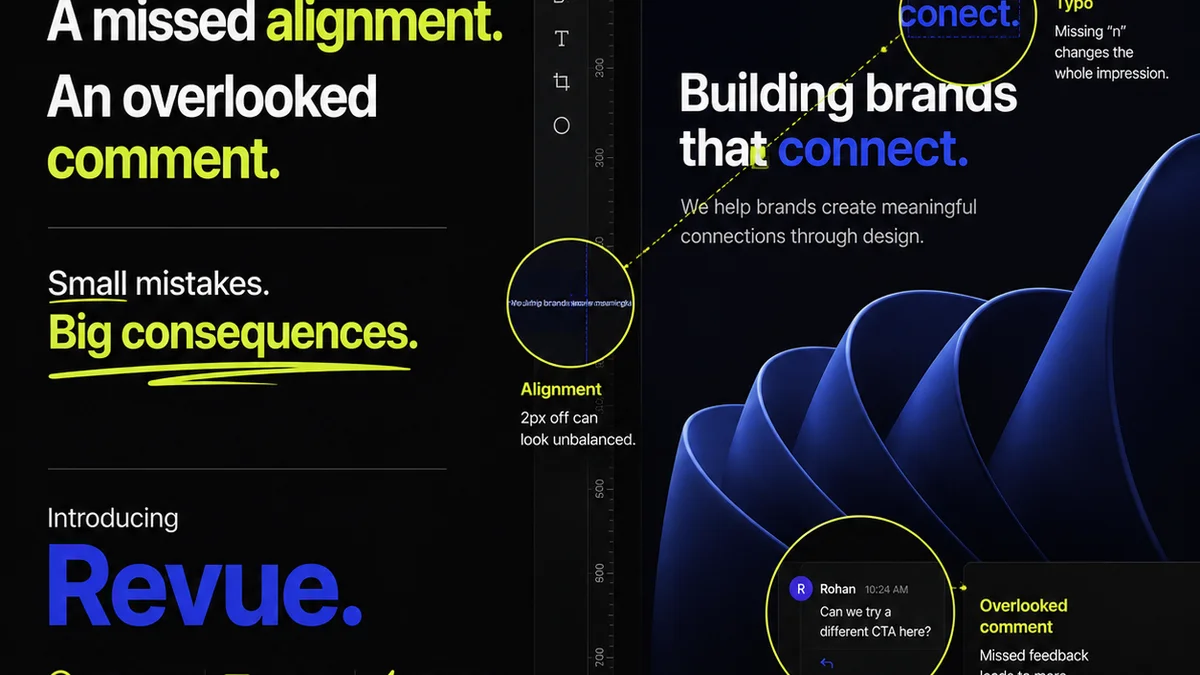
5. Where Revue Fits In
A robust DAM is crucial for organizing and retrieving your creative assets. But what happens *after* an asset is created and approved? How do you manage the feedback loop and ensure everyone’s on the same page before it’s finalized?
This is where Revue excels.
While a DAM manages your *library* of assets, Revue manages the *process* of creation, feedback, and approval:
- Centralized Feedback: Upload mockups, designs, videos, and more directly into Revue. Stakeholders can leave comments and annotations directly on the creative. No more scattered email threads or version confusion.
- Revision Visibility: Track every iteration. See exactly what changed between versions and who approved what. This builds accountability and a clear audit trail.
- Quality Checks: Use Revue’s structured review process to ensure all client requirements are met before final sign-off. This prevents costly mistakes and ensures client satisfaction.
Think of it this way: Your DAM is your vault of finished, approved assets. Revue is the secure, efficient pathway for getting creative work *to* that vault, ensuring it’s right at every step.
6. The True Cost of Disorganization
We often focus on the cost of software. But what’s the cost of *not* having the right tools?
- Wasted hours searching for files.
- Time spent re-doing work because the wrong asset was used.
- Missed deadlines due to inefficient feedback loops.
- Brand damage from inconsistent or incorrect asset usage.
- Frustrated team members.
These aren't small inconveniences. They erode profitability and stifle creativity.
Implementing a DAM, and integrating it with tools like Revue for workflow management, isn't an expense. It's an investment in efficiency, consistency, and your team's ability to do their best work.
Final Thought
Is your digital asset management system truly serving your creative workflow, or is it just another place to store files? The difference between a cluttered drive and an intelligent asset hub can be the difference between a thriving agency and one that’s constantly battling digital chaos.
Frequently asked questions
What is the main difference between a DAM and cloud storage like Dropbox or Google Drive?
Cloud storage is primarily for file syncing and backup. A Digital Asset Management (DAM) system is purpose-built for creative work, offering advanced features like metadata tagging, version control, rights management, advanced search, and workflow integration that cloud storage lacks.
How much does a DAM system typically cost?
Costs vary significantly based on the vendor, number of users, storage needs, and features. Basic DAM solutions might start at a few hundred dollars per month, while enterprise-level systems can cost thousands. It's crucial to assess your specific needs to find a solution within your budget.
Can a DAM system help with brand consistency?
Absolutely. By centralizing approved brand assets (logos, color palettes, fonts, imagery) and controlling access, a DAM ensures that everyone in the organization or agency is using the correct, up-to-date brand elements, significantly improving consistency.
How does a DAM integrate with other creative tools?
Many DAM systems offer integrations with popular design software (like Adobe Creative Suite), project management tools, and CMS platforms. This allows for seamless asset retrieval and usage directly within the tools your team already uses, reducing manual transfer and potential errors.