Everyone talks about digital asset management (DAM) being crucial for creative agencies. They say it helps organize files, speeds up finding assets, and prevents duplicate work. None of that is wrong. But it’s incomplete.
The real hard truth is that a disorganized DAM isn't just messy; it's a direct drain on your agency's profitability. Every minute wasted searching for a file, every version control error, every missed deadline due to asset delays — it all adds up. Eliminating bottlenecks in your digital asset management isn't about being tidy; it's about reclaiming billable hours and boosting your bottom line.
1. The Myth of the "Set It and Forget It" DAM
Many agencies implement a DAM system with the best intentions. They upload their files, set up some folders, and expect smooth sailing. Then, reality hits.
Projects expand. New clients come on board. File types multiply. The initial structure crumbles under the weight of daily operations.
A DAM isn't a one-time setup. It's a living, breathing system that requires ongoing attention. Without it, the very tool meant to bring order becomes another source of chaos.
Underlying Issues:
- Lack of clear ownership for asset management tasks.
- Infrequent audits of the DAM structure and metadata.
- No standardized process for uploading and tagging new assets.
- Insufficient training for new team members on DAM protocols.
2. Metadata: The Unsung Hero of Asset Retrieval
This is where most agencies trip up. They focus on folder structures, which are important, but neglect the power of robust metadata. Think of metadata as the searchable DNA of your assets.
Without detailed, consistent metadata, your DAM becomes a black hole. You might have the right file, but finding it is like searching for a needle in a haystack. This is a major bottleneck.
Good metadata means intelligent search. It means users can find exactly what they need, when they need them, without digging through endless folders.
Key Metadata Fields to Consider:
- Project Name/Client: Essential for context.
- Asset Type: (e.g., Logo, Photograph, Video, Illustration).
- Usage Rights/Licensing: Crucial for legal compliance.
- Date Created/Modified: For version tracking.
- Keywords/Tags: Descriptive terms for searchability.
- Technical Specs: (e.g., Dimensions, Resolution, File Format).
- Brand Guidelines Reference: Link to or describe usage rules.
Implementing a standardized tagging strategy is non-negotiable. Train your team on what information is required and why.
3. Version Control Nightmares
The dreaded "_final_final_v3_really_final.ai" file. Sound familiar?
This is a classic bottleneck caused by poor version control within your asset management process. It leads to confusion, wasted time, and the use of outdated or incorrect assets.
A robust DAM system should automatically handle versioning. Every upload of an existing file should create a new version, preserving the history and clearly marking the latest iteration.
This prevents:
- Accidental use of old designs in client presentations.
- Confusion over which asset is the approved final version.
- Wasted effort on revisions to already completed work.
Ensure your team understands how to access and utilize version history. This transparency is key.
4. Access and Permissions: The Gatekeepers
Who can see what? Who can download, edit, or delete assets? If this isn't clearly defined, you're inviting chaos and potential breaches.
Granting universal access is a common shortcut that creates massive bottlenecks. It overwhelms users with irrelevant files and increases the risk of accidental or malicious changes.
Conversely, overly restrictive permissions can prevent people from doing their jobs.
A well-configured DAM allows you to set granular permissions based on roles, projects, or asset types. This ensures that users only see and interact with the assets they need.
Common Permission Scenarios:
- Internal Teams (Designers, Account Managers): Access to edit and download.
- Clients/Stakeholders: View-only access to specific project folders.
- External Vendors (Printers, Developers): Download access to approved final assets.
Regularly review these permissions. As team structures and project needs change, so should access controls.
5. Workflow Integration: The Missing Link
Your DAM shouldn't operate in a vacuum. It needs to be integrated into your daily creative workflows.
If accessing assets requires a separate login and a completely different interface from your project management tools, it becomes a friction point. This friction is a bottleneck.
Think about how your team moves from brief to final delivery. Where do assets live? How are they requested, approved, and shared?
An integrated approach means the DAM is a seamless part of the process, not an add-on.
Workflow Bottlenecks to Watch For:
- Manual transfer of files between tools.
- Lack of visibility into asset status (e.g., pending approval).
- Difficulty in sharing assets with external partners.
- No centralized place for feedback on specific asset versions.
6. Where Revue Fits In
Managing feedback, revisions, and approvals is at the heart of creative work. These processes are often where asset management bottlenecks truly manifest.
Imagine a client needs to approve a set of ad creatives. Without a clear system, feedback gets scattered across emails, Slack messages, and random documents. Tracking which version was approved, and by whom, becomes a nightmare.
This is precisely where Revue excels. By centralizing client feedback, you create a single source of truth for every asset. Your team can see exactly what needs to be revised, track the progress of those revisions, and get clear, documented approvals.
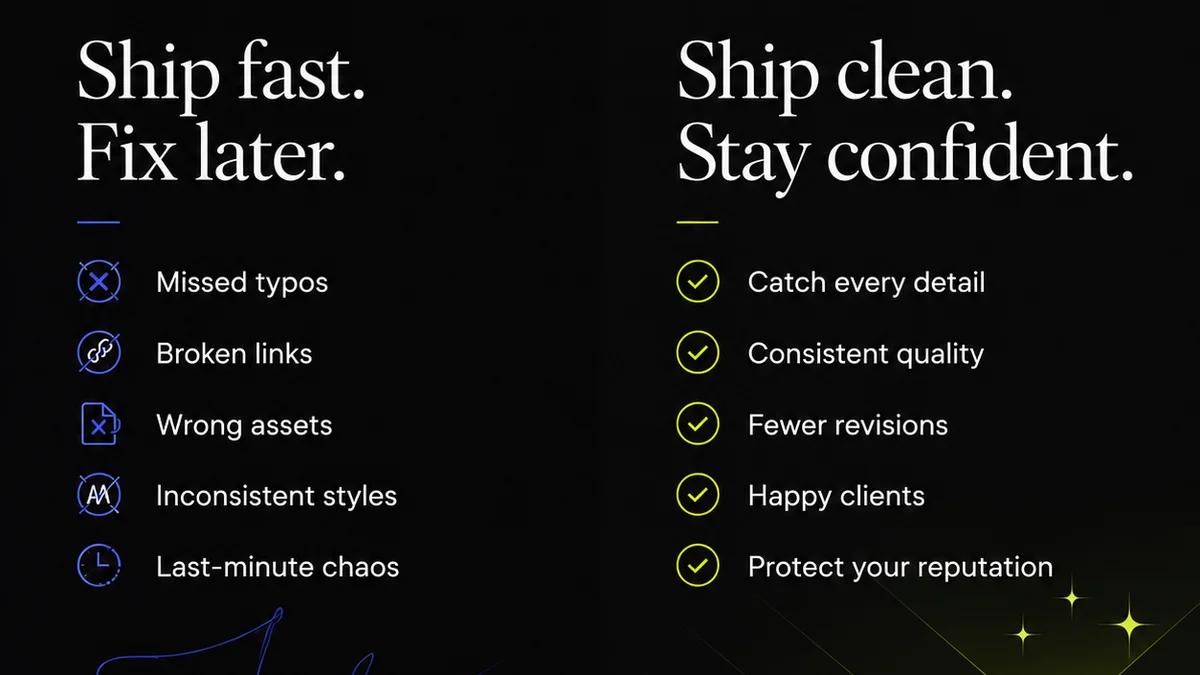
Revue streamlines the review and approval cycle, directly addressing the bottlenecks that occur when managing creative assets under review. This means faster turnaround times, fewer errors, and happier clients. It ensures that the *right* asset, in its approved state, moves to the next stage of production or delivery.
7. Training and Adoption: The Human Element
Even the best DAM system is useless if your team doesn't use it correctly, or at all.
Adoption is often the biggest hurdle. If the system is perceived as difficult, time-consuming, or unnecessary, people will revert to old habits.
This requires more than a one-off training session. It needs ongoing reinforcement, clear communication about the benefits, and designated DAM champions within your agency.
Make training a part of onboarding for every new team member. Regularly communicate updates and best practices.
Celebrate successes that are directly attributable to improved asset management.
Final Thought
Digital asset management is more than just storage. It’s a critical operational process that directly impacts efficiency, profitability, and client satisfaction.
Are you treating your DAM as a strategic asset, or just a digital filing cabinet?
Frequently asked questions
What is a digital asset management bottleneck?
A digital asset management bottleneck is any point in your workflow where the process of storing, finding, accessing, or distributing digital assets becomes inefficient, slow, or causes delays. This can stem from poor organization, lack of metadata, version control issues, or access permission problems.
How can metadata help with asset management bottlenecks?
Robust and consistent metadata makes assets searchable. By tagging assets with relevant keywords, project names, usage rights, and technical specifications, your team can quickly find exactly what they need, eliminating the time wasted on manual searching or asking colleagues.
Why is version control important for avoiding bottlenecks?
Poor version control leads to confusion about which asset is the latest or approved version. This can result in outdated assets being used, wasted revision cycles, and significant delays. A good DAM system tracks versions automatically, ensuring everyone works with the correct file.
How does Revue help with digital asset management issues?
Revue centralizes client feedback, revisions, and approvals for creative assets. This eliminates the bottleneck of scattered communication, provides clear visibility into asset status, and ensures that only approved versions move forward, streamlining the entire review and delivery process.
What's the first step to eliminating DAM bottlenecks?
The first step is to audit your current asset management process. Identify where delays and frustrations are occurring. This often involves looking at how assets are stored, tagged, searched for, and shared. Understanding the root cause is key to implementing effective solutions.