Everyone agrees that quality assurance is critical. You’ve heard the spiel: QA prevents goofs, catches errors, and ensures client satisfaction. None of that is wrong. But it’s incomplete.
The hard truth is that most creative QA isn't about catching show-stopping errors. It's about repetitive, mind-numbing checks. The kind that eats hours and drains creative energy. We’re talking about checking image resolutions, ensuring color profiles are correct, verifying link destinations, or confirming copy consistency across multiple assets. Tasks that require diligence, but not genius.
This is where the real bottleneck lies. It's not the complex creative problem-solving; it's the operational drudgery. And it's precisely this drudgery that AI is poised to eliminate.
1. The Illusion of Manual QA’s Efficiency
Many agencies still rely on manual QA processes, believing them to be thorough and cost-effective. They assign junior designers or dedicated QA personnel to meticulously go through every deliverable. This approach feels safe.
But it's a trap.
Here’s the reality:
- Human Error: Even the most diligent person makes mistakes, especially when performing the same task repeatedly. Fatigue is real.
- Time Sink: Manual checks are slow. What takes a human hours can often be automated in minutes.
- Scalability Issues: As project volume increases, so does the QA burden. Hiring more QA staff is expensive and doesn't solve the core inefficiency.
- Stifled Creativity: Talented individuals are stuck on grunt work instead of higher-value creative tasks.
You're essentially paying skilled professionals to do what a machine can do faster and more reliably.
2. Identifying Repetitive QA Tasks Ripe for Automation
Not all QA tasks are created equal. Some require human judgment, creative interpretation, and strategic thinking. Others are purely technical or procedural. These are the low-hanging fruit for AI automation.
Think about these common culprits:
- File Naming Conventions: Ensuring all files adhere to a strict naming structure.
- Resolution and Dimension Checks: Verifying that images and videos meet specified pixel dimensions and DPI.
- Color Profile Verification: Confirming assets are in the correct color space (RGB, CMYK, etc.).
- Link and URL Checks: Testing all hyperlinks in digital assets to ensure they work and point to the correct destinations.
- Font Consistency: Checking that specified fonts and weights are used throughout documents.
- Brand Guideline Adherence (Basic): Verifying logo placement, color usage, and basic typography against established rules.
- File Format and Size Compliance: Ensuring deliverables are in the correct file types and within acceptable size limits.
These are rules-based checks. They are binary: yes or no, pass or fail.
This is precisely the kind of work AI excels at.
3. How AI Tools Tackle Repetitive QA
AI-powered QA tools are designed to perform these rule-based checks at scale and with incredible speed. They don't get bored. They don't get tired.
Here’s a breakdown of how they operate:
Automated File Audits
AI can scan entire project folders, instantly checking file names against predefined patterns. It can flag any deviation, saving hours of manual sorting and renaming.
Technical Specification Validation
Tools can analyze image and video files to confirm resolution, aspect ratio, color profiles (like checking for correct CMYK profiles for print), and file types. This is crucial for ensuring assets are print-ready or web-optimized.
Link and Functionality Testing
For digital projects, AI can crawl through websites, PDFs, or interactive presentations to test every single link. It verifies not just that the link works, but sometimes even that it leads to the expected page or content.
Content and Design Rule Enforcement
More advanced AI can be trained to recognize basic design elements. It can check for consistent use of fonts, adherence to spacing rules, and even flag potential brand guideline violations like incorrect logo usage or off-brand color palettes.
Cross-Platform Consistency Checks
AI can rapidly test how an asset renders across different browsers, devices, or screen sizes, identifying rendering inconsistencies that manual testing might miss.
The result? A significantly reduced error rate and a faster turnaround time for QA.
4. Implementing AI into Your QA Workflow
Adopting AI for QA isn't about replacing your team; it's about empowering them. It’s about shifting their focus from tedious tasks to more strategic work.
Here’s how to start:
- Audit Your Current QA Process: Identify the most time-consuming and repetitive checks currently performed. Where are the bottlenecks?
- Research AI Tools: Explore specialized QA automation software. Look for tools that integrate with your existing project management or creative tools. Some platforms offer basic AI checks out-of-the-box.
- Start Small: Implement AI for one or two specific, high-volume task types first. For example, automate image resolution checks for all web assets.
- Train Your Team: Educate your team on how the AI tools work, their benefits, and how their roles will evolve. Emphasize that this frees them up for more engaging work.
- Integrate and Iterate: Integrate the AI tool into your existing workflow. Monitor its performance, gather feedback, and refine the process. Expand AI usage as you gain confidence.
- Define New Roles: As AI handles the grunt work, consider how your team can leverage this newfound capacity. Perhaps more time for user testing, strategic creative reviews, or proactive client communication.
This transition requires a mindset shift. It demands that we stop viewing QA as just a gatekeeper and start seeing it as an integrated, intelligent part of the creative process.
5. Where Revue Fits In
While AI excels at rule-based, repetitive checks, creative projects still demand nuanced feedback and clear communication. This is where a platform like Revue becomes indispensable.
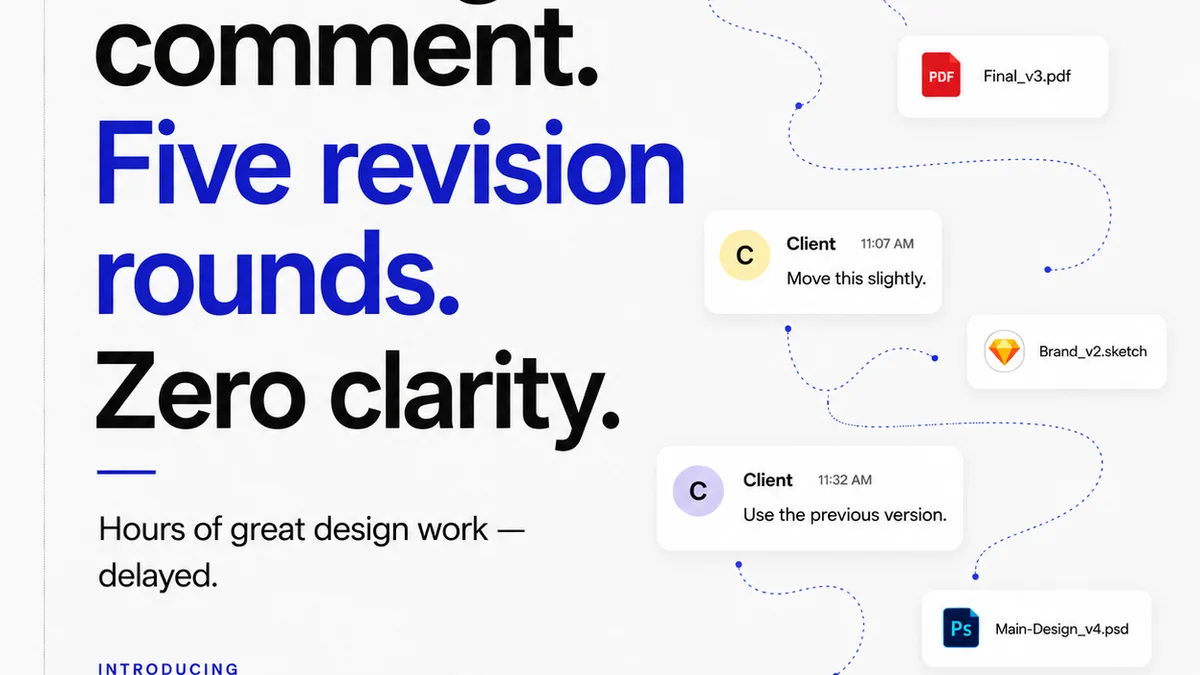
Revue acts as the central hub for all client feedback and revision management. Instead of relying on scattered emails, endless Slack threads, or confusing spreadsheets, all feedback is consolidated in one place, linked directly to the specific creative asset.
Here’s how it supports an AI-augmented QA process:
- Centralized Feedback: AI can flag technical errors, but it can't interpret subjective client feedback. Revue ensures all comments, whether technical or creative, are logged and organized.
- Version Control and Revision Tracking: AI checks specific versions. Revue manages all versions, making it clear which version AI is analyzing and what changes have been made since the last check.
- Clear Approval Workflows: AI can confirm an asset meets technical specs, but client approval is still paramount. Revue streamlines the approval process, providing a clear audit trail.
- Quality Checks Beyond Automation: While AI handles the repetitive, Revue facilitates the collaborative review process where human judgment and creative director oversight are essential to ensure the final output meets strategic goals and client expectations.
By combining AI-driven automation for technical QA with a robust platform like Revue for feedback and approvals, agencies can create a truly efficient and effective quality control system.
Final Thought
The future of creative production isn't about eliminating humans from the QA process. It's about liberating them from the mundane. By intelligently applying AI to the repetitive tasks, we can elevate the role of QA specialists and creative teams, allowing them to focus on the critical thinking, strategic problem-solving, and creative innovation that truly drive value for clients.
Are you ready to stop checking boxes and start building better creative?
Frequently asked questions
What types of QA tasks are best suited for AI automation?
Tasks that are repetitive, rule-based, and objective are ideal. This includes checking file naming conventions, image resolution and dimensions, color profiles, link validity, font consistency, and basic brand guideline adherence.
Will AI replace human QA testers in agencies?
No, AI is intended to augment, not replace. It automates the tedious, repetitive checks, freeing up human testers to focus on more complex, subjective, and strategic aspects of quality assurance that require human judgment and creativity.
How can an agency start implementing AI for QA?
Begin by auditing your current QA process to identify the most repetitive tasks. Research AI tools that integrate with your existing software stack. Start with a small, focused implementation on one or two task types, train your team, and iterate based on performance and feedback.
How does a platform like Revue complement AI in QA?
AI handles technical, rule-based checks, while Revue centralizes subjective client feedback, manages revisions, tracks versions, and streamlines the approval process. Together, they create a comprehensive and efficient quality control system.