You probably think email is the bedrock of client communication. It’s familiar, ubiquitous, and seemingly efficient. You send a design, they hit reply with notes. Simple, right?
Wrong.
Email is the worst feedback tool for creative work. It’s a black hole of version control, context loss, and buried decisions that actively sabotages clarity and speed. Every creative director knows this pain, even if they haven't fully articulated it.
The Hard Truth: Email Kills Creative Velocity
The real problem isn't the email itself, but how it forces a fragmented, asynchronous, and easily misinterpreted workflow onto a process that demands clarity, context, and rapid iteration. It’s like trying to build a skyscraper with sticky notes.
1. The Illusion of Centralization
You get feedback in emails. Your client sends feedback in emails. Maybe a stakeholder forwards an email with their own thoughts. Suddenly, you have a dozen email threads, each with slightly different versions of feedback, attached to different file versions.
Where is the single source of truth?
It’s nowhere. It’s scattered across inboxes, lost in forwards, and buried under unrelated messages. You spend more time hunting for the *latest* feedback than actually acting on it.
The Symptoms of Email Chaos
- Endless searching through inboxes.
- Misinterpreting feedback due to lack of context.
- Working off outdated feedback.
- Accidentally ignoring crucial notes buried in long threads.
- Wasting hours reconciling conflicting feedback from different team members or clients.
2. Version Control Nightmare
“Please see attached the latest design.”
“Attached is the revised version based on your feedback.”
“Attached is the final, final, FINAL version.”
This is a common exchange. But what if an email is missed? What if someone replies to an old version, and their feedback gets attached to the wrong file? What if the file naming convention is `design_v3_final_really_this_time.psd`?
The result is predictable: confusion, rework, and missed deadlines. You’re not sure which file is the actual latest, and your client isn’t sure which file they’re referencing.
3. Context Collapse
Feedback is rarely just a sentence. It’s nuanced, often referring to specific elements, previous discussions, or strategic goals. Email strips this context away.
A single line of text in an email can mean ten different things without the visual cues, the surrounding conversation, or the ability to point directly to the element being discussed.
Did they mean the button color, the font size, or the overall layout?
Without a clear visual reference, you’re guessing. Guessing leads to wasted revisions.
4. The Approval Bottleneck
Getting a formal sign-off via email is a gamble. An email saying “Looks good” can be interpreted in many ways. Was that from the primary decision-maker? Was it a casual glance or a thorough review?
This ambiguity creates risk. You might proceed based on a loose confirmation, only to find out later that a key stakeholder had reservations that were never formally captured or addressed.
Formal approvals need to be clear, documented, and tied to a specific version. Email rarely provides this.
5. Communication Breakdown
Email encourages a back-and-forth that can quickly become unproductive.
Client: “Make the logo bigger.”
You: “How much bigger? And where?”
Client: “Just bigger. You know.”
This loop is infuriating and inefficient. It lacks the immediacy and clarity of a direct conversation or a visual annotation tool.
This is where creative directors feel the strain most acutely. They’re managing the fallout of unclear feedback, trying to keep projects on track despite systemic communication flaws.
Where Revue Fits In
Your creative workflow deserves better than email. Tools designed for creative collaboration solve these fundamental problems.
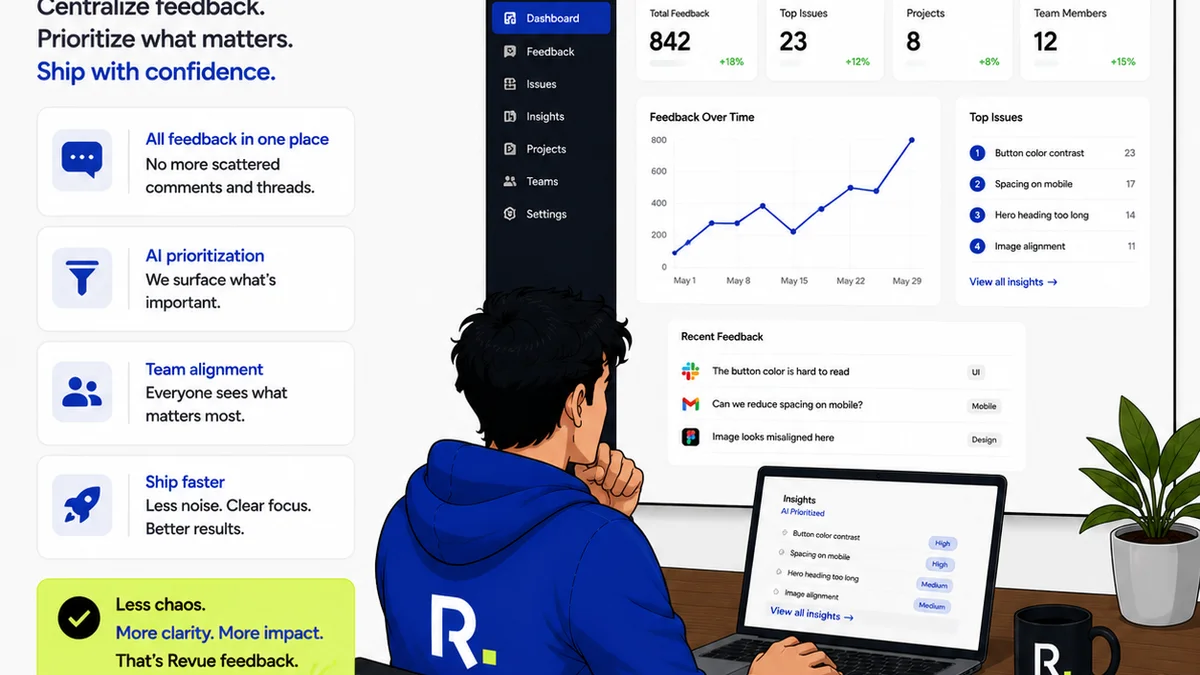
Revue helps agencies and in-house teams centralize client feedback, manage revisions, and streamline approvals. Instead of sifting through endless email threads, all feedback is captured in one place, directly linked to the specific creative asset.
This means:
- Clearer Feedback: Annotate directly on designs, videos, or documents. No more guessing what
Frequently asked questions
What are the main problems with using email for creative feedback?
Email leads to version control issues, loss of context, fragmented communication, difficulty in tracking approvals, and significant time wasted searching for feedback across multiple threads and inboxes. This fundamentally slows down the creative process.
How can creative directors improve their feedback process?
Creative directors should adopt dedicated creative collaboration tools that allow for direct annotation on assets, centralized feedback, clear version history, and formal approval tracking. Moving away from email for active feedback is key.
Is email ever acceptable for client communication regarding creative work?
Email is useful for initial project briefs, formal contract discussions, and final delivery confirmations. However, for the iterative process of providing and receiving feedback on creative assets, it is highly inefficient and prone to error.
How do I ensure all stakeholders provide feedback?
Dedicated platforms centralize feedback, making it easier to invite all relevant stakeholders. This ensures everyone has a single place to view and contribute feedback, reducing the chance of anyone being missed or their input being lost in email chains.