Everyone talks about agency workflow templates. They picture slick Gantt charts, perfectly assigned tasks, and seamless handoffs. That’s the dream, right?
None of that is wrong. But it’s incomplete.
The hard truth for agencies working with enterprise clients is that a template isn't enough. You need a *system*. A system that accounts for the unique complexities of large organizations: multiple stakeholders, layers of approval, and the sheer volume of feedback.
Building this system isn't about finding the perfect software. It’s about defining and enforcing a repeatable process that can scale without breaking.
1. The Enterprise Client Reality Check
Enterprise clients aren't like small businesses. They have established processes, internal politics, and a higher bar for transparency and accountability. Your workflow needs to reflect that.
Stakeholder Labyrinth
Forget one point of contact. Enterprise projects often involve legal, marketing, product, and brand teams. Each has a say. Your system must manage input from many, not just one.
Approval Bottlenecks
The path to final approval can be long and winding. It’s not just about getting a sign-off; it’s about understanding who needs to sign off, when, and why. Delays here kill momentum.
Version Control Chaos
With so many cooks in the kitchen, tracking revisions becomes a nightmare. Emails get lost. Files get overwritten. What was approved last week might be yesterday’s news.
Compliance and Governance
Enterprise work often requires adherence to strict brand guidelines, legal disclaimers, and accessibility standards. Your workflow must bake these in from the start.
2. Deconstructing the 'Template' Myth
A basic template is a static document. It’s a starting point, not an end goal. For enterprise work, you need dynamic process management.
Beyond the Checklist
A checklist tells you *what* to do. A workflow system tells you *how* and *when*, and *who* is responsible, and *what happens next*. It’s about sequence and accountability.
The Human Element
Templates often assume perfect communication and adherence. In reality, people get busy, misunderstand instructions, or miss deadlines. Your system needs to build in buffers and clear escalation paths.
Scalability is Key
What works for one enterprise project might not work for ten. Your system needs to be robust enough to handle multiple clients, multiple projects, and multiple teams simultaneously without collapsing under its own weight.
3. Building Your Enterprise Workflow System
This isn't about reinventing the wheel. It's about adapting proven project management principles to the specific demands of large-scale creative delivery.
Phase 1: Discovery and Scoping
- Deep Dive Interviews: Go beyond the initial brief. Understand the client’s internal structure, key decision-makers, and existing approval processes.
- Define Deliverables Clearly: What exactly are you producing? What are the acceptance criteria for each?
- Map Stakeholders: Create an org chart of client-side stakeholders, their roles, and their level of influence.
- Establish Communication Cadence: Agree on regular check-ins, reporting formats, and preferred communication channels.
Phase 2: Creative Development and Feedback
- Phased Delivery: Break down large projects into smaller, manageable phases (e.g., concept, wireframe, design, copy).
- Centralized Feedback Hub: All feedback must go through a single, accessible platform. No more email chains.
- Structured Feedback Forms: Provide clients with clear templates for submitting feedback, specifying the asset, the section, and the nature of the change.
- Consolidated Review: Internally, consolidate all client feedback before presenting it to the creative team. Identify conflicting points.
Phase 3: Revision and Approval
- Clear Revision Cycles: Define the number of revision rounds included in the scope.
- Time-Bound Feedback: Set clear deadlines for clients to provide feedback to keep the project moving.
- Formal Approval Gates: Implement a clear sign-off process for each phase or key deliverable. This might involve a digital signature or an email confirmation from designated approvers.
- Version Control: Use a system that automatically tracks versions and allows easy comparison between them.
Phase 4: Quality Assurance and Handoff
- Pre-Flight Checks: Implement internal QA processes to catch errors before client review. This includes checking for brand compliance, technical specs, and copy errors.
- Accessibility Review: Ensure all digital assets meet WCAG standards where applicable.
- Final Asset Packaging: Deliver final assets in the agreed-upon formats, clearly organized.
- Post-Launch Debrief: Conduct a review with the client to discuss what went well and identify areas for improvement in future projects.
4. Key Components of an Enterprise Workflow System
You can't manage what you don't measure. Your system needs tools and processes to enforce accountability and provide visibility.
Centralized Communication
Emails get lost. Slack messages disappear. You need a single source of truth for all project-related communication and feedback. This is non-negotiable for enterprise clients.
Visual Proofing and Annotation
Abstract feedback is useless. Clients need to be able to point to exactly what they mean. Visual annotation tools allow for precise, contextual feedback directly on creative assets.
Revision Tracking
“Make it pop” is not actionable feedback. Clear, documented revisions allow you to track changes, understand the rationale, and ensure nothing gets missed. It also helps manage scope creep.
Approval Workflows
Automated approval chains ensure that the right people review and sign off on work in the correct order. This eliminates bottlenecks and provides a clear audit trail.
Reporting and Analytics
Visibility is crucial for enterprise clients. Regular reports on project status, feedback timelines, and approval cycles build trust and manage expectations.
Where Revue Fits In
Implementing a robust workflow system for enterprise clients doesn't require a complete overhaul of your tech stack. Tools designed for creative collaboration can bridge the gaps.
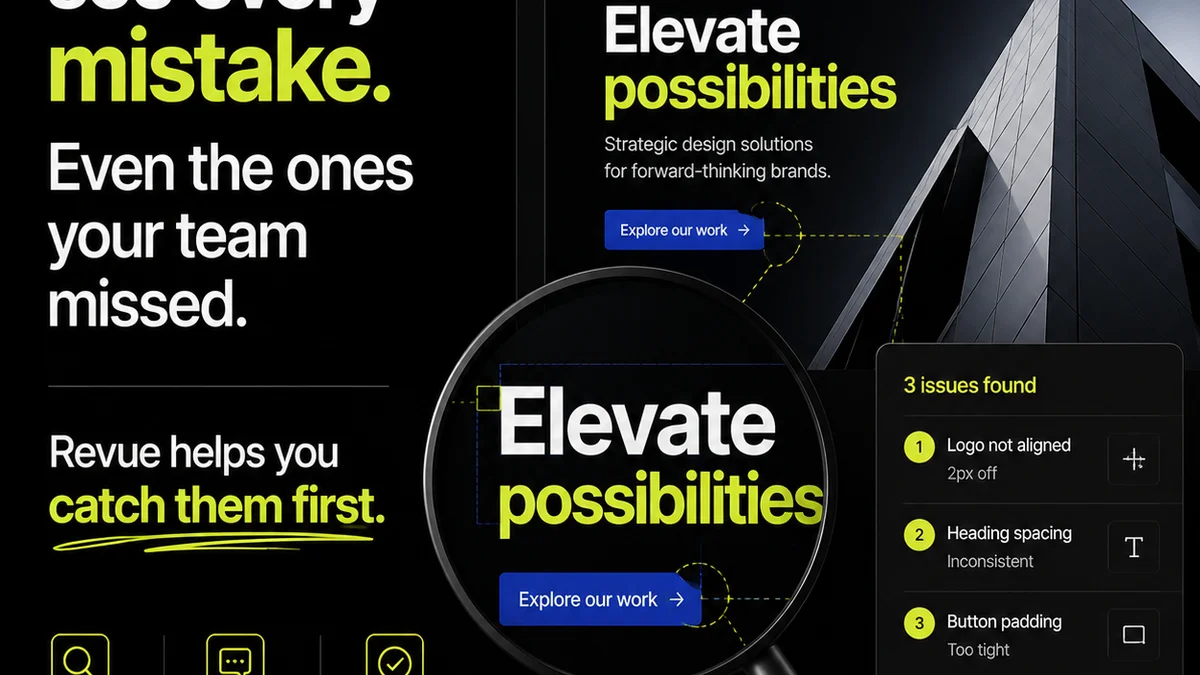
Revue provides a centralized platform for managing client feedback, streamlining revisions, and ensuring quality checks are consistently applied. It acts as the connective tissue for your complex enterprise workflows.
With Revue, you can:
- Centralize Feedback: Gather all client comments, annotations, and approvals in one place, directly linked to the creative assets. No more digging through email threads.
- Manage Revisions Visibly: Track every iteration of a design, ensuring clarity on what has changed and what still needs attention. This provides a clear audit trail for both your team and the client.
- Run Quality Checks: Integrate your QA processes directly into the workflow, ensuring that brand guidelines, technical specifications, and client requirements are met before final delivery.
By structuring your enterprise client process around a tool like Revue, you move from reactive chaos to proactive control.
5. Common Pitfalls to Avoid
Even with a system in place, enterprise workflows can stumble. Awareness is the first step to prevention.
- Over-complicating the Process: The system should serve the work, not the other way around. Keep it as streamlined as possible.
- Lack of Client Buy-in: Introduce your workflow early and explain the benefits clearly. If the client doesn't understand or agree, adoption will fail.
- Insufficient Training: Ensure both your internal team and the client’s stakeholders are trained on how to use the system effectively.
- Ignoring Bottlenecks: Regularly review your workflow data. If a particular stage consistently causes delays, address it directly.
- Failing to Adapt: Enterprise clients evolve. Be prepared to revisit and refine your workflow as their needs or internal structures change.
Final Thought
A truly effective agency workflow for enterprise clients isn't just a template; it's a living system. It’s built on clear processes, robust tools, and a deep understanding of the client’s complex environment.
Are you managing your enterprise client work with a static template, or a dynamic system designed for scale and accountability?
Frequently asked questions
What makes an agency workflow different for enterprise clients?
Enterprise clients typically involve more stakeholders, complex approval hierarchies, and stricter compliance requirements. An effective workflow must account for this complexity, focusing on centralized communication, clear approval gates, and robust version control, rather than a simple task list.
How can I ensure client buy-in for a new workflow system?
Introduce the workflow early in the project. Clearly articulate the benefits for the client, such as faster turnaround times, reduced errors, and better visibility. Provide thorough training and be open to minor adjustments to accommodate their specific needs.
What are the key components of a good enterprise workflow system?
Key components include centralized feedback and communication, visual proofing and annotation tools, clear revision tracking, automated approval workflows, and regular reporting for transparency. The goal is to create a single source of truth and accountability.
How does Revue help manage enterprise client workflows?
Revue centralizes client feedback and annotations directly on creative assets, streamlines revision tracking with clear version history, and facilitates formal approval processes. This provides the visibility and accountability crucial for enterprise-level projects.