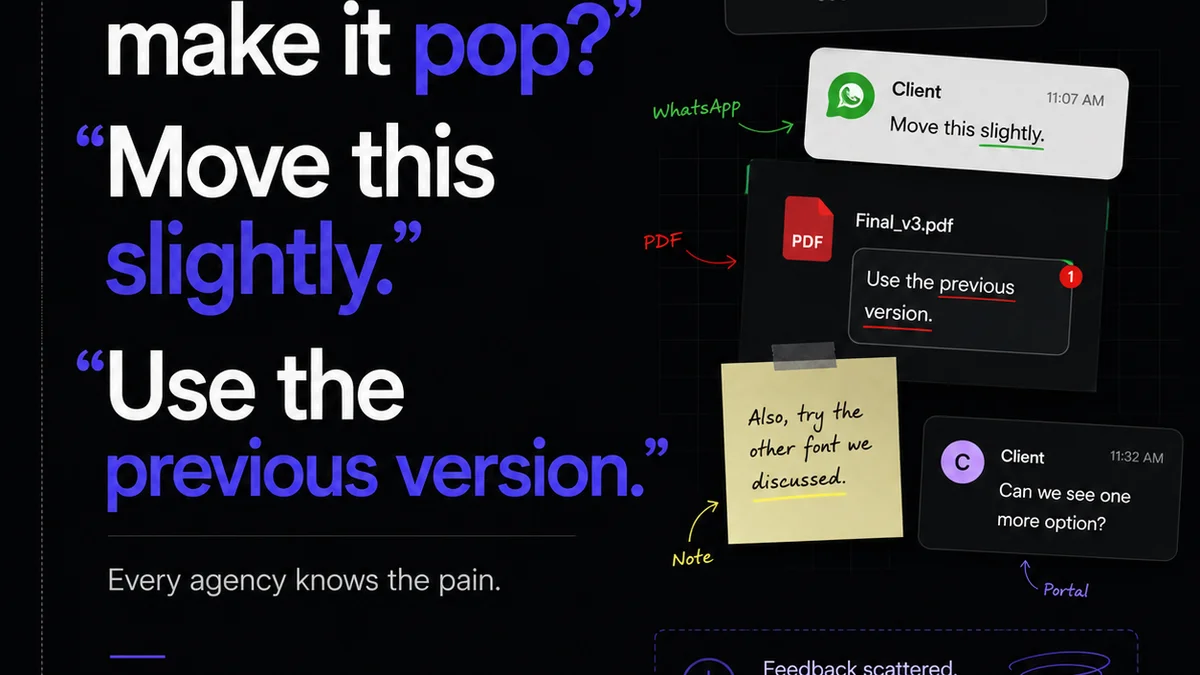
Everyone knows you need a client feedback form. It’s standard practice. You send it out, get some notes, and move on. Easy, right?
None of that is wrong. But it’s incomplete.
For enterprise creative teams, the client feedback form is far more than a bureaucratic hoop. It’s a critical operational tool. It’s a gatekeeper for quality. It’s a mechanism for control.
The hard truth? A flimsy, generic feedback form is costing you time, money, and potentially damaging client relationships. You’re leaving efficiency and quality on the table.
1. The Assumption: Feedback Forms Are Just for Capture
The common wisdom is that a feedback form’s job is simply to collect comments. It’s a digital suggestion box.
This view is dangerously passive.
For enterprise workflows, the feedback form is an active control point. It’s where you define the parameters of review, guide the client’s input, and set expectations for what happens next.
Think of it like this:
- A generic form is like a fishing net with holes. You catch some things, but a lot of what you *want* slips through.
- A structured, purpose-built form is a precision instrument. It guides input precisely where you need it.
This isn’t about making it harder for clients. It’s about making the process clearer, more efficient, and ultimately, more valuable for everyone involved.
2. The Enterprise Reality: Structured Input is Non-Negotiable
Enterprise creative projects involve high stakes. Budgets are larger, timelines are tighter, and the impact of creative work on brand and revenue is significant.
In this environment, unstructured feedback is a liability.
Imagine a global campaign launch. The feedback comes in as a jumble of subjective opinions, minor aesthetic quibbles, and vague directives. What’s the real impact on the deliverable?
Why Unstructured Feedback Fails Enterprise Teams
- Ambiguity: "I don't like the vibe." What does that even mean in terms of actionable changes?
- Scope Creep: Without clear categories, clients can easily drift from feedback on a specific asset to general brand commentary.
- Inefficiency: Teams spend hours deciphering vague comments, seeking clarification, and debating interpretations.
- Delayed Decisions: Indecisive or unfocused feedback paralyzes the creative process.
- Missed Requirements: Critical functional or compliance feedback can get lost in the noise.
This is where a robust client feedback form strategy comes into play. It’s not just about asking for feedback; it’s about *how* you ask and *what* you ask for.
3. Designing the Enterprise Feedback Form: Key Components
Your feedback form needs to be more than a text box. It needs structure, context, and clear calls to action.
3.1. Project and Asset Identification
Always start with clarity. The client needs to know exactly what they are reviewing.
- Project Name
- Asset Name/Version (e.g., "Website Homepage - V3", "Social Media Ad - Q2 Campaign")
- Specific Area of Review (e.g., "Layout", "Copy", "Call to Action", "Brand Alignment")
This simple step prevents confusion and ensures feedback is tied to the correct deliverable.
3.2. Categorized Feedback Fields
This is the core of structured input. Break down feedback into logical categories.
- Strategic Alignment: Does the creative meet the brief and business objectives?
- Brand Consistency: Does it align with brand guidelines, tone, and visual identity?
- Messaging/Copy: Is the copy clear, compelling, and error-free?
- Visual Design: Aesthetics, layout, typography, imagery.
- User Experience (UX): For digital assets, is it intuitive and easy to navigate?
- Technical/Functional: Does it work as intended? Any bugs or errors?
- Call to Action (CTA): Is it clear, prominent, and effective?
- Legal/Compliance: Does it meet all regulatory requirements?
Each category should ideally have its own input field, perhaps with a rating scale (e.g., 1-5) or a simple 'Approve'/'Needs Revision' toggle before a text field for comments.
3.3. Actionability Prompts
Guide the client on *how* to provide useful feedback.
- Specific Examples: "Please point to the exact element you’re referring to."
- Suggestions for Improvement: "Instead of just saying 'make it pop,' suggest *how*."
- Prioritization: "Please indicate if this is a critical issue or a minor suggestion."
- Decision Needed: "Is this a 'must-do' or a 'nice-to-have'?"
This trains clients to provide constructive, actionable input, reducing back-and-forth.
3.4. Reviewer Identification and Role
Who is giving this feedback? What is their role in the decision-making process?
- Reviewer Name
- Reviewer Title/Department
- Approval Authority (Yes/No)
This is crucial for enterprise. You need to know if the feedback is coming from the ultimate decision-maker or a stakeholder whose opinion needs to be considered but not necessarily actioned.
3.5. Clear Next Steps
What happens after the form is submitted?
The form itself should state this. For example:
Thank you for your feedback. Your submission has been received and will be reviewed by the project team within 24 hours. We will follow up with any necessary clarifications or proposed revisions.
This manages expectations and reduces client anxiety.
4. Implementing Enterprise Feedback Forms: The Workflow Integration
A great form is only effective if it’s integrated into your workflow. It can’t live in a vacuum.
4.1. Centralized Feedback Hubs
Sending feedback forms via email creates silos. Every piece of information is scattered across inboxes.
Enterprise teams need a central place where all feedback resides. This hub should link directly to the assets being reviewed and the feedback provided.
This is where tools designed for creative review and approval become essential. They consolidate feedback, ensuring nothing gets lost.
4.2. Automated Routing and Notifications
Who receives the feedback? Who needs to act on it?
Manual routing is prone to error. Automated systems can ensure feedback is sent to the right internal teams (e.g., designers, copywriters, project managers) immediately upon submission.
Notifications should be clear and concise, highlighting the urgency and nature of the feedback.
4.3. Version Control and Audit Trails
Enterprise projects demand accountability. You need to know the history of decisions.
A good feedback system maintains a clear audit trail:
- Who provided feedback?
- When was it provided?
- What was the feedback?
- What action was taken?
- Who approved the final version?
This protects your team, clarifies responsibilities, and provides an invaluable record for future reference or dispute resolution.
4.4. Performance Metrics and Analysis
Are your feedback processes efficient? Is feedback timely?
By structuring feedback and centralizing it, you can begin to track key metrics:
- Average time to receive feedback
- Number of revision rounds per project
- Common types of feedback received
- Bottlenecks in the review process
This data is gold for process improvement. It moves you from guesswork to informed optimization.
5. Where Revue Fits In
Managing complex creative projects with multiple stakeholders and iterative feedback cycles is a significant challenge for enterprise teams. Generic email threads and scattered documents lead to confusion, delays, and errors.
Revue is built to address these specific pain points. Our platform provides a centralized environment for managing all client feedback and creative approvals.
- Centralized Feedback: All client comments, annotations, and approvals are consolidated in one place, linked directly to the specific creative asset being reviewed. No more digging through emails.
- Structured Workflows: Define clear review and approval stages, ensuring feedback follows a predictable path. Customizable forms and automated routing mean the right input gets to the right people at the right time.
- Version Control and Visibility: Track every revision and approval. Stakeholders can see the history of feedback, understand changes, and confirm final sign-offs, providing a clear audit trail.
- Quality Assurance: Built-in checklists and review stages help ensure creative work meets internal standards and client requirements before final delivery.
By providing a single source of truth for creative feedback and approvals, Revue helps enterprise teams streamline their processes, reduce errors, and deliver exceptional creative work more efficiently.
6. Final Thought
The client feedback form is not a passive document; it’s an active strategic asset. For enterprise teams, mastering its application means moving beyond simple collection to intelligent control.
Are you using your feedback forms to drive clarity and efficiency, or are they just another item on a checklist?
Frequently asked questions
What makes an enterprise client feedback form different from a standard one?
Enterprise feedback forms are designed for high-stakes projects and require more structure. They categorize feedback, prompt for specific details, identify reviewer roles, and integrate into complex workflows, unlike basic forms that are often just a text box for general comments.
How can structured feedback prevent scope creep?
By using categorized fields and specific prompts, structured forms guide clients to provide feedback relevant to the project brief and the specific asset. This minimizes vague commentary or requests for unrelated changes, keeping the project focused.
What are the key components of an effective enterprise feedback form?
Key components include clear project/asset identification, categorized feedback fields (e.g., strategic, brand, copy, UX), actionability prompts, reviewer role identification, and explicit next steps. This ensures comprehensive and actionable input.
Why is version control important for client feedback?
Version control provides an audit trail of all feedback, revisions, and approvals. This clarifies decision-making, protects your team from disputes, and ensures everyone is working with the latest approved version of an asset.