Everyone talks about collaboration tools. Slack, Asana, Monday, Teams. The promise is seamless integration, lightning-fast communication, and projects that just *flow*. It’s easy to assume that if your enterprise isn’t collaborating effectively, you just need to buy a better tool. Or more tools.
None of that is wrong. But it’s incomplete.
The hard truth about enterprise collaboration is that it’s rarely a technology problem. It’s a process problem. A people problem.
Your tools are only as good as the workflows they support. And if those workflows are broken, adding more software just creates more noise, more friction, and more places for critical information to get lost.
Let’s break down what *really* makes enterprise collaboration work, and where your tech stack fits in.
1. Define Your Collaboration Ecosystem
Before you even think about a new platform, you need to map out your existing one. Collaboration isn't a single activity; it's a complex web of interactions. Think about:
- Internal Team Communication: How do designers talk to copywriters? How do project managers update account managers?
- Client Feedback Loops: Where does client input live? How is it tracked? How are revisions requested and confirmed?
- Asset Management & Version Control: Where are final files stored? How do you ensure everyone is working on the latest version?
- Approvals & Sign-offs: What’s the formal process for getting client or stakeholder approval? Who is responsible?
- Cross-Departmental Workflows: How do creative teams interact with sales, marketing, or development?
This isn't just about listing software. It's about understanding the *purpose* of each interaction and the desired outcome. What information needs to flow? Who needs to see it? What action is required?
Mapping the Flow
Sketch it out. Use flowcharts. Whiteboard sessions are your friend here. Don't just document what *is*. Document what *should be*. Identify the bottlenecks, the redundant steps, the points of confusion.
This exercise forces you to confront inefficiencies you might otherwise ignore.
2. Standardize Your Processes, Not Just Your Tools
The biggest mistake agencies and in-house teams make is trying to force complex, nuanced workflows into rigid software categories. They buy a project management tool and expect it to handle client feedback, or a chat app and expect it to manage approvals.
The reality is, each stage of collaboration requires a specific approach.
Feedback is Not a Chat Message
Client feedback delivered via email, Slack, or a quick meeting note is inherently unstructured. It’s prone to misinterpretation, missing context, and easy dismissal. Effective feedback requires:
- Clear Context: Feedback must be tied directly to the specific creative asset (a mockup, a video, a piece of copy).
- Actionable Insights: Vague comments like “make it pop” are useless. Good feedback is specific and suggests a path forward.
- Centralized Record: You need a single source of truth for all feedback, preventing arguments about what was said or agreed upon.
- Version Tracking: Feedback must be linked to a specific version of the work.
Trying to manage this in a general-purpose communication tool is a recipe for disaster. It’s like trying to build a house with a screwdriver and no hammer.
Approvals Require Formalization
A simple “looks good” in a chat thread is not an approval. It’s a casual nod. Formal approvals need:
- Defined Stakeholders: Who has the authority to approve?
- Clear Criteria: What constitutes approval? (e.g., all brand guidelines met, all requested revisions incorporated).
- Auditable Trail: A record of who approved what, and when.
- Time Limits: To keep projects moving, approvals often need defined turnaround times.
This is where process trumps platform. You can have the most expensive project management suite, but if your approval process is just a series of emails, you’re still vulnerable to delays and disputes.
3. Integrate for Clarity, Not Just Convenience
The goal of integrating tools isn't just to have them talk to each other. It's to create a clearer, more efficient flow of information. This means looking beyond simple API connections and considering how data moves between systems and what that means for your team and your clients.
The Illusion of Integration
Many teams feel they’ve “integrated” by having Slack and Asana connected. But what does that actually achieve? A notification in Slack about a task update in Asana? That’s often the extent of it. It doesn’t solve the core problem of siloed information.
True integration means:
- Unified Feedback: Client comments on a design mockup appear *directly on the mockup*, not in a separate email or chat.
- Contextual Revisions: When a client requests a change, the project management system is updated automatically with the specific feedback and the asset it relates to.
- Streamlined Approvals: An approval status change in one system triggers updates in others, notifying relevant parties without manual intervention.
This level of integration reduces context switching, minimizes errors, and provides a single, coherent view of project status.
4. Empower Your People with Clear Roles and Responsibilities
Even the best-designed process and the most sophisticated toolset will fail if your team doesn’t understand their role within the collaboration framework.
The Collaboration Matrix
Think RACI (Responsible, Accountable, Consulted, Informed) but applied specifically to collaboration touchpoints. Who is *responsible* for gathering feedback? Who is *accountable* for ensuring it’s addressed? Who needs to be *consulted* before a decision is made? Who simply needs to be *informed* of the outcome?
This clarity is crucial for:
- Reducing Bottlenecks: When everyone knows who does what, tasks don’t get dropped or delayed because of ambiguity.
- Improving Communication: People know who to go to with specific questions, reducing unnecessary email chains and meetings.
- Boosting Accountability: Clear ownership means individuals are more likely to follow through on their collaborative responsibilities.
This isn't about micromanagement. It's about creating a predictable, reliable system that allows everyone to contribute effectively without stepping on toes or duplicating effort.
5. Where Revue Fits In
You’re likely juggling multiple tools already. A chat app for quick comms, a PM tool for task tracking, email for formal client correspondence, and maybe even cloud storage for files. The common thread missing? A dedicated space for the creative review and approval process itself.
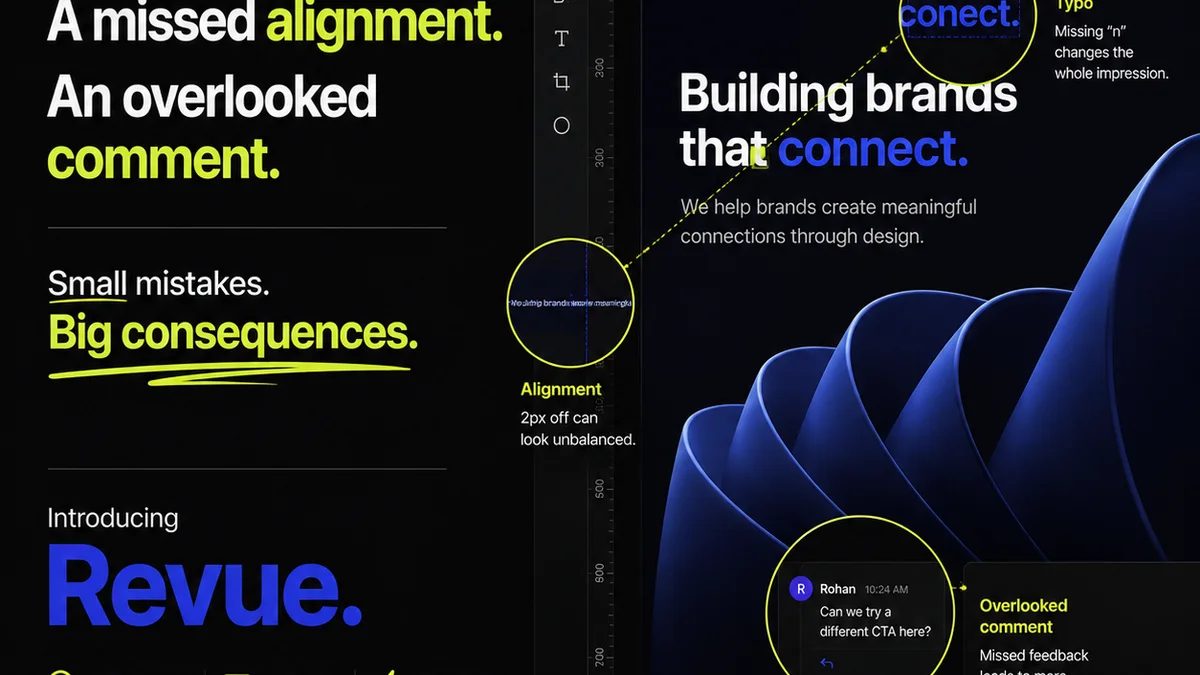
This is where Revue excels. We’re not trying to replace your chat app or your project manager. We’re here to solve the specific, often chaotic, problem of managing creative feedback and approvals.
- Centralized Feedback: Upload your designs, videos, or documents. Clients and internal stakeholders can leave comments directly on the asset, within its context. No more hunting through emails or Slack channels.
- Revision Visibility: Track every version of your work. See exactly what feedback was given on each iteration and how it was addressed. This creates an invaluable audit trail.
- Streamlined Approvals: Move beyond informal sign-offs. Use Revue to manage formal client approvals, ensuring all necessary stakeholders sign off before moving forward.
- Quality Checks: By having all feedback and revisions logged in one place, you gain a clear overview of the project’s evolution, making it easier to perform final quality checks and ensure client satisfaction.
Revue integrates into your existing ecosystem, providing a focused, efficient layer for the most critical part of the creative workflow: getting clear, actionable feedback and timely approvals.
Final Thought
The enterprise collaboration landscape is littered with the ghosts of expensive software purchases that failed to deliver. Why? Because the focus was on the shiny new object, not the fundamental human and process dynamics at play.
Before you invest in another tool, ask yourself: Is our process broken, or are we just using the wrong hammer?
Frequently asked questions
What's the biggest mistake companies make with collaboration tools?
The biggest mistake is assuming that buying more or better software will fix collaboration issues. Often, the underlying problem is a broken or inefficient process, which new tools simply amplify or obscure rather than solve.
How can I improve client feedback loops?
Improve client feedback by ensuring it's contextual (tied directly to the asset), actionable (specific and clear), centralized (in one place), and version-tracked. Avoid relying on informal channels like email or chat for critical feedback.
What makes an approval process effective?
An effective approval process defines clear stakeholders, sets specific criteria for approval, maintains an auditable trail of who approved what and when, and includes defined turnaround times to keep projects moving.
Why is process more important than the platform for collaboration?
A platform is just a tool. A process defines *how* that tool is used to achieve a specific outcome. Without a well-defined process, even the most advanced platform will lead to confusion, errors, and inefficiencies. The process dictates the effective use of the platform.