Everyone talks about collaboration tools. They’ll tell you all about seamless communication, real-time editing, and breaking down silos. And none of that is wrong.
But it’s incomplete.
The hard truth? For enterprise creative teams, the real value isn’t in the *features*. It’s in the operational impact: reducing friction, clarifying accountability, and speeding up the actual delivery of work. The rest is just noise.
1. Centralized Feedback & Approval Hubs
Let’s be honest. Email chains are a nightmare. Slack messages get lost. Clients drop comments on Slack, then email, then a PDF, then a shared drive link. It’s chaos.
This isn’t just annoying; it’s a massive drain on productivity and a breeding ground for errors. When feedback is scattered, it’s impossible to track what’s been addressed, what’s been missed, and who signed off on what.
The solution isn’t more communication channels. It’s a single source of truth for feedback and approvals.
The Problem with Dispersed Feedback
- Endless searching through emails and chat logs.
- Misinterpretation of feedback due to lack of context.
- Difficulty tracking revision history and version control.
- Client confusion about where to leave feedback.
- Missed deadlines due to delayed or lost feedback.
Your team needs a system where all client input—visual annotations, text comments, stakeholder approvals—lands in one predictable place. This centralizes the conversation and makes it easy to see the entire thread of decisions.
What to Look For
- Direct annotation on creative assets (images, videos, PDFs, web pages).
- Clear version comparison to see changes at a glance.
- Role-based permissions for clients and internal teams.
- Automated notifications for new feedback and approvals.
- Integrations with existing project management tools.
This isn’t about fancy dashboards. It’s about cutting through the clutter so your team can focus on the creative work, not the administrative drag.
2. Revision Management & Version Control
If your team still relies on file naming conventions like `logo_final.ai`, `logo_final_v2.ai`, `logo_final_really_final.ai`, you’re living in the past. And you’re probably making mistakes.
Version control isn’t a nice-to-have; it’s a fundamental requirement for professional creative work, especially at the enterprise level where stakes are high and timelines are tight.
Without clear version control, you risk:
- Working on outdated versions of assets.
- Overwriting critical feedback or previous iterations.
- Confusion about which deliverable is the current, approved one.
- Wasted time recreating work that was already done.
Enterprise collaboration tools must provide a robust system for tracking every iteration. This means not just saving new files, but preserving the history, the comments associated with each version, and the ability to revert if necessary.
Key Capabilities
- Automatic version stacking: every upload creates a new, identifiable version.
- Clear visual indicators of the current, approved version.
- Ability to compare any two versions side-by-side.
- Rollback functionality to restore previous versions.
- Archiving of completed projects and their full revision history.
This level of control prevents costly errors and ensures everyone is always working with the most up-to-date, approved creative.
3. Streamlined Quality Assurance (QA) Workflows
The final output is what matters. But too many teams treat QA as an afterthought, a quick check before hitting send.
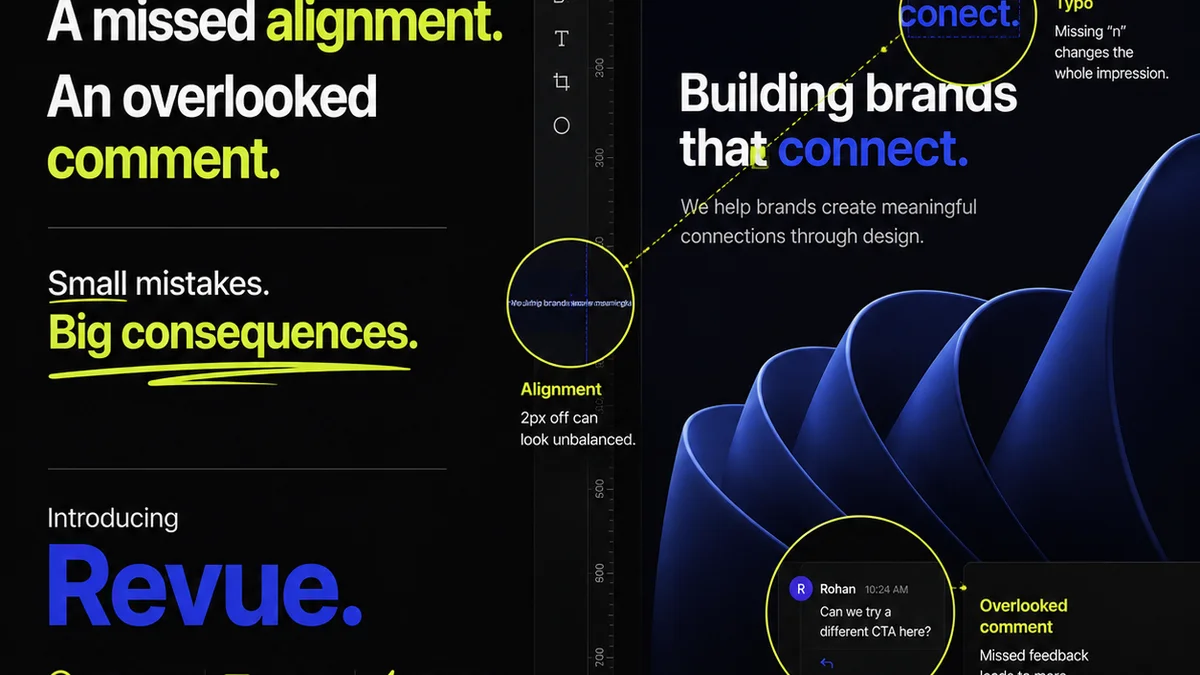
This is where many creative projects stumble. It’s not enough to just deliver the design; it needs to be *right*. That means pixel-perfect alignment, correct copy, brand consistency, and adherence to technical specs.
When QA is haphazard, you see:
- Inconsistent visual elements across different assets.
- Typos and grammatical errors in final copy.
- Assets that don’t meet technical requirements (e.g., file size, resolution).
- Brand guideline violations.
- Client pushback on details that should have been caught internally.
Enterprise-grade collaboration tools should facilitate a structured QA process, not just a quick glance.
Building a Better QA Process
- Checklists for common quality points (e.g., brand colors, typography, legal disclaimers).
- Dedicated QA review stages within the workflow.
- Clear assignment of QA tasks to specific team members.
- A system for documenting and addressing QA findings before final delivery.
Think of it as building quality into the process, rather than inspecting it at the end. This requires tools that support structured review and sign-off.
4. Centralized Asset Management & Archiving
Where do final assets live? How do you find that logo from two years ago? What about brand guidelines or previous campaign materials?
Scattered files across shared drives, local machines, and cloud storage is a recipe for disaster. It’s inefficient, risky, and makes onboarding new team members a nightmare.
Enterprise teams need a single, accessible repository for all creative assets. This isn’t just about storage; it’s about organization, discoverability, and governance.
The Cost of Disorganization
- Wasted time searching for assets.
- Recreating assets that already exist but can’t be found.
- Inconsistent use of branding due to outdated or incorrect assets.
- Security risks from unmanaged file sharing.
- Difficulty in auditing asset usage or compliance.
A well-managed asset library ensures that the right versions are always available, consistent, and compliant with brand standards.
Essential Features
- Intuitive search and filtering capabilities.
- Metadata tagging for easy categorization.
- Version history and access logs.
- Secure storage and permission controls.
- Integration with design and production tools.
This creates a reliable backbone for all your creative output.
Where Revue Fits In
You’re probably nodding along, recognizing the pain points. You might even be thinking, “Okay, but how do we actually *do* this without adding more tools?”
This is where a platform like Revue becomes critical for enterprise creative teams.
Revue acts as the central nervous system for your creative workflow. It’s not just about comments; it’s about bringing structure to the entire feedback, revision, and approval lifecycle.
- Centralized Feedback: All client comments, annotations, and stakeholder approvals live in one place, directly on the creative assets. No more hunting through emails or Slack.
- Revision Clarity: Every version uploaded is tracked. You can compare iterations, see what changed, and understand the decision-making process. This eliminates ambiguity and ensures accountability.
- Streamlined Approvals: Define clear approval stages and assign them to the right people. Get formal sign-offs directly within the platform, creating an auditable trail.
- Quality Control: By having all feedback and revisions in one place, your team can perform more thorough quality checks, ensuring everything from visual details to copy is accurate before final delivery.
- Asset Visibility: While not a full DAM, Revue provides clear visibility into the evolution of assets through the review process, ensuring the final approved version is readily identified.
It’s about creating a predictable, transparent, and efficient process from initial concept to final sign-off. This frees up your team to do what they do best: create.
Final Thought
The proliferation of collaboration tools promises a utopia of seamless teamwork. But for enterprise creative teams, true collaboration isn't about having the most apps; it’s about having the right processes, supported by tools that eliminate friction and clarify accountability.
Are your current tools enabling your team, or are they just adding another layer of complexity?
Frequently asked questions
What is the main benefit of centralized feedback for enterprise teams?
Centralizing feedback eliminates the chaos of scattered comments across emails, chats, and various platforms. It ensures all input is in one place, reducing misinterpretations, missed feedback, and the time spent searching for information, leading to faster and more accurate revisions.
How does version control prevent costly errors in creative projects?
Robust version control ensures that everyone is working on the most current and approved iteration of an asset. It prevents accidental overwrites, allows for easy rollback to previous versions if needed, and provides a clear audit trail of changes, thus avoiding costly mistakes and wasted effort.
What role does QA play in enterprise creative collaboration tools?
Quality Assurance (QA) in these tools facilitates structured review processes. It allows teams to implement checklists, assign specific QA tasks, and document findings before final delivery, ensuring that all creative outputs meet required standards, brand guidelines, and technical specifications.
Are dedicated asset management systems necessary for enterprise collaboration?
While specialized Digital Asset Management (DAM) systems exist, many enterprise collaboration platforms offer essential asset visibility and organization. The key is having a single source of truth for creative assets, ensuring they are findable, consistent, and used correctly throughout the project lifecycle.