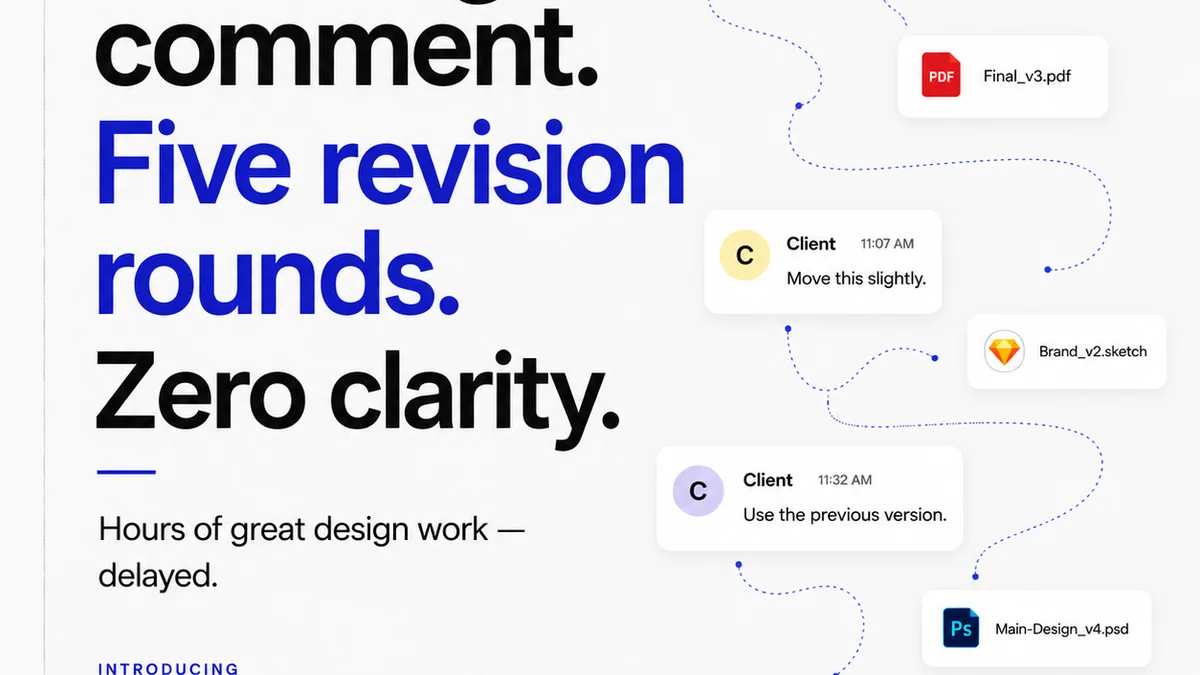
Everyone talks about the importance of client feedback. It’s the lifeblood of creative projects, right? That’s not wrong. But it’s incomplete.
The real challenge isn’t getting feedback; it’s managing it. Without a system, feedback becomes noise, leading to endless revisions, missed deadlines, and frustrated teams. The hard truth? Your agency’s profitability and your team’s sanity depend on how well you track and action client feedback.
1. The Myth of 'Simple' Feedback
Many creative teams operate under the assumption that feedback is straightforward. A client sends an email, maybe a Slack message, or even scribbles on a PDF. The team makes the changes. Done.
This works for tiny, one-off projects. But for anything more complex, it’s a recipe for disaster.
Why 'Simple' Fails
- Version Control Chaos: Which is the latest version? Which feedback applies to which iteration?
- Lost in Translation: Email chains get long. Key comments get buried.
- Scope Creep Creep: Unclear feedback can lead to extra work that wasn't agreed upon.
- Accountability Gaps: Who saw the feedback? Who approved the change?
- Missed Opportunities: Valuable insights or suggestions get overlooked.
This isn't about blaming clients. It's about acknowledging the inherent complexity of creative collaboration.
2. Beyond Spreadsheets and Email Chains
Your current method of tracking feedback is likely holding you back. Spreadsheets might seem organized, but they quickly become unwieldy. Email is asynchronous and prone to misinterpretation.
You need a dedicated solution.
What to Look For in a Feedback Tool
The best feedback tracking tools do more than just collect comments. They provide structure, context, and clarity.
- Centralized Hub: All feedback, all versions, in one place.
- Contextual Annotations: Pin comments directly to specific elements on the creative asset.
- Version History: Easily compare iterations and track the evolution of a design.
- Approval Workflows: Clear sign-off points to prevent ambiguity.
- Communication Stream: Keep conversations tied to specific feedback points.
- Reporting & Analytics: Understand feedback patterns and team efficiency.
These features move you from reactive chaos to proactive project management.
3. Key Features for Effective Feedback Management
When evaluating feedback tracking tools, focus on functionality that directly addresses workflow bottlenecks.
Visual Annotation is Non-Negotiable
The ability to click on an image, video, or layout and leave a comment directly on that point is crucial. This eliminates the guesswork of what the feedback refers to.
Instead of "Make the logo bigger on the homepage banner," it becomes "Enlarge this specific logo element here." Clarity saves time.
Version Control That Actually Works
You need to see every revision side-by-side. Not just the final versions, but every iteration. This helps resolve disputes about what was previously approved or changed.
Knowing which version has which feedback is paramount.
Clear Approval Gateways
Who needs to approve what, and when? A good tool makes this explicit. Stakeholders can review and formally approve or reject specific versions.
This formalizes the process and reduces the chance of 'silent approvals' or last-minute changes after a sign-off.
Integrated Communication
Feedback shouldn't live in a silo. The ability to discuss specific comments, ask clarifying questions, and get responses within the same platform is vital.
This keeps the conversation focused and documented.
4. Evaluating Tools: What Really Matters
The market is flooded with tools claiming to solve your feedback problems. But not all are created equal, especially for creative agencies.
Consider Your Asset Types
Do you work primarily with static images? Videos? Websites? Interactive prototypes? Ensure the tool supports the file types you use most often. A tool great for PDFs might be useless for video review.
Ease of Use for Clients
Your clients are not designers. The tool needs to be intuitive for them. If they struggle to leave feedback, they’ll revert to email. A clunky client experience defeats the purpose.
Integration with Your Stack
Does it play nice with your existing project management software, cloud storage, or design tools? Seamless integration reduces friction and prevents information silos.
Scalability
Can the tool grow with your agency? Consider user limits, project volume, and feature sets as your needs evolve.
5. Where Revue Fits In
Managing feedback is only one piece of the creative operations puzzle. You also need to manage the entire client review and approval process, ensuring quality at every step.
Revue is built for this. It’s not just a feedback collector; it’s a comprehensive platform for managing creative workflows.
Centralize All Feedback
Import feedback from various sources or have clients provide it directly within Revue. Everything lives in one organized place, linked to specific project versions.
Streamline Revisions and Approvals
Track the entire revision history clearly. Set up multi-stage approval workflows so stakeholders know exactly what they’re signing off on, and when.
This visibility reduces confusion and speeds up the final delivery.
Run Quality Checks
Beyond client feedback, Revue helps you implement internal quality control. Ensure brand consistency, adherence to briefs, and technical specifications before anything reaches the client.
This proactive quality assurance minimizes costly revisions later.
Gain Operational Clarity
Revue provides the oversight you need. Understand project status at a glance, identify bottlenecks, and ensure your team is working efficiently. This translates directly to improved project profitability and client satisfaction.
6. Final Thought
The best feedback tracking tools aren't just about collecting comments; they're about transforming how your agency operates. They bring order to creative chaos, clarify communication, and ultimately, protect your bottom line.
Are you still treating client feedback as an afterthought, or is it a core part of your operational strategy?
Frequently asked questions
What is the most important feature in a feedback tracking tool?
Visual annotation is paramount. The ability for clients and team members to pinpoint feedback directly on the creative asset (image, video, web page) eliminates ambiguity and ensures everyone is discussing the same element.
Can feedback tools help prevent scope creep?
Yes, by providing a clear, documented trail of all feedback and approvals. When feedback is contextual and formally approved, it's easier to identify requests that fall outside the original scope and address them appropriately.
How do feedback tools improve client relationships?
They create transparency and clarity in the revision process. Clients feel more in control when they can see their feedback being addressed, and the formalized approval steps prevent misunderstandings, leading to greater satisfaction.
Are feedback tracking tools only for large agencies?
No, smaller agencies and in-house teams can benefit significantly. Any team that collaborates on creative projects and receives client feedback can improve efficiency, reduce errors, and enhance client communication with the right tools.