Everyone thinks Figma is the ultimate tool for design reviews. It lets clients comment directly on designs, right? So, why would you need anything else?
None of that is wrong. But it’s incomplete.
The hard truth is that Figma is a design tool, not a project management or client feedback hub. Relying solely on Figma for reviews creates bottlenecks, loses context, and erodes client trust. You need a system built for managing creative feedback, not just collecting it.
1. The Illusion of Centralized Feedback in Figma
Figma’s commenting feature feels like a win. You can drop pins, type notes, and even tag teammates. It’s interactive, visual, and seems to keep everything in one place.
But this is where the cracks start to show.
Client Comments Get Lost in Translation
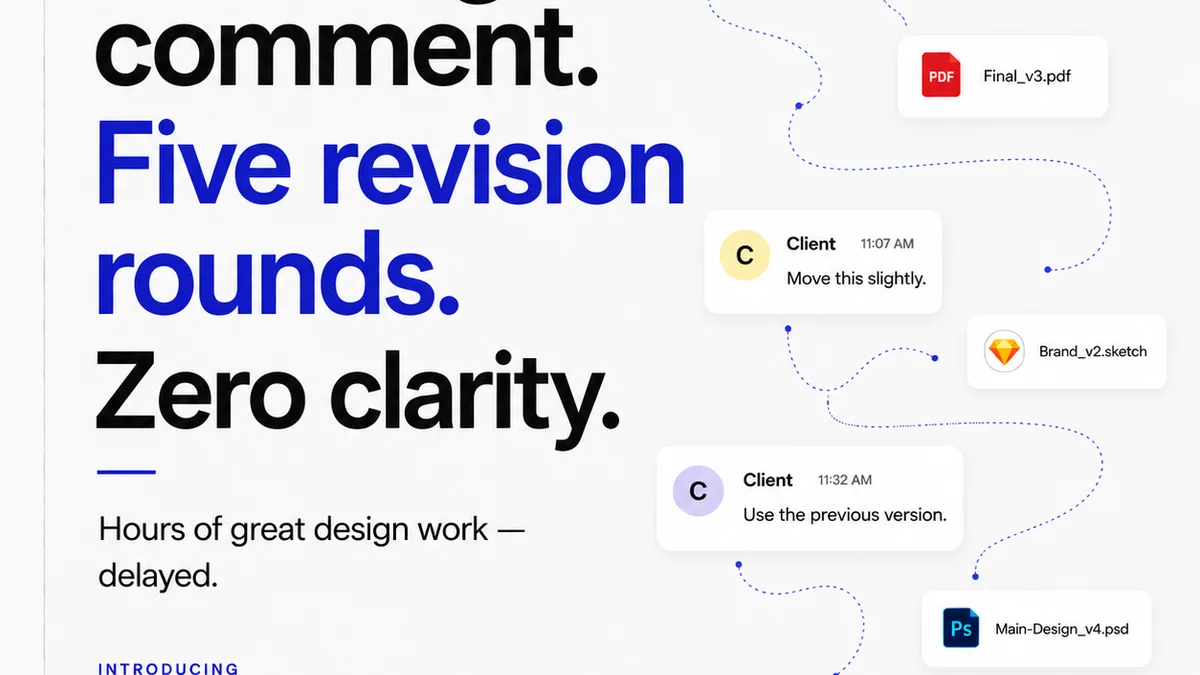
Clients aren't designers. Their comments often lack the specificity needed for actionable feedback. In Figma, a vague comment like “Make this pop more” or “I don’t like the blue” is hard to action without further clarification. This leads to endless back-and-forth.
Furthermore, clients can get lost. They might not understand the file structure, the difference between artboards, or how to navigate complex prototypes. Their feedback can end up scattered across dozens of screens, making it a nightmare to compile.
Version Control Chaos
Figma has version history, which is great. But when multiple stakeholders are commenting on multiple versions simultaneously, things get messy. Which feedback applies to which iteration? Did the client approve version 3 or version 4?
This ambiguity is a breeding ground for errors and missed revisions. It slows down the entire approval process.
Lack of Clear Approval Workflow
Figma’s comments are just that: comments. There’s no built-in mechanism to formally mark a design as “approved” or “rejected” with an audit trail. You can use status labels, but they’re often manually managed and easily overlooked.
This lack of structured approval means you can't definitively say a client signed off on a specific deliverable. This is a massive risk for agencies.
2. The Hidden Costs of Using Design Tools for Feedback Management
It’s tempting to think that keeping everything within one tool saves time and money. But the reality is often the opposite. Using a design tool for feedback management incurs hidden costs that impact your bottom line.
Wasted Creative Time
Creative directors and project managers spend hours sifting through Figma comments. They have to:
- Compile feedback from various screens and versions.
- Translate vague client requests into actionable tasks.
- Chase clients for clarification on ambiguous comments.
- Manually track which feedback has been implemented and which is pending.
- Determine the final approved version amidst conflicting inputs.
This isn’t creative work. This is administrative overhead disguised as collaboration.
Client Frustration and Miscommunication
When clients don't see their feedback clearly actioned, or when they feel like they’re repeating themselves, frustration mounts. This can damage the client relationship and lead to scope creep as they try to clarify or re-explain their needs.
The lack of a clear, structured process makes clients feel unheard and undervalued. This is detrimental to long-term partnerships.
Missed Revisions and Scope Creep
Without a dedicated system for tracking feedback and approvals, crucial revisions can slip through the cracks. This leads to rework, missed deadlines, and unhappy clients. It also opens the door to scope creep, as clients may claim feedback was missed and demand additional work without compensation.
The audit trail is often non-existent or buried deep within comment threads.
3. The Operational Truth: Design Tools vs. Feedback Management Platforms
This isn't about Figma being bad. It's about using the right tool for the right job. Figma excels at collaborative design. It’s a powerhouse for UI/UX design, prototyping, and real-time co-editing.
But when it comes to managing the entire lifecycle of client feedback, revisions, and approvals, you need a dedicated platform.
Figma: The Design Workshop
Think of Figma as your agency’s design workshop. It’s where the magic happens, where ideas are sketched, refined, and built. It’s optimized for designers to create and iterate quickly.
Key strengths:
- Real-time collaboration for designers.
- Powerful prototyping capabilities.
- Component libraries and design systems.
- Visual feedback directly on the canvas.
Feedback Management Platforms: The Project Command Center
A platform like Revue acts as your project command center. It’s built to streamline communication, organize feedback, manage revisions, and ensure clear approvals.
It’s optimized for the business of creative work, not just the creation itself.
Key strengths:
- Centralized, organized feedback repository.
- Clear version tracking and comparison.
- Structured approval workflows with audit trails.
- Contextual feedback linked to specific project milestones.
- Reduced administrative overhead for creative teams.
Where Revue Fits In
Revue isn’t a design tool. It’s the system that makes managing creative projects efficient and profitable. It bridges the gap between your design team’s output and your clients’ needs.
Instead of digging through Figma comments, Revue centralizes all client feedback. Every comment, every revision, every approval is logged and tied to a specific project stage. This eliminates ambiguity and ensures everyone is on the same page.
When a client provides feedback, it comes into Revue, not scattered across Figma files. Your team can then action that feedback, track its implementation, and present a clear, consolidated version for final approval. This visibility is crucial for both your team and the client.
Revue also helps enforce quality checks. By having a structured review and approval process, you ensure that work meets client requirements before final delivery, reducing costly post-delivery revisions.
It’s about operationalizing creativity, turning the messy process of client collaboration into a predictable, manageable workflow.
4. Building a Robust Creative Workflow in 2026
The landscape of creative work is evolving. Clients expect faster turnarounds, greater transparency, and seamless collaboration. Agencies that cling to outdated workflows will inevitably fall behind.
A modern creative workflow integrates specialized tools. It leverages the strengths of each platform to create a cohesive, efficient system.
The Integrated Approach
Here’s how it looks in practice:
- Design in Figma: Your designers collaborate and build stunning interfaces and assets within Figma.
- Gather Feedback in Revue: Once a design or prototype is ready for client review, it's shared via Revue. Clients provide feedback directly within Revue, where it's organized, categorized, and tracked.
- Iterate Based on Structured Input: Your team reviews the consolidated feedback in Revue, translates it into actionable tasks, and returns to Figma to make the necessary revisions.
- Formalize Approvals in Revue: When a revision is complete, it’s presented again through Revue for formal sign-off. Revue provides the audit trail, confirming client approval.
- Quality Assurance: Revue’s structured process helps ensure all requirements are met before final delivery.
This layered approach ensures that your design tool is used for design, and your feedback management tool is used for managing feedback. It’s a subtle but critical distinction.
The Benefits of Separation
Separating these functions brings significant advantages:
- Clarity: Everyone knows where to go for what. Designers focus on design; clients focus on feedback; project managers focus on workflow.
- Efficiency: Less time spent searching for comments or clarifying versions.
- Accountability: Clear audit trails for feedback and approvals reduce disputes.
- Scalability: The system can handle more projects and more clients without breaking.
- Profitability: Reduced rework and faster approvals directly impact your agency’s bottom line.
Final Thought
Figma revolutionized design collaboration. But the work of creative agencies involves far more than just the moment of creation. It’s about the entire journey: from initial brief to final sign-off.
Are you optimizing your agency for the art of design, or for the business of delivering creative work effectively?
Frequently asked questions
Can I use Figma for client feedback?
Yes, Figma allows clients to leave comments directly on designs. However, it lacks the structured workflow, version control, and audit trails needed for efficient feedback management in a professional agency setting.
What is the main difference between Figma and Revue?
Figma is a design and prototyping tool, ideal for collaborative creation. Revue is a platform designed specifically for managing client feedback, revisions, and approvals, centralizing communication and streamlining the review process.
Why is using only Figma for reviews a problem for agencies?
Relying solely on Figma for reviews can lead to lost feedback, version control chaos, unclear approvals, wasted creative time managing comments, and client frustration due to a lack of structured process and audit trails.
How does Revue improve the design review process?
Revue centralizes feedback, provides clear version tracking, offers structured approval workflows with audit trails, and reduces administrative overhead, making the entire review process more efficient, transparent, and accountable.