Everyone thinks they know Figma workflow. You've probably heard it a million times: it's collaborative, it's cloud-based, it streamlines design. None of that is wrong. But it’s incomplete.
The real difference-maker isn't Figma itself. It's the operational rigor behind how great agencies use it. World-class teams don't just *use* Figma; they architect their entire creative process *around* its strengths, turning potential chaos into predictable, high-quality output.
1. The Myth of Infinite Flexibility
Figma's power lies in its flexibility. Teams can jump in, make changes, and iterate at breakneck speed. This is fantastic for creativity. It can be a nightmare for project management.
The assumption: "We can always tweak it later." This leads to scope creep, unclear version control, and endless rounds of feedback.
The hard truth: Unfettered flexibility without guardrails is just disorganization waiting to happen. Great agencies build structure *into* their Figma workflow, not around it.
Defining the Design System Discipline
A robust design system isn't just a collection of components. It's a framework for consistency and efficiency. When teams adhere to a well-defined system:
- Component reuse skyrockets.
- Design debt is minimized.
- Onboarding new designers is faster.
- Client-facing consistency is guaranteed.
This requires upfront investment. Documenting components, establishing naming conventions, and enforcing usage rules takes discipline. But the payoff in speed and quality is immense.
Branching Strategies for Sanity
Think Git, but for design. Proper branching in Figma allows teams to work on features or iterations in isolation without disrupting the main design file. This prevents accidental overwrites and keeps the primary design stable.
Common approaches include:
- Feature Branches: Isolate work on a new feature.
- Bug Fix Branches: Address specific issues without touching active development.
- Experimentation Branches: Explore radical ideas outside the main project flow.
Merging changes back requires a clear process. This mirrors software development, ensuring that what goes into the final product has been vetted.
2. Feedback Loops: From Cacophony to Clarity
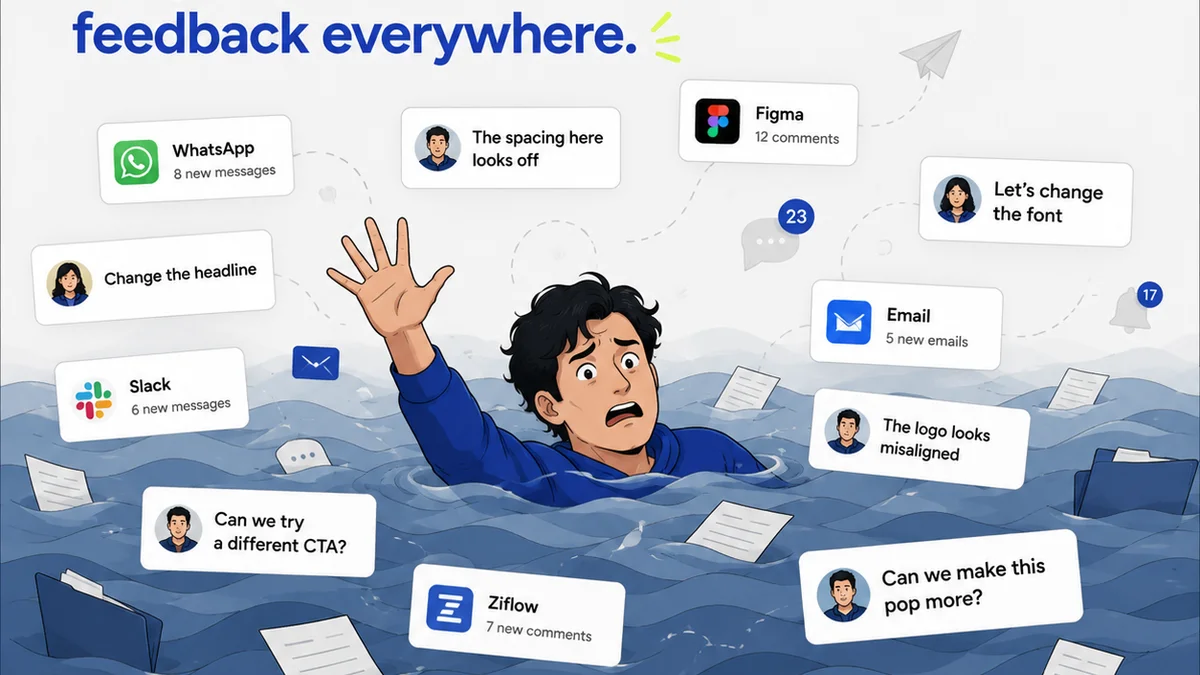
Client feedback is the lifeblood of agency work. But how it's managed can make or break a project. Many agencies treat Figma comments as the final word, leading to a messy, unmanageable stream of input.
The assumption: "The client will tell us what they want in the comments." This often results in subjective, contradictory, and poorly articulated feedback.
The hard truth: Direct feedback in a design tool is often inefficient and lacks context. It bypasses critical layers of strategic interpretation and prioritization.
Structured Feedback Channels
World-class agencies create dedicated channels for feedback, separate from the raw design file. This might involve:
- Internal Reviews: Creative directors and project managers consolidate and interpret feedback *before* it goes to the client.
- Client Workshops: Facilitated sessions to gather qualitative insights and strategic direction, not just aesthetic preferences.
- Dedicated Feedback Tools: Platforms designed to capture, organize, and track feedback systematically.
This process ensures feedback is actionable, aligned with project goals, and doesn't lead to a constant game of whack-a-mole within the design file.
The Power of the Brief
Every iteration should tie back to the original brief. When feedback is unclear or contradictory, the brief serves as the anchor. Great agencies don't just create a brief at the start; they reference it constantly.
This means:
- Ensuring client feedback is evaluated against strategic objectives.
- Asking clarifying questions that probe the *why* behind a request.
- Documenting how each revision aligns (or deviates) from the original goals.
A well-defined brief, revisited regularly, is the ultimate filter for noisy feedback.
3. Handoff: Beyond the Export Button
The handoff from design to development is a notorious friction point. Many agencies see exporting assets from Figma as the end of their responsibility. This leads to misunderstandings, delays, and costly rework.
The assumption: "Developers can figure it out from the exported files." This ignores the nuances of design implementation and the complexities of code.
The hard truth: A seamless handoff requires proactive collaboration and clear, developer-friendly documentation embedded within the design process itself.
Developer Collaboration is Key
Top agencies integrate developers into the Figma process much earlier. This involves:
- Shared Files (View Access): Allowing developers to inspect designs directly in Figma, seeing spacing, typography, and color values.
- Prototyping for Interaction: Using Figma's prototyping features to clearly demonstrate complex user flows and micro-interactions.
- Regular Syncs: Short, focused meetings to walk through designs, answer questions, and anticipate technical challenges.
This isn't about giving developers free rein to change designs. It's about providing them with the clarity and context they need to build accurately.
Leveraging Figma's Dev Mode
Figma's Developer Mode is a game-changer, but only if used correctly. It's not just a place to grab specs; it's a bridge.
Agencies that excel use it to:
- Generate code snippets (though these often need refinement).
- Inspect assets and understand their hierarchy.
- Communicate specific implementation details directly within the tool.
The key is to treat Dev Mode as a communication layer, not a fully automated handoff solution. Human oversight and communication remain critical.
4. Quality Assurance: The Unsung Hero
What separates good agencies from great ones is their commitment to quality at every stage. This extends to ensuring the final output matches the approved design meticulously.
The assumption: "We trust our developers to build it right." This overlooks the inevitable small discrepancies that creep in during development.
The hard truth: A dedicated QA process, integrated with design and development, is essential for delivering pixel-perfect, on-brand results.
Visual Regression Testing
This involves comparing the live product against the approved designs to catch visual differences. Tools can automate much of this, but human eyes are still crucial for subtle issues.
Agencies should:
- Establish clear checklists for visual QA.
- Involve designers in the QA process.
- Document and track bugs rigorously.
This ensures that what the client signed off on is what actually ships.
Accessibility as a Standard
World-class Figma workflows incorporate accessibility from the start. This isn't an afterthought; it's a core requirement.
Consider:
- Color contrast ratios.
- Focus states for interactive elements.
- Logical tab order.
- Appropriate use of ARIA attributes (communicated during handoff).
Tools like WCAG provide guidelines, but integrating accessibility checks into the design and QA process is paramount.
Where Revue Fits In
Managing a complex Figma workflow, especially with multiple clients and projects, introduces significant operational challenges. Keeping track of feedback, revisions, approvals, and QA status across numerous files and stakeholders can quickly become overwhelming.
This is where a centralized platform like Revue becomes indispensable.
Revue helps world-class agencies:
- Centralize Client Feedback: Instead of scattered comments in Figma, emails, and Slack, all client input is captured and organized in one place, linked to specific design versions.
- Streamline Revisions & Approvals: Clearly track which version is under review, who has approved it, and what revisions are pending. This eliminates confusion and speeds up the approval cycle.
- Maintain Visibility: Provide a clear audit trail of feedback, decisions, and approvals, ensuring transparency for both the agency and the client.
- Facilitate Quality Checks: Integrate design QA into the workflow, ensuring that final deliverables meet the agreed-upon standards before launch.
By adding a layer of operational control on top of Figma's creative power, Revue ensures that your design process is as efficient and predictable as it is innovative.
Final Thought
Figma is a tool. A powerful one, yes. But it doesn't magically create process. The agencies that truly master it understand that the tool serves the workflow, not the other way around.
Are you leveraging Figma's capabilities to their fullest operational potential, or are you letting its flexibility create complexity?
Frequently asked questions
How can I prevent scope creep when using Figma?
Anchor your work to the original project brief. Use branching strategies in Figma to isolate new features or experimental ideas. Implement a structured feedback process where client input is interpreted against project goals before being actioned in the design file.
What's the best way to handle client feedback in Figma?
Avoid relying solely on in-file comments. Establish dedicated feedback channels, including internal reviews by project managers and creative leads. Use workshops for qualitative input and consider specialized feedback tools to organize and track comments systematically.
How can agencies improve the design-to-development handoff using Figma?
Integrate developers early. Grant view access to Figma files, use prototyping for interactions, and hold regular syncs. Leverage Figma's Developer Mode for specs and code snippets, but always ensure human oversight and clear communication to bridge the gap.
Is a design system essential for an effective Figma workflow?
Yes, a well-defined design system is crucial. It enforces consistency, speeds up iteration by enabling component reuse, reduces design debt, and makes onboarding new team members much easier. It acts as a set of guardrails for Figma's flexibility.