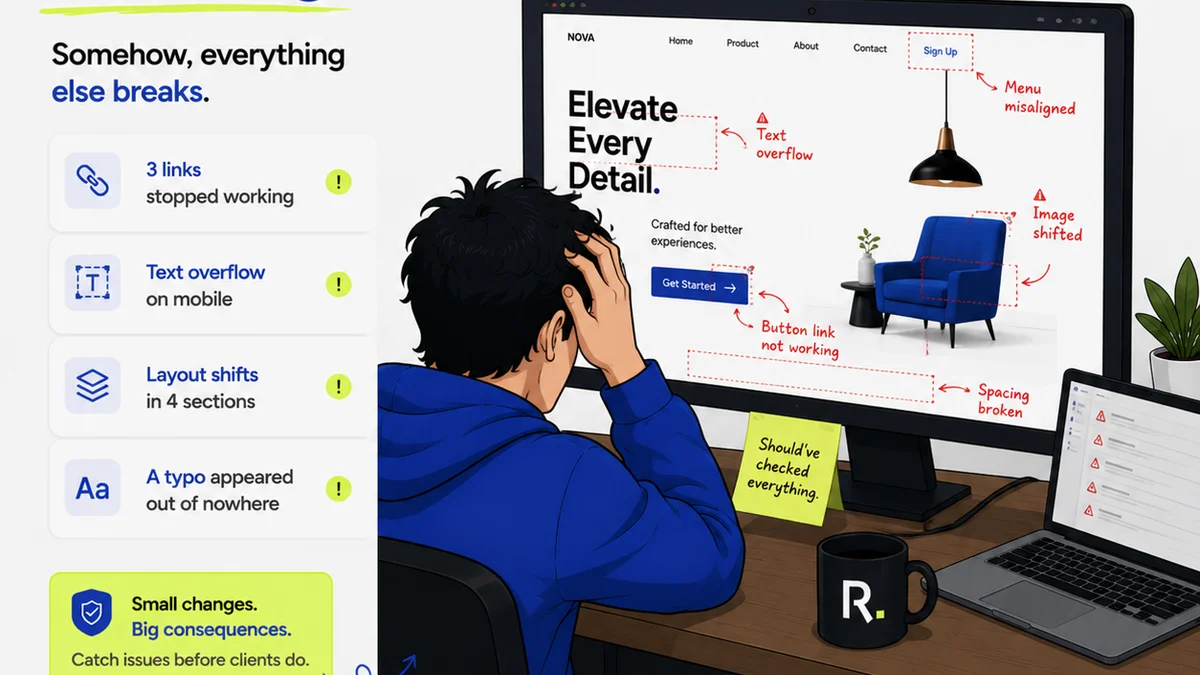
Everyone’s talking about AI. And how it’s going to automate everything. Including design quality assurance. It sounds great, right? Faster checks. Fewer errors. Happier clients. None of that is wrong. But it’s incomplete.
The hard truth? Automated design QA isn't about replacing humans. It's about supercharging them. It’s about freeing up your best people to do what they do best: strategic creative thinking. Not tedious pixel-pushing.
1. The Myth of the Fully Automated QA Bot
The dream is a bot that catches every single error. Every misplaced pixel. Every wrong font weight. Every broken link. Every brand guideline violation. And it does it instantly. No human eyes required.
This is a fantasy. Or at least, a very distant reality. Machines are great at spotting patterns. They’re terrible at understanding context. Nuance. Intent.
Context is King
A design might technically adhere to brand guidelines. But does it *feel* right? Does it resonate with the target audience? Does it align with the campaign’s strategic goals? A bot won't know.
Human QA specialists bring a level of judgment that code can’t replicate. They understand the client’s business. They understand the creative brief. They understand the subtle art of persuasion.
The Human Element Remains Crucial
Think about it. What’s the point of a perfectly rendered image if the message is off? What’s the value of a technically flawless layout if it doesn’t communicate effectively?
This is where the real value lies. Not in automating the mundane. But in augmenting human expertise.
2. Where Automation Actually Shines in Design QA
So, if bots can’t do it all, what *can* they do? They can handle the repetitive, the rule-based, the objective tasks. The stuff that drains human creativity.
Automating the Tedious
- Format Checks: Ensuring files are delivered in the correct format (JPG, PNG, PDF, etc.).
- Resolution Checks: Verifying images meet minimum resolution requirements for print or web.
- File Naming Conventions: Confirming files adhere to established naming rules.
- Basic Accessibility Checks: Identifying issues like insufficient color contrast or missing alt text.
- Brand Guideline Adherence (Basic): Spotting incorrect logo usage or off-brand color palettes where rules are explicit.
These are the low-hanging fruit. The tasks that eat up hours. Tasks that a script or a simple algorithm can nail 99% of the time.
Freeing Up Your Experts
When these tasks are automated, your senior designers. Your art directors. Your seasoned QA leads. They’re no longer bogged down. They can focus their valuable time on the higher-level work.
This means more strategic input. More creative problem-solving. More time spent ensuring the *effectiveness* of the design, not just its technical correctness.
3. The Rise of Intelligent Assistance, Not Replacement
The future of design QA isn't about a fully autonomous system. It’s about intelligent tools that assist human reviewers. Think of it as a highly skilled junior assistant.
These tools can pre-process work. Flag potential issues. Provide data points. But the final decision? The creative judgment? That still rests with a human.
Smart Tools, Not Smart Systems
Imagine a tool that flags all instances of a specific font being used incorrectly. It highlights them. It provides a link to the brand guidelines. But it doesn’t *reject* the work. It presents the information to a human reviewer.
The reviewer then decides. Is this a critical error? Is it a minor deviation? Is it an intentional creative choice that bends the rules effectively?
The Human-in-the-Loop Advantage
This “human-in-the-loop” model is powerful. It combines the speed and consistency of automation with the indispensable judgment of human experts.
It’s the best of both worlds. Efficiency meets intuition. Data meets design thinking.
4. Building a Future-Proof QA Process
So, how do you prepare for this shift? It’s not about buying the latest AI gadget. It’s about rethinking your entire workflow.
Integrate, Don't Isolate
Your QA process shouldn’t be an afterthought. It needs to be woven into the fabric of your creative workflow. From the initial brief to the final handover.
This means clear communication. Defined processes. And the right tools to support them.
Focus on Collaboration
Automation tools should facilitate collaboration, not hinder it. They should provide a clear, shared understanding of feedback and revisions.
When everyone is on the same page, fewer errors slip through the cracks. And the errors that do occur are easier to resolve.
Invest in Your People
The most valuable asset in your QA process will always be your people. Train them. Empower them. Give them the tools they need to succeed.
As automation handles the grunt work, your team can elevate their skills. They can become strategic partners, not just checkers.
Where Revue Fits In
This is precisely why Revue was built. To centralize the chaos of creative feedback and approvals.
Revue acts as that intelligent layer. It brings all feedback into one place. It provides clear visibility into revisions and approvals. It helps you run systematic quality checks by ensuring nothing falls through the cracks.
It doesn’t replace your expert reviewers. It empowers them. By giving them a clear, organized platform to manage feedback, track changes, and ensure final quality. It streamlines the process so your team can focus on the creative, strategic aspects of design QA.
Final Thought
The future of design QA isn't about eliminating the human element. It's about redefining its role. It’s about leveraging technology to amplify our most human strengths: judgment, creativity, and strategic thinking.
Are you ready to move beyond the myth of the fully automated bot and build a QA process that truly works?
Frequently asked questions
Will AI completely replace human QA testers in design?
It's highly unlikely. While AI can automate repetitive, rule-based checks, it lacks the contextual understanding, nuance, and strategic judgment that human testers provide. The future is more likely to be AI-assisted human QA.
What types of design QA tasks are best suited for automation?
Tasks that are objective, repetitive, and rule-based are ideal. This includes checking file formats, resolution, adherence to basic naming conventions, simple accessibility checks, and straightforward brand guideline violations (like incorrect logo usage).
How can agencies prepare for the rise of automated design QA?
Agencies should focus on integrating QA into their overall workflow, fostering collaboration, and investing in their people's skills. It's about augmenting human capabilities with smart tools, not replacing them.
What is the 'human-in-the-loop' model for design QA?
This model combines the efficiency of automated tools with human oversight. Automated systems flag potential issues, but a human reviewer makes the final decision, applying context and judgment.