Everyone thinks design handoff is about sending finalized assets to development. That’s the most visible part, sure. But it’s not the whole story. Not even close.
The deeper truth? Design handoff isn’t a single event; it’s a continuous, strategic process that impacts project timelines, budgets, and client satisfaction long after the initial files are sent. Treating it as a mere 'delivery' phase is a direct path to scope creep, technical debt, and strained relationships.
If you want to avoid those headaches, you need a design handoff strategy that’s built for the long haul. One that anticipates future needs and integrates seamlessly with your entire workflow.
1. The Myth of the Final Asset
The common assumption is that once the designer marks a file as 'final,' the design phase is over. Developers then take this pristine artifact and build it. Simple.
This view ignores the messy reality of software development and client collaboration.
It's Not Just Pixels and Specs
Design handoff involves more than just exporting JPEGs or providing a style guide. It’s about transferring knowledge, context, and intent.
- What were the user testing insights that led to this layout?
- What are the accessibility considerations for this component?
- What are the performance implications of this animation?
- What are the edge cases this design accounts for?
Skipping this knowledge transfer is like handing a chef a list of ingredients without the recipe. They might make something edible, but it’s unlikely to be the intended dish.
The Iterative Nature of Development
Development is rarely a straight line from design to deployment. Requirements shift, technical constraints emerge, and new opportunities are discovered.
A rigid, one-time handoff creates friction when changes are needed. Developers are left trying to re-interpret old designs or waiting for new, often delayed, design input.
2. Building a Living Design System
A robust design system is the bedrock of a future-proof handoff. It moves beyond static mockups to provide reusable components and clear guidelines.
Think of it as a shared language between design and development.
Components Over Screens
Instead of handing off individual screens, focus on handing off the building blocks.
- Atomic design principles help break down interfaces into manageable, reusable elements (atoms, molecules, organisms, templates, pages).
- Documenting these components, their states, and their usage patterns is crucial.
This approach means developers aren't just building a specific page; they're building a system that can be extended and adapted.
Documentation is Non-Negotiable
Your design system needs clear, accessible documentation. This includes:
- Component libraries with clear code examples.
- Usage guidelines and best practices.
- Accessibility standards (e.g., WCAG compliance).
- Brand guidelines and tone of voice.
This documentation should be a single source of truth, easily referenced by both design and development teams.
Accessibility as a Core Tenet
Future-proofing means building for everyone. Accessibility isn't an add-on; it's a fundamental requirement.
Ensure your design system and handoff process explicitly address:
- Color contrast ratios.
- Keyboard navigation.
- Screen reader compatibility.
- Focus states.
Tools like the Web Content Accessibility Guidelines (WCAG) provide essential benchmarks.
3. Integrating Development Early and Often
The biggest mistake is involving developers only at the handoff stage. This is far too late.
True future-proofing requires continuous collaboration.
Design for Feasibility
Bring developers into the design process early. They can identify technical limitations, suggest more efficient solutions, and ensure designs are buildable within constraints.
This isn't about compromising design vision; it's about achieving it in the most practical way.
- Conduct regular design-dev syncs.
- Use collaborative tools that allow for shared commenting and annotation.
- Involve developers in user testing to gather feedback on proposed solutions.
Prototyping Beyond Mockups
Interactive prototypes are more valuable than static screens. They allow developers to understand user flows, interactions, and micro-animations more intuitively.
Tools like Figma or Adobe XD allow for increasingly sophisticated prototyping that bridges the gap between design and code.
Define Technical Specs Together
Instead of designers dictating specs, co-create them. This ensures they are realistic and understood by both parties.
This collaborative process minimizes ambiguity and reduces the chance of misinterpretation down the line.
4. Establishing Clear Communication Channels
Ambiguity kills projects. Future-proofing your handoff means creating crystal-clear communication pathways.
This isn't just about having meetings; it's about having the *right* conversations in the *right* places.
Centralized Feedback is Key
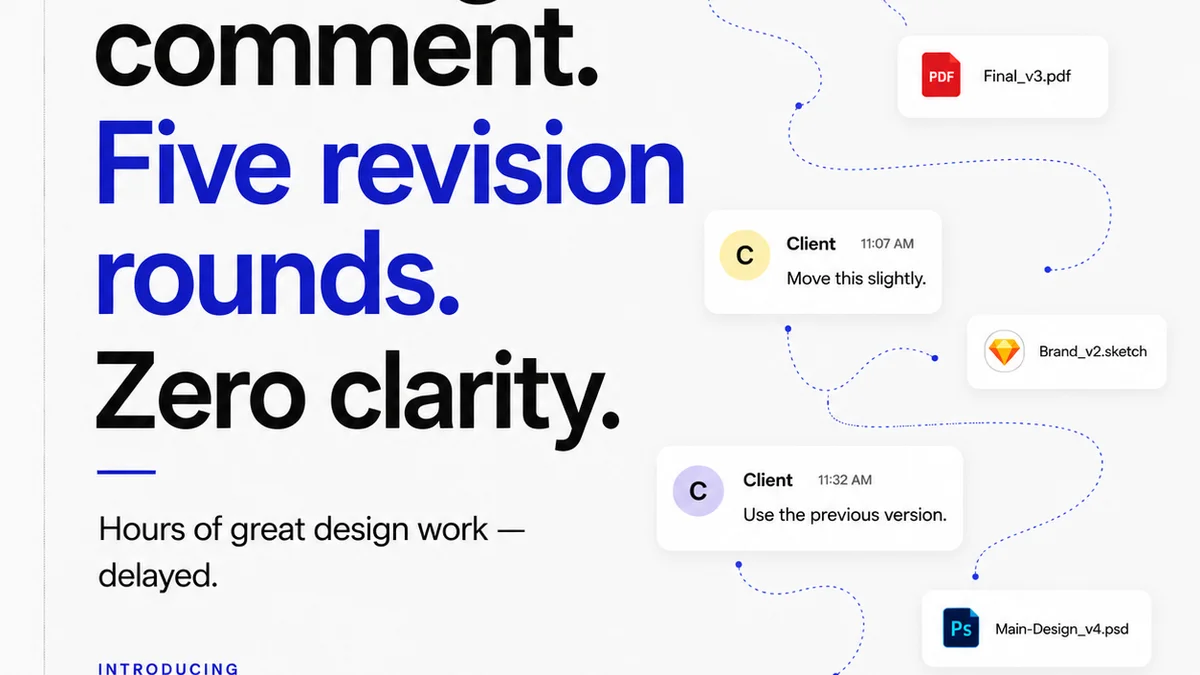
When feedback is scattered across emails, Slack messages, and random documents, crucial details get lost. This leads to errors and delays.
A centralized system for feedback ensures all comments, revisions, and approvals are tracked and accessible to everyone involved.
Version Control for Sanity
Design and development both deal with versions. Managing these without a clear system is chaos.
- Use clear naming conventions for files and assets.
- Implement robust version control for design files.
- Ensure development has a clear understanding of which design version is the current source of truth.
This prevents developers from building against outdated designs or designers from making changes that aren't communicated.
Defining Roles and Responsibilities
Who is responsible for what at each stage? Clarity here prevents dropped balls.
- Who signs off on final designs?
- Who is the point person for technical questions?
- Who approves the implemented feature?
Documenting these roles ensures accountability and streamlines decision-making.
5. Where Revue Fits In
The challenges of design handoff—scattered feedback, version confusion, unclear approvals—are precisely what Revue is built to solve.
Revue acts as the central hub for all creative collaboration, specifically designed for agencies and in-house teams.
Centralized Client Feedback
Instead of chasing down comments in emails or Slack, all client feedback lives within Revue, directly on the creative assets. This eliminates misinterpretations and ensures everyone is working from the same, up-to-date information.
Clear Revision and Approval Workflows
Revue provides a transparent system for tracking revisions and approvals. Designers can easily manage versions, and stakeholders can clearly see the status of their feedback and the project's progress. This visibility is critical for keeping projects on track and managing client expectations.
Integrated Quality Checks
Before a design is ever considered 'final' for handoff, Revue enables teams to conduct thorough quality checks. This ensures that feedback has been implemented correctly and that the creative work meets the agreed-upon standards, reducing the likelihood of errors reaching the development stage.
By bringing order to the chaos of creative feedback and approvals, Revue helps ensure that your design handoff is not just a final delivery, but a well-documented, clearly understood transition.
6. Final Thought
The most successful design handoffs aren't about the final click of an export button. They are the result of a strategic, collaborative process that spans the entire project lifecycle.
Are you treating design handoff as a final destination, or as a vital stepping stone in a continuous journey of creation and delivery?
Frequently asked questions
What is the biggest mistake agencies make with design handoff?
The biggest mistake is treating design handoff as a one-time event at the end of the design phase. This ignores the iterative nature of development and the need for ongoing collaboration, leading to miscommunication, scope creep, and costly rework.
How does a design system help future-proof handoffs?
A design system provides reusable components, clear documentation, and established guidelines. This creates a shared language between design and development, ensuring consistency, scalability, and easier implementation of future updates or new features.
Why is early developer involvement crucial for handoff?
Involving developers early allows them to provide input on feasibility, technical constraints, and potential optimizations. This collaborative approach ensures designs are buildable, reduces the risk of unexpected issues during development, and fosters a shared understanding of project goals.
What role does communication play in a successful handoff?
Clear and centralized communication is vital. Establishing consistent channels for feedback, defining roles and responsibilities, and using version control prevents ambiguity, ensures everyone is aligned, and minimizes errors caused by lost or misinterpreted information.
How can tools like Revue improve design handoff?
Revue centralizes feedback, streamlines revision and approval processes, and provides visibility into project status. This eliminates scattered communication, ensures a single source of truth, and facilitates quality checks, making the transition from design to development smoother and more reliable.