Everyone wants to boost design productivity. The common advice? Get more tools, master keyboard shortcuts, block out distractions. It sounds good. It’s definitely part of the picture.
But it’s incomplete. Relying solely on individual hacks leaves your entire design operation vulnerable.
The hard truth is that true design productivity isn't about individual efficiency. It’s about building a resilient, adaptable system that anticipates change and minimizes friction.
1. Assume Nothing, Document Everything
You think your team knows how to handle client feedback. You think the approval process is clear. You’re probably wrong.
Assumptions are the silent killers of design productivity. They lead to miscommunication, wasted time, and endless revision cycles. This isn’t just about onboarding new hires; it’s about maintaining clarity for everyone, every single day.
The first step to future-proofing is rigorous documentation. Not just for processes, but for decisions, feedback, and approvals.
Documenting Client Feedback
Where does feedback live? Is it scattered across emails, Slack messages, Zoom call notes, and random PDF annotations?
This fragmentation is a productivity black hole. Every time a designer has to hunt for a piece of feedback, they’re taken out of their creative flow. They might miss crucial context. They might even misinterpret instructions.
Future-proofing means centralizing this. All feedback, for every project, needs a single, accessible source of truth. This isn’t just about organization; it’s about ensuring fidelity in communication.
Documenting Revision and Approval Chains
Who signed off on that last round? Who has the final say? What were the exact changes requested and approved?
Without clear documentation of revision history and approval gates, projects can drift. Scope creep becomes harder to manage. Disputes arise about what was agreed upon.
A well-documented approval process creates accountability and provides a clear audit trail. It protects your team and your clients.
Documenting Quality Assurance (QA)
What are the acceptance criteria for a design asset? What are the standard checks before handoff?
QA isn’t just a final step; it’s integrated into the workflow. Documenting your QA checklist ensures consistency and catches errors early, before they become expensive problems.
This documentation isn’t meant to be a bureaucratic burden. It’s a knowledge base. It’s a system for collective intelligence.
2. Build for Adaptability, Not Rigidity
The design landscape is constantly shifting. New tools emerge. Client needs evolve. Project scopes can change on a dime.
A rigid, one-size-fits-all productivity strategy will break under pressure. Future-proofing means designing a workflow that can bend, not snap.
Embrace Modular Workflows
Think of your design process as a series of interconnected modules rather than a single, linear path. Each module (e.g., wireframing, visual design, prototyping, feedback gathering) can be optimized and swapped out if necessary.
This modularity allows you to adapt to different project types or client requirements without overhauling your entire system.
For instance, a fast-turnaround social media campaign might require a more streamlined feedback loop than a complex website redesign.
Integrate, Don’t Isolate Tools
The allure of the shiny new tool is strong. But adding tools without considering how they integrate with your existing stack is a recipe for disaster.
Productivity isn’t about having the *most* tools; it’s about having the *right* tools that work together seamlessly. Siloed tools create more work, not less.
Look for solutions that connect. Consider how your design software talks to your project management system, and how both connect to your feedback platform.
Plan for the Unexpected
What happens when a key team member is out sick? What if a client goes dark for a week?
A future-proof strategy includes contingency planning. This might involve cross-training team members, establishing clear communication protocols for urgent issues, or building buffer time into project schedules.
It’s about building resilience into the DNA of your operations.
3. Centralize Communication and Control
This is where most agencies trip up. They allow communication to become a distributed mess, believing that more channels equal more information.
The reality is that scattered communication fragments attention, breeds confusion, and actively *reduces* productivity.
The Problem with Dispersed Feedback
Imagine a designer working on a client logo. Feedback comes in via email from the account manager, a Slack message from the creative director, and annotations on a PDF from the client directly. Which is the most current? Which supersedes the others?
This is a classic productivity drain. It forces designers to act as information sorters rather than creators.
The Power of a Single Source of Truth
A future-proof strategy demands a single, authoritative place for all project-related communication, especially client feedback and approvals.
When feedback is centralized, everyone is looking at the same information. There’s no ambiguity. Revisions are tracked clearly. Approvals are logged formally.
This isn't just about tidiness; it's about drastically reducing the time spent deciphering mixed messages and chasing down information.
Visibility for Everyone
Centralization also brings much-needed visibility. Project managers can see the status of feedback and approvals at a glance. Creative directors can monitor progress without interrupting designers. Clients can feel confident that their input is captured and acted upon.
This transparency builds trust and streamlines the entire project lifecycle.
4. Automate Wisely, Not Wildly
Automation is often touted as the holy grail of productivity. And it can be, if applied strategically.
The mistake is trying to automate everything, or automating the wrong things. This can lead to brittle processes that break easily or create new problems.
Identify Repetitive, High-Volume Tasks
What tasks does your team do over and over again that don’t require high-level creative decision-making?
Examples include:
- Sending out standard revision requests.
- Notifying stakeholders of approval status.
- Compiling basic project status reports.
- Performing routine file-naming conventions.
These are prime candidates for automation.
Automate Processes, Not Creativity
Your goal should be to automate the *workflow* around creative tasks, not the creative tasks themselves.
Use automation to handle the administrative overhead that distracts from design work. Free up your creatives to do what they do best: create.
For instance, automating the handoff of approved assets to development, complete with necessary specifications, saves immense time and reduces errors.
Leverage Smart Tools
Look for tools that offer intelligent automation features. This could be AI-powered suggestions for asset optimization, automated version control, or smart workflows that trigger actions based on specific events (like an approval being granted).
The key is to ensure that automation serves the overall goal of reducing friction and increasing clarity.
Where Revue Fits In
Building a future-proof design productivity strategy requires systems that support centralization, adaptability, and clarity. This is precisely where Revue excels.
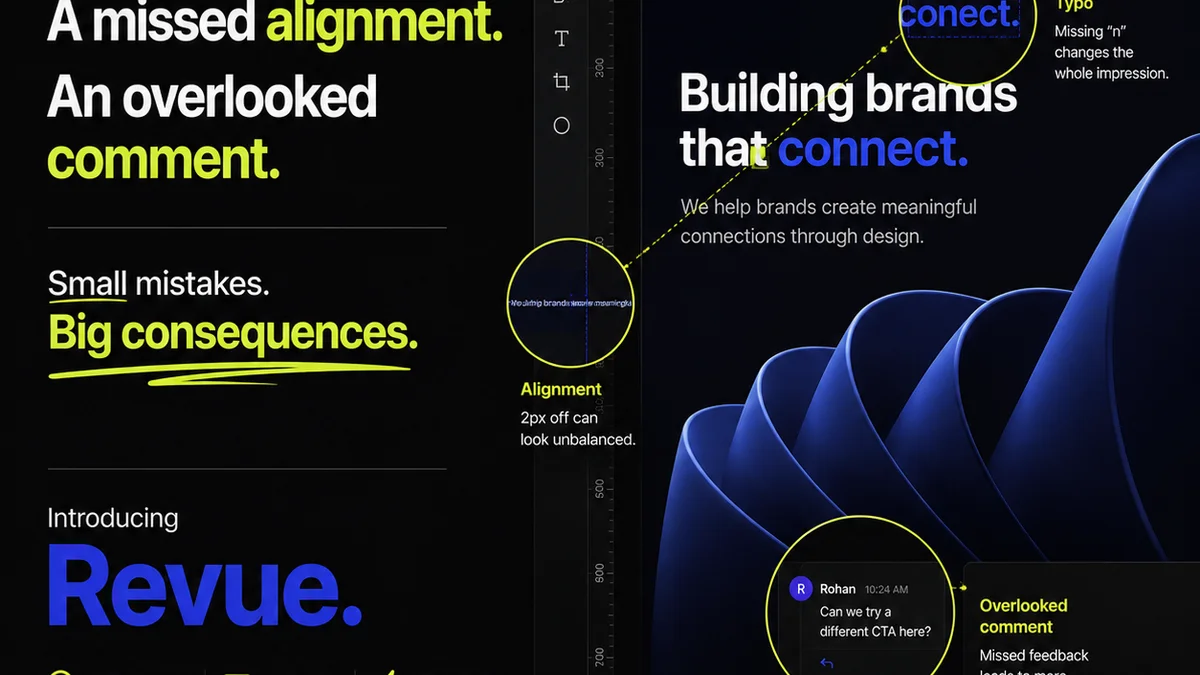
Revue acts as the central nervous system for your client feedback and approval process. Instead of feedback being scattered across emails, Slack, and random annotation tools, it’s consolidated in one place, tied directly to the creative assets themselves.
This means designers spend less time chasing down information and more time designing. Revision history is clear, making it easy to track changes and understand the evolution of a project.
Approvals are formalized and logged, providing an irrefutable audit trail. This reduces ambiguity and prevents costly disputes.
Furthermore, Revue’s structured approach to feedback and approvals inherently supports your QA process. By ensuring all feedback is captured and all revisions are properly signed off, you build quality checks directly into your workflow, minimizing errors before they reach the client or development.
This centralization and control are not about adding complexity; they are about removing it. They create the predictable, adaptable environment necessary for sustained design productivity.
Final Thought
The relentless pursuit of the next productivity hack is a distraction. True progress comes from building robust, adaptable systems that anticipate challenges and empower your team.
Are you building a productivity strategy, or just collecting tools?
Frequently asked questions
What's the biggest mistake agencies make with design productivity?
The biggest mistake is focusing solely on individual hacks and tools rather than building a resilient, adaptable system. This often leads to fragmented communication and processes that break under pressure.
How does centralizing feedback improve productivity?
Centralizing feedback eliminates ambiguity, reduces time spent searching for information across multiple channels, and ensures everyone is working from the same, up-to-date instructions. This minimizes errors and rework.
What does 'adaptable workflow' mean in design?
An adaptable workflow means designing your processes to be modular and flexible, allowing them to adjust to different project types, client needs, or unexpected changes without complete overhaul. It’s about building resilience.
How can automation enhance design productivity without harming creativity?
Automation should focus on streamlining repetitive administrative tasks and workflow management, not the creative process itself. This frees up designers to focus on problem-solving and creative execution.