Everyone assumes graphic design projects fail because of a typo. A misplaced comma. A misspelled client name. It’s the easy scapegoat. The thing everyone nods along to.
None of that is wrong. But it’s incomplete.
The hard truth? Text errors in design are rarely about *writing*. They’re about the broken workflow *around* the writing.
This isn't about blaming copywriters or proofreaders. It’s about the system. Or, more often, the lack of one.
1. The Illusion of 'Final' Copy
You get copy. You design it. Then you get *more* copy. Or *slightly different* copy. Or copy that’s been “tweaked” by three different people without a central source of truth.
This is the most common trap. Designers get handed text that *looks* final, builds the layout, and then the client says, “Oh, did I mention we decided to call it ‘Synergy Solutions Group’ instead of ‘Synergy Solutions Inc.’?”
The assumption is that copy is delivered, approved, and then used. The reality? Copy is a living, breathing thing, especially in agency land. And your workflow needs to treat it that way.
The Symptoms:
- Last-minute copy changes breaking layouts.
- Inconsistent terminology across different deliverables.
- Client pointing out a typo in a brand name that’s been live for a week.
- Designers spending hours re-flowing text for minor edits.
The Fix: Centralized Copy Management
Treat copy like any other critical asset. It needs a single source of truth. A place where the *latest, approved* version lives.
This isn’t just about a Google Doc. It’s about a system that tracks versions, shows who made changes, and clearly marks what’s approved. When the design team pulls copy, they pull from *that* system. When the client provides updates, they update *that* system.
2. The Proofreading Black Hole
Proofreading is often treated as an afterthought. A quick scan before sending. Or worse, it’s skipped entirely because “the client will catch it.”
This is where the real damage happens. You’re outsourcing quality control to the person paying for it. A client who is busy, biased, and often not a professional editor.
The assumption is that someone *will* catch errors. The reality is that eyes get tired. Familiarity breeds blindness. And client feedback is rarely a structured proofreading process.
The Symptoms:
- Typos and grammatical errors slipping into final files.
- Inconsistent punctuation or formatting.
- Awkward phrasing that a professional eye would catch.
- Client pointing out errors you *know* were in the brief.
The Fix: Dedicated QA Stages
You need a dedicated, multi-stage proofreading and QA process. This isn't just one person reading it once.
- Internal Review: A fresh set of eyes from your team. Someone who didn’t work on the project.
- Subject Matter Expert Review: If the copy is technical, have someone who understands the subject matter review it.
- Client Approval (Structured): Guide the client on *how* to review. Provide a checklist. Make it clear this is the final sign-off on *content*.
Build these steps into your project timeline. They aren't optional add-ons. They are essential gatekeepers.
3. The Copy-Paste Chaos
How many times has a piece of text been typed or pasted multiple times across different documents, platforms, or deliverables?
Every time text is re-keyed or re-pasted, you introduce risk. A new typo. A formatting disaster. A missing word.
The assumption is that we’re careful enough to avoid this. The reality is that manual processes are inherently error-prone. We’re human. We make mistakes, especially under deadline pressure.
The Symptoms:
- Different versions of the same tagline appearing on social media vs. the website.
- Contact details changing in one place but not another.
- Marketing copy that doesn't match the product description.
The Fix: Templating and Automation
Use templates religiously. For proposals, for social posts, for website copy blocks. Ensure key information (like company names, taglines, contact info) is pulled from a master list.
Where possible, automate. If you’re building a website, use a CMS with structured content fields. If you’re generating reports, use tools that pull data directly.
This minimizes manual input. It reduces the points of failure.
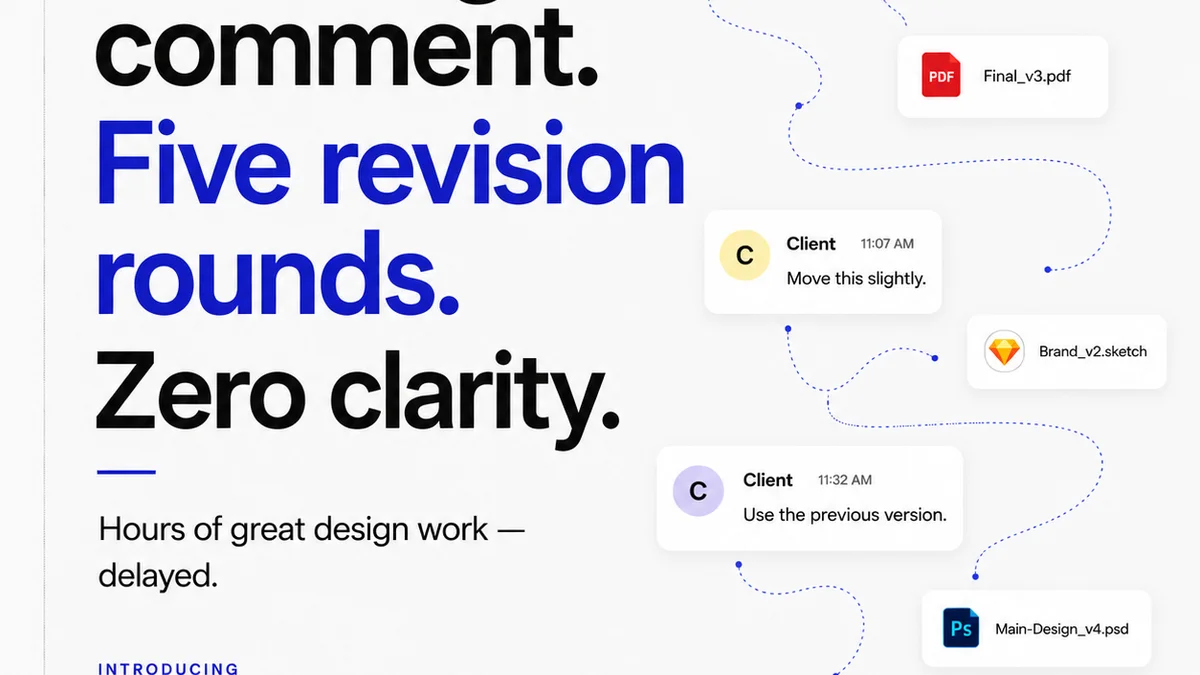
4. The Feedback Fragmentation
Client feedback is crucial. But it’s often a mess. Emails, Slack messages, annotated PDFs, verbal instructions.
Trying to synthesize feedback from a dozen different sources is a recipe for disaster. Important comments get lost. Conflicting instructions go unaddressed. And text gets changed incorrectly.
The assumption is that all feedback is equal and easily manageable. The reality is that unmanaged feedback is chaos. It’s a breeding ground for errors.
The Symptoms:
- Client says “change that word” via Slack, but the designer is working off an annotated PDF.
- Multiple reviewers give conflicting edits, and it's unclear which to follow.
- A tiny, crucial edit is buried in a long email chain and missed.
The Fix: Centralized Feedback Platforms
This is where a tool like Revue truly shines. Instead of scattered comments, all feedback lives in one place. Attached to the specific asset. Visible to everyone involved.
When a client comments on a piece of copy, that comment is right there, next to the text. No hunting through emails. No deciphering cryptic Slack messages.
You can see the history. You can track who said what. You can mark comments as addressed. This clarity is non-negotiable for preventing text errors.
Where Revue Fits In
Text errors aren't just about spelling. They’re symptoms of a disorganized process. A process that struggles with version control, feedback management, and clear approvals.
Revue is built to solve these operational headaches.
Centralized Feedback: All client comments, on every version of your creative, live in one place. No more hunting. No more lost instructions.
Revision Visibility: See every iteration. Understand the changes made and why. This transparency prevents confusion that leads to errors.
Clear Approvals: Know exactly when copy is signed off. Avoid making changes to text that the client has already agreed is final.
Quality Assurance: By having a single source of truth and a clear audit trail, you can implement more robust QA checks. Catching errors *before* they become embarrassing mistakes.
Revue brings order to the chaos. It ensures that the final output reflects the intended message, not the messy process.
Final Thought
Are text errors a sign of sloppy designers, or a sign of a sloppy system?
If you’re constantly battling typos and awkward phrasing, look beyond the individuals. Examine your workflow. Where are the breakdowns? Where is clarity sacrificed for speed?
Because the fix for text errors isn't just better proofreading. It's better process.
Frequently asked questions
What's the most common cause of text errors in graphic design projects?
The most common cause isn't typos themselves, but rather a fragmented workflow. This includes unclear copy management, lack of dedicated QA stages, manual copy-pasting, and unmanaged, scattered client feedback.
How can I prevent last-minute copy changes from ruining my design?
Establish a single source of truth for all copy. Ensure copy is approved and version-controlled *before* design begins in earnest. Use a system where designers pull the latest approved text, and clients update that master version.
Is it okay for the client to do the final proofreading?
Relying solely on the client for final proofreading is risky. Clients are often not professional editors, can be biased, and may miss errors due to familiarity. Implement internal QA stages before client review.
How does a tool like Revue help reduce text errors?
Revue centralizes all client feedback and communication. This eliminates scattered comments across emails and messages, provides clear version history, and ensures everyone is working from the same approved copy, thus reducing the chance of errors.