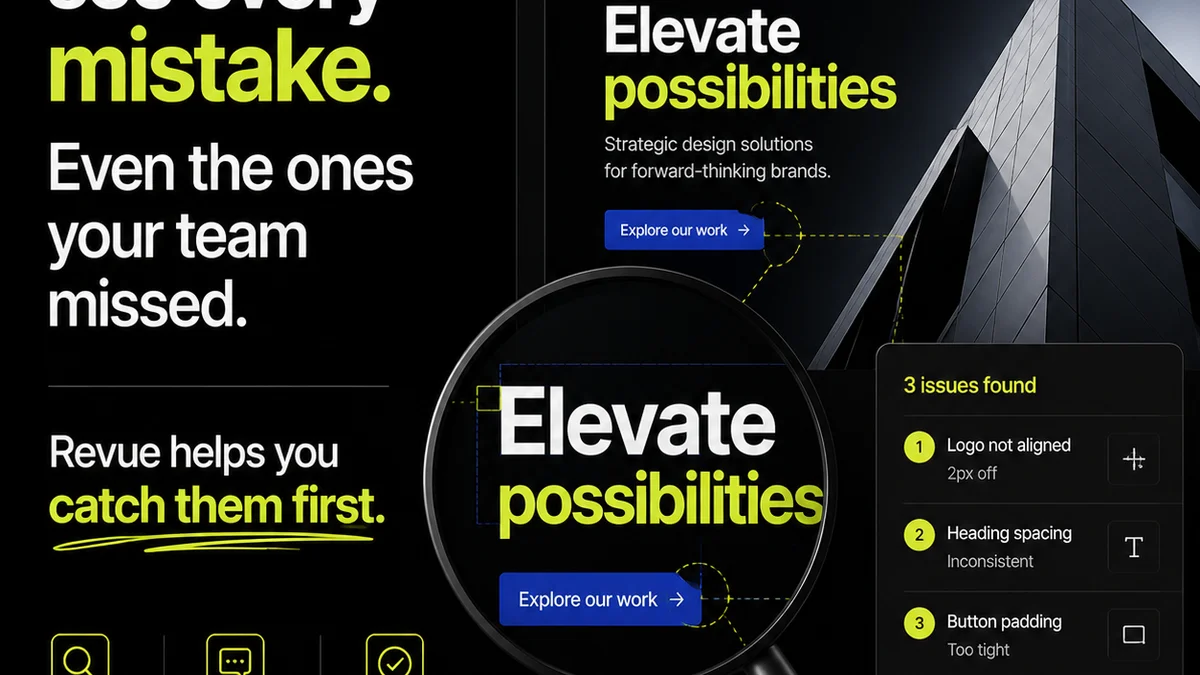
You probably think quality assurance (QA) is about catching typos, broken links, and maybe a rogue pixel. None of that is wrong. But it’s incomplete.
The hard truth is that layout quality assurance is a foundational pillar of agency operations, directly impacting client trust, project efficiency, and the perceived value of your creative output. It's not an afterthought; it's a critical checkpoint that can make or break a project.
1. The Illusion of 'Good Enough'
Many teams operate under the assumption that if a design *looks* okay on the surface, it's good enough. This is a dangerous shortcut.
Client feedback loops are notorious for their subjectivity. What one person sees as a minor tweak, another might see as a fundamental flaw that undermines the entire design’s effectiveness.
This is where a robust layout QA process steps in. It moves beyond subjective aesthetics to objective adherence to design systems, brand guidelines, and functional requirements.
The Cost of Complacency
- Missed brand guideline violations
- Inconsistent visual hierarchy
- Accessibility issues overlooked
- Functional elements that don't behave as intended
- Client frustration due to repeated, avoidable revisions
These aren't just aesthetic hiccups; they are cracks in the foundation of client confidence.
2. Defining Layout Quality Assurance for Agencies
Layout QA is the systematic process of reviewing and validating creative assets—from web pages and app screens to print collateral—to ensure they meet predefined standards for visual design, functionality, and brand consistency.
It's not just about a final check; it's an integrated part of the creative workflow.
Key Areas of Focus
A comprehensive layout QA checklist should cover more than just the obvious.
- Visual Consistency: Are fonts, colors, spacing, and imagery used consistently across all elements and screens? Does it align with the established design system or brand guidelines?
- Hierarchy and Readability: Is the visual hierarchy clear? Is text legible? Does the layout guide the user’s eye effectively through the content?
- Responsiveness and Adaptability: Does the layout function correctly across different screen sizes, devices, and browsers? This is critical for web and digital projects.
- Functional Integrity: Do interactive elements (buttons, forms, navigation) work as expected? Are there any visual glitches or alignment issues that could impede usability?
- Accessibility Standards: Is the design compliant with accessibility guidelines, such as WCAG? This includes color contrast, focus states, and logical content flow.
- Brand Alignment: Does the final output accurately reflect the client's brand identity? Are logos, taglines, and other brand assets presented correctly?
Think of it as a rigorous pre-flight check for every creative deliverable.
3. The Ripple Effect: Impact on Client Relationships
When layout QA is treated as a perfunctory step, the consequences often land squarely on client relationships.
Clients invest significant trust and budget in your agency. Delivering work that requires extensive, last-minute fixes erodes that trust.
Symptoms of Poor Layout QA
- Clients pointing out obvious errors you should have caught.
- Repeated revision cycles for the same visual issues.
- The perception that your team isn't detail-oriented.
- Damage to your agency’s reputation for quality.
Conversely, delivering polished, error-free work consistently builds confidence. It signals professionalism and a deep commitment to the client’s success.
4. Integrating Layout QA into Your Workflow
The most effective layout QA isn't a frantic, last-minute scramble. It's woven into the fabric of your day-to-day operations.
Proactive Measures
Start by establishing clear, documented standards. This could be a style guide, a design system, or a comprehensive QA checklist.
Train your team on these standards. Ensure everyone understands what 'quality' looks like for your agency.
During the Design Process
Encourage peer reviews. Designers should review each other's work at key milestones, not just at the end.
Utilize design tools effectively. Features like design systems in tools like Figma can enforce consistency automatically.
Pre-Delivery Checks
Implement a dedicated QA phase. This isn't just for developers; designers and project managers should be involved.
Use a structured checklist. This ensures that all critical elements are reviewed systematically.
5. Where Revue Fits In
Managing creative feedback and revisions can quickly become chaotic, making thorough layout QA a challenge. This is precisely where a centralized platform like Revue becomes indispensable.
Revue helps agencies streamline the entire feedback and approval process, directly supporting a more robust QA effort.
- Centralized Feedback: All client comments and stakeholder input are gathered in one place. This eliminates scattered email threads and ambiguous Slack messages, providing a single source of truth for required changes.
- Revision Visibility: Track every iteration of a design. See exactly what changed, who requested it, and when. This context is crucial for understanding the evolution of a layout and ensuring that all feedback has been addressed correctly.
- Structured Approvals: Formalize the approval process. Ensure that all necessary stakeholders have signed off before a project moves to the next stage, reducing the likelihood of critical errors slipping through.
- Quality Checkpoints: Use Revue to conduct formal quality checks. Tag specific feedback items related to layout, brand, or functionality for focused review before final delivery.
By bringing clarity and organization to feedback, Revue empowers your team to focus on delivering high-quality, polished creative work, making layout QA less of a hurdle and more of a natural extension of your workflow.
6. The Cost of *Not* Doing Layout QA
The absence of rigorous layout QA isn't a cost saving; it's a deferred expense that often accrues significant interest.
Consider the time spent by senior designers or project managers hunting down inconsistencies late in the project. Or the cost of re-doing work because a crucial visual element was missed.
Then there's the intangible cost: damaged client relationships, missed deadlines, and a tarnished agency reputation.
Hidden Costs
- Increased project timelines
- Budget overruns
- Client churn
- Reputational damage
- Team burnout from constant firefighting
These are not minor inconveniences; they are serious threats to an agency's profitability and long-term viability.
Final Thought
Is your agency treating layout QA as a box to be ticked, or as a strategic imperative? The difference isn't just about aesthetics; it's about operational excellence and client satisfaction.
How can you elevate your QA process from a defensive measure to a proactive driver of quality and trust?
Frequently asked questions
What is layout quality assurance (QA)?
Layout QA is the systematic review of creative assets to ensure they meet specific standards for visual design, functionality, brand consistency, and accessibility before delivery. It goes beyond simple error checking to validate adherence to project requirements and brand guidelines.
Why is layout QA important for agencies?
Rigorous layout QA builds client trust, prevents costly revisions, ensures brand consistency, improves project efficiency, and upholds the agency's reputation for delivering high-quality work. It minimizes risks associated with subjective feedback and technical errors.
How can agencies improve their layout QA process?
Agencies can improve layout QA by establishing clear standards (style guides, design systems), implementing peer reviews, using checklists, training teams, and leveraging centralized feedback and approval platforms like Revue to track changes and manage approvals effectively.
Does layout QA only apply to digital projects?
No, layout QA applies to all creative deliverables, including print collateral (brochures, posters), presentations, packaging, and any other visual asset where design integrity, brand consistency, and functional accuracy are critical.