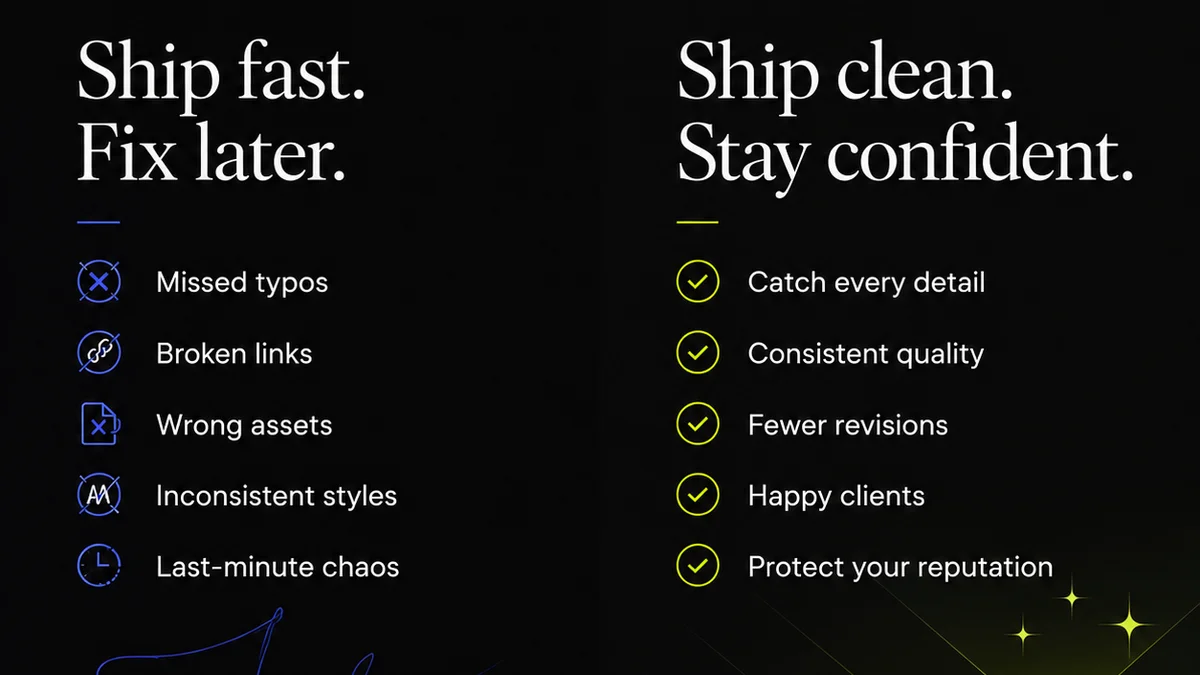
Everyone agrees that design quality matters. And everyone agrees that quality requires checks. So, the debate boils down to manual QA versus automated QA. You’ve heard the arguments: manual is thorough, human-led, and catches nuanced issues. Automated is fast, scalable, and catches repetitive errors. None of that is wrong. But it’s incomplete.
The hard truth? Neither manual nor automated design QA is inherently superior. The real power comes from understanding their distinct strengths and weaknesses, and strategically integrating them to build a robust quality process that fits *your* agency’s workflow.
1. The Case for Manual Design QA
Manual QA is the traditional approach. It’s about human eyes on the prize. A dedicated QA tester, a project manager, or even the designer themselves meticulously reviewing the work.
It’s thorough. It’s adaptable. It can catch things a machine would never see.
The Human Advantage
What can a human catch that an algorithm misses?
- Brand Nuance: Does this color *feel* right for the brand in this context? Is the tone of voice consistent across all touchpoints?
- User Experience Intuition: Does this flow make sense? Is there a subtle friction point that a user would find annoying but a script wouldn't flag?
- Contextual Appropriateness: Is this image truly suitable for the target audience and the platform? Does this layout respect cultural sensitivities?
- Strategic Alignment: Does the final output actually meet the original brief’s strategic objectives, or did it drift during execution?
Manual QA is invaluable for subjective elements. It’s where creative intent meets critical review.
The Manual Bottleneck
But let’s be honest. Manual QA is slow. It’s expensive. And it’s prone to human error, ironically.
The same person reviewing hundreds of assets can get fatigued. They can miss things. They can have off days. And if you need to scale, you need to hire more people, which adds overhead.
It’s a necessary evil for certain types of checks, but it’s not the whole solution.
2. The Promise of Automated Design QA
Automated QA leverages tools and scripts to perform checks. Think of it as a tireless, hyper-focused assistant that never needs coffee breaks.
These tools are designed to catch specific, quantifiable issues at scale and speed.
The Machine’s Strengths
What are automated tools good at?
- Consistency Checks: Are all button styles consistent? Are font sizes within the defined range?
- Format & Size Verification: Is the image the correct dimensions? Is the file format correct?
- Code Validation: For web and app design, does the code adhere to standards? Are there broken links?
- Color & Contrast: Are color palettes used correctly? Is there sufficient contrast for accessibility?
- Repetitive Asset Checks: For campaigns with hundreds of ad variations, are all the required elements present in each?
These are objective, measurable tasks. Tasks that are tedious and error-prone for humans, but perfect for automation.
The Automation Gap
However, automation has its limits. It’s rigid. It’s blind to context and nuance.
An automated tool can tell you if a font size is wrong. It can’t tell you if that font size is *strategically* wrong for the message you’re trying to convey.
It can verify color contrast for accessibility, but it can’t judge if the chosen brand color is emotionally resonant for the intended audience.
Automation excels at the *what*, but struggles with the *why* and the *how it feels*.
3. The Strategic Integration: Building a Hybrid QA Process
So, if neither is perfect, what’s the answer? The answer is integration. Building a hybrid QA process that leverages the best of both worlds.
This isn't about choosing one over the other. It’s about designing a workflow where manual and automated checks complement each other.
Where to Automate First
Start by automating the low-hanging fruit. The repetitive, objective checks that drain your team’s energy and introduce human error.
Think about the tasks that are done the same way, every single time, for every single asset. These are prime candidates for automation.
- Pre-flight checks for print files.
- Code linting and basic accessibility checks for web.
- Asset naming and dimension verification for digital campaigns.
- Consistency checks across design systems.
Free up your human reviewers from these mundane tasks. Let them focus on what they do best.
Where to Keep Humans in the Loop
Reserve your human reviewers for the high-value, subjective, and strategic aspects of QA.
This includes:
- First-pass reviews: Catching major conceptual or strategic misalignments early.
- Usability testing: Observing real users interacting with the design.
- Brand alignment: Ensuring the creative truly *feels* on-brand.
- Final sign-off: The ultimate human judgment call before delivery.
Your most experienced designers and strategists should be involved in these higher-level checks.
The Workflow Sweet Spot
The optimal workflow often looks like this:
- Automated Pre-checks: Run automated scripts on all deliverables before they even reach a human. This filters out obvious errors.
- Targeted Manual Review: Human reviewers then focus on the assets that passed automated checks, concentrating on strategic, brand, and UX elements.
- Iterative Feedback Loop: Use a centralized system to manage feedback, ensuring revisions are tracked and re-checked efficiently.
- Final Automated & Manual Sign-off: A final automated pass for regressions, followed by a human sign-off for strategic approval.
This layered approach ensures efficiency without sacrificing quality.
4. The Cost of Poor Quality
Ignoring robust QA, whether manual or automated, is a costly mistake. It’s not just about a few typos or misaligned elements.
Poor quality erodes client trust. It leads to scope creep as clients request endless revisions for issues that should have been caught earlier.
It damages your agency’s reputation. And it burns out your creative team, who are constantly fixing avoidable mistakes.
Investing in a smart QA process is investing in your agency’s long-term health and profitability.
Where Revue Fits In
Managing this hybrid QA process requires a system that can handle both the volume and the nuance. That’s where Revue comes in.
Revue acts as the central hub for all your creative feedback and approvals. It streamlines the entire process, making your hybrid QA strategy more effective.
- Centralized Feedback: Consolidate all comments, markups, and approvals in one place, eliminating scattered email threads and endless Slack messages.
- Revision Visibility: Track every change, every version, and every stakeholder’s input. This clarity is crucial for both automated tracking and manual review.
- Quality Check Workflows: Build custom approval stages that incorporate both automated checks (e.g., file format validation before upload) and manual sign-offs.
- Audit Trail: Maintain a clear record of who signed off on what and when, providing accountability and a clear history for every project.
Revue helps you operationalize your QA strategy, ensuring that both automated checks and human judgment are applied effectively, at the right time.
Final Thought
The question isn't whether manual or automated design QA is 'better.' The real question is: How effectively are you integrating both to protect your creative output and your client relationships?
Are you still relying on gut feeling and endless email chains, or are you building a systematic approach to quality that scales with your agency?
Frequently asked questions
What are the main differences between manual and automated design QA?
Manual design QA relies on human reviewers to check for quality, catching nuanced issues, brand consistency, and user experience intuition. Automated design QA uses tools and scripts to perform repetitive, objective checks like format validation, code consistency, and asset verification at speed and scale.
Can automated QA replace manual QA entirely?
No, automated QA cannot replace manual QA entirely. Automation excels at objective, quantifiable checks but lacks the human ability to understand context, subjective brand nuances, strategic alignment, and overall user experience intuition.
What is a hybrid design QA process?
A hybrid design QA process strategically combines both manual and automated checks. It uses automation for repetitive, objective tasks to filter out basic errors, freeing up human reviewers to focus on higher-level, subjective, and strategic quality aspects.
How can an agency benefit from a hybrid QA approach?
Agencies benefit from a hybrid approach by increasing efficiency, reducing human error in repetitive tasks, ensuring thoroughness by catching both objective and subjective issues, and ultimately delivering higher quality work more reliably, while reducing costs and client friction.
How does a tool like Revue help with design QA?
Revue centralizes feedback and approvals, providing a clear audit trail and visibility into revisions. This streamlines the management of both automated checks (e.g., ensuring correct file formats before upload) and manual review stages, making the hybrid QA process more organized and effective.