You're probably looking for PageProof alternatives because you need a better way to manage creative feedback. Maybe you've heard about tools that streamline client approvals and reduce revision cycles. None of that is wrong. But it’s incomplete.
The hard truth is, chasing the *next best tool* often distracts from the real bottleneck: your internal process. A new platform won't magically fix unclear briefs or a lack of structured feedback. It just moves the chaos to a different digital space.
But that doesn't mean the tools don't matter. They absolutely do. The right platform can *enable* better processes. It can bring clarity, accountability, and efficiency to your creative workflow. For US creative and marketing teams, this means faster turnarounds, happier clients, and ultimately, better creative work.
1. Understanding Creative Feedback Challenges
Before diving into alternatives, let’s ground ourselves in the common pain points these tools aim to solve. If any of these sound familiar, you’re in the right place:
- Endless email chains with vague feedback like “make it pop” or “I don't like it.”
- Difficulty tracking which version is the latest and who approved what.
- Clients sending feedback via text, Slack, or even verbal notes, creating a fragmented mess.
- Creative teams bogged down by administrative tasks of collecting, organizing, and chasing feedback.
- Missed deadlines due to unclear revision instructions or delayed approvals.
- Inconsistent quality checks before final delivery.
These aren't just minor annoyances. They are productivity killers that directly impact your bottom line and the quality of your creative output.
2. Key Features to Look For in PageProof Alternatives
When evaluating tools to replace or augment PageProof, focus on capabilities that address your specific workflow. Don’t get swayed by flashy features you’ll never use.
Centralized Feedback Hub
This is non-negotiable. Your chosen platform must consolidate all feedback in one place, linked directly to the creative asset. Think:
- On-canvas annotations for precise visual feedback.
- Comment threads tied to specific elements.
- Version comparison to see changes side-by-side.
Streamlined Revision and Approval Workflows
The tool should actively facilitate the approval process, not just store comments. Look for:
- Clear status indicators for each asset (e.g., Draft, Pending Approval, Approved, Rejected).
- Automated notifications for stakeholders when action is needed.
- Digital sign-off capabilities.
- Audit trails to track all feedback and approval history.
Quality Assurance Tools
Does the platform help you ensure the final output meets standards? Some solutions offer:
- Checklists for common QA items.
- Pre-flight checks for technical requirements (though often limited).
- A final review stage before delivery.
Integration Capabilities
Your feedback tool shouldn't live in a silo. Consider how it connects with your existing tech stack:
- Project management tools (Asana, Monday.com, Jira).
- Creative software (Adobe Creative Cloud, Figma).
- Cloud storage (Google Drive, Dropbox, OneDrive).
User Experience for Clients and Team
A tool is only effective if people use it. It needs to be intuitive for both your internal team and external clients, regardless of their technical skill.
3. Top PageProof Alternatives for US Creative Teams
While PageProof is a solid option, several alternatives offer comparable or even superior functionality, often with different pricing models or feature sets better suited to specific agency needs.
a. Filestage
Filestage is a strong contender, often praised for its user-friendly interface and robust workflow automation. It excels at bringing structure to chaotic feedback.
- Strengths: Intuitive client experience, clear version control, customizable workflows, excellent reporting on approval status.
- Best for: Agencies and marketing teams that need to simplify client communication and speed up approvals across various asset types (video, design, documents).
b. Ziflow
Ziflow positions itself as a comprehensive creative workflow automation platform. It goes beyond simple proofing to manage the entire review and approval process.
- Strengths: Powerful automation features, extensive integrations, advanced permission controls, robust collaboration tools for internal teams.
- Best for: Larger teams or those with complex, multi-stage review processes needing a high degree of control and automation.
c. GoProof
GoProof focuses on making online proofing accessible and efficient, particularly for teams working with Adobe Creative Cloud.
- Strengths: Seamless integration with Adobe apps, simple annotation tools, straightforward pricing, good for designers and print-focused workflows.
- Best for: Design studios and print shops that heavily rely on Adobe products and need a quick, integrated proofing solution.
d. Hightail
While not strictly a feedback tool, Hightail excels at content collaboration and asset management, which can serve as a foundation for feedback.
- Strengths: Secure file sharing, large file support, project spaces for organizing work, basic commenting features.
- Best for: Teams needing a secure way to share large files and collaborate on content, where formal proofing might be handled elsewhere or is less critical.
e. Brandfolder (Digital Asset Management Focus)
If your primary need is managing creative assets and ensuring brand consistency, a DAM like Brandfolder can incorporate feedback loops, though it's not its core function.
- Strengths: Powerful DAM capabilities, brand governance features, version control, content analytics.
- Best for: Larger organizations focused on brand consistency and managing a large library of creative assets, with feedback integrated into the asset lifecycle.
4. Where Revue Fits In
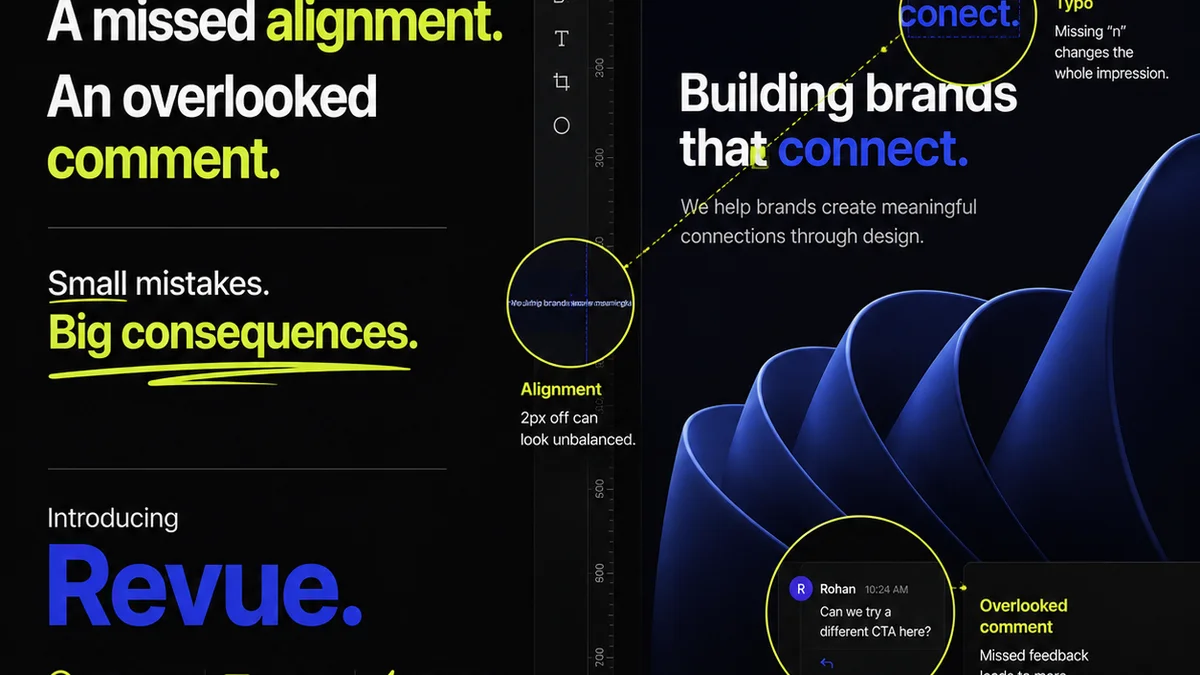
You might be evaluating PageProof alternatives because you're drowning in feedback. Emails, Slack messages, random comments scribbled on screenshots. It’s a mess, and it slows everything down.
This is where a centralized feedback and approval platform like Revue becomes essential. Instead of juggling multiple communication channels, you get one source of truth.
- Centralized Feedback: All client comments, stakeholder input, and internal discussions live directly on the creative asset. No more hunting through inboxes.
- Clear Revision Tracking: See every version, every change, and who requested it. This eliminates confusion and the dreaded “which version is this?” debate.
- Streamlined Approvals: Formal sign-offs happen within the platform, creating a clear audit trail and reducing ambiguity.
- Quality Control: By having all feedback and revisions documented, you can implement more robust quality checks before final delivery.
Revue isn't just about collecting feedback; it's about managing the *entire* revision and approval lifecycle efficiently. It brings order to the creative chaos.
5. Making the Right Choice for Your Team
Choosing the right tool depends heavily on your team's size, workflow complexity, client base, and budget. Don't pick a tool just because it's popular or has the most features.
Consider these questions:
- What types of creative assets do you primarily work with (web, print, video, social)?
- How tech-savvy are your clients?
- What is your budget for this type of software?
- Which existing tools *must* it integrate with?
- What is your biggest feedback-related pain point right now?
Answering these will guide you toward a solution that genuinely solves your problems, rather than creating new ones.
Final Thought
The quest for the perfect feedback tool is ongoing. But remember, the tool is only as good as the process it supports. Are you looking for a PageProof alternative to fix your workflow, or just to move your existing workflow somewhere else? The answer will determine whether your next software investment is a success or just another expense.
Frequently asked questions
What are the main benefits of using a dedicated creative feedback tool?
Dedicated tools centralize feedback, provide clear version control, streamline approvals, create audit trails, and improve collaboration, ultimately saving time and reducing errors compared to email or chat.
How do PageProof alternatives differ from simple file-sharing services?
Unlike file-sharing services (like Dropbox or Google Drive), these alternatives offer specific features for annotation, version comparison, structured commenting, and formal approval workflows, directly addressing the nuances of creative review.
Is it better to use a tool focused solely on proofing or a broader workflow platform?
The best choice depends on your needs. A proofing-focused tool is great for streamlining feedback. A broader workflow platform might be better if you need to manage the entire project lifecycle, including task management and asset delivery, within one system.
Can these tools help improve client relationships?
Yes, by providing a clear, organized, and professional way to manage feedback and approvals, these tools reduce misunderstandings, set clear expectations, and make the client's review process easier, leading to greater satisfaction.