Everyone thinks a PDF proof is just about catching typos and making sure the client’s logo is the right color. It’s a quick once-over before hitting send. That’s the assumption, anyway.
None of that is wrong. But it’s incomplete.
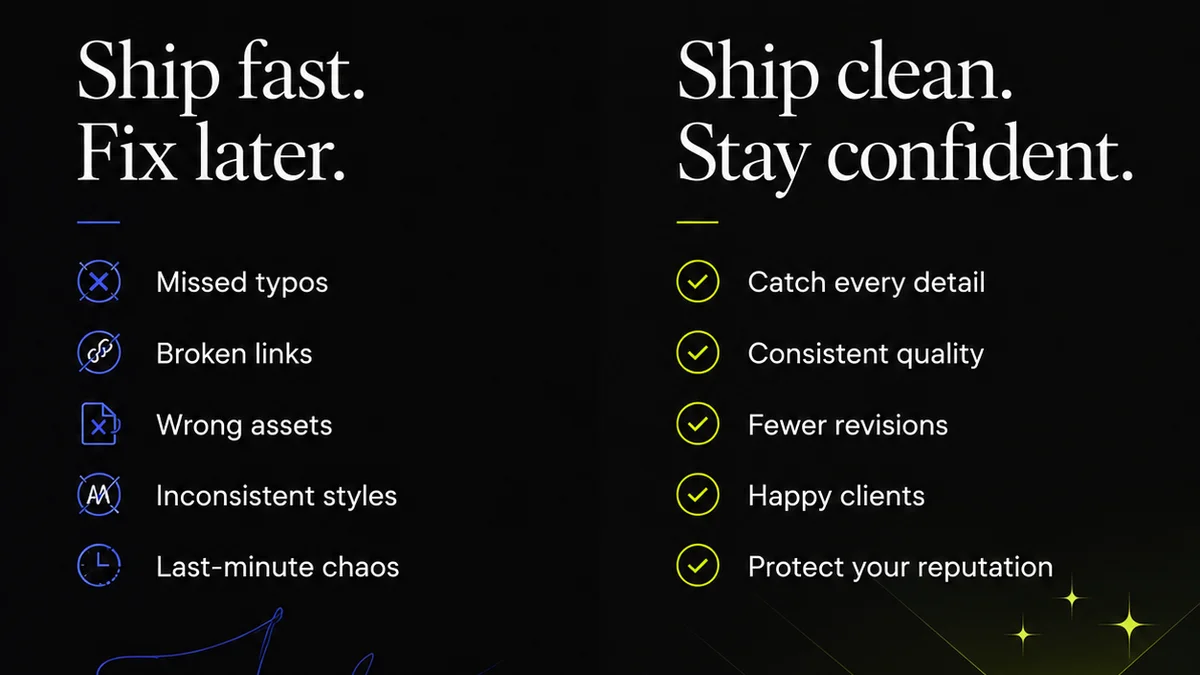
The hard truth? A sloppy PDF proof process costs you time, money, and your reputation. It’s not just about avoiding embarrassing mistakes; it’s about operational efficiency and client trust.
1. The Hidden Costs of a Weak PDF QA Process
We’ve all been there. That nagging feeling that something’s off, but you can’t quite put your finger on it. You send the PDF. Then the client sends it back. And back again.
Each revision loop eats into your margins. It pulls your team away from billable work. It erodes client confidence. And it all stems from a lack of a solid PDF QA checklist.
Consider the ripple effect:
- Missed deadlines due to extended revision cycles.
- Scope creep disguised as minor adjustments.
- Frustrated clients who feel like you’re not paying attention.
- Team burnout from chasing down elusive errors.
- Increased costs for expedited shipping or last-minute changes.
This isn't just about aesthetics. It's about the fundamental health of your agency.
2. Beyond Typos: What a Real PDF QA Checklist Covers
Your PDF proofing process needs to be a multi-point inspection, not a quick glance. A comprehensive checklist ensures you’re covering all the bases before the file leaves your control.
Content Accuracy
This is the baseline. But it’s more than just spelling.
- Text: Typos, grammatical errors, consistent punctuation, correct terminology.
- Data: Numbers, dates, statistics, contact information – all must be accurate and match source documents.
- Legalities: Disclaimers, terms, conditions, copyright notices – are they present, correct, and up-to-date?
Visual Integrity
Does the PDF look exactly as intended?
- Typography: Font consistency, correct font weights and styles, no missing characters, proper kerning and leading (where applicable).
- Imagery: Correct images used, high enough resolution, no pixelation or compression artifacts, proper color profiles (e.g., CMYK for print, RGB for digital).
- Layout: Alignment of elements, consistent spacing, correct margins, no text or image truncation.
- Color: Accurate color reproduction, especially for brand colors. Check for CMYK vs. RGB issues if the file is intended for print.
- Bleed and Trim: For print, ensure bleed is included and trim marks are correctly set up if needed.
Technical Specifications
This is where many agencies stumble, especially with print-ready files.
- File Format: Is it a true PDF, not a rasterized image of a layout?
- Layers: Are unnecessary layers flattened? Are essential layers (like spot colors) preserved?
- Embedded Fonts: All fonts must be embedded or outlined correctly.
- Color Spaces: Ensure correct color modes (CMYK, RGB, Spot) are used for the intended output.
- Resolution: Images are at the correct DPI (e.g., 300 DPI for print).
- Overprints: Check for unintended overprints that can cause color shifts.
- Transparency: Ensure transparency is handled correctly and flattens as expected.
- File Size: Is the file size appropriate for its intended use? Too large can be problematic for digital delivery.
Brand and Client Guidelines
This is often overlooked but critical for maintaining brand consistency.
- Logo Usage: Correct version, size, clear space, and placement.
- Color Palette: Adherence to approved brand colors.
- Tone of Voice: Does the copy align with the brand's communication style?
- Specific Client Requests: Any unique instructions or requirements from the client.
3. Implementing Your PDF QA Checklist Effectively
A checklist is useless if it’s buried in a shared drive or only used sporadically. It needs to be integrated into your workflow.
Standardize Your Process
Create a master checklist document. Make it accessible to everyone who handles file handoffs.
Use it for every single PDF that goes out the door, regardless of client or project size.
Assign Responsibility
Who is responsible for the final QA check? Is it the designer, the project manager, or a dedicated QA specialist?
Clear ownership prevents things from falling through the cracks.
Leverage Technology
While manual checks are essential, don’t shy away from tools that can automate parts of the process.
Preflight tools within design software (like Adobe Acrobat Pro or Adobe InDesign's preflight profiles) can catch many technical issues automatically. Look into them.
Train Your Team
Don’t assume everyone knows how to check for overprints or embedded fonts. Provide training on what to look for and why it matters.
Regular refreshers keep everyone sharp.
Build It Into Project Milestones
Make the final QA check a mandatory step before client delivery. Treat it with the same importance as creative concept approval.
4. Where Revue Fits In
Managing feedback and approvals for multiple projects across numerous clients can become chaotic. This is where a centralized platform like Revue becomes invaluable for your PDF quality assurance.
Revue helps streamline the entire feedback loop, ensuring that all communication and revisions are tracked in one place.
- Centralized Feedback: Instead of sifting through endless email threads or Slack messages, all client feedback on a specific PDF version is logged within Revue. This provides a clear, chronological record.
- Version Control: Easily track different versions of your PDFs. Clients can review the latest iteration, and you can always refer back to previous versions if needed.
- Clear Revision Tracking: See exactly what changes were requested, approved, and implemented. This transparency minimizes misunderstandings and scope creep.
- Streamlined Approvals: Get explicit client sign-offs on specific versions. This digital record is crucial for protecting your agency and confirming client satisfaction.
- Quality Check Integration: While Revue doesn't replace a technical preflight, its structured feedback and approval process ensures that creative and content checks are systematically performed. You can use the platform to ensure your internal PDF QA checklist items are addressed before final sign-off.
By bringing order to the feedback and approval process, Revue helps ensure that the final PDF is not only error-free but also meets all client expectations, reducing the likelihood of last-minute, costly revisions.
5. Common Pitfalls to Avoid
Even with a checklist, mistakes happen. Here are common traps:
- The “It’s Just a Small Change” Trap: Small changes can have unforeseen impacts on layout, spacing, or even color. Treat every revision with care.
- Over-Reliance on Automated Checks: Software is great, but it can’t catch everything. Human eyes are still essential for context and nuance.
- Ignoring Print-Specifics for Digital Files: Don’t send a CMYK, 300DPI file designed for print if the client needs an RGB, web-optimized PDF.
- Not Verifying Font Embedding: Missing fonts can lead to substitutions and a completely different look and feel. Always check.
- Client Misinterpretation: Sometimes the client doesn't understand the technical implications of their feedback. Your job is to guide them and ensure the final output is correct.
Final Thought
Your PDF proofing process is more than a quality gate; it’s a reflection of your agency’s professionalism and attention to detail. Investing time in a robust PDF QA checklist and process isn't overhead – it's a strategic advantage. How can you elevate your own PDF proofing from a chore to a competitive edge?
Frequently asked questions
What is the most critical element of a PDF QA checklist?
While all elements are important, ensuring the file meets the exact technical specifications for its intended output (print vs. digital) is often the most critical. Technical errors like incorrect color spaces, low-resolution images, or missing font embeddings can render a file unusable or result in costly reprints.
How often should I update my PDF QA checklist?
You should review and update your PDF QA checklist at least annually, or whenever there's a significant change in your workflow, the software you use, or the types of deliverables you produce. New client requirements or industry best practices might necessitate updates.
Can I automate the entire PDF QA process?
No, you cannot fully automate the entire PDF QA process. While tools can catch many technical errors (like missing fonts or incorrect color profiles), they cannot assess content accuracy, brand consistency, or whether the design meets the client's strategic objectives. Human review remains essential.
What's the difference between a PDF proof and a final PDF?
A PDF proof is a version sent to the client for review and approval, often containing specific annotations or watermarks. A final PDF is the approved, error-free version ready for distribution or print, typically without any proofing marks.