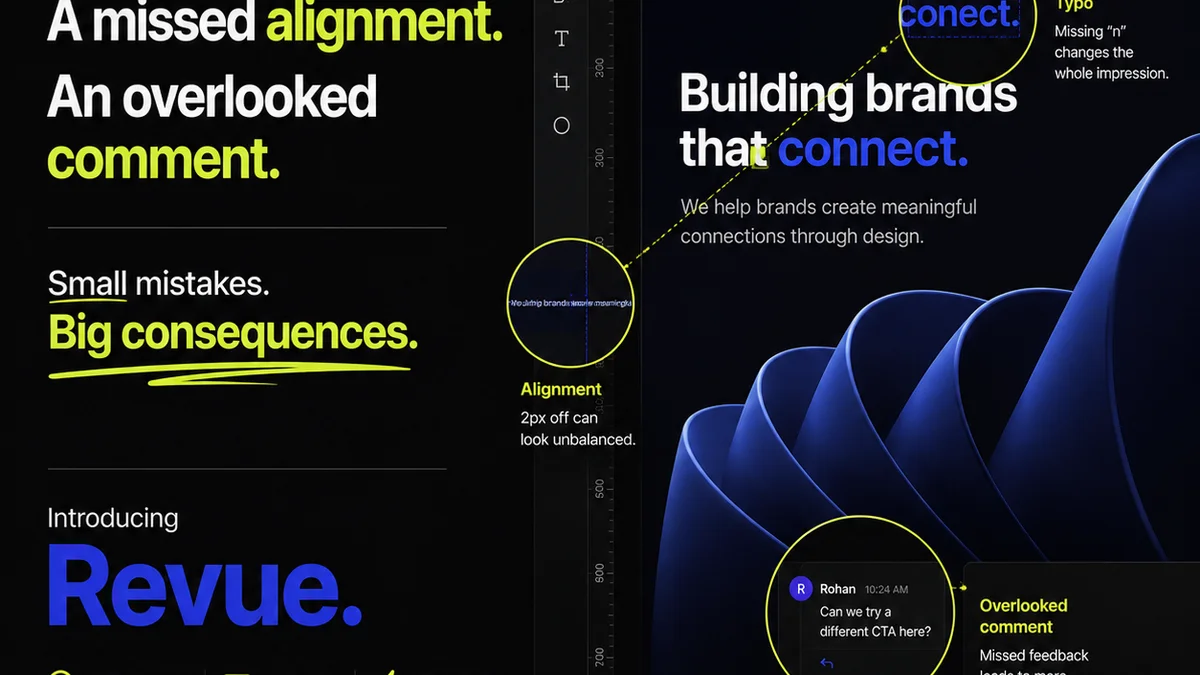
Everyone assumes a PDF is a final file. Just export it, send it, and call it a day. That’s the standard operating procedure, right?
None of that is wrong. But it’s incomplete.
The hard truth is, a poorly managed PDF review process is a silent killer of agency profitability and client trust. It’s not just about catching typos. It’s about ensuring brand consistency, technical accuracy, and client satisfaction at scale.
1. Beyond the Obvious: What a PDF QA Checklist Really Catches
Your typical PDF QA checklist probably covers the basics: spelling, grammar, correct logo usage. Good start. But enterprise-level creative work demands more rigor.
Think about the hidden costs of a flawed PDF:
- Reprint costs due to incorrect dimensions or bleed.
- Brand damage from misaligned messaging or outdated brand elements.
- Client frustration and loss of confidence from sloppy execution.
- Wasted designer hours on unnecessary revisions.
- Legal issues from incorrect disclaimers or compliance data.
A comprehensive PDF QA checklist is your first line of defense against these costly mistakes. It’s not just about proofreading; it’s about operational excellence.
2. Building Your Enterprise PDF QA Checklist: Core Components
A robust checklist needs structure. Break it down into manageable categories. This ensures no critical area is overlooked during the review process.
2.1. Content Accuracy and Consistency
This is where most basic checks live, but we’re going deeper.
- Text: Spelling, grammar, punctuation. Are all terms and names spelled correctly and consistently?
- Data: Are all numbers, dates, statistics, and financial figures accurate and up-to-date?
- Messaging: Does the copy align with the brief and current campaign messaging? Is the tone of voice correct?
- Legal/Compliance: Are all required disclaimers, disclosures, and legal text present, accurate, and correctly formatted? For regulated industries, this is non-negotiable.
- Brand Consistency: Is the correct logo used? Are brand colors, fonts, and graphic elements applied according to brand guidelines?
2.2. Design and Layout Integrity
Visuals matter. Ensure they’re presented as intended.
- Layout: Is the layout clean? Are elements aligned correctly? Is there sufficient white space?
- Typography: Are fonts applied correctly? Are line heights, kerning, and leading appropriate and consistent?
- Imagery: Are images high-resolution and correctly placed? Are they cropped appropriately?
- Color: Are colors accurate (e.g., CMYK for print, RGB for digital)? Are they within brand color palettes?
- Bleed and Margins: For print, is the bleed set correctly? Are important elements kept within safe margins?
- Interactive Elements (for Digital PDFs): Are all hyperlinks functional? Do form fields work as expected? Is navigation intuitive?
2.3. Technical and File Specifications
The technical aspects ensure the PDF functions as intended across different platforms and devices.
- File Size: Is the file size appropriate for its intended use (e.g., email, web download, print submission)?
- Resolution: Is the image resolution suitable for the output (e.g., 300 DPI for print, 72 DPI for web)?
- Color Mode: Is the document in the correct color mode (CMYK, RGB, Grayscale)?
- Font Embedding: Are all fonts embedded correctly to ensure consistent display across devices?
- Metadata: Is document metadata (author, title, keywords) correctly populated?
- Accessibility: Is the PDF tagged for accessibility? Can screen readers navigate it properly? (e.g., logical reading order, alt text for images). This is crucial for enterprise clients and compliance. Check out WCAG guidelines for more on accessibility.
- Print Production Settings: For print, are crop marks, registration marks, and other necessary print settings included and correct?
3. Implementing the Checklist: From Theory to Practice
A checklist is useless if it’s not used. Here’s how to make it stick in an enterprise environment.
3.1. Assign Clear Responsibility
Who owns the QA process? Is it the designer, the project manager, a dedicated QA specialist, or a combination?
Define roles clearly. This prevents tasks from falling through the cracks.
3.2. Integrate into Workflow
Don't treat QA as a separate, last-minute step. Build it into your project management system.
Use project management tools to assign QA tasks, set deadlines, and track completion. This ensures it’s prioritized.
3.3. Standardize and Centralize
Create a master checklist that all teams can access and use. Store it in a central, easily accessible location.
This promotes consistency across different projects and departments.
3.4. Train Your Team
Ensure everyone understands the checklist items and why they’re important. Provide training on common pitfalls and best practices.
Knowledge sharing is key to elevating the entire team’s QA capabilities.
3.5. Iterate and Improve
Your checklist isn't static. As new issues arise or workflows change, update it.
Regularly review the checklist’s effectiveness and make necessary adjustments.
4. Common PDF QA Pitfalls (and How to Avoid Them)
Even with a checklist, teams stumble. Here are common traps:
- The "Quick Glance": Relying on a superficial read-through instead of systematically checking each item.
- Assumption of Sender Accuracy: Trusting that the person who created the file did it perfectly. Always verify.
- Outdated Checklists: Using a checklist that doesn't reflect current software, output requirements, or client needs.
- Lack of Clear Sign-off: Not having a formal sign-off process, leading to ambiguity about who approved the final version.
- Ignoring Accessibility: Viewing accessibility as an optional extra rather than a core requirement.
Each of these leads to rework, delays, and potential client dissatisfaction.
Where Revue Fits In
Managing feedback and approvals for complex projects, especially those involving multiple stakeholders and iterations, can be chaotic. A robust PDF QA checklist is essential, but its effectiveness is amplified when supported by the right tools.
Revue is designed to bring order to this chaos. It provides a centralized platform where feedback on creative assets, including PDFs, can be collected, organized, and tracked. Instead of sifting through endless email chains or scattered comments, your team can see all client feedback in one place, linked directly to the specific version of the asset.
This clarity is crucial for QA. When you’re running through your checklist, you can easily reference specific feedback points and ensure they’ve been addressed correctly. Revision history is clear, approvals are documented, and you have an audit trail. This visibility dramatically reduces the chances of errors slipping through the cracks during the crucial QA phase.
It’s about streamlining the entire review and approval cycle, making your PDF QA process more efficient and less prone to human error.
Final Thought
Is your PDF QA process a source of confidence or a cause for anxiety? Elevating your checklist from a basic proofread to a comprehensive operational tool transforms it from a chore into a strategic advantage. It’s about protecting your work, your clients, and your bottom line.
Frequently asked questions
What are the most critical elements of a PDF QA checklist for enterprise teams?
For enterprise teams, the most critical elements include not just basic spelling and grammar, but also rigorous checks for brand consistency, data accuracy, legal/compliance adherence, technical specifications (like resolution and color mode), and accessibility features. Ensuring the PDF functions correctly across various platforms and meets all stakeholder requirements is paramount.
How can I ensure my team actually uses the PDF QA checklist?
Integrate the checklist directly into your project management workflow. Assign clear responsibilities for QA, provide thorough training on its importance and usage, and make the checklist easily accessible and standardized across all projects. Regular review and updates also help maintain its relevance and encourage adoption.
What's the difference between basic PDF proofreading and enterprise-level QA?
Basic proofreading typically focuses on text (spelling, grammar). Enterprise-level QA is far more comprehensive, encompassing content accuracy, brand compliance, design integrity, technical file specifications (resolution, color space, bleed), accessibility, and ensuring the PDF meets specific output requirements (print vs. digital). It's about operational risk mitigation.
How does accessibility factor into a PDF QA checklist?
Accessibility is a critical component for enterprise PDFs. Your checklist should include verifying that the PDF is properly tagged for screen readers, has logical reading order, includes alt text for images, and is navigable for users with disabilities. This ensures compliance with standards like WCAG and broadens audience reach.