Everyone thinks the hard part is getting the design right. The perfect kerning, the exact hex code, the ideal spacing. That’s the definition of a completed design, right? Get the pixels perfect, and the job is done.
None of that is wrong. But it’s incomplete. Dangerously incomplete.
The real truth? Pixel-perfect design doesn’t guarantee error-free execution. In fact, chasing pixel perfection can mask deeper, more costly problems in your agency’s workflow.
1. The Illusion of Completion
A design file is a blueprint, not a finished product. We often mistake the static, polished design for the end of the creative process. This is where agencies stumble.
The design is approved. Great. Now what?
The handover. The development. The QA. The deployment. Each of these stages is a potential minefield, regardless of how flawless the design file looks.
The focus on visual fidelity can blind you to:
- Missing functional requirements
- Ambiguous user flows
- Inconsistent states
- Accessibility oversights
- Technical limitations
The beautifully rendered JPEG or Figma file is just the first step. If your process stops there, or treats it as the *only* important step, you’re setting yourself up for expensive rework.
2. Communication Breakdown is the Real Killer
The most common errors in creative projects aren’t visual glitches. They’re misunderstandings. They’re assumptions. They’re unchecked feedback loops.
Think about it.
A client vaguely approves a design. They don’t *really* understand how a certain feature will work. The designer, focused on aesthetics, doesn’t clarify. The developer builds it based on their own interpretation. Boom. Rework.
This breakdown happens in several places:
Client Feedback Gaps
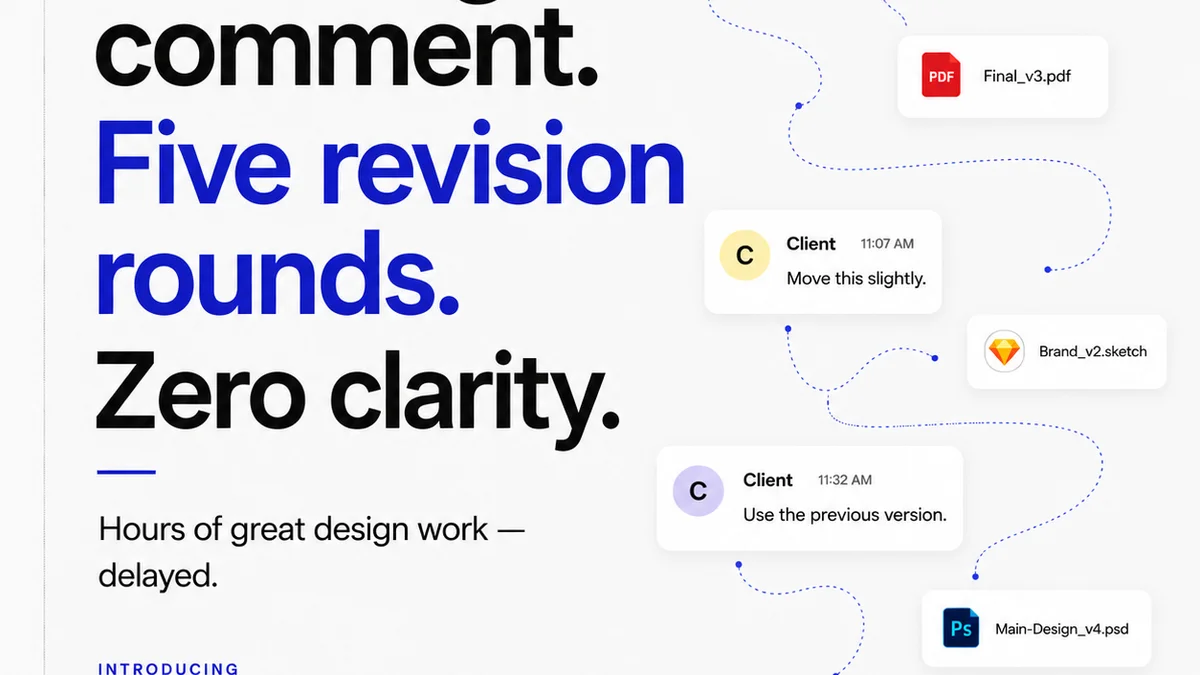
Clients often approve designs based on what they see, not what they understand. Vague comments like “looks good” or “make it pop more” are red flags. Without a system to probe deeper, these comments lead to misinterpretations down the line.
The problem isn’t the client’s feedback style; it’s your agency’s inability to capture and clarify it effectively.
Internal Handoff Ambiguity
Designers and developers often speak different languages. A designer might use terms that are intuitive to them but cryptic to a developer. Without a shared context or a clear way to document interactions and states, assumptions are made.
This is where a single source of truth becomes non-negotiable.
Revision Cycles That Go Dark
Multiple rounds of revisions can obscure the original intent. Each tweak, no matter how small, can have ripple effects. If these changes aren’t tracked systematically, with clear rationales and approvals at each step, you end up with a design that’s a Frankenstein’s monster of conflicting ideas.
The result? A product that’s technically “pixel-perfect” according to the *final* design file, but functionally broken or misaligned with the original goals.
3. The Cost of Rework: Beyond the Obvious
Everyone knows rework costs money. But the true cost is far greater than just billable hours.
Consider the:
- Erosion of Client Trust: Repeated errors, even small ones, chip away at a client’s confidence in your agency’s ability to deliver.
- Team Morale Drain: Constantly fixing mistakes is demoralizing. It breeds resentment and burnout.
- Missed Deadlines: Rework inevitably pushes timelines, impacting subsequent project phases and potentially other client commitments.
- Reputational Damage: A poorly executed project, regardless of the initial design quality, reflects badly on your agency’s reputation.
- Opportunity Cost: Time spent fixing errors is time *not* spent on new, profitable client work or business development.
A pixel-perfect design doesn’t protect you from these hidden costs. Often, it’s the very focus on pixel perfection that makes teams reluctant to question the underlying logic or functionality until it’s too late.
4. What “Good Enough” Really Means
There’s a fine line between pixel perfection and over-engineering. The goal isn’t just a visually stunning deliverable; it’s a functional, effective solution that meets the client’s objectives.
This means defining “done” not just by aesthetics, but by:
- Functionality: Does it work as intended?
- Usability: Is it easy for the end-user to navigate and understand?
- Business Goals: Does it serve the client’s strategic objectives?
- Technical Feasibility: Can it be built and maintained within reasonable constraints?
- Accessibility: Is it inclusive for all users?
A truly successful project integrates these considerations from the very beginning, not as an afterthought when the design is already “perfect.”
5. Where Revue Fits In
Agencies and in-house teams often assume their existing tools—email, spreadsheets, generic project management software—are sufficient for managing feedback and revisions. They’re not.
These tools create silos and encourage the very communication breakdowns that lead to errors.
Revue tackles this head-on by centralizing the entire feedback and approval process.
- Clearer Feedback: Instead of scattered emails and Slack messages, all client comments live directly on the asset. Stakeholders can see exactly what’s being discussed, reducing ambiguity.
- Visible Revision History: Every change, every comment, every approval is tracked. You have an undeniable audit trail, making it clear *why* a design evolved and who signed off on what. This prevents “he said, she said” arguments and ensures everyone is working from the same, up-to-date version.
- Streamlined Approvals: Formalize the sign-off process. No more guesswork about whether a revision is truly approved. This visibility ensures that functional requirements and design decisions are locked in before development begins.
- Quality Assurance Built-In: By having a single source of truth for feedback and approvals, your QA process becomes more efficient and effective. You’re not just checking against a final design file; you’re validating against the documented, approved requirements and revisions.
Revue helps you move beyond the illusion of pixel perfection to a more robust, error-resistant workflow.
Final Thought
Are you building beautiful pixels, or are you building successful products?
The distinction matters. And it’s a distinction your workflow, not just your design software, needs to make.
Frequently asked questions
What's the difference between pixel-perfect design and a flawless project?
Pixel-perfect design refers to the visual accuracy and aesthetic details of a design file. A flawless project, however, encompasses functional correctness, adherence to requirements, usability, and timely delivery, all of which go beyond the visual fidelity of the design itself.
How do communication breakdowns lead to design errors?
Ambiguous client feedback, unclear internal handoffs between designers and developers, and poorly tracked revision cycles all contribute to misunderstandings. These communication gaps mean assumptions are made, leading to functional errors or misinterpretations that require costly rework, even if the final design looks perfect.
What are the hidden costs of rework beyond billable hours?
The hidden costs include eroded client trust, decreased team morale, missed deadlines, damage to your agency's reputation, and opportunity costs (time not spent on new business or profitable work). These impacts can be far more damaging than the direct financial cost of fixing mistakes.
How can a tool like Revue help prevent design errors?
Revue centralizes client feedback and revision history directly on assets, creating a single source of truth. This clarity reduces ambiguity, ensures clear approvals, and provides an audit trail, minimizing misunderstandings and preventing errors that arise from communication breakdowns during the design and development process.