Everyone thinks print and publishing are all about the final output – the perfect paper stock, the elegant layout, the crisp ink. That’s the dream, right? The beautiful artifact that lands in someone’s hands.
None of that is wrong. But it’s incomplete. It misses the messy middle. The operational grind that makes that perfect output possible.
The hard truth is, print and publishing projects are complex beasts. They demand more than just creative flair. They demand ironclad process.
1. Defining the Scope: Beyond the Brief
A print or publishing project starts with a brief, sure. But that’s just the surface. A real process digs deeper, asking questions that uncover the operational realities long before a single pixel is designed.
Unpacking Deliverables
What exactly is being delivered? A book? A magazine? A brochure? A packaging insert? Each has unique requirements.
- Format: Physical dimensions, page count, binding type.
- Quantity: How many copies are needed? This impacts print runs, costs, and timelines.
- Distribution: Where will it go? This affects shipping, logistics, and even material choices.
Stakeholder Identification
Who has the final say? Who needs to review? In publishing, this can be a labyrinth of editors, art directors, legal teams, marketing departments, and authors. Each has a role, and their input must be managed.
Budget Realities
Creative visions often collide with hard financial limits. A process means front-loading budget discussions. What’s the absolute ceiling? Where can we flex?
The Cost of Errors
Mistakes in print are expensive. Re-printing is a budget killer. A solid process accounts for this by building in checks and balances early.
2. The Design & Pre-Press Workflow
This is where the magic happens, but it’s also where chaos can erupt without a framework.
Asset Management
Print requires specific, high-resolution assets. Where are they stored? Who has access? Are they version-controlled?
Digital files for print are different from web assets. Using low-res images or incorrect color profiles is a fast track to disaster. Your process must ensure the right files are used, at the right specs.
Collaborative Design Iteration
Feedback loops are critical. Who provides feedback? How is it documented? How are revisions tracked?
Email chains, random Slack messages, or scribbled notes on PDFs are not a process. They are invitations to error and missed deadlines.
Pre-Press Checks
This is non-negotiable. Before files go to the printer, they need rigorous checks.
- Color Profiles: CMYK vs. RGB, spot colors.
- Bleed and Trim: Ensuring elements extend correctly to avoid cut-offs.
- Resolution: DPI requirements for print.
- Font Embedding: Ensuring all fonts are correctly included or outlined.
- File Format: PDF/X-1a, PDF/X-4, etc.
Skipping or rushing these steps is professional malpractice.
3. Printer Selection & Management
Your printer is a partner, not just a vendor. Treating them as such requires a defined engagement process.
Vendor Vetting
Not all printers are created equal. Your process should include criteria for selecting the right one based on:
- Capabilities (offset, digital, specialty finishes).
- Turnaround times.
- Quality track record.
- Cost.
- Customer service.
Clear Communication Channels
Establish who on your team communicates with the printer. Centralize this to avoid conflicting instructions. Provide them with all necessary specifications upfront.
Proofing Stages
What kind of proofs are required? Digital proofs? Hard proofs? Press checks? Each has a cost and a purpose. Your process dictates which are necessary for which project.
The Value of a Press Check
For high-stakes projects, being on-site for the first run can save a fortune. It’s a final sanity check that catches issues no digital proof can.
4. Distribution & Archiving
The project doesn’t end when it leaves the printer. Getting it to its destination and managing the assets afterward is part of the workflow.
Logistics Planning
How will the finished products be shipped? To whom? When? This requires coordination, especially for large runs or international delivery.
Asset Archiving
What happens to the final files? How are they stored? Are they accessible for future reprints or related projects? A robust archive prevents reinventing the wheel.
Post-Mortem Analysis
What went well? What didn’t? Every project, especially print, is a learning opportunity. A formal review ensures lessons are captured and applied.
Where Revue Fits In
Managing the intricacies of print and publishing, from initial concept to final delivery, requires visibility. You need a central hub for all project-related communication and assets.
Revue provides that hub. It allows you to:
- Centralize Client Feedback: Keep all comments, approvals, and revision requests in one place, attached to specific versions of design files. No more hunting through email threads.
- Manage Revisions & Approvals: Clearly track who approved what, and when. This creates an irrefutable audit trail, crucial for sign-offs on print-ready files.
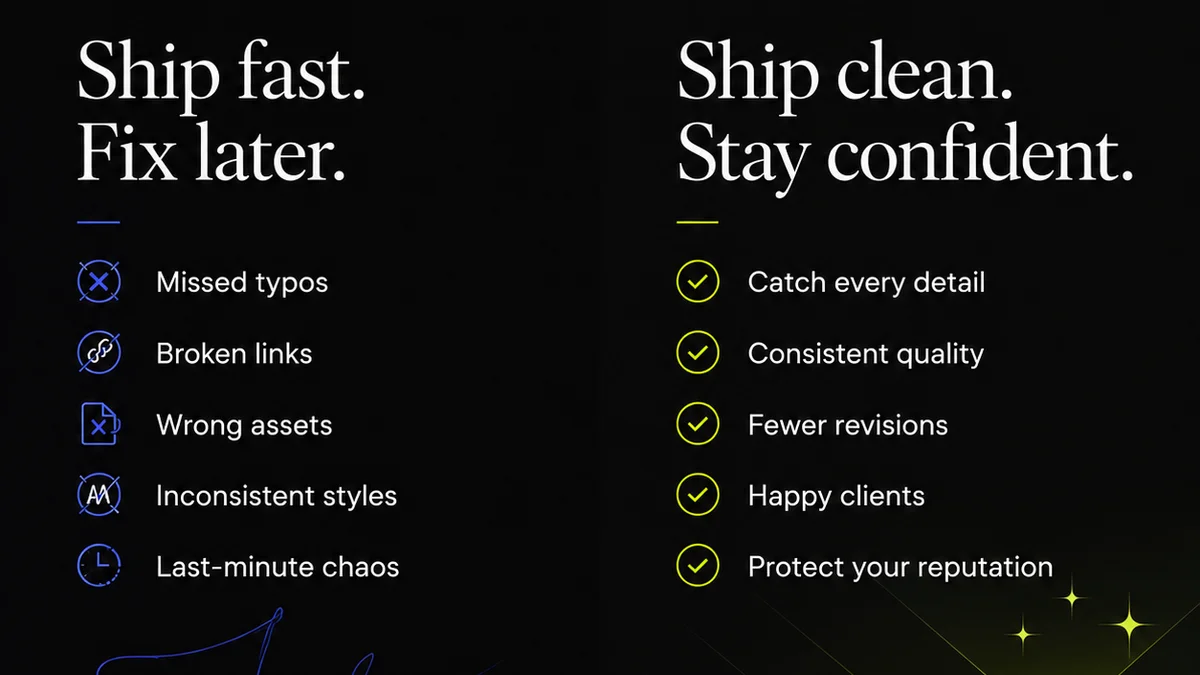
- Run Quality Checks: Ensure all stakeholders review the work against the brief and specifications. Catch errors before they become expensive print mistakes.
For print and publishing, where precision is paramount and the cost of error is high, a structured workflow is not a luxury; it’s a necessity. Revue helps impose that structure.
Final Thought
Are you building a business that excels at creative output, or just a series of one-off heroic efforts? The difference lies in the process.
Frequently asked questions
What are the biggest risks in print production?
The biggest risks are errors in file preparation (resolution, color profiles, bleed), miscommunication leading to incorrect specifications, and rushed proofing stages, all of which can lead to costly reprints and missed deadlines.
How can I ensure consistent quality across print runs?
Consistency comes from a defined process. This includes rigorous pre-press checks, clear communication with your printer, using approved color profiles, and conducting press checks for critical projects. Centralizing feedback and approvals also prevents last-minute changes that can introduce errors.
When should I involve the printer in the process?
Ideally, you should involve the printer early, especially for complex projects. They can advise on paper stock, binding options, potential production challenges, and cost-saving opportunities based on their capabilities and your project's specifications.
How does digital asset management apply to print?
For print, digital asset management means ensuring you have high-resolution, correctly formatted source files (logos, images, fonts) stored centrally and version-controlled. It prevents the use of web-optimized or low-resolution assets that are unsuitable for print production.