Everyone says print is dead. Or dying. Or at least, that it’s a completely separate beast from digital publishing, requiring a whole different mindset, toolset, and team. None of that is wrong. But it’s incomplete.
The hard truth? The real competitive advantage in print and publishing today isn't mastering print *or* digital. It’s mastering the seamless, integrated workflow that connects them. It’s about treating the entire lifecycle of content as a single, fluid process, not a series of disconnected handoffs.
1. The Myth of the Siloed Workflow
For too long, print and digital have been treated as afterthoughts of each other. A PDF is exported from InDesign, then maybe repurposed for a web article. Or a web article is written, and then someone has to figure out how to make it fit a magazine layout. This creates friction. It creates errors. It creates wasted time.
Think about it:
- Brand guidelines that differ between print and digital assets.
- Content that needs to be manually re-formatted for each medium.
- Review cycles that don't account for the specific needs of print production (e.g., bleed, color profiles, pagination).
- Designers and editors working in separate systems, with no shared visibility.
This isn't just inefficient; it's a direct path to quality issues and missed deadlines. The assumption that these are fundamentally different processes is holding you back.
2. Embracing the Unified Content Lifecycle
The future isn't about choosing print *or* digital. It's about building a workflow that serves both, and everything in between, from a single source of truth.
From Single Source to Multiple Outputs
Imagine a world where your core content – text, images, data – lives in one place. From that central repository, you can efficiently generate:
- High-resolution print-ready PDFs.
- Optimized web pages and articles.
- Social media assets.
- Interactive digital publications.
- Even data feeds for other applications.
This requires a shift in how you think about content creation and management. It’s not about the final output; it’s about the foundational elements.
Metadata is Your Master Key
The unsung hero of unified workflows is robust metadata. Properly tagged content allows for:
- Easy retrieval and reuse across projects and platforms.
- Automated assembly of content based on specific requirements (e.g., a catalog section for a specific region).
- Version control that tracks changes across all outputs.
- Streamlined project management by providing context to every asset.
Without a strong metadata strategy, your unified content dream remains just that – a dream.
3. The Print Production Deep Dive: Beyond the PDF
Even with a unified approach, print has its own unique demands. Ignoring these is where unified workflows break down.
Color Management: The Silent Killer
CMYK vs. RGB. Spot colors. Color profiles. These aren't just technical terms; they are critical decision points that impact the final printed piece. A digital-first mindset often overlooks the nuances of color reproduction in print.
- Ensure your design tools are set up for print-specific color spaces.
- Educate your team on the limitations and possibilities of different printing processes.
- Build color proofing into your review cycles.
Typography and Layout: The Art of the Page
While digital typography has become more flexible, print still demands precision. Kerning, leading, hyphenation, and widow/orphan control are not just aesthetic choices; they are fundamental to readability and perceived quality.
- Use professional layout software (like InDesign) for print projects.
- Develop typographic styles and enforce them consistently.
- Understand how grid systems and page flow impact the reader's experience.
Pre-press Checks: The Final Gatekeepers
This is where many digital-first teams stumble. Pre-press checks are non-negotiable for print.
- Bleed and trim marks.
- Resolution of images.
- Font embedding.
- Correct overprint settings.
- File format (usually PDF/X).
Treating these as optional steps is a recipe for disaster, leading to reprints and damaged client relationships.
4. Digital Publishing: Speed Meets Substance
Digital publishing offers speed and reach, but it comes with its own set of complexities that must be integrated into your overall strategy.
SEO and Accessibility: Non-Negotiables
A beautiful digital article is useless if no one can find it or read it. SEO best practices and accessibility standards (WCAG) must be baked in from the start, not bolted on later.
- Semantic HTML.
- Alt text for images.
- Proper heading structures.
- Keyboard navigation.
- Color contrast ratios.
Performance Optimization: The User Experience Engine
Slow-loading pages kill engagement. Image optimization, efficient code, and smart caching are crucial for a positive user experience.
- Compress images without sacrificing visual quality.
- Minimize HTTP requests.
- Leverage browser caching.
- Use modern image formats (like WebP).
Content Management Systems (CMS): The Hub
Your CMS is the central nervous system for your digital content. Choosing the right one and optimizing its use is paramount.
- Does it support structured content?
- Can it handle content versioning effectively?
- Is it extensible for future needs?
5. Where Revue Fits In
The gap between print and digital workflows isn't a technical one; it's an organizational and communication one. This is where a centralized platform like Revue becomes indispensable.
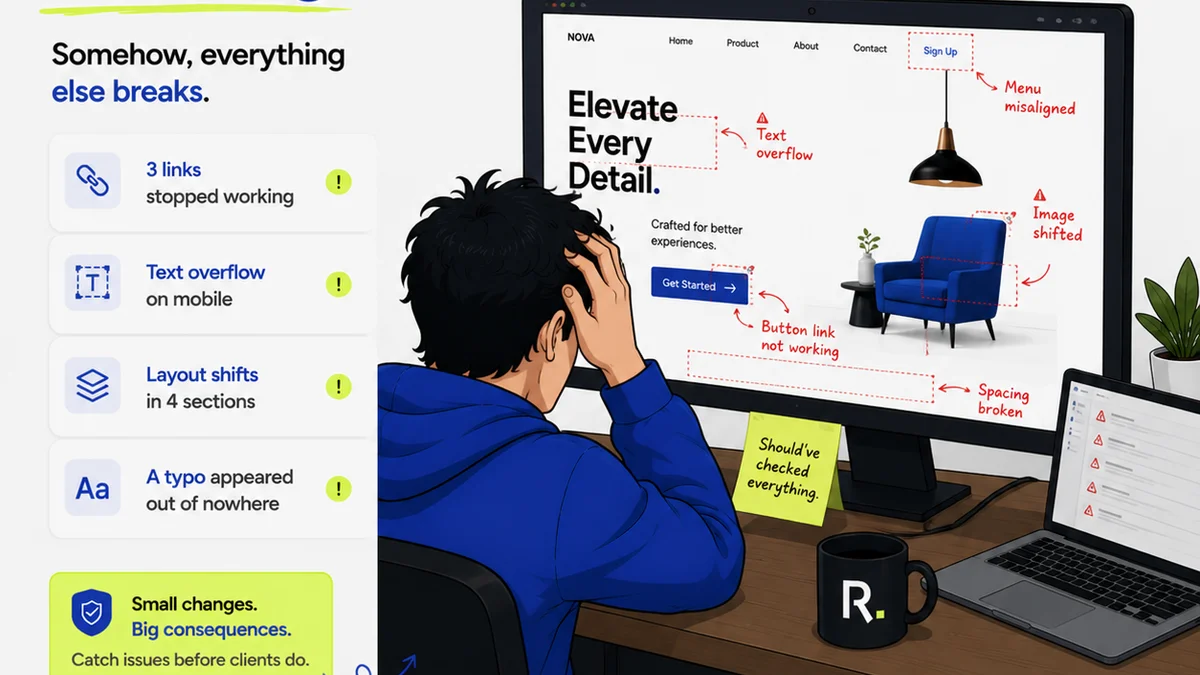
When you're managing complex projects that span print and digital, the feedback loop can become a tangled mess. Different stakeholders, different file versions, different platforms – it’s chaos.
Revue provides a single source of truth for feedback and approvals, regardless of the medium.
- Centralized Feedback: All client comments, annotations, and revisions live in one place, linked to the specific asset (whether it’s a PDF proof or a live web page). No more hunting through emails or Slack threads.
- Revision Visibility: Track every iteration. Understand exactly what changed, why it changed, and who approved it. This is crucial for accountability and for catching errors before they go to print or live.
- Quality Assurance: Use the platform to run through pre-press checklists or digital accessibility checks. Ensure all requirements are met before final delivery.
- Streamlined Approvals: Formal sign-offs within Revue eliminate ambiguity. Everyone knows when a piece is truly approved, reducing the risk of last-minute changes derailing a print run or a digital launch.
By bringing structure and clarity to the feedback and approval process, Revue helps bridge the gap between your print and digital teams, ensuring consistency and quality across all outputs.
6. Final Thought: The Integrated Future
The most successful publishers and agencies aren't the ones who are best at print *or* digital. They are the ones who have mastered the integration of both. They understand that content is fluid, and their workflows must be too.
Are your processes built for the isolated island of print, the separate island of digital, or the connected continent of unified publishing?
Frequently asked questions
How can I ensure color consistency between print and digital outputs?
Use color management tools and profiles diligently. Design in CMYK for print elements and ensure proper conversion for digital. Always perform physical print proofs for critical projects and calibrate your monitor for accurate digital representation.
What's the biggest mistake agencies make when handling both print and digital projects?
Treating them as entirely separate silos. This leads to duplicated effort, inconsistent branding, missed deadlines, and quality control issues. The most effective approach is an integrated workflow from a single source of content.
How does metadata improve print and digital publishing workflows?
Robust metadata allows content to be easily searched, tagged, and repurposed across different mediums. It enables automated content assembly, version control, and provides essential context for teams, making the entire content lifecycle more efficient and error-free.
Is print design software still necessary if we focus on digital?
Yes, for professional print output, dedicated layout software like Adobe InDesign is crucial. It offers precise control over typography, layout, pre-press features (like bleed and trim marks), and color management that are essential for print-ready files.