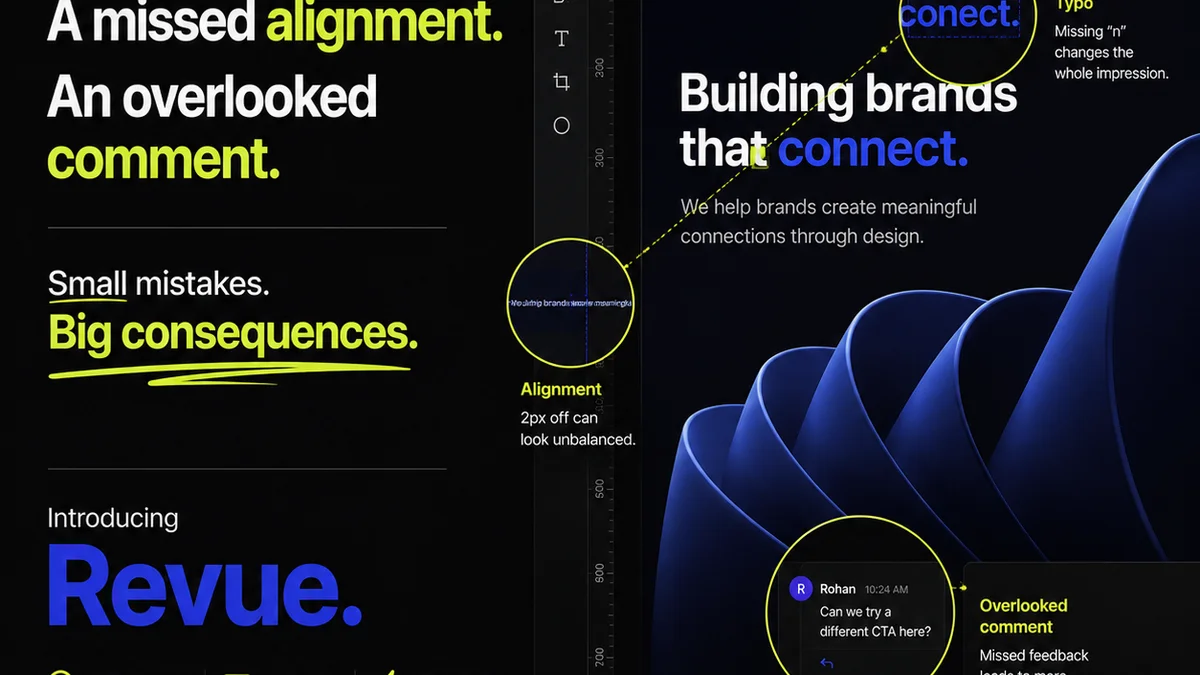
Everyone assumes proofing software for publications is about catching typos and grammatical errors. None of that is wrong. But it’s incomplete.
The hard truth? The best proofing software for publications goes far beyond simple spell-check. It’s about managing the entire feedback and approval lifecycle, ensuring quality, and keeping your team and clients aligned.
1. The Illusion of 'Good Enough' Proofing
Many teams rely on basic tools. Word processors with built-in checkers. Simple PDF annotation. Maybe even a shared Google Doc.
This approach sounds efficient. It’s fast for a single document. But it breaks down under pressure.
When deadlines loom and multiple stakeholders are involved, these basic methods create more chaos than clarity. You end up with version control nightmares, missed feedback, and endless email chains.
Common Pitfalls of Basic Proofing
- Conflicting feedback from different reviewers.
- Lost comments or edits in multiple document versions.
- Difficulty tracking who approved what, and when.
- No clear audit trail for revisions.
- Wasted time consolidating notes manually.
2. Defining 'Publication-Grade' Proofing Software
Publication proofing software needs to handle complexity. Think magazines, books, lengthy reports, or even complex digital content.
This means features that support collaborative workflows, version control, and clear accountability.
Key Features to Look For
- Centralized Feedback Hub: All comments, annotations, and discussions in one place, linked directly to the content.
- Version Control & Comparison: Easily track changes between revisions and see exactly what’s new or different.
- Stakeholder Management: Assign tasks, track reviewer progress, and manage different permission levels.
- Audit Trails: A clear record of all feedback, revisions, and approvals for compliance and accountability.
- Integration Capabilities: Connects with your existing design or content management tools.
- Real-time Collaboration: Multiple users can review and comment simultaneously without overwriting.
- Customizable Workflows: Tailor the review process to your specific project needs and client requirements.
This isn't just about catching errors. It's about streamlining the entire production process.
3. Beyond Text: Visual Proofing for Publications
Publications aren't just words. They're visual. Layout, typography, image placement, color — it all matters.
Your proofing software needs to handle visual elements with the same rigor as text.
Essential Visual Proofing Capabilities
- On-Image Annotation: Directly mark up images, graphics, and layout elements.
- Pixel-Perfect Precision: Tools that allow for detailed feedback on spacing, alignment, and visual hierarchy.
- Color Accuracy Checks: While not a replacement for professional color calibration, some tools offer basic color space indicators.
- Layout Review: Assess how text flows, how elements are positioned, and overall page composition.
- Interactive Element Proofing: For digital publications, the ability to test links, interactive features, and dynamic content.
This is critical for maintaining brand consistency and delivering a polished final product.
4. The Workflow Advantage: Speed and Accuracy
The right proofing software doesn't just improve accuracy; it dramatically speeds up your workflow.
Imagine eliminating the back-and-forth of email attachments and consolidating feedback instantly.
How it Accelerates Production
- Reduced Review Cycles: Clear, consolidated feedback means fewer rounds of revisions.
- Faster Approvals: Defined workflows and clear accountability speed up the sign-off process.
- Minimized Rework: Catching issues early prevents costly and time-consuming corrections later.
- Improved Team Communication: Everyone works from the same, up-to-date information.
This efficiency is a competitive advantage, especially in fast-paced publishing environments.
5. Where Revue Fits In
Revue is built for the realities of creative production. It addresses the core challenge of managing feedback and approvals for complex creative projects, including publications.
Instead of getting lost in endless email threads or scattered annotation tools, Revue brings everything into one central, organized space.
Revue Streamlines Your Publication Proofing
- Centralized Client Feedback: All comments, annotations, and discussions are logged in one place, directly on the creative asset.
- Clear Revision Management: Track every version, see what changed, and manage the approval status of each iteration.
- Streamlined Approvals: Define clear approval steps and get stakeholders to sign off efficiently, with a complete audit trail.
- Quality Assurance Checklists: Ensure every critical element, from copy to design, meets your standards before final delivery.
Revue is designed to eliminate the friction points that slow down creative teams and lead to errors, ensuring your publications are reviewed and approved with confidence.
6. Choosing the Right Tool: A Checklist
Selecting proofing software requires looking past the surface-level features. Consider your specific needs and team structure.
Use this checklist to evaluate your options.
Publication Proofing Software Checklist
- Centralized Feedback: Can all comments and discussions live in one place?
- Visual Annotation: Does it support detailed feedback on images and layouts?
- Version Control: Is it easy to track and compare revisions?
- Approval Workflows: Can you define and manage multi-step approvals?
- Audit Trail: Is there a clear record of all activity?
- User Permissions: Can you control who sees and does what?
- Integrations: Does it connect with your existing tools (e.g., Adobe Creative Suite, project management software)?
- Scalability: Can it handle the volume and complexity of your publications?
- Ease of Use: Is it intuitive for both your internal team and external clients?
- Security: Does it meet your data security requirements?
Don't settle for tools that only scratch the surface. Invest in software that supports your entire publication workflow.
Final Thought
Is your current proofing process a bottleneck or a catalyst for quality?
The best proofing software isn't just about error detection; it's about building a more efficient, collaborative, and reliable creative production engine.
Frequently asked questions
What's the difference between basic proofreading and using publication proofing software?
Basic proofreading focuses on catching typos and grammatical errors in text. Publication proofing software encompasses this but also manages the entire feedback, revision, and approval workflow for complex documents, including visual elements, version control, and audit trails.
Can proofing software handle print and digital publications?
Yes, robust proofing software can handle both. For print, it focuses on layout, text, and image accuracy. For digital, it adds the ability to proof interactive elements, links, and dynamic content.
How does proofing software speed up my workflow?
It centralizes feedback, eliminates scattered emails and conflicting versions, provides clear audit trails for approvals, and reduces the need for manual consolidation of notes. This leads to fewer revision cycles and faster sign-offs.
What are the most critical features for visual proofing in publications?
Essential visual proofing features include on-image annotation, pixel-perfect precision for layout and spacing feedback, and the ability to review how text and images interact on the page. For digital, testing interactive elements is also key.