Most designers think proofreading is about catching typos in copy. That’s part of it, sure. But it’s not the whole story. Or even the most important part.
The hard truth? Professional proofreading for graphic design is about system, process, and a relentless focus on the *client’s* perception of quality. It’s about anticipating their questions and objections before they even arise.
1. The Assumption: Proofreading is Just About Spelling
This is the most common, and most dangerous, assumption. You hand off a design, someone skims the text for typos, and boom – it’s “proofed.”
This approach misses the forest for the trees. Typos are easy to fix. What’s harder to fix are fundamental communication breakdowns, brand misalignments, or usability issues that only become apparent after the fact.
Professional proofreading is a quality assurance gate. It’s the last line of defense against errors that cost time, money, and reputation.
2. The Deeper Truth: Proofreading is Risk Mitigation
Every design project carries risk. Risk of client dissatisfaction. Risk of brand damage. Risk of wasted production time.
Your proofreading process is your primary tool for mitigating these risks. It’s not just about finding mistakes; it’s about ensuring the design effectively serves its purpose and meets client expectations.
Think of it like this: a typo is a small pothole. A misaligned brand message is a bridge out.
2.1. Identifying the Real Risks
What are the actual risks you’re trying to prevent? They fall into several buckets:
- Client Misunderstanding: Does the design clearly communicate the intended message? Is the call to action obvious?
- Brand Inconsistency: Are logos, colors, fonts, and tone of voice aligned with brand guidelines?
- Usability Issues: Is navigation clear? Are forms easy to fill out? Is information accessible?
- Technical Errors: Are links working? Are images loading correctly? Are files formatted properly for their intended use?
- Legal & Compliance: Are disclaimers present? Are any claims substantiated? Is it compliant with relevant regulations?
- Production Flaws: Are bleeds correct? Are fonts embedded? Is resolution sufficient?
Each of these can derail a project far more effectively than a misplaced comma.
3. The Professional Proofreading Workflow
This isn't a one-person job. It's a multi-stage process involving different perspectives.
3.1. Self-Proofing: The First Pass
Before anyone else sees it, the creator must proof their own work. This sounds obvious, but it’s often rushed or skipped.
- Step away for a minimum of 24 hours. Fresh eyes are critical.
- Print it out if possible. Errors are often easier to spot on paper.
- Read it backward, sentence by sentence. This breaks the cognitive flow that lets you skim.
- Focus on one element at a time: first copy, then layout, then imagery, then technical specs.
This is about catching the low-hanging fruit. Don't expect to catch everything here.
3.2. Peer Review: A Different Perspective
A colleague, ideally someone not directly involved in the project, should review the design next.
- Provide a clear brief: what is this design for? Who is the audience? What are the key messages?
- Give them specific areas to check, beyond just spelling. Ask them to review for brand consistency, clarity of message, and adherence to the brief.
- Allow them time to do it thoroughly. Don't ask for a 5-minute glance.
This is where you catch assumptions the original creator made. It’s where you find things that are “obvious” to the creator but not to an outsider.
3.3. Client Stakeholder Review: The Official Check
This is the formal client review, but it needs to be managed. You don't want clients doing your proofreading for you.
- Provide a clear checklist of what you need them to review. Focus on strategic alignment and factual accuracy.
- Set clear deadlines for feedback.
- Guide their feedback. Remind them this is not a design critique session, but a check for alignment with the brief and factual correctness.
Your job is to frame this review so the client confirms the project is on track, not to have them redesign it.
3.4. Final Quality Assurance (QA): The Gatekeeper
This is the final, internal check before anything goes live or is sent to print. This person should be meticulous and objective.
- They should have access to the original brief, all previous feedback, and the final design files.
- Their checklist should be comprehensive, covering all the risk areas identified earlier.
- They are the final gatekeeper. If they find an issue, it goes back. No exceptions.
This role is crucial for maintaining consistent quality and preventing costly mistakes.
4. The Tools of the Trade
Technology can help, but it won't replace a good process.
4.1. Proofreading Software
Tools like Grammarly or PerfectIt can catch grammatical errors, style inconsistencies, and even check for specific terminology. Use them for copy, but understand their limitations for visual elements.
4.2. Checklists
Standardized checklists are non-negotiable. They ensure consistency and that no critical element is overlooked.
- Create checklists for different project types (e.g., web design, print collateral, social media graphics).
- Include items for: brand adherence, copy accuracy, visual hierarchy, accessibility, technical specs, and client-specific requirements.
A good checklist is a project's best friend.
4.3. Annotation Tools
For visual feedback, annotation tools are invaluable. They allow reviewers to mark up designs directly, reducing ambiguity.
But even with tools, clear communication is key. Ambiguous markups lead to more back-and-forth, not less.
5. Where Revue Fits In
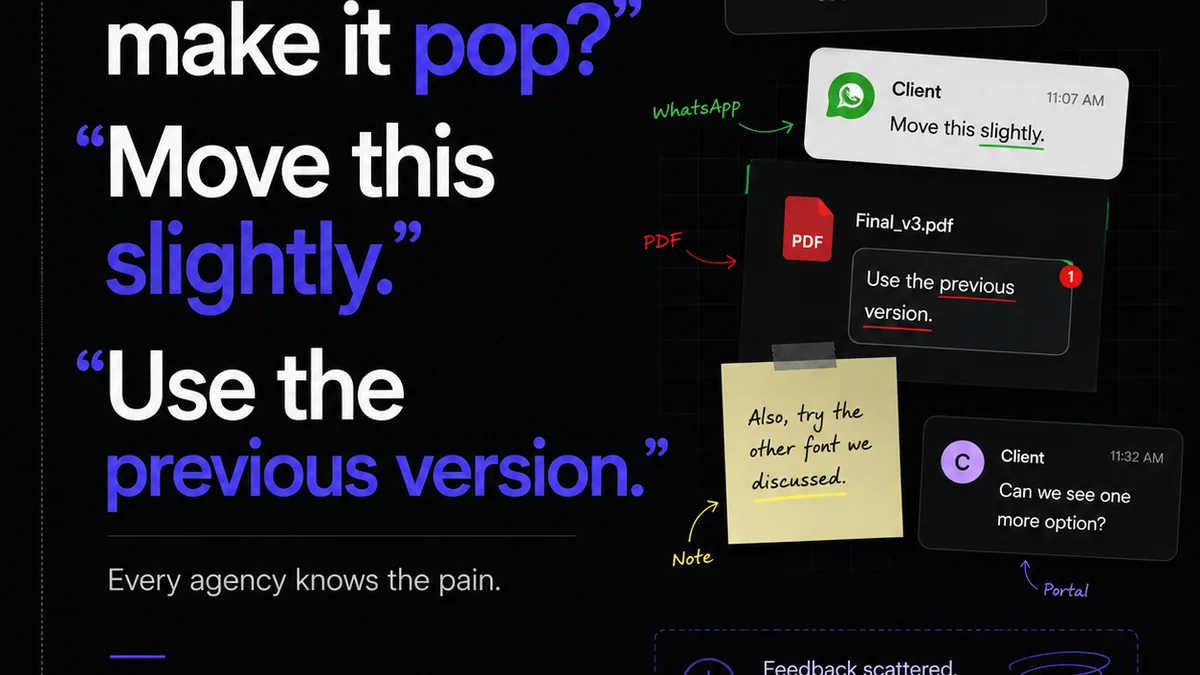
Managing this multi-stage proofreading process can become chaotic. Feedback gets lost in email chains, version control becomes a nightmare, and tracking approvals feels like herding cats.
This is where a centralized platform like Revue becomes essential.
- Centralized Feedback: All stakeholder feedback lives in one place, attached directly to the design asset. No more digging through inboxes.
- Version Control: Easily track revisions. See exactly what changed between versions and who approved what. This clarity is vital during the proofing stages.
- Clear Approval Workflows: Define who needs to review and approve at each stage. Ensure the right eyes are on the right asset at the right time.
- Audit Trail: Maintain a clear record of feedback, revisions, and approvals. This protects your agency and provides accountability.
Revue streamlines the *management* of the proofreading process, allowing your team to focus on the actual quality checks, not the administrative overhead.
6. Common Pitfalls to Avoid
Even with a process, mistakes happen. Usually, it’s because of these issues:
- Rushing the Process: Deadlines are real, but cutting proofreading short is false economy.
- Vague Feedback: “Make it pop more” is useless. Specific, actionable feedback is required.
- Lack of Clarity on Goals: If no one knows what the design is supposed to achieve, proofreading becomes subjective.
- Ignoring Brand Guidelines: Treating guidelines as optional leads to brand erosion.
- Assuming the Client Will Catch It: Never, ever rely on the client to be your final proofreader.
These aren't just minor annoyances; they are direct threats to project success and client relationships.
7. Final Thought
Proofreading graphic design isn't a task; it's a discipline. It requires diligence, a systematic approach, and a deep understanding of what constitutes
Frequently asked questions
What's the difference between proofreading and editing for graphic design?
Editing focuses on the content itself – improving clarity, flow, and accuracy of information. Proofreading is the final check for errors in spelling, grammar, punctuation, formatting, and visual consistency before publication. For design, proofreading also includes checking technical specs and brand adherence.
How long should I spend proofreading a design?
There's no fixed time, as it depends on complexity. However, rushing is the biggest mistake. Allocate dedicated time for self-proofing, peer review, and a final QA pass. Never skip these steps, even under tight deadlines.
Can clients effectively proofread designs?
Clients should review designs for strategic alignment and factual accuracy based on the brief. However, they are not professional proofreaders. Relying on them to catch typos or minor visual errors is risky and can lead to project delays and scope creep.
What are the most common errors missed in graphic design proofreading?
Beyond typos, common errors include brand inconsistency (wrong logo, colors, fonts), unclear calls-to-action, broken links, incorrect image resolution, formatting errors for print or web, and accessibility issues. These often have a greater impact than simple spelling mistakes.