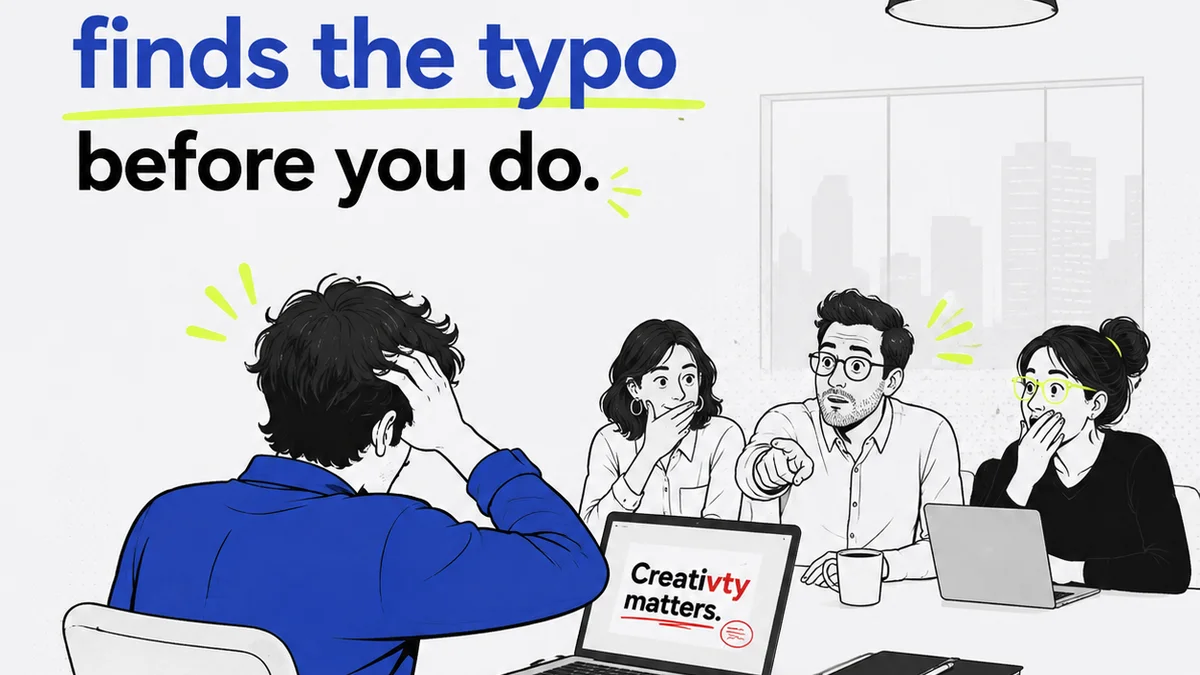
You think proofreading typography is just about catching typos, right? Spotting a rogue comma, a misspell, or a wonky kerning pair. That’s the surface level.
But the hard truth is, effective typography proofreading for print is a deep dive into hierarchy, readability, brand consistency, and the sheer physical presence of type on a page. It’s about ensuring the design speaks clearly, not just looks pretty.
1. Beyond the Basics: The Typographic Hierarchy Audit
Most proofreading checklists focus on individual words or letters. That’s a mistake. For print, the real work is evaluating how type functions at a glance, and then at closer inspection.
Your primary goal isn’t just to see if words are spelled correctly. It’s to ensure the intended message hierarchy is crystal clear and easy to follow.
A. Headline vs. Subhead vs. Body
Are your headlines commanding attention? Do subheads clearly break up content chunks? Does body copy invite reading, or does it feel dense and intimidating?
This isn't about font choice alone. It’s about:
- Size: Is the size difference sufficient to establish clear visual priority?
- Weight: Does bolding or a heavier weight enhance, or clutter, the hierarchy?
- Spacing: Are line height (leading) and paragraph spacing generous enough to guide the eye without feeling disconnected?
- Color: Does color contrast support the hierarchy, or does it distract from it?
B. Establishing Readability
Readability is the bedrock of effective print design. If people can’t easily read your type, the design fails, no matter how beautiful.
Proofreading for readability means checking:
- Line Length: Are lines too long (causing the eye to lose its place) or too short (choppy and hard to follow)? A common guideline is 45-75 characters per line for body copy.
- Line Spacing (Leading): Is it too tight (words run together, hard to distinguish lines) or too loose (awkward gaps)? Auto leading is a starting point, but often needs adjustment.
- Word Spacing: Are words crammed together or spread too wide? This is often a sign of poor justification or poor font design.
Typography proofreading is an active process. You’re not just looking for errors; you’re assessing usability.
2. The Devil’s in the Details: Micro-Typographic Checks
Once the macro-level hierarchy and readability are solid, it’s time to zoom in. This is where many print projects stumble, and where attentive proofreading pays dividends.
These are the details that scream professionalism (or amateurism) to a discerning eye.
A. Kerning and Tracking
Kerning is the space between specific pairs of letters (like ‘AV’ or ‘To’). Tracking is the overall letter spacing within a word or block of text.
Poor kerning creates ugly gaps or overlaps. Poor tracking makes text feel either too airy or too cramped.
What to look for:
- Awkward Pairs: ‘WA’, ‘To’, ‘Vo’, ‘We’, ‘Ya’, ‘Yo’ are common culprits.
- Even Color: The overall grayness of the text should feel consistent. Uneven spacing creates dark and light spots.
- Headline vs. Body: Headlines often require manual kerning. Body copy usually benefits from default tracking, but check for rivers of white space.
B. Hyphenation and Justification
Justified text is a classic print design choice, but it’s a minefield for proofreaders.
Bad justification leads to:
- Rivers of White Space: Large gaps of white space running down the page.
- Excessive Hyphenation: Breaking too many words, making text choppy and difficult to read.
- Uneven Raggedness: If left-aligned, the right edge should have a pleasing, consistent rag.
Proofread justified text specifically for these issues. Often, adjusting hyphenation settings or line breaks is necessary.
C. Punctuation and Special Characters
This goes beyond basic spell-check.
- En and Em Dashes: Are they used correctly? An en dash connects ranges (e.g., 2020–2023), while an em dash sets off parenthetical phrases.
- Apostrophes and Quotes: Are they the correct “curly” types, not the straight `` ` `` ones?
- Ellipses: Three dots, not two, and often with a space before and after.
- Ligatures: Pairs like ‘fi’, ‘fl’, ‘ff’, ‘ffi’ should often be typeset as a single character (ligature) for better appearance. Check if they are enabled and rendering correctly.
These small elements signal attention to detail.
3. Consistency is King: Brand and Style Guide Adherence
Print collateral often represents a brand’s most tangible touchpoint. Typography is a huge part of that brand identity.
Your proofreading must verify that the typography aligns perfectly with the established brand guidelines.
A. Font Families and Weights
Is the correct font family being used? Are the specified weights (light, regular, bold, etc.) applied consistently across all elements?
A common error is using a bolder weight of a different font family by mistake.
B. Color Palettes
Are brand colors being used correctly for headlines, body copy, and accents? Is the contrast sufficient for accessibility and readability in print?
Check for stray colors or incorrect values (e.g., CMYK vs. RGB in a print file).
C. Size and Spacing Standards
Do the headline sizes, body copy sizes, and spacing rules from the style guide match what’s implemented?
This requires having the style guide handy during proofing.
A missed brand guideline in typography is a direct hit to brand perception. It looks unprofessional and signals sloppiness.
4. Pre-Press Polish: The Final Technical Checks
Print design has technical requirements that typography must meet before going to press. Proofreading is the last line of defense.
A. Font Embedding and Outlining
Are fonts properly embedded in the PDF, or have they been outlined? If outlined, is it done correctly to avoid rendering issues?
Unembedded fonts can be substituted by the printer, leading to disaster.
B. Overprint and Trapping
While often handled by prepress, awareness is key. Overlapping type with background elements can cause issues if not set up correctly (e.g., type disappearing if it knocks out a background). Proofing can catch obvious problems.
C. Bleed and Trim Awareness
Does any type run too close to the trim edge? Type that’s too close can be cut off or appear awkwardly positioned after trimming.
Ensure type elements have adequate buffer space within the safe zone.
Where Revue Fits In
Managing the proofreading process for print typography, especially across multiple projects and clients, demands robust workflow tools.
Revue can centralize feedback on design proofs. Instead of scattered email threads or Slack messages, all comments are tied directly to the design asset.
This means:
- Clear Feedback: Stakeholders can pinpoint exactly which typographic element needs attention.
- Version Control: Easily track revisions and ensure the latest feedback is addressed.
- Approval Tracking: Confirm that all stakeholders have signed off, including on the final typographic details.
- Quality Assurance: Use the platform to conduct final checks against brand guidelines and print-readiness before submission.
It streamlines the path from draft to final print file, ensuring those critical typographic details don't slip through the cracks.
Final Thought
Typography proofreading for print isn’t just about error correction. It’s about strategic communication. It’s about brand integrity. It's about the tactile experience of reading.
Are you just checking for typos, or are you ensuring your design truly sings on the page?
Frequently asked questions
What are the most common typography errors in print design?
Common errors include poor hierarchy, bad line spacing (leading), incorrect line length, awkward kerning, rivers of white space in justified text, incorrect use of dashes and quotes, and inconsistent application of brand fonts and colors.
How important is kerning in print typography proofreading?
Kerning is crucial, especially for headlines and display type. Poor kerning creates distracting gaps or overlaps between letters, undermining the visual appeal and professionalism of the design. It requires careful manual adjustment.
What’s the difference between proofreading for print and digital typography?
Print proofreading has additional technical considerations like font embedding, bleed, trim, overprint, and trapping, which aren't relevant for digital. Print also demands a higher degree of precision for physical output, while digital focuses more on responsive readability across screens.
How can I ensure brand consistency in print typography?
Always cross-reference the typography used against the client's brand style guide. Check for correct font families, weights, sizes, colors, and spacing rules. Ensure these elements are applied uniformly across all print materials.