Creative Directors, you’re obsessed with the creative. The big idea, the perfect execution, the concept that blows the client away. You live for the ‘wow.’
And that’s right. That’s your job.
But there’s a dirty little secret: your obsession with the *idea* can blind you to the operational friction that kills client satisfaction. You think clients are hard to please? Sometimes they’re just reacting to a messy process.
The hard truth? Publication QA isn’t just about catching typos. It’s your most powerful tool for managing client expectations, de-risking projects, and ensuring the work you poured your soul into actually lands with impact. It’s about making the *delivery* as brilliant as the *design*.
1. Beyond Proofreading: What Publication QA Really Is
Most agencies treat publication QA as the final sniff test. Did we spell the client’s name right? Is the logo in the right place? Is the CTA button blue?
That’s a tiny sliver of the picture. True publication Quality Assurance is a systematic process designed to verify that a creative asset meets all functional, technical, and client-defined requirements *before* it goes live or is delivered to the client.
It’s not just about error detection; it’s about risk mitigation and expectation management.
What's at Stake?
- Brand reputation damage.
- Costly rework and delays.
- Eroded client trust.
- Diminished impact of your best creative work.
- Team burnout from endless, avoidable revisions.
When QA is an afterthought, you’re leaving your best work vulnerable to the chaos of the launch or delivery.
2. The Client’s Perspective: What They *Actually* See
Clients don’t see your dazzling mood boards or your internal debates about kerning. They see the final output.
And they see it through a lens of their own business objectives and brand standards.
When a campaign goes live with a broken link, or a website has accessibility issues, or a social post uses the wrong product image, they don’t think, “Oh, the designer missed a minor detail.”
They think:
- “Did they even pay attention?”
- “Are they competent?”
- “Is this going to cost me money?”
- “Why is this happening *now*?”
This is where a robust QA process pays dividends. It catches these issues *before* the client or their audience does. It shows professionalism. It builds confidence.
It turns potential objections into quiet affirmations.
3. The Operational Truth: QA as a Workflow Engine
Think of publication QA not as a gate, but as a gear in your production engine. It needs to be integrated, not bolted on.
Where does it fit?
- Concept & Strategy Alignment: Does the final asset still align with the approved brief and strategic goals?
- Technical Compliance: Does it meet all technical specs for the intended platform (e.g., file formats, resolution, code standards)?
- Brand Consistency: Does it adhere to brand guidelines (colors, fonts, tone of voice)?
- Functional Integrity: Do all interactive elements work as intended? Are links correct?
- Accessibility Standards: Does it meet WCAG guidelines or other relevant accessibility requirements?
- Client-Specific Requirements: Did we hit all the specific points the client requested and approved?
This requires more than a checklist. It requires clear ownership and defined steps.
4. Common QA Pitfalls (And How to Avoid Them)
Agencies often stumble on QA because they treat it as a one-size-fits-all task.
Pitfall 1: The 'Developer Will Fix It' Mentality
This is a classic. You push it to the dev team, assuming they'll catch everything. They might catch *some* things, but they’re not responsible for the creative intent or brand alignment. They’re focused on code.
Fix: Build QA into the creative and production phases. Have designers and copywriters self-check against requirements *before* handing off. Use tools that flag potential issues early.
Pitfall 2: The 'Last Minute Rush'
QA is often squeezed into the final hours before a deadline. This is when mistakes are guaranteed. Fatigue, pressure, and incomplete checks are a recipe for disaster.
Fix: Schedule dedicated QA time. Build it into your project timelines as a distinct phase, not a post-script. Treat it with the same importance as client reviews.
Pitfall 3: Vague Checklists
A generic checklist is barely better than no checklist. It doesn't account for project specifics, client brand rules, or platform nuances.
Fix: Develop project-specific QA plans. Tailor checklists to the asset type, client, and delivery platform. Include checks for brand voice, specific client requests, and technical requirements.
Pitfall 4: Lack of Clear Ownership
If everyone is responsible for QA, no one is. When an issue slips through, fingers point, but the root cause is a lack of defined accountability.
Fix: Assign a specific QA lead for each project or phase. This person is the final gatekeeper, empowered to halt delivery if critical issues are found. This could be a project manager, a senior creative, or a dedicated QA specialist.
5. Building a Scalable QA Framework
A truly effective QA process isn't ad-hoc. It’s a system. It needs to scale with your agency.
Define Standards Early
What are your agency’s baseline standards for design, copy, and technical delivery? Document them. Make them accessible.
Leverage Technology
Tools can automate checks for code quality, accessibility, and even basic brand compliance. Use them. They free up human reviewers for more nuanced checks.
Standardize Deliverables
Define clear output requirements for every project type. This makes checking easier and more consistent.
Train Your Team
QA isn't just for one person. Train designers, copywriters, and project managers on common pitfalls and how to perform basic self-checks.
Create Project-Specific Checklists
Use templates, but always customize. A campaign landing page needs different checks than an email newsletter or a set of social assets.
Implement Staged Reviews
Don't wait until the very end. Build in QA checkpoints after key milestones – e.g., after initial design, after copy finalization, before final build. This catches issues when they are cheapest and easiest to fix.
Where Revue Fits In
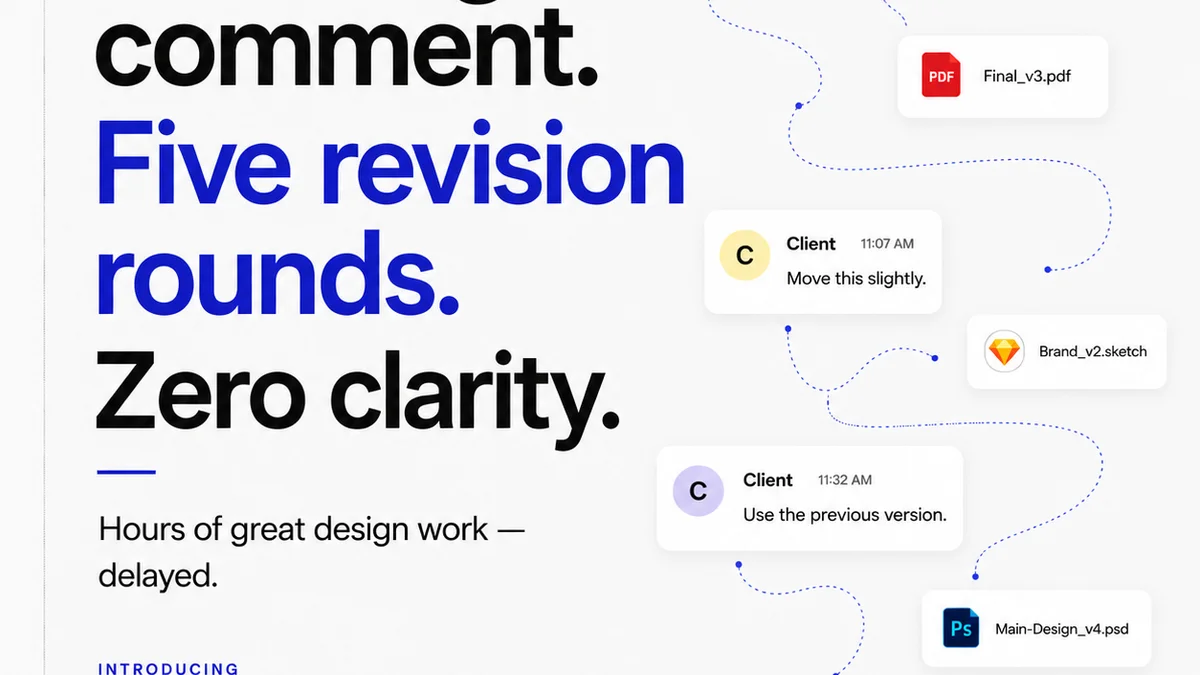
Managing client feedback and revisions is a core part of the QA process. When feedback is scattered across emails, Slack messages, and random documents, critical details get lost.
Revue centralizes all client comments and approvals in one place, tied directly to the creative asset.
This means:
- Clear Audit Trail: You can see exactly what feedback was given, when, and by whom. No more
Frequently asked questions
What is the difference between proofreading and publication QA?
Proofreading focuses on surface-level errors like typos and grammatical mistakes in the final output. Publication QA is a broader, systematic process that verifies an asset meets all functional, technical, brand, and client-specific requirements before delivery, aiming to mitigate risks and manage expectations.
Why is QA important for Creative Directors specifically?
For Creative Directors, QA is crucial because it directly impacts the client's perception of quality and the agency's professionalism. It ensures the final delivered work aligns with the creative vision and strategic goals, preventing avoidable rework and fostering client trust.
How can I integrate QA into my existing creative workflow?
Integrate QA by building in checkpoints at various stages, not just at the end. This includes self-checks by designers and copywriters, using standardized checklists tailored to each project, and assigning clear ownership for the QA process. Technology can automate some checks, freeing up human review for critical aspects.
What are the biggest mistakes agencies make with QA?
Common mistakes include treating QA as just proofreading, relying solely on developers to fix issues, rushing QA at the last minute, using vague checklists, and lacking clear ownership. Each of these undermines the effectiveness of the QA process.