Everyone thinks choosing the right tools for their publication workflow is about finding the most feature-rich software. More integrations, more dashboards, more automation – that’s the siren song.
None of that is wrong. But it’s incomplete.
The real truth? The best tools for your publication workflow aren’t about adding more complexity. They’re about stripping it away. They’re about creating clarity, enabling control, and ensuring seamless communication.
Let’s cut through the noise and talk about what actually matters when building an effective publication workflow.
1. The Myth of the All-in-One Solution
The fantasy is a single platform that does everything: content creation, editing, design, client feedback, approvals, publishing, and analytics. Agencies and in-house teams often fall prey to this idea, chasing the next tool that promises to be the ultimate solution.
This is a trap. Why?
- Feature Bloat: You end up paying for dozens of features you’ll never use, making the software clunky and slow.
- Integration Headaches: Even if it *claims* to do everything, the integrations are often shallow or buggy.
- Team Resistance: A complex, monolithic tool is harder for your team to adopt and master.
The hard truth is that specialized tools, when integrated intelligently, often outperform a jack-of-all-trades solution. It’s about finding the right *stack*, not the single magic bullet.
2. Defining Your Core Workflow Needs
Before you even look at software, you need to map out your actual process. What are the bottlenecks? Where does communication break down? Where are revisions lost?
Consider these stages:
Content Ideation & Planning
Where do ideas come from? How are they organized? Who approves concepts?
Content Creation & Drafting
What tools does your writer use? How is early feedback given?
Design & Visuals
What software is used for layout? How are design assets managed?
Client Review & Feedback
This is often the messiest part. How is feedback gathered? How is it consolidated?
Revisions & Iterations
How are changes tracked? Who makes them? How many rounds are typical?
Final Approval
What’s the sign-off process? How is it documented?
Publishing & Distribution
How does content go live? What channels are used?
Performance Analysis
How is success measured? What data is collected?
Be brutally honest about where things go wrong. Is it unclear feedback from clients? Is it missed deadlines due to endless revision cycles? Is it difficulty tracking version history?
3. Evaluating Tools: Beyond the Feature List
Once you know your needs, you can start evaluating tools. But don't just tick boxes on a feature comparison chart.
Ease of Use and Adoption
If your team struggles to use it, it doesn't matter how powerful it is. Look for intuitive interfaces and minimal training requirements.
Integration Capabilities
This is crucial. Does the tool play well with others? Look for robust APIs or pre-built integrations with the software you already rely on. Think about how data will flow between systems.
Scalability
Can the tool grow with your team and your project volume? Avoid solutions that will become bottlenecks as you scale.
Security and Reliability
For sensitive client work and proprietary content, security is non-negotiable. Ensure the tool meets industry standards and has a strong uptime record.
Cost vs. Value
Don't just look at the price tag. Consider the total cost of ownership, including training, integration, and potential productivity gains or losses. Is it worth the investment?
4. Key Tool Categories for Publication Workflows
While the perfect all-in-one doesn't exist, certain categories of tools are essential for a streamlined publication workflow. Here are some critical areas:
1. Project Management
Essential for tracking tasks, deadlines, and team assignments. Examples include Asana, Trello, Monday.com.
2. Content Creation & Collaboration
Tools for drafting, editing, and co-authoring. Google Docs, Notion, or specialized writing apps.
3. Design & Asset Management
For visual content creation and organizing brand assets. Figma, Adobe Creative Cloud, Bynder.
4. Feedback and Approval Platforms
This is where clarity is paramount. Tools that centralize comments, annotations, and version tracking are lifesavers. Revue, Frame.io (for video), or specialized proofing tools.
5. Publishing and CMS
The engine that gets your content out the door. WordPress, Contentful, HubSpot CMS.
6. Analytics and Reporting
To understand what's working and what isn't. Google Analytics, Adobe Analytics.
The key is not to find the best tool in each category, but the best *combination* that fits your unique process.
5. Building Your Publication Workflow Stack
Think of your workflow tools as a system. Each tool should feed into the next, with minimal friction.
Start with your core bottleneck. If client feedback is the problem, prioritize a robust feedback and approval tool first.
Prioritize integrations. How will your design tool connect to your project management? How will feedback be logged?
Standardize where possible. If you have multiple teams using different tools for the same function, you create silos. Aim for a common set of tools for core functions.
Document your process. Once you have your tools and workflow, document it. Make it accessible to everyone.
Where Revue Fits In
Many publication workflows get bogged down in the feedback and approval stages. Clients send feedback via email, Slack, or even text messages. This leads to:
- Lost comments
- Conflicting feedback
- Endless back-and-forth
- Difficulty tracking revisions
- No clear audit trail for sign-offs
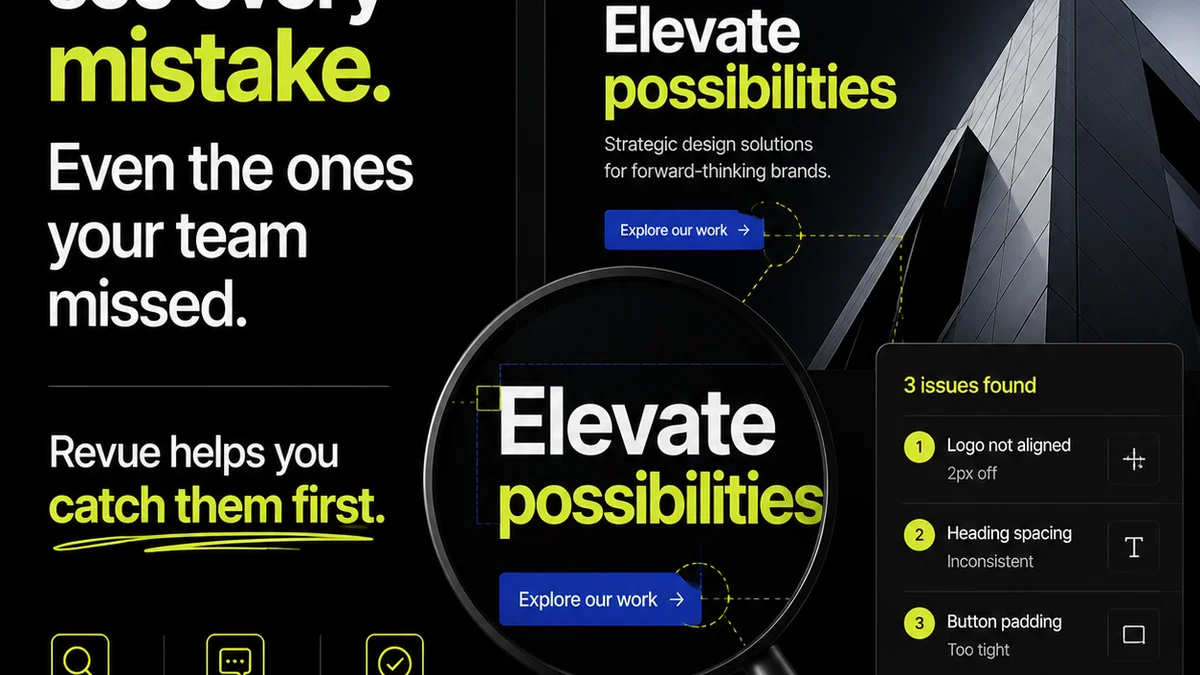
This is precisely where a tool like Revue can bring order. By centralizing client feedback directly on creative assets, you gain:
- Unified Communication: All comments, annotations, and discussions in one place.
- Version Control: Easily track revisions and compare different versions.
- Clear Approvals: Streamlined sign-off process with a clear audit trail.
- Increased Visibility: Everyone sees the same feedback, reducing misinterpretations.
It’s not about replacing your design tools or project managers; it’s about creating a dedicated, efficient hub for the critical review and approval phase. This clarity in feedback fuels faster, more accurate revisions and a smoother path to publication.
6. The Human Element: Training and Culture
The most sophisticated tool stack will fail if your team isn't trained or doesn't buy into the process.
Invest in training. Ensure everyone knows how to use the tools effectively.
Foster a culture of adoption. Explain *why* these tools are important and how they benefit everyone. Get team input on tool selection and workflow design.
Iterate and refine. Your workflow isn't static. Regularly review what's working and what isn't, and be willing to adjust your tools and processes.
Final Thought
Are you choosing tools to solve problems, or are you choosing tools because they look good on a demo reel? The relentless pursuit of the next big feature often distracts from the fundamental need for clarity and control in your publication workflow. Focus on how tools enable communication and streamline approvals, not just on their individual capabilities.
Frequently asked questions
What is the biggest mistake agencies make when choosing publication workflow tools?
The biggest mistake is chasing 'all-in-one' solutions or focusing solely on feature lists. This often leads to overly complex systems that are hard to adopt, expensive, and inefficient. The focus should be on how tools integrate and simplify specific workflow bottlenecks, especially communication and approvals.
How important are integrations when selecting workflow tools?
Integrations are critical. A well-integrated tool stack ensures data flows smoothly between different stages of your publication process, reducing manual work and the risk of errors. Prioritize tools with robust APIs or pre-built connectors to your existing software.
How can a tool like Revue improve my publication workflow?
Revue centralizes client feedback and approvals on creative assets. This eliminates disorganized feedback from emails and chats, provides version control, and creates a clear audit trail. It brings much-needed clarity and efficiency to the review process, speeding up revisions and sign-offs.
Should I use separate tools for different parts of my publication workflow?
Yes, often a 'stack' of specialized tools integrated intelligently is more effective than a single, bloated all-in-one solution. Focus on finding the best tool for each critical function (e.g., project management, design, feedback) and ensuring they work well together.