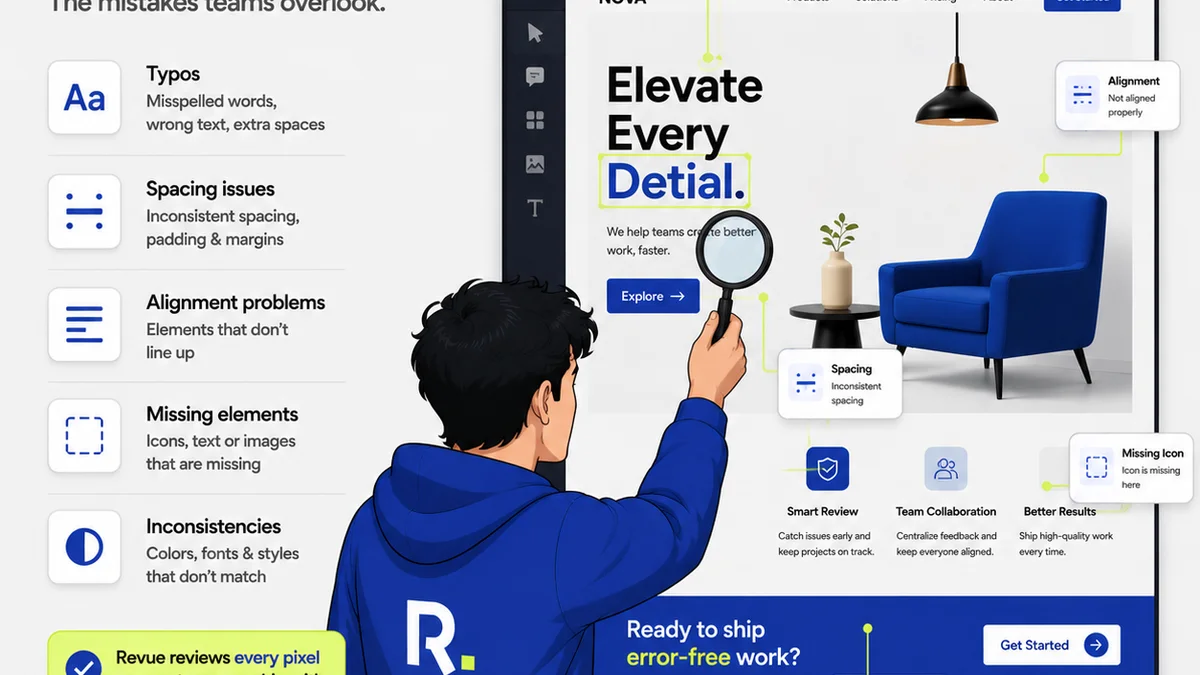
Everyone talks about publishing software as the magic bullet for creative workflows. It’s going to streamline everything, cut down on emails, and make client approvals a breeze. None of that is wrong. But it’s incomplete.
The hard truth? Software is only as good as the processes it supports. Without a clear understanding of your agency’s operational realities, even the best publishing tools will just automate chaos.
Let’s cut through the noise. We’re diving deep into what truly matters when selecting and implementing publishing software for your agency or in-house team.
1. The Myth of "Set It and Forget It"
Many agencies buy publishing software believing it’s a one-time fix. Plug it in, and suddenly, feedback is organized, revisions are tracked, and approvals happen on time. It sounds great. It’s rarely the reality.
The truth is, publishing software is a tool. Like any tool, its effectiveness depends on how you wield it. Your team needs to understand *why* they’re using it and *how* it fits into their daily tasks.
This means training, yes. But more importantly, it means rethinking your existing workflows to leverage the software, not just bolt it on.
Defining Your Feedback Loop
Before you even look at software, map out your current client feedback process. Where do things break down?
- Is feedback scattered across emails, Slack, and random calls?
- Do clients get confused about what needs to be revised?
- Is there a lack of clarity on who approved what, and when?
- Are revision rounds documented clearly?
Without this clarity, any software will struggle to impose order.
The Human Element
Software can’t fix miscommunication. It can’t force clients to be clear. And it can’t magically make your team follow new protocols.
You need buy-in. You need clear guidelines. You need to train your team not just on clicking buttons, but on the *principles* of effective feedback and revision management.
2. Beyond Feature Checklists: Operational Alignment
You’ve seen the feature lists. Version control, annotation tools, client portals, reporting dashboards. They all sound essential.
But the real question isn’t “Does it have X feature?” It’s “Does this software align with how we *actually* work, and how we *want* to work?”
Understanding Your Core Needs
What are your biggest pain points right now?
Are you drowning in email threads about minor tweaks?
Is tracking project status a daily struggle?
Do you spend too much time chasing approvals?
The software you choose must directly address *your* specific bottlenecks. A feature-rich tool that doesn’t solve your primary problems is just expensive clutter.
Integration is Key
Consider your existing tech stack. Does the publishing software play nicely with your project management tools? Your design software? Your communication platforms?
Seamless integration means less manual data entry, fewer context switches for your team, and a more unified view of project progress. If it creates more work to connect it, it’s the wrong tool.
Scalability and Flexibility
Your agency will grow. Your client needs will evolve. Can the software adapt?
Look for solutions that can scale with your team size and project complexity. Can it handle multiple clients, diverse project types, and varying approval workflows?
Avoid tools that are too rigid. You need a platform that can be configured to your specific needs, not one that forces you into a pre-defined box.
3. The Illusion of Control: Visibility and Accountability
Many publishing tools promise control. They offer dashboards and reports. But true control comes from visibility and accountability.
Visibility means everyone—your team, your clients—can see the status of feedback, revisions, and approvals at a glance. Accountability means it’s clear who is responsible for what, and by when.
Centralized Feedback Hub
Scattered feedback is a productivity killer. Comments lost in email chains, crucial notes missed on Slack—it all leads to errors and delays. A central hub for all client input is non-negotiable.
This hub should allow for:
- Direct annotation on creative assets (images, PDFs, videos, websites).
- Clear categorization of feedback (e.g., design, copy, technical).
- Easy identification of who provided which comment.
Streamlined Revision Management
Tracking revisions manually is a nightmare. Which version is the latest? What changed from the previous round? Who signed off on this iteration?
Good publishing software makes this transparent. It should:
- Clearly version assets.
- Show diffs or highlight changes between versions.
- Log all revision activity.
This creates an irrefutable audit trail.
Clear Approval Workflows
The final approval is often the most critical step. Ambiguity here can lead to costly rework or missed deadlines.
Your software should facilitate clear, documented approvals:
- Define who needs to approve.
- Set deadlines for approvals.
- Provide a clear “approved” or “rejected” status for each asset or iteration.
- Notify stakeholders of approval status changes.
This removes guesswork and ensures everyone is on the same page.
4. Quality Assurance: The Unsung Hero
Many agencies focus so much on getting client sign-off that they neglect internal quality checks. Publishing software can, and should, play a role here.
Automating Checks (Where Possible)
While not all QA is automatable, some aspects can be standardized and tracked.
For web projects, this might involve checking for broken links, basic responsiveness, or adherence to brand guidelines. For print, it could be pre-flight checks.
Your publishing tool should allow you to build in these checks as part of the workflow, perhaps before an asset is sent for final client review.
Checklists and Standards
Even without full automation, software can enforce process.
Use it to create standardized checklists for:
- Design consistency
- Copyediting
- Technical accuracy
- Accessibility standards (e.g., WCAG guidelines)
These checklists become part of the review process, ensuring nothing critical slips through the cracks.
The Cost of Rework
Rework is expensive. It eats into margins, delays launches, and frustrates teams and clients. Implementing a robust QA process, supported by the right software, is an investment that pays dividends.
Where Revue Fits In
This is precisely why Revue was built. We saw agencies drowning in disorganized feedback, struggling with version control, and lacking clear approval visibility. Standard publishing tools often added complexity without solving the core operational issues.
Revue acts as the central nervous system for your creative workflow. It’s designed to bring clarity and control to the entire process, from initial feedback to final approval.
- Centralized Feedback: All client comments, annotations, and discussions live in one place, directly on the creative assets. No more digging through emails.
- Revision Management: Track every version, see exactly what changed, and understand the history of an asset.
- Approval Visibility: Define clear approval steps, track who needs to sign off, and get instant status updates. Reduce bottlenecks and eliminate ambiguity.
- Quality Checks: Build in your agency’s specific quality assurance steps, ensuring consistency and adherence to standards before assets go live or to print.
Revue integrates these critical functions, turning a chaotic process into a manageable, transparent workflow. It’s about operational efficiency, not just software features.
Final Thought
Publishing software isn’t a magic wand. It’s a powerful enabler when aligned with smart, well-defined agency processes. The tools you choose should amplify your team’s ability to manage feedback, revisions, and approvals efficiently, freeing up time for what truly matters: creating great work.
Are you using your publishing software to its full potential, or is it just another tool in a broken process?
Frequently asked questions
What's the biggest mistake agencies make when choosing publishing software?
The biggest mistake is focusing solely on features without considering how the software aligns with existing or desired operational processes. A tool that doesn't fit your workflow will create more problems than it solves.
How can publishing software improve client communication?
By centralizing all feedback and approvals in one place, it eliminates confusion caused by scattered emails and messages. Clear versioning and an audit trail ensure everyone understands the latest status and history, leading to more efficient communication.
Is it possible to automate quality checks with publishing software?
While not all quality checks can be fully automated, publishing software can enforce standardized processes. You can build checklists for design, copy, technical accuracy, or accessibility into the workflow, ensuring critical steps aren't missed before final approval.
How does publishing software help manage revisions?
Effective publishing software clearly versions assets, highlights changes between iterations, and logs all revision activity. This provides a transparent audit trail, making it easy to track progress and understand what has been modified and approved.